Crazy Challenge: Mini Games 3D
- 161.00
- 4.7
- Installs
- 5.00M
- Price
- Free
Screenshots



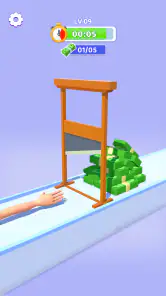
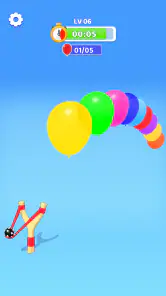
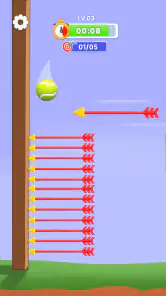
Analysis by Reviewed
When I first open Crazy Challenge: Mini Games 3D, I treat it less like a game with one long campaign and more like a pocket arcade for moments when I want a quick change of pace. That distinction matters: the appeal is variety and brief challenges, not necessarily a deep story or a single skill to master. It is an arcade game from Fried Chicken Games, free to install, with optional in-app purchases priced at $2.99 per item. The Teen age rating is worth noticing if you are choosing something for a younger player, even though the game’s quick, colorful presentation may initially look broadly family-friendly.
What to expect when you open it
The first useful thing to know is that a collection of mini-games asks you to switch gears. One activity may call for patience or careful timing, while another may feel more immediate. I would not approach every challenge as though it uses the same rules or rewards the same reflexes. Give each one a moment to show you what it wants, then decide whether to play for a better result or move on. That small pause saves frustration when a new activity feels different from the last.
The game’s listed version is 1.5.9, and it requires Android 6.0 or later. It has a 4.7 average from around 47,000 ratings, with over 5 million installs. Those figures suggest that many players have given it a try, but they do not tell me whether every mini-game will suit a particular person. I would use the rating as a reason to consider it, not as a promise that every challenge will become a favorite.
Starting without overthinking setup
For a first-time player, I recommend keeping the first visit simple: open the game, choose an activity that looks easy to understand, and focus on learning its immediate goal. There is no need to decide in advance that you are going to play for a long session. A short first run is enough to tell you whether the presentation and pace feel comfortable on your device. If the first challenge does not click, trying another is part of the point of a mini-game collection, not evidence that you have failed at the whole game.
One practical tip is to pay attention to the instructions shown for each challenge rather than relying on what worked in the previous one. In a collection, familiar-looking visuals can tempt you to act before you have understood the current task. I find that reading or watching the brief prompt first is a better route to an early success than tapping quickly and hoping the controls work the same way throughout.
Finding a first small win
Choose a challenge whose goal is clear, make one deliberate attempt, and judge the result by whether you understood what to do—not only by whether you got the best outcome. That is a reassuring way to begin because it turns the first session into a learning pass. Once you know how that activity responds, try again if you want to improve, or return to the selection and sample something with a different feel.
This approach also makes the game easier to fit into an ordinary day. I can imagine opening it while waiting for a ride or taking a short break, completing a small challenge, and putting the phone away without feeling that I have abandoned a long-running task. It suits that stop-and-start rhythm better than games that expect a substantial uninterrupted session. If you have only a few minutes, decide before you start whether you want one quick attempt or a little exploration; otherwise, the variety can make it easy to keep browsing for the next thing.
More From Our News Desk

Weather by Xiaomi Review: Clear at a Glance, Less Clear Up Close

X Under Pressure: Can It Recover When Posting Goes Wrong?

Clash of Clans Is Won Between the Battles

Android Auto Makes the Case for Quieter Car Software

MobiOffice: Transforming Mobile Productivity with Seamless Integration

EA SPORTS FC™ Mobile Soccer: Redefining Mobile Sports Gaming
Endless Fun with a Variety of Games
What I absolutely love about Crazy Challenge: Mini Games 3D is the sheer variety of games it offers. From mind-bending puzzles to fast-paced action games, there's something in there for everyone. The developers have done an amazing job at ensuring each game is unique yet equally engaging. Imagine switching from a brain-teasing puzzle to a thrilling race in just a few taps. It's like having an entire arcade right in your pocket!
Graphics and User Interface
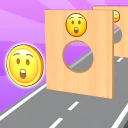
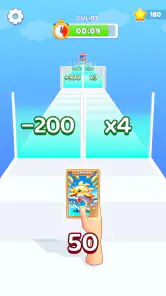
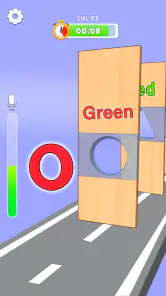
Now, let's talk about the graphics. The app boasts vibrant and colorful 3D graphics that make each game come to life. It's like stepping into a cartoon world where everything is possible. The user interface is intuitive, making navigation through the app a breeze, even for those who aren’t tech-savvy. Every button is where you expect it to be, making the overall user experience as smooth as butter. And trust me, you won’t find yourself fumbling around trying to figure out what to do next.
That approachable look is useful when I am handing the phone to someone who has not played before: a bright, readable screen can make the first few minutes feel less intimidating. Still, I would not assume that a colorful 3D style means every activity is equally easy. A simple interface and a simple challenge are different things. If someone gets stuck, I would first check whether they have taken in the instructions for that particular game, rather than assuming the app’s controls are unclear.
Challenge Your Friends
One of the standout features of this app is the social aspect. You can easily challenge your friends to beat your high scores, adding a competitive edge to the fun. Whether you’re playing solo or competing with friends, each game is designed to test your skills and reflexes to the max. And who doesn’t love a little friendly competition, right?
For a casual get-together, score challenges can give people a low-pressure reason to take turns: one person tries a mini-game, another has a go, and the result becomes a quick conversation rather than a commitment to a long multiplayer match. I would keep expectations modest if the group wants a fully connected, real-time party experience. This is best approached as a way to compare results and enjoy short attempts, not as a substitute for a dedicated multiplayer game with teams, lobbies, or coordinated rounds.
Regular Updates
The developers are constantly updating the app with new games and features. This means there’s always something fresh to look forward to. It’s like getting a new game every other week without having to download another app. Plus, these updates are often based on user feedback, which means your voice is heard and appreciated. It's this commitment to keeping the app fresh and engaging that makes it stand out in the crowded world of mobile gaming.
My advice is to treat any update as a reason to revisit the game, rather than assuming that a particular new activity will arrive on a predictable schedule. For someone who likes having several bite-sized options in one place, a collection can be more convenient than installing separate arcade titles and learning a new menu for each. The trade-off is that players who want one carefully balanced game, a long progression path, or a highly specific genre may prefer a focused alternative. A bundle of different challenges offers breadth, but breadth is not the same as depth.
Who will enjoy the quick-change format
I think the strongest fit is someone who likes sampling different kinds of arcade challenges without deciding on one game before opening the app. It can work well for short breaks, informal hand-offs among friends, or a player who gets bored when the same mechanic continues for too long. If you usually enjoy testing a new task, learning its basic pattern, and moving on when you have had enough, this format makes sense.
It is less compelling for a player who wants a substantial single-player campaign, a persistent world, or a competitive scene built around a specific skill. Those players will usually be happier with a dedicated puzzle game, racing game, or action title that can spend all of its design effort on one core loop. Likewise, if you find frequent changes of pace distracting, the variety that makes this collection appealing may feel scattered instead. I would choose it for flexible entertainment, not as my main game for mastering one genre.
Everyday use, purchases, and small trade-offs
A realistic use case is a short wait between errands: I can open the game, try a challenge, and stop when my turn comes or my break ends. Another is sharing a phone with a friend and using a score as a playful target. In both situations, I would keep the session casual and avoid treating a single result as a serious measure of skill. That mindset makes the variety more enjoyable and reduces the pressure to keep retrying when I only meant to fill a few minutes.
The game is free to install, while in-app purchases are available at $2.99 per item. I would set a simple boundary before handing the device to a child or letting someone browse freely: make sure they understand that optional purchases are different from the free download. That is especially sensible with a Teen rating and a bright, accessible presentation, since visual simplicity does not change the age guidance or make every player equally suited to the content.
There is also a practical trade-off in keeping a collection on the phone instead of choosing separate games. One app makes it easier to move between different styles, but a player who dislikes one particular challenge may have to skip it and look for another activity they prefer. My best tip is to think of the game as a menu of short experiments: sample, notice what feels satisfying, and spend your time on those parts rather than insisting on completing every activity in the same way.
Choosing your next step
After the first successful attempt, I would either replay the same challenge to see if its pattern becomes clearer or switch to a contrasting one to test whether the variety is the main draw for me. If I am playing alone, I can use that comparison to find the activities I naturally return to. With friends, I would pick one simple score to beat and keep the competition friendly, rather than turning every round into a lengthy contest.
If you are deciding whether to download it, ask yourself what you want from an arcade game today. For a free starting point with varied, short-form play, this is an easy one to try; for a deep campaign, a tightly defined genre, or a focused online competition, I would look elsewhere. The combination of a 4.7 average and a large audience makes it a credible option to sample, but my recommendation is ultimately about fit: it works best when you enjoy quick changes of activity and do not need every session to build toward a bigger goal.
In conclusion, Crazy Challenge: Mini Games 3D is a fantastic app for anyone looking to have a little fun on the go. With its diverse range of games, stunning graphics, and engaging social features, it's no wonder this app is quickly becoming a favorite among gamers of all ages. So, if you're in the mood for some crazy challenges, give it a whirl. Who knows, you might just find your new favorite pastime!
Crazy Challenge: Mini Games 3D Frequently Asked Questions
Can I play Crazy Challenge: Mini Games 3D in short sessions?
Yes. The game is built around short mini-game challenges, so it suits a quick break as well as a longer casual play session. You can move between different tasks instead of committing to one extended storyline. Its store description also presents it as a way to have fun with calm and relaxing games, though the individual challenges may call for quick reactions or decisions.
Is Crazy Challenge: Mini Games 3D suitable for players who enjoy varied gameplay?
It may be a good match if you like trying different tasks rather than repeating one central game mechanic. Crazy Challenge: Mini Games 3D brings together a variety of 3D mini games, with challenges described as involving reflexes, strategy, and quick thinking. The appeal comes from switching between these short activities, while players looking for a single, continuous adventure may prefer another style of game.
Who developed Crazy Challenge: Mini Games 3D, and what kind of game is it?
Crazy Challenge: Mini Games 3D is an arcade game developed by Fried Chicken Games. It brings together a range of short 3D mini-game challenges, making it a fit for players who enjoy switching between different kinds of quick tasks rather than following one long storyline. Its store description presents it as a casual way to play and relax.
What is Crazy Challenge: Mini Games 3D?
Crazy Challenge: Mini Games 3D is a dynamic mobile game featuring a variety of fast-paced mini games set in a 3D environment. It offers a fun and engaging experience for players of all ages, with challenges that test reflexes, strategy, and quick thinking. Each mini game presents unique mechanics and goals, keeping the gameplay fresh and exciting.
Is Crazy Challenge: Mini Games 3D free to play?
Yes, Crazy Challenge: Mini Games 3D is free to download and play. However, it does offer in-app purchases, priced at $2.99 per item, that can enhance the gaming experience by unlocking additional content or features. Players can enjoy the core gameplay without spending money, but optional purchases are available for those who wish to expand their experience.
Pros
- Diverse mini-games keep the experience fresh.
- 3D graphics enhance the gaming experience.
- Quick and easy to learn controls.
- Frequent updates with new content.
- Multiplayer mode for competitive fun.
Cons
- Some mini-games feel repetitive.
- Occasional in-app ads interrupt play.
- Requires internet for multiplayer mode.
- Some games are too short.
- Occasional lag on older devices.
- Category
- Arcade
- Version
- 1.5.9