Connection: Logic Games
- 4.10K
- 4.4
- Installs
- 1.00M
- Price
- Free

Screenshots




Analysis by Reviewed
I like puzzle games that let me get straight to thinking instead of making me learn a complicated setup first. That is the appeal I found in Connection: Logic Games: its challenges focus on visual reasoning, and the experience feels suited to a few spare minutes. It is not the right fit for every kind of puzzle fan, though. If you want a narrative, a competitive ladder, or a detailed record of long-term progress, I would look elsewhere; if you enjoy tracing patterns and testing possible moves at your own pace, it is worth a closer look.
Getting Started with Connection
First things first, downloading the app was a breeze. Available on both Android and iOS, Connection: Logic Games promises to deliver a variety of puzzles that cater to different skill levels. Once installed, you're greeted with a simple yet inviting interface. It's not cluttered, which is a relief because the last thing you want when solving puzzles is unnecessary distractions.
What the puzzle mix is like in practice
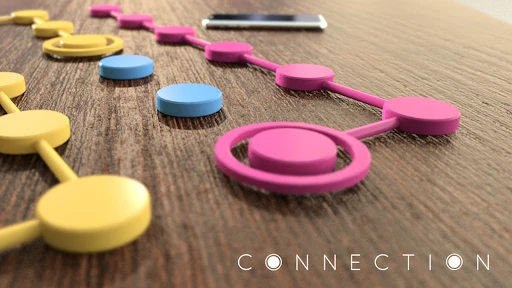
Now, onto the fun part - the puzzles themselves. The app offers a multitude of challenges, each designed to test your critical thinking and problem-solving skills. I found myself particularly drawn to the "Connect the Dots" section. It starts off easy, but don't let that fool you. As you progress, the difficulty ramps up, and you'll find yourself genuinely pondering over some of the solutions.
One of the things I loved about Connection is how it manages to keep things fresh. There's a good mix of different types of puzzles. Whether it's connecting dots, creating patterns, or solving mazes, there's always something new to tackle. This variety ensures that you won't get bored anytime soon.
Why its visual style is a particular strength
The useful distinction here is that the game asks me to reason about what I can see rather than remember facts, calculate quickly, or find words. That makes it approachable when I want a mental task without first getting into a theme or learning a set of rules. It also means the enjoyment depends on whether visual patterns are satisfying to you: someone who loves crosswords may miss the vocabulary, while a player who likes spatial puzzles may settle in quickly.
A practical way to try the different puzzle styles is to notice which one makes you slow down in a good way. I would not judge the whole collection by the first easy board, but I also would not keep playing a format that feels like repetition rather than deduction. Switching styles can help when one kind of challenge stops feeling fresh, and it gives a better sense of whether the variety is a real draw for you or simply a collection of modes you do not all enjoy equally.
Choosing when it fits your day
For a practical approach, I’d treat a tricky board as a small reasoning exercise, not a race. Before using a hint, I pause and check what each connection rules out; that simple habit can turn a guess into a more deliberate move. If I’m playing while tired, I’d pick a simpler challenge rather than push through frustration. The hint option is reassuring, but leaning on it too quickly can take away the satisfaction of spotting the pattern yourself.
More From Our News Desk

Weather by Xiaomi Review: Clear at a Glance, Less Clear Up Close

X Under Pressure: Can It Recover When Posting Goes Wrong?

Clash of Clans Is Won Between the Battles

Android Auto Makes the Case for Quieter Car Software

MobiOffice: Transforming Mobile Productivity with Seamless Integration

EA SPORTS FC™ Mobile Soccer: Redefining Mobile Sports Gaming
This is best for people who enjoy visual logic and want a low-pressure way to occupy a few spare minutes. It may be less suitable if you want a story, competitive play, or a clearly defined campaign to work through. Compared with word puzzles, the appeal here is working with shapes and connections rather than vocabulary; compared with action games, it asks for patience instead of quick reactions. If you prefer number-heavy deduction or a social challenge, a different puzzle game may be a better match.
A realistic short-session routine
Imagine I have a few minutes before an appointment and do not want to start a game that will be awkward to leave halfway through. A visual logic puzzle is a natural choice: I can focus on one board, make a considered attempt, and stop when I need to go. I would avoid opening a difficult challenge when I have only seconds to spare, because the pleasure comes from following the reasoning rather than tapping hurriedly. The game works best as a deliberate pause, not as something I play while attention is split between several tasks.
It can also suit a quiet commute, provided I am somewhere I can safely look at my screen. In that setting, I would choose a puzzle that feels manageable and keep my attention on the board rather than treating the trip as a race to clear as much as possible. If I need a game that can be played entirely by sound, or one that does not require looking closely at visual arrangements, this is not the option I would reach for.
How it feels after settling in
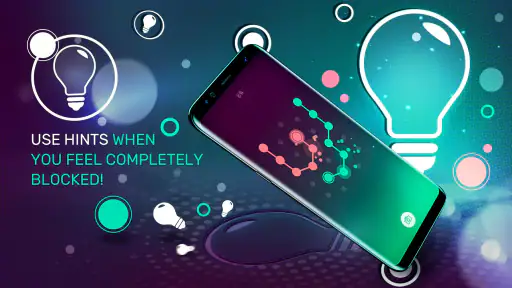
The design of the app is intuitive. Navigation is smooth, and I never found myself lost or confused about what to do next. The colors are easy on the eyes, and the animations are slick, adding a nice touch without being overwhelming. Plus, there's a hint system in place for those moments when you're really stumped. I admit, I had to use it a couple of times, but hey, no shame in that!
One trade-off with a collection of different puzzle styles is that not every format will click equally. I’d give each type a fair try before deciding whether the game suits me, but I wouldn’t force myself through a mode that feels more like busywork than a satisfying puzzle. When a solution seems obvious, checking the full board before committing is a useful way to avoid rushing into a dead end.
Another thing worth mentioning is that the app runs flawlessly. I didn't encounter any bugs or glitches during my time with it, which is always a plus. It's clear that the developers have put a lot of effort into ensuring a seamless user experience.
How to make hints more useful
I find a hint most valuable after I have made a genuine attempt, not as the first response to a board that looks unfamiliar. Before tapping for help, I would scan the whole puzzle and ask which connections are certain and which are only guesses. That small pause can reveal that the apparent dead end is really a missed relationship elsewhere on the board. It also helps me learn the logic behind a solution instead of merely getting past the obstacle.
There is a trade-off: if I am playing only to relax, spending too long on a stubborn puzzle can turn a pleasant break into a chore. In that case, using a hint is a reasonable way to keep the session light. If I am trying to train my reasoning, I would hold off longer and use the puzzle as practice. The best choice depends on what I want from that particular session, rather than on a rule that hints are always good or bad.
Its place among puzzle games
Infinity Games, Lda makes this free puzzle game, which is rated for Everyone. It has an average rating of 4.4 from around 123,000 ratings, with about 4,100 written reviews and over a million installs. Those figures suggest that it has found a broad audience, though they can’t tell you whether its particular puzzle styles will suit your taste. Optional in-app purchases range from $5.49 to $20.99 per item, so I’d check what is offered in the app before paying; the free starting point makes it easy to judge the core experience first.
For a fair comparison, I would put it beside familiar mobile puzzle choices by asking what kind of attention they demand. Word games reward vocabulary, number puzzles often reward calculation or deduction, and match-style games tend to emphasize quick pattern recognition and repeated turns. Connection’s appeal is the act of reasoning through visible relationships. If that is the kind of thinking I want, it has a clearer purpose than choosing a puzzle game just because it is popular. If I mainly want a daily word challenge or a head-to-head contest, another option will serve me better.
It is also worth thinking about how much structure you want. Some puzzle games organize play around a story, a campaign, or a sequence of milestones; this is a better fit for someone who wants to pick a challenge and concentrate on the puzzle itself. I would choose it for a quiet mental break, not because I expect a rich world or social competition. That difference matters when deciding whether it should be a regular part of your phone or simply an occasional option for a particular mood.
What its release history does and does not tell me
The game was released on April 4, 2018. That gives it an established place in the mobile puzzle field, but I wouldn’t assume a particular feature or change simply from its age. Existing players can judge it by the puzzles and interface they see now, while anyone comparing options should focus on whether its visual connection challenges feel more appealing than their usual word, number, or match-style games. I’d watch for clear details about any changes that affect puzzle variety or the way hints work, since those are the parts most likely to matter during everyday play.
For someone returning after time away, the most useful check is not the release date but whether the current selection still feels engaging. I would try a few different puzzle styles, notice how often I want a hint, and decide whether the challenge is comfortable at the pace I prefer. Those are direct tests of fit. A long history can make a game familiar to existing players, but it does not automatically make every puzzle format right for a new one.
Questions I would settle before making it a habit
Is it free to try? Yes, the game is free, so I can judge the puzzle experience before deciding whether anything optional is worth buying. Because in-app purchases are available, I would look carefully at the item and its price inside the game rather than assume every purchase works the same way. My advice is simple: play enough to know whether you enjoy the core challenges first, and do not spend just because a puzzle has become difficult.
Is it suitable for a younger player? Its Everyone age rating makes it broadly suitable, but I would still consider the individual player's patience and interest in visual problem-solving. A child who enjoys spotting patterns may find it absorbing; someone looking for a fast, noisy game with lots of character may not. Is it a good choice for long sessions? It can be, if I am enjoying the puzzles, but its strongest use for me is a short, focused break rather than a commitment to a long campaign.
Does it suit a beginner? The gentler starting challenges make it approachable, and the hint option offers a way forward when I get stuck. Still, a player who dislikes trial and error may find some boards frustrating. I would approach it with permission to pause, switch puzzle types, or ask for a hint instead of treating every unsolved board as a test of ability. That keeps the experience enjoyable and gives me a more honest sense of whether the game’s logic style clicks.
Final Thoughts
Overall, Connection: Logic Games is a fantastic app for anyone looking to give their brain a workout. It's engaging, challenging, and most importantly, fun. Whether you're a seasoned puzzle enthusiast or a casual player looking to pass the time, there's something here for everyone.
If you're ready to put your logic skills to the test, I'd highly recommend giving Connection a try. Just a heads up though - once you start, it's hard to stop!
For me, the recommendation comes with one important qualification: go in for the visual reasoning, not for features or formats you would expect from a different kind of puzzle game. The mix, the uncluttered presentation, and the option to use a hint make it easy to sample at your own pace. If you enjoy that style of thinking, the free entry point makes trying it a sensible choice; if you need a story, social competition, or a different mental challenge, you can skip it without feeling you have missed the right game for you.
Connection: Logic Games Frequently Asked Questions
When did Connection: Logic Games first come out?
Connection: Logic Games was released on April 4, 2018. It is a puzzle game built around logic challenges, so it may suit players looking for a thoughtful activity they can return to over time. If you are deciding whether to download it, the release date offers a little context about how long the game has been available, while the puzzle style is the more useful guide to whether it matches your interests.
What does Connection: Logic Games’ rating say about its audience?
The game has an average rating of 4.4 from around 123,000 ratings, alongside roughly 4,100 written reviews. That gives prospective players a broad snapshot of how people have responded, though ratings cannot tell you whether its particular puzzle style will be a good fit. If you enjoy logic-based challenges and connecting matching colors, the game’s central idea may be worth trying for yourself.
Who developed Connection: Logic Games, and what kind of game is it?
Connection: Logic Games is a puzzle game from Infinity Games, Lda, focused on logic-based challenges. Its store summary describes it as a game for brain training, making it a natural fit for players who enjoy taking a moment to think through a puzzle rather than rushing through action. It is free to download, with optional in-app purchases.
What is Connection: Logic Games about?
Connection: Logic Games is an engaging puzzle game that challenges players to connect dots of the same color on a grid. The game offers a variety of levels with increasing difficulty, ensuring that players remain entertained and mentally stimulated. It's perfect for those who enjoy strategic thinking and problem-solving.
Is Connection: Logic Games suitable for all age groups?
Yes, Connection: Logic Games is designed for players of all ages. The intuitive gameplay and simple interface make it accessible to younger players, while the increasing complexity of the puzzles ensures that even seasoned puzzle enthusiasts will find it challenging and rewarding. Its Everyone content rating also makes it a family-friendly option, though younger players may still benefit from an adult’s guidance when using a device.
Pros
- Engaging puzzles that challenge your logic skills.
- Wide variety of levels for endless entertainment.
- Intuitive controls make gameplay smooth.
- Visually appealing graphics enhance experience.
- Regular updates with new puzzles and features.
Cons
- Some puzzles can be overly difficult.
- Occasional ads disrupt gameplay flow.
- Limited hints available for tough puzzles.
- Needs internet connection for best features.
- Sound effects can be repetitive over time.
- Category
- Puzzle
- Version
- Varies with device