Colors & Shapes: Coloring game
- 579.00
- 4.5
- Installs
- 10.00M
- Price
- Free
Screenshots
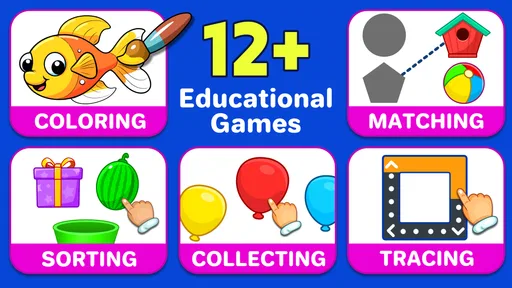
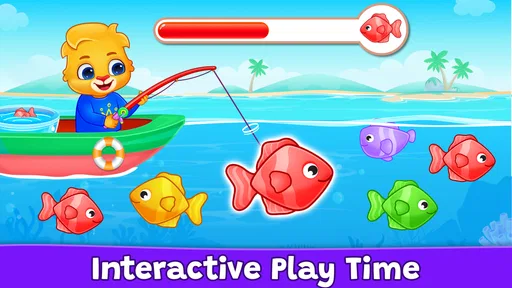
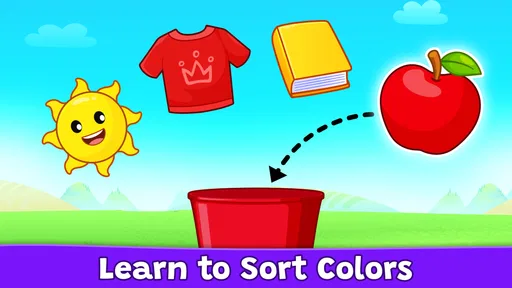
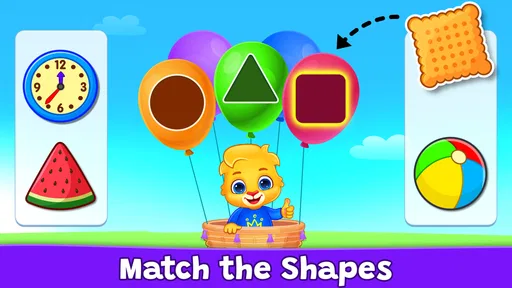
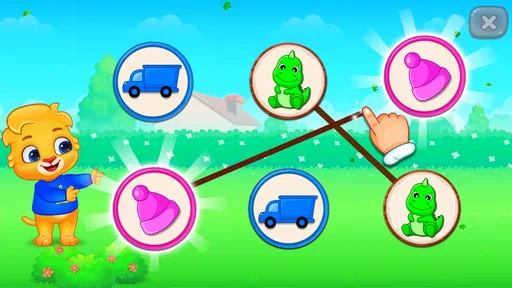
Analysis by Reviewed
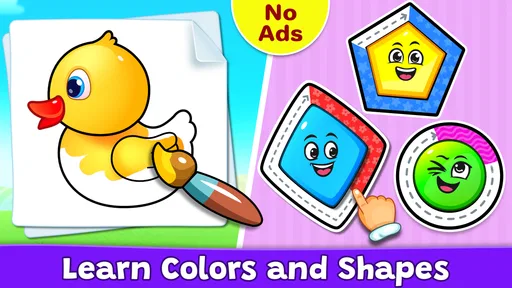
When I first opened Colors & Shapes: Coloring game, I immediately understood its appeal: it gives young children a simple place to recognize colors, identify basic shapes, and practice choosing the right visual answer without turning the experience into a lesson full of text. It is a free educational game from RV AppStudios, aimed at Everyone, and its focus is narrow in a useful way. This is not a large collection of unrelated mini-games. It is a gentle introduction to two ideas children meet everywhere: what a color looks like and what a shape is called.
I would recommend it to a parent who wants a short, low-pressure activity for a preschooler or early learner. The game is especially suitable when a child is still learning to follow visual instructions and needs repetition before the words become familiar. It is available for devices running Android 6.0 or later, and it has been around since September 6, 2017. Its long presence and broad reach are reflected in an average rating of 4.5 from around 21 thousand ratings and more than 10 million installs, but those figures matter less to me than the way the app works in a real family routine.
What the first few minutes feel like
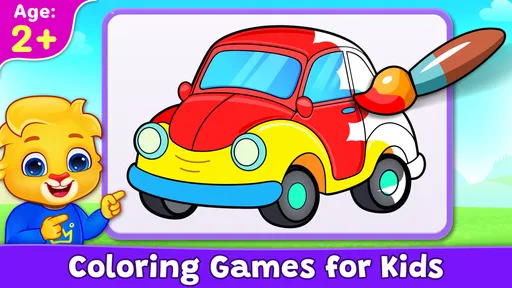
The best way to approach this game is to think of it as guided practice rather than a conventional game with a score to chase. A child can explore colors and shapes through playful coloring activities, and the visual presentation does most of the explaining. That makes the experience approachable for children who cannot read yet, or who are more comfortable responding to pictures than to written instructions.
On a first visit, I would sit beside the child rather than hand over the device and leave. That is not because the app is difficult, but because the first meaningful success comes faster when an adult names what is on screen. Saying “find the red one” or “which shape has three sides?” turns tapping into a small conversation. After that, many children can continue independently for a while.
The game’s strongest quality is its limited scope. Children are not asked to remember a complicated story, manage an inventory, or understand several controls at once. The learning target stays visible: notice a color, notice a shape, and connect the two with an action. For a child who becomes frustrated by busy educational apps, that restraint can make a noticeable difference.
At the same time, parents should set expectations correctly. This is not a complete early-learning curriculum, and I would not use it as the only activity for teaching colors or geometry. It works better as a repeatable practice tool between drawing, sorting physical objects, reading picture books, and talking about things in the child’s surroundings.
A calm starting point for young learners
The app is most useful when the child is ready to make simple visual choices. A toddler who is still learning how to control a touchscreen may tap randomly, while an older child who already knows common colors and shapes may finish the activities quickly. The sweet spot is a learner who benefits from seeing the same concepts presented in a playful format.
More From Our News Desk

Weather by Xiaomi Review: Clear at a Glance, Less Clear Up Close

X Under Pressure: Can It Recover When Posting Goes Wrong?

Clash of Clans Is Won Between the Battles

Android Auto Makes the Case for Quieter Car Software

MobiOffice: Transforming Mobile Productivity with Seamless Integration

EA SPORTS FC™ Mobile Soccer: Redefining Mobile Sports Gaming
I also like the fact that the content rating is Everyone. That makes it easier to place in a shared family environment, although an age label should never replace a parent’s judgement about a particular child’s attention span or device habits. A child who needs movement and hands-on play will still need breaks; an educational label does not make extended screen time automatically worthwhile.
What I would prepare before handing it over
Before starting, I would make sure the child is holding the device comfortably and that the screen is not crowded by other distractions. For a first session, five or ten focused minutes is more useful than trying to complete everything in one sitting. I would also decide whether the child should play alone or with help. Younger children often learn more when an adult waits a moment before answering instead of immediately pointing to the correct choice.
A useful preparation trick is to place a few household objects nearby: a red cup, a blue toy, a circle-shaped lid, or a square block. The child can look at the screen, then find a matching object in the room. This creates a bridge between the game and real life, and it prevents the lesson from becoming limited to recognizing pictures on a phone or tablet.
From installation to the first real success
I make the first session about easing into the game rather than trying to cover everything at once. A calm start gives me a chance to see whether the child is following the visual prompt, learning the words, or simply getting used to tapping accurately. From there, I can tell the difference between a genuine concept challenge and a little touchscreen awkwardness.
Start with naming, not correcting
Once the game is open, I would let the child look around briefly before giving instructions. If a color activity appears, name one or two visible colors in a relaxed voice. If a shape activity appears, describe its outline rather than testing the child immediately. “This one is round” is less intimidating than “What is this?” for a learner who is still building confidence.
The first successful action should be something the child can complete with a little thought, not a task chosen to prove what they already know. If the child taps the wrong area, I would avoid saying “no” sharply. Instead, I would restate the clue and invite another try. The game is most effective when mistakes feel like part of the search rather than a public failure.
One practical technique is to ask the child to point first and tap second. Pointing slows the interaction down and lets you see whether the problem is recognition or touchscreen control. If the child points to the correct shape but taps beside it, the concept may already be understood. If the child points incorrectly, you can teach the idea without blaming the device or the child.
Turn a correct answer into a small lesson
After a successful selection, I would add one sentence that connects the screen to the world. For example, after a circle, mention a plate or a wheel. After a color, ask the child to find something nearby with the same color. This takes only a few seconds, but it changes the activity from repeated tapping into active observation.
Another helpful habit is to vary the wording while keeping the task simple. Ask for a color by name one time, then describe it as “the color of grass” or “the one like the sky” when appropriate. The child should still hear the proper color name, but the extra association can help children who remember visual examples more easily than labels.
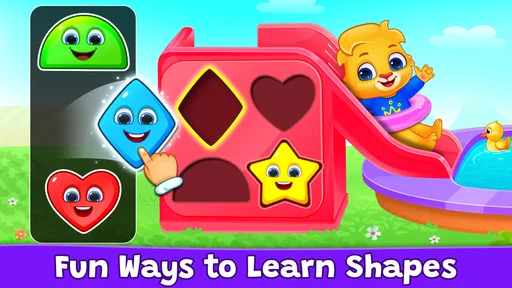
For shapes, I would avoid rushing into formal explanations. A young child does not need a lecture about angles to benefit from noticing that a triangle has three noticeable points or that a circle has no corners. The app can provide the visual prompt; your short explanation supplies the meaning.
What progress looks like in everyday use
A realistic routine might be a child waiting for an appointment, settling down after lunch, or needing a quiet activity while a parent finishes a household task. I would begin with a supervised session, ask the child to name one color or shape after each successful turn, and then stop while the activity still feels enjoyable. The next day, I would revisit the same ideas and add objects from the room.
The important sign of progress is not how quickly the child taps. It is whether the child starts using the words away from the game. If a child points to a plate and says “circle,” or notices that two toys share a color, the app has done something valuable. That transfer is why I would pair it with conversation instead of treating completion inside the app as the final goal.
Common confusion during the first session
The most likely source of confusion is the difference between knowing an answer and touching a small target accurately. Children may understand the requested color but tap another item because their finger covers part of the screen. Giving them time to reposition the device can help. I would also avoid holding the screen too far away, since a child may lose track of which item they intended to choose.
Another issue is vocabulary. A child might recognize a shape visually but not remember its name, or might use a family word such as “round” instead of “circle.” I would treat that as a useful starting point. Repeat the formal word naturally, then let the child try again. Correcting every imperfect response can make the activity feel like a test, which is exactly the mood this game is better at avoiding.
Color naming can be equally personal. Children may confuse similar shades, and some may rely on brightness or position rather than the color itself. If an answer seems uncertain, ask the child to compare two choices side by side. That comparison is often more useful than simply revealing the correct answer.
Where the game may feel limited
The focused design can eventually become repetitive for children who already know the basic concepts. If your child wants a longer adventure, storytelling, construction, or more advanced puzzles, a broader educational game may hold attention better. I would also choose a different tool when the main goal is handwriting, counting, phonics, or open-ended drawing, because those are separate learning needs.
There is also a trade-off between simplicity and depth. A child can begin without much explanation, but the app alone may not explain why a shape is useful or how colors relate to real objects. That responsibility falls naturally to the adult, and I see it as a reason to play together at least occasionally rather than as a flaw that makes the game unusable.
Families looking for a completely hands-off babysitting solution should be cautious. The activities are accessible, but the learning value increases when someone asks a follow-up question or connects the screen to the child’s surroundings. If you want an app that measures detailed academic progress or builds a structured course, this is probably not the right choice.
How it compares with familiar alternatives
Compared with a coloring book, this game offers immediate visual interaction and can encourage recognition of named colors and shapes. A paper coloring book still wins for fine-motor practice, pencil control, and creativity without a screen. I would use both: the app for quick identification practice, then paper and crayons for applying the idea more freely.
Compared with a general preschool bundle, this title feels easier to introduce because its purpose is clearer. A larger bundle may offer counting, letters, music, puzzles, and stories in one place, but that variety can also make it harder for a child to stay focused. Colors & Shapes is a better fit when you want one short activity centered on visual basics.
Compared with real-world sorting games, the app is convenient and consistent. Physical objects provide richer sensory feedback and encourage movement, but they are not always available when you are traveling or waiting somewhere. I see the game as a portable prompt, not a replacement for those activities.
Small habits that make it work better
The most useful adjustment is to treat every tap as the beginning of a conversation, not the end of one. Ask the child to explain what they noticed, find a matching object, or draw the shape afterward. This adds learning without making the session feel like homework.
I would also stop before frustration becomes obvious. Because the activities are simple, repeating the same screen after a short break can be more productive than pushing through a long session. If the child starts tapping everywhere, looking away, or asking to switch activities, that is a good moment to finish.
For siblings, I would let them take turns naming the answer rather than allowing the older child to tap for the younger one. The older child can become the “helper,” but the younger learner should still make the final selection. This keeps the activity cooperative without removing the practice that makes it worthwhile.
Finally, use the game to notice what needs more practice. If colors are easy but shapes are confusing, spend the next day looking for circles, squares, and triangles in books and around the home. If the child knows the names but struggles to choose them on screen, focus on touch accuracy and slower instructions. The app is more valuable when it helps you decide what to do next.
Who should choose it, and who should skip it
I think this is a good choice for families wanting a free, approachable first step into educational coloring games. It suits preschool learners who respond to pictures, children who need repeated exposure to basic vocabulary, and parents who want an activity that can be started quickly without a complicated setup. The developer, RV AppStudios, has kept the concept direct enough that a first-time user can understand the purpose almost immediately.
I would skip it if your child is already comfortable with colors and common shapes and needs a more demanding challenge. I would also look elsewhere if you specifically need detailed progress reports, a lesson sequence covering several school subjects, or an experience built mainly around creative drawing. In those situations, a broader learning platform or an offline activity may offer more value.
For everyone else, the free price makes it easy to try without committing to a paid curriculum. I would still judge it by the child’s response rather than by its popularity. Its average rating of 4.5 and more than 10 million installs suggest that many families find the format useful, but the real test is whether your child can move from recognizing an image on the screen to naming or finding the same idea in daily life.
My final recommendation for a first-time user
Install it, begin with a short supervised session, and aim for one clear success rather than a long play period. Name what the child sees, let the child point before tapping, and connect the answer to an object nearby. When confusion appears, slow down instead of taking over. Those small choices reveal the game’s real strength: it creates an uncomplicated starting point for learning through visual practice.
After the first session, use the next step outside the app. Draw a shape, sort toys by color, or ask the child to spot a familiar form during a walk. That is where the activity becomes more than screen entertainment. My honest view is that this is a focused starter game, not a complete teaching system, and it succeeds when used for exactly that purpose.
For a child who needs a friendly introduction to colors and shapes, I would keep it available as one option in a wider routine. It is free, suitable for Everyone, and compatible with Android 6.0 or later. Just remember that its simplicity is both its advantage and its boundary: it makes the first step reassuring, while the adult’s questions, real-world examples, and choice of when to stop provide the depth.
Colors & Shapes: Coloring game Frequently Asked Questions
Who developed Colors & Shapes: Coloring game?
Colors & Shapes: Coloring game is an educational title from RV AppStudios, a developer whose name appears with the game on its app-store page. If you are comparing options for a child, the developer information can help you identify the app you intend to download and distinguish it from similarly named coloring games. The game’s focus is learning colors and shapes through playful activities.
What does Colors & Shapes: Coloring game offer children to learn?
The game’s central learning theme is helping children become familiar with colors and shapes through coloring activities. Its playful approach combines visual recognition with a creative task, which can make early learning feel approachable for young players. It is best viewed as a simple educational game and coloring experience, rather than a substitute for broader learning activities or time spent exploring art in other ways.
What does the app-store description say about Colors & Shapes: Coloring game?
The short description presents the app as “Colors & Shapes,” while its summary describes educational coloring games for kids with fun game modes. Together, these give prospective players a quick sense of its intended audience and subject: children can color while engaging with colors and shapes. That focus may appeal to families seeking a straightforward, playful learning activity.
What age rating does Colors & Shapes: Coloring game have?
Colors & Shapes: Coloring game is rated Everyone, making it suitable for a broad audience, including children. Its educational focus and simple coloring activities are especially relevant to younger learners, though each child’s needs and abilities differ. Parents can preview the game and decide whether its activities and on-screen experience are a good fit before letting a child play independently.
Is Colors & Shapes: Coloring game free, and which devices can run it?
The game is free to download and is available for Android devices running version 6.0 or later. It is an educational game from RV AppStudios, with a focus on learning colors and shapes through coloring activities. Before downloading, check that your device meets the operating-system requirement and has enough available storage for the installation.
Pros
- Simple controls make it easy for young children to start coloring.
- Bright visuals help keep children engaged during short play sessions.
- Works well as a quiet activity for travel or waiting rooms.
- Shape-based pages can support early recognition and matching skills.
- Suitable for children who enjoy creative play without strict rules.
Cons
- Some content may feel repetitive after extended play.
- Young children may need help navigating menus or selecting pages.
- Limited challenge may not appeal to older children.
- Color choices can be less flexible than in advanced coloring apps.
- Additional content or features may depend on in-app purchases.













