Bebefinn Town: Kids House Game
- 15.00
- 3.0
- Installs
- 500.00K
- Price
- Free

Screenshots
Analysis by Reviewed
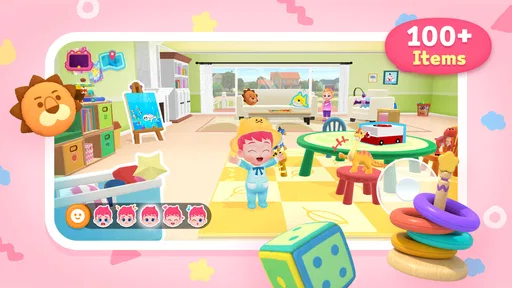
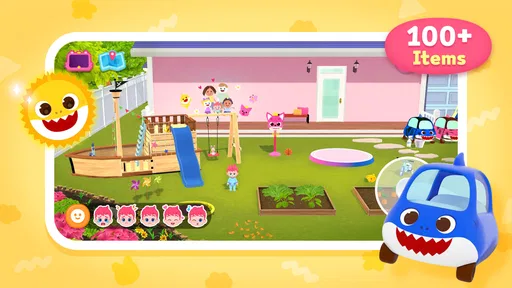
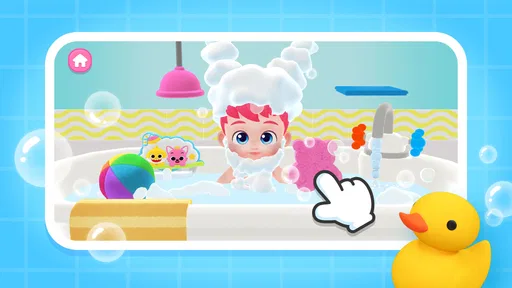
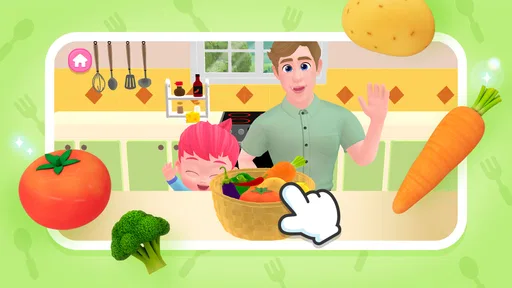
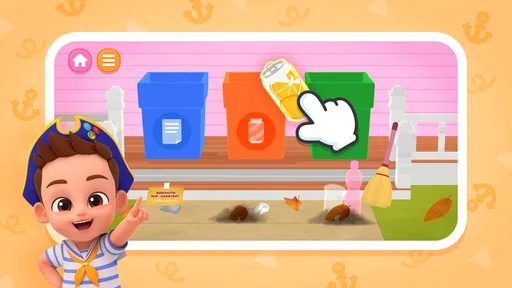
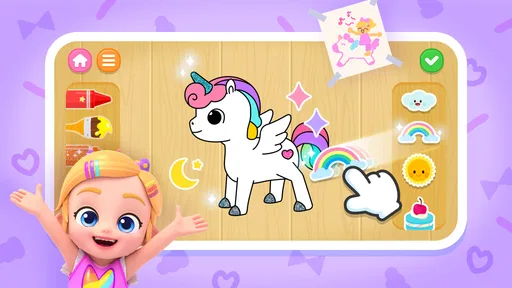
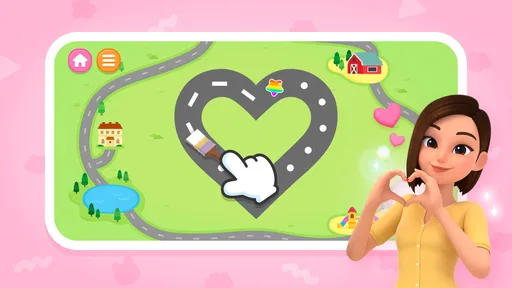
I approached Bebefinn Town: Kids House Game as a short, child-friendly learning game rather than something meant to replace a full preschool curriculum. It is built around the Bebefinn baby house and town, with simple activities intended to make early learning feel like play. That familiar setting is its biggest appeal: children are given a world to explore instead of being placed immediately in a lesson screen.
The game comes from The Pinkfong Company, a developer already closely associated with music and entertainment for young children. Here, the focus is more interactive than passive viewing. My overall impression is mixed but useful: the concept is approachable, the age rating makes it suitable for a broad family audience, and the free entry point makes trying it easy. At the same time, the average rating sits at 3.0 from around 565 ratings, so I would not present it as a flawless choice. Parents should treat it as a casual learning companion and judge whether its pacing suits their child.
How the first play session creates its goals
The early goal is straightforward: enter the Bebefinn setting, look around the baby house and town, and discover the learning activities placed inside that world. This is a sensible opening for younger children because it does not demand that they understand a complicated menu before they can begin. The environment itself gives context to the play. A child can connect an activity with a place, character, or everyday situation instead of seeing a collection of unrelated exercises.
I think that structure works particularly well for children who lose interest when an educational app feels too much like a worksheet. The house and town framing gives them a reason to tap, inspect, and move between activities. It also gives an adult an easy way to introduce the game: rather than saying “complete this lesson,” you can invite a child to visit the house and see what is happening there.
The first useful routine is to let the child explore briefly before stepping in with instructions. If an adult immediately directs every tap, the experience can become a test controlled by the parent. If the child is left entirely alone, a younger player may wander without understanding what to do next. I found the best balance is to demonstrate one activity, then allow the child to repeat or investigate it independently.
That approach also reveals an important trade-off. Exploration is welcoming, but it may not provide the same clear academic target as a dedicated alphabet, number, or reading app. Families looking for a tightly sequenced lesson should set expectations accordingly. This is a playful town with learning opportunities, not a formal course with a visible syllabus.
Why the setting matters for young players
The baby-house theme lowers the emotional barrier to starting. Young children often respond better to familiar domestic scenes than to abstract buttons and instructional panels. A home-and-town setting can make the activities feel connected to experiences they already recognize, such as moving between rooms or noticing what characters do in a community.
More From Our News Desk

Weather by Xiaomi Review: Clear at a Glance, Less Clear Up Close

X Under Pressure: Can It Recover When Posting Goes Wrong?

Clash of Clans Is Won Between the Battles

Android Auto Makes the Case for Quieter Car Software

MobiOffice: Transforming Mobile Productivity with Seamless Integration

EA SPORTS FC™ Mobile Soccer: Redefining Mobile Sports Gaming
For parents, that gives the game a practical place in the day. It can work during a short quiet period, after a child has finished another activity, or as a gentle transition before bedtime if screen use is already part of the family routine. I would avoid presenting it as a reward that must be earned through long periods of behavior, though. That can turn a relaxed learning game into a source of pressure and make the child focus more on access than discovery.
The most effective early session is probably a supervised one. Not because the concept is difficult, but because a child may need help understanding which parts are interactive and which parts are simply scenery. Once the basic rhythm is clear, the adult can step back and watch for the activities that hold attention naturally.
What counts as progress here
One challenge in reviewing a game for young children is that progress does not always look like a level number or a dramatic reward. In this case, the meaningful signals are likely to be behavioral: the child remembers where an activity is, starts it without help, repeats a task with more confidence, or explains what is happening in the town.
I value those signals more than constant visual rewards. A child who can navigate back to a favorite learning activity and complete it calmly is showing useful independence. Parents can strengthen that progress by asking simple questions afterward: What did you do in the house? Which activity was easiest? What would you like to try again? These questions turn a brief play session into a conversation rather than a silent stream of taps.
There is also a practical way to observe whether the game is working for an individual child. During the first few sessions, notice whether the child moves from random tapping toward purposeful choices. If that shift happens, the town is functioning as a helpful scaffold. If the child remains stuck in navigation or becomes frustrated by unclear next steps, the app may be better used with an adult nearby.
The strongest progress signal is growing independence, not simply staying on the screen. That distinction matters because retention alone does not prove educational value. A child can remain interested in a colorful setting without absorbing much from it, so I would pay attention to what they can recall and do after the device is put down.
Challenge and the shape of the difficulty curve
The game is aimed at an Everyone audience, and that positioning suggests an accessible experience rather than a demanding challenge. I would expect the early barrier to be low: children can enter the world, try activities, and learn through repetition. That is appropriate for the intended audience, but it also means older children or players who already handle basic educational games may find the challenge limited.
For younger users, repetition is not automatically a weakness. Repeating a familiar activity can help a child gain confidence, notice patterns, and practice without the embarrassment that comes from failure. The problem appears when repetition stops feeling purposeful. If a child already understands an activity and there is no fresh variation to encourage another attempt, attention may fade quickly.
This is where parents can adjust the difficulty without inventing pressure inside the game. Instead of demanding faster play, ask the child to describe a choice, identify something in the scene, or complete an activity independently after watching once. Those small changes make the same content more thoughtful while keeping the tone friendly.
I would not choose this title for a child who wants complex puzzles, competitive scoring, or a strong sense of mastery. Its likely strength is gentle participation. A preschooler who needs encouragement to engage with learning may benefit more than a confident elementary-age player searching for escalating challenges.
Keeping sessions useful without creating retention pressure
The free price makes experimentation simple, but the presence of in-app purchases ranging from $8.99 to $109.99 per item means adults should review the purchase environment before handing over the device. The wide span matters more than any single figure: families should not assume that “free” means every part of the experience is available without a purchase decision.
My advice is to establish a clear rule before the first session. Tell the child that exploring is allowed, while purchases are an adult decision. If the device is shared, use the platform’s purchase protections and keep the payment process out of the child’s reach. This is not a criticism unique to this game; it is simply an important part of evaluating a free children’s title that offers paid items.
There is another kind of retention pressure to watch for: the child asking to return without having a clear reason. Repeated play can be healthy when it supports practice or imaginative exploration, but endless screen time is not the same as sustained learning. I prefer setting a small, predictable session boundary and ending with a choice about what to do next away from the device.
A useful workflow is to begin with exploration, spend the middle of the session on one learning activity, and finish by asking the child to describe a favorite moment. This keeps the visit purposeful without turning it into a performance. It also helps parents decide whether the game deserves a regular place in the routine or is better kept as an occasional option.
Where it fits beside familiar alternatives
Compared with a single-skill educational app, this game offers a broader setting and a more playful route into learning. A dedicated phonics or counting title may provide clearer repetition and a more obvious path through one subject. Bebefinn Town is more appealing when the child needs context, characters, and a sense of place to stay engaged.
Compared with a standard animated video, it asks the child to participate rather than only watch. That can make the experience more active, although it also means the child may need more guidance at the beginning. Video is easier when an adult needs a calm, predictable distraction; this game is more suitable when the adult wants the child to make choices and interact.
It also differs from open-ended virtual dollhouse games. Those alternatives may offer more freedom for imaginative storytelling, while this title’s educational identity gives the play a clearer purpose. On the other hand, children who mainly want unrestricted pretend play may feel that learning activities interrupt their stories.
For my family-use recommendation, I would place it between a learning worksheet and a character-led play app. It is not the best replacement for focused practice, and it is not merely background entertainment. Its value depends on whether the Bebefinn world helps a child approach activities they might otherwise avoid.
Device expectations and practical setup
The current version is 3.0, and the game requires Android 8.0 or later. That makes checking the child’s device worthwhile before planning a session, especially if the phone or tablet is older or shared among several family members. Compatibility is a small detail, but it is frustrating to build a routine around a game and discover that the available device cannot run it.
I would also prepare the device before giving it to a child. Close unrelated apps, check the sound level, and make sure the child can hold the device comfortably. These steps are particularly helpful for younger players, who may interpret a slow response or a sudden interruption as part of the game rather than a technical issue.
Because the experience is designed for children, an adult should remain responsible for account and purchase decisions. The Everyone rating is reassuring for broad family use, but it does not remove the need for ordinary supervision. Age ratings describe suitability; they do not tell you whether the pace, reading demands, or interaction style will match one particular child.
Who will enjoy it most
I would recommend giving it a chance to families with young children who enjoy Bebefinn characters or respond well to familiar household settings. It is especially promising for a child who needs a gentle invitation into educational play, rather than a strict sequence of exercises. The free starting point also makes it reasonable to test without committing immediately.
It may suit a child who likes to revisit the same places, repeat activities, and gradually become more independent. Parents who enjoy sitting nearby for the first few sessions will get more from it than adults looking for a completely hands-off educational tool.
I would skip it, or at least place it lower on the list, if the main goal is advanced academic practice, measurable mastery, or a challenging progression system. I would also be cautious if the child is easily drawn into repeated screen requests. In that situation, a shorter, more clearly bounded activity may be easier to manage.
My progression verdict
Bebefinn Town has a sensible early loop: enter a recognizable world, explore the house and town, try learning activities, and return to familiar places with increasing confidence. Its progression is strongest when measured through a child’s independence and recall rather than through visible competition. That makes it approachable, but it also limits the sense of challenge for children who need constant novelty.
The pacing should work best in brief, guided visits. I would not expect every child to remain engaged for long stretches, and I would not use repeated requests to play as proof that the educational design is succeeding. The better test is whether the child can explain what they did, choose an activity intentionally, and carry a small idea from the game into everyday conversation.
With around 500 thousand installs, it has clearly reached a substantial audience, yet the 3.0 average tells me to keep expectations measured. I see it as a potentially pleasant addition to a young child’s app collection, not an essential learning tool. The developer, The Pinkfong Company, has chosen an inviting theme, but the experience still needs to earn a regular place in each family’s routine.
In the end, I would try it for a child who enjoys character-led exploration and benefits from soft, low-pressure learning. I would supervise the first sessions, set purchase boundaries, and compare the child’s recall and independence with their on-screen enthusiasm. If those signs line up, the game can be a useful little town to visit. If the child needs deeper challenge or a tightly organized curriculum, a more specialized educational app will be the better choice.
Bebefinn Town: Kids House Game Frequently Asked Questions
Who makes Bebefinn Town: Kids House Game, and what kind of game is it?
Bebefinn Town: Kids House Game is an educational game developed by The Pinkfong Company. Its short description is “Bebefinn Town,” and the game invites children to explore Bebefinn’s baby house and town while playing learning games. It may appeal to families looking for a child-focused activity built around familiar characters and playful exploration.
What is Bebefinn Town: Kids House Game?
Bebefinn Town: Kids House Game is a child-friendly interactive game based on the Bebefinn animated universe. It lets young players explore a colorful home environment, interact with familiar characters, and complete simple activities inspired by everyday routines. The experience is designed to be easy to understand, with gentle visuals and straightforward interactions rather than complex missions or competitive gameplay.
Is Bebefinn Town: Kids House Game suitable for young children?
The game is aimed primarily at preschool-aged children and is built around simple touch controls, bright visuals, and familiar household activities. Children can usually explore without needing advanced reading or gaming skills. However, parents should check the recommended age on the app store listing and supervise younger players, especially when reviewing advertisements, optional purchases, privacy settings, or any external links included in the application.
Does Bebefinn Town: Kids House Game require an internet connection?
Some parts of Bebefinn Town: Kids House Game may work after installation without a constant connection, but internet access can still be required for downloading the application, loading certain content, displaying advertisements, restoring purchases, or receiving updates. Availability may differ between Android and iOS versions. For reliable use, parents should open the game once while connected and verify which activities remain accessible offline.
Are there advertisements or in-app purchases in Bebefinn Town: Kids House Game?
Parents should review the current store description and the in-game settings before allowing independent play, because monetization features can change with updates or vary by device and region. The game may include advertisements, optional purchases, or links to other content. To avoid accidental spending, enable parental controls, require authentication for purchases, and check whether a paid or ad-free version is available.
Pros
- Simple controls make it easy for preschoolers to explore independently.
- Bright animations and friendly characters keep young children engaged.
- Open-ended play encourages creativity without time limits or failure states.
- Different rooms offer varied activities and familiar household scenarios.
- Child-friendly design avoids complicated menus and confusing navigation.
Cons
- Some activities may feel repetitive after extended play sessions.
- The app can require considerable storage space on some devices.
- Several features may be limited unless additional content is unlocked.
- Young children may need supervision to avoid accidental in-app purchases.
- Performance can vary on older phones or tablets.













