Bebefinn Birthday Party: Game
- 8.00
- 3.2
- Installs
- 500.00K
- Price
- Free

Screenshots
Analysis by Reviewed
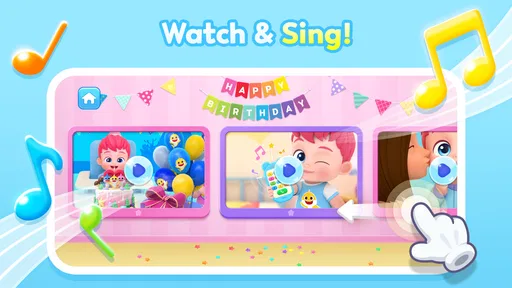
Bebefinn Birthday Party is a cheerful educational game for young children who enjoy pretend celebrations more than complicated challenges. I spent time with its cake-making, balloon-decorating, and party-song activities, and my first impression was clear: this is designed to be approachable, colorful, and easy to understand without an adult explaining every tap. It comes from The Pinkfong Company, the developer behind the Bebefinn characters, and it keeps the focus on a simple birthday theme rather than trying to become a broad learning platform.
The basic idea is appealing for a short play session. A child helps prepare a birthday celebration, adds visual decorations, and joins in with music. There is no need to learn a large set of rules before starting, which makes it suitable for children who are still developing confidence with touchscreens. I would recommend it most to families looking for a gentle, themed activity that can fill a few quiet minutes, not to parents expecting structured lessons, deep puzzles, or a long-form game.
How the party works in everyday play
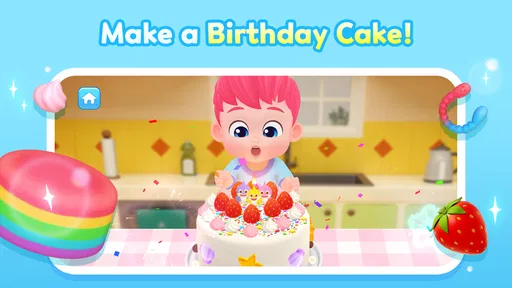
The most useful way to approach the game is to treat each session as a small routine. Start with the cake activity, let the child make choices at their own pace, move on to balloons, and finish with the songs. That order gives the session a natural beginning, middle, and end. It also works well for a child who becomes frustrated when an app presents too many options at once.
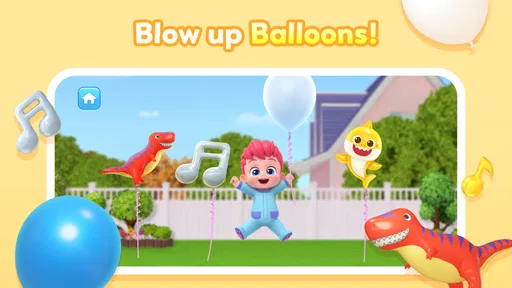
In my experience, the cake is the strongest starting point because it gives children an immediate creative task. They can see the party taking shape instead of being asked to complete an abstract exercise. The balloon decoration then changes the mood from preparation to celebration, while the songs provide a satisfying closing moment. This sequence is simple, but it helps an adult turn free play into a repeatable activity without making it feel like homework.
A realistic use case is a parent preparing dinner while a preschooler plays nearby. I would open the game, guide the child through one cake and decoration session, and then let the music section act as the final activity before putting the device away. The game is better suited to that kind of supervised interlude than to being left running for a long stretch. Its appeal comes from quick interaction and familiar party imagery, not from constant progression.
Children who already know Bebefinn may connect with the presentation more quickly, but familiarity is not essential to understand the activities. The visual theme does most of the teaching. Even a child who cannot read confidently can follow the obvious party context and respond to large, colorful objects. That makes it a practical choice for early independent play, although younger children may still need help when moving between activities or dealing with a purchase prompt.
The game is listed as free, which makes trying the basic experience straightforward. Families should still pay attention during setup because optional in-app purchases range from $8.99 to $109.99 per item. That is a wide range, and it is especially important on a device shared with children. I would handle the first session with an adult present, check how the purchase flow appears, and establish a simple rule that the child does not approve anything without asking.
More From Our News Desk

Weather by Xiaomi Review: Clear at a Glance, Less Clear Up Close

X Under Pressure: Can It Recover When Posting Goes Wrong?

Clash of Clans Is Won Between the Battles

Android Auto Makes the Case for Quieter Car Software

MobiOffice: Transforming Mobile Productivity with Seamless Integration

EA SPORTS FC™ Mobile Soccer: Redefining Mobile Sports Gaming
The settings and setup choices I would check first
There is no reason to rush into play without looking at the device-level arrangements that matter most for a young child. I would begin by confirming that the phone or tablet uses a child-appropriate purchase restriction, then set a comfortable volume before opening the songs. Music is central to the party atmosphere, but a volume that seems fine to an adult can quickly become too loud for a child sitting close to the screen.
I would also decide whether the child should play with the device held in portrait or landscape orientation and keep that choice consistent. Switching orientation during a session can be distracting, particularly for a child who is still learning how touchscreen interfaces respond. This is not a special feature of the game; it is a practical habit that makes the experience feel calmer.
The game is suitable for Everyone and requires Android 8.0 or later. That makes it accessible on many older Android devices, although compatibility alone does not guarantee a comfortable experience. A very small phone screen may make decoration choices less pleasant than a tablet, while an older device may take longer to open the game or respond to taps. I would test it on the actual device the child will use rather than assuming that the minimum operating-system requirement tells the whole story.
Before handing over the device, I would open each main activity once. This lets an adult understand where the cake, balloons, and songs are located and prevents unnecessary coaching in the middle of play. It also helps identify which part the child enjoys most. Some children want to repeat decoration, while others care mainly about the music, so knowing the layout makes it easier to offer a focused session rather than leaving the child to wander.
Another useful habit is to keep the first session short and observe how the child taps. If the child repeatedly touches several objects at once, the issue may be screen size or motor control rather than a lack of interest. A tablet can provide more room for deliberate interaction, but it also makes the device harder for small hands to hold. I prefer a stable surface and an adult nearby, especially during the first few uses.
Faster play patterns that keep children engaged
Experienced use here is less about hidden shortcuts and more about creating a predictable rhythm. I would avoid presenting every possible activity immediately. Instead, I would say, “Let’s make the cake first,” and give the child one clear goal. Once that is finished, the next step becomes a reward rather than another decision. This reduces the chance that a young player will tap randomly and lose interest before seeing the party come together.
For children who want repetition, repeating the same activity is perfectly reasonable. A birthday game does not need to be treated like a level-based challenge. Letting a child decorate again can support hand control, color recognition, and decision-making without turning the session into a test. I would only introduce a different section when the child begins looking for something new, rather than interrupting a satisfying creative loop.
A helpful pattern for siblings is to assign turns by activity. One child can work on the cake, another can choose decorations, and both can listen to the songs together. This avoids the common problem of two children grabbing for the same screen at once. It also gives the game a social use that is not obvious from its basic party premise: the activities can become a small cooperative ritual even though the app is primarily designed for individual touch interaction.
For a child who loses focus quickly, I would begin with the most visually active part and save the quieter choices for later. For a child who becomes overstimulated by music, I would use the cake and balloon activities as the main session and treat songs as optional. The best experience is not necessarily the full sequence every time. Adjusting the order to the child’s mood is more effective than insisting on a fixed routine.
I also recommend narrating choices without taking control of the device. Saying “Which balloon would you choose?” encourages the child to make a decision, while immediately tapping for them turns the activity into a video to watch. The game’s value is in the child’s participation, so an adult should guide with words first and touch the screen only when the child is genuinely stuck.
One trade-off becomes noticeable after several sessions: the simplicity that makes the game welcoming can also make it feel familiar quickly. That is not a flaw for a toddler who enjoys repetition, but it matters for older children who want new rules, goals, or surprises. I would use it as part of a rotation with drawing, building, or more structured educational activities rather than expecting it to remain the child’s only game.
Where the educational value is useful—and where it stops
The educational category makes sense when the game is viewed as guided creative play. Preparing a cake and decorating a party can encourage choices, sequencing, visual attention, and basic cause-and-effect understanding. A child sees an action produce a visible change, which is a valuable early interaction pattern. The songs can also support participation and memory when a child joins in with familiar words or movements.
However, I would not describe this as a replacement for a focused learning app. It does not appear to be built around reading lessons, mathematics practice, phonics, or a measurable curriculum. Parents looking for clear skill progression should choose an app designed specifically for that purpose. This game works better as a playful supplement: a way to practice making choices and following a simple routine while enjoying a birthday setting.
The strongest learning opportunity comes from conversation around the screen. An adult can ask what the cake needs, count visible decorations aloud, compare colors, or invite the child to explain why they chose a particular balloon. Those questions add depth without pretending that the app itself delivers a formal lesson. If a child plays silently and taps through everything, the experience remains entertaining, but the educational benefit is likely to be lighter.
It is also worth separating creative control from unlimited choice. Children may enjoy selecting decorations, but they may not understand why some options are available and others are not. I would frame the activity as making one special party rather than trying to unlock everything. That keeps the focus on expression and avoids turning the experience into a demand for more content.
Limits, purchases, and the point where another app is better
The average rating is 3.2 from around 559 ratings, while the game has passed 500K installs. Those figures suggest that it has found a meaningful audience but that the experience will not satisfy every family. I would read that combination as a reason to set expectations carefully: the theme is attractive, yet simplicity, repetition, or purchase-related friction may matter a great deal depending on the child and the device.
The current version is 1.7, and the game was released on August 1, 2024. I would keep the app updated through the normal device process, but I would not assume that an update changes the basic character of the experience. Its central appeal remains a small birthday scenario, so families should choose it because that theme suits the child, not because they expect a large evolving game world.
The biggest practical limitation is depth. A child who wants open-ended building, multiple characters, story missions, or increasing difficulty will probably outgrow this quickly. A general drawing app may be better for unrestricted creativity, while a curriculum-based learning app will be more appropriate for parents who want explicit educational goals. A music-focused app may also be preferable if songs are the only part that holds the child’s attention.
There is a second limitation in the way the party theme can encourage repeated requests. Because birthdays are emotionally exciting, a child may ask to replay the same celebration many times or want access to every available option. I would set a session boundary before starting, such as one cake and one song, and then offer a different offline activity. That keeps the game enjoyable and prevents the free download from becoming an unplanned spending conversation.
Families should also think about supervision. The Everyone rating makes the content broadly appropriate, but age suitability does not remove the need for an adult to manage purchases, volume, and screen time. The younger the child, the more useful it is to stay nearby. Older preschoolers may navigate more independently, but I would still explain that tapping a colorful button is not the same as permission to buy something.
My verdict after building a repeatable routine
I see Bebefinn Birthday Party as a friendly, narrow-purpose game that succeeds when its limits match the child’s needs. It offers an easy path into pretend play: make something, decorate it, and celebrate with music. That is enough for a short, pleasant session, especially for children who respond well to familiar characters and bright party activities.
My preferred routine is to check the device controls first, open the cake activity, let the child make the important choices, and use balloons or songs according to their energy level. I would keep an adult close during early sessions, avoid treating the game as a full lesson, and use conversation to turn simple taps into richer play. Those habits make a bigger difference than searching for complicated techniques the game was never designed to provide.
I would recommend it to parents of young children who want a free starting point for themed creative play and do not mind a compact experience. I would be more cautious about recommending it to families seeking substantial educational progression, long-term challenge, or a completely purchase-free environment. In those cases, another category of app will likely be a better fit.
Overall, the game earns its place as a small birthday activity rather than a complete entertainment package. Its best quality is accessibility: a child can understand the celebration quickly and participate without mastering complex controls. Its main weakness is that the same simplicity may limit replay value for children who need constant novelty. If you approach it as a supervised, repeatable party ritual instead of an all-purpose learning game, the simple design becomes its greatest strength.
Bebefinn Birthday Party: Game Frequently Asked Questions
What age group is Bebefinn Birthday Party: Game intended for?
Bebefinn Birthday Party: Game is an educational game with an Everyone age rating, and its colorful birthday activities and simple interactions are aimed at a broad family audience. The gentle, playful format may suit young children, though every child is different. Parents can preview the game and decide whether its activities and screen-time experience are right for their child.
Is Bebefinn Birthday Party: Game free to download?
The game is free to download, but it also offers in-app purchases, with listed prices ranging from $8.99 to $109.99 per item. That distinction is worth checking before handing a device to a child: free installation does not necessarily mean every available item or feature is free. Parents can use device-level purchase controls to help prevent accidental spending.
What is Bebefinn Birthday Party: Game?
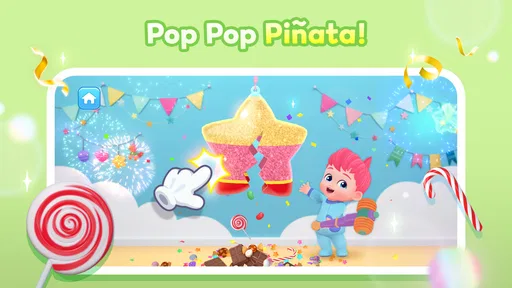
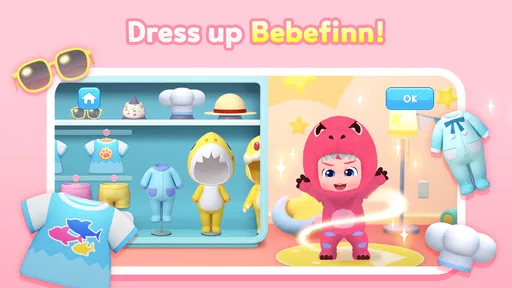
Bebefinn Birthday Party: Game is a colorful children’s entertainment app built around birthday-themed activities featuring the Bebefinn characters. Players can explore simple mini-games, music, decorations, and party moments designed for young children. The experience focuses more on playful interaction, familiar characters, and basic discovery than on challenging gameplay or complex objectives. Its party theme includes making a cake, decorating with balloons, and enjoying party songs.
Is Bebefinn Birthday Party: Game suitable for young children?
The game is designed with children in mind, using bright visuals, friendly characters, simple controls, and activities that are generally easy to understand. Younger players may still need help navigating menus or selecting activities, especially if they are not yet reading. Parents should review the available content and supervise play according to the child’s age and individual needs.
Does Bebefinn Birthday Party: Game require an internet connection?
Some parts of Bebefinn Birthday Party: Game may work without a continuous internet connection after installation, but this can depend on the version, device, and included content. Internet access may be needed for downloading the app, loading certain features, displaying advertisements, or receiving updates. It is best to launch the game once while connected before giving it to a child offline.
Pros
- Bright
- cheerful visuals are appealing to young children.
- Simple touch controls are easy for preschoolers to understand.
- Short activities suit children with limited attention spans.
- Familiar Bebefinn characters make the game feel welcoming.
- Works well as a quick
- casual birthday-themed activity.
Cons
- Gameplay may feel repetitive after several sessions.
- Some children may find the activities too easy.
- Requires adult supervision for younger children.
- Limited challenge means little value for older kids.
- Device storage and compatibility may vary by platform.













