123 Numbers - Count & Tracing
- 485.00
- 4.6
- Installs
- 10.00M
- Price
- Free
Screenshots
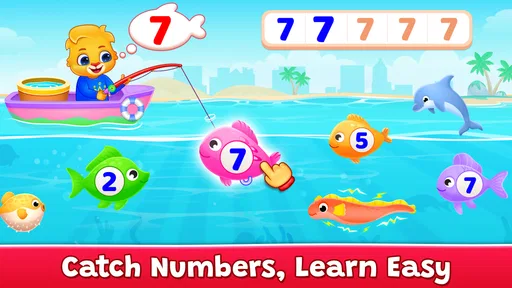
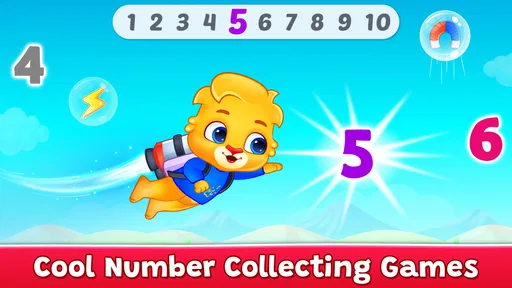
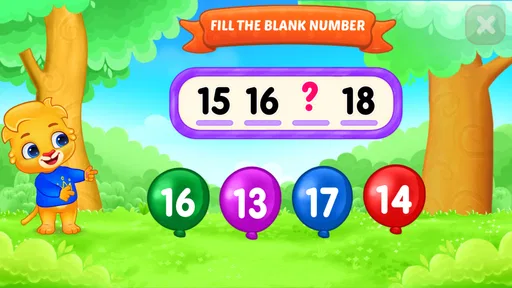
Analysis by Reviewed
When a preschooler taps through a learning game, the hard part is often not the lesson itself but getting started without turning the phone into a source of frustration. I’d introduce 123 Numbers - Count & Tracing alongside an adult the first time, then let the child take the lead once the basic interaction feels familiar. That small handoff makes it easier to tell whether a pause comes from a tricky tracing motion, an unfamiliar screen, or simply a child who is ready for a break.
Start with a small, calm session
I wouldn’t treat this as a substitute for counting real objects or drawing numbers on paper. Instead, it works best as a short, focused activity between ordinary routines: a few minutes while waiting for dinner, for example, followed by counting fruit or toys together. Pairing screen practice with something a child can touch gives the number a meaning beyond the display and helps you notice whether they are recognizing it or just repeating a motion.
For caregivers deciding whether to install it, the basics are reassuring: it is a free educational game from RV AppStudios, rated for Everyone, and it has an average rating of 4.5 from around 16,000 ratings. Its reach—over 10 million installs—suggests it is a familiar choice for families, though popularity alone cannot tell you whether its style suits your child. It was released in 2017, so I’d judge it by how your child responds to the actual activities rather than expecting it to feel like a newly designed learning platform.
What to check when a child gets stuck
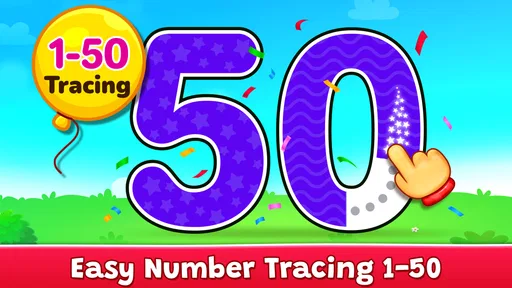
If tracing feels difficult, I’d first check how the child is holding the device and whether a finger can move comfortably across the screen. A child who presses hard, uses a small part of the fingertip, or keeps changing grip may find the same path harder than expected. Try placing the device on a stable surface and demonstrating one slow movement, then give them a turn without correcting every attempt. The aim is practice, not perfect penmanship on the first go.
It also helps to separate attention from ability. If a child quickly taps away, that does not necessarily mean the number activity is too advanced; they may be tired, distracted, or more interested in counting aloud than tracing. I’d offer one activity at a time and stop while the experience is still pleasant. Short sessions are easier to repeat than a long session that ends in a struggle.
Learning Through Play
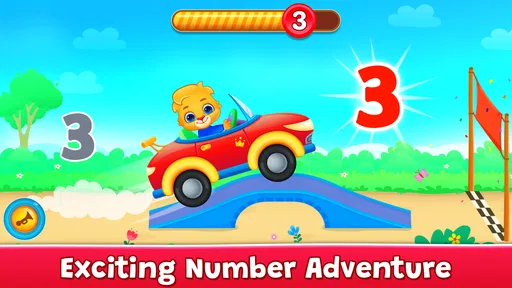
The first thing that struck me about 123 Numbers - Count & Tracing is how it seamlessly blends learning with play. As a parent, it's always a win when you can find an app that keeps your child engaged while teaching them something valuable. This app does just that by turning number recognition and counting into an adventure.
Interactive Features
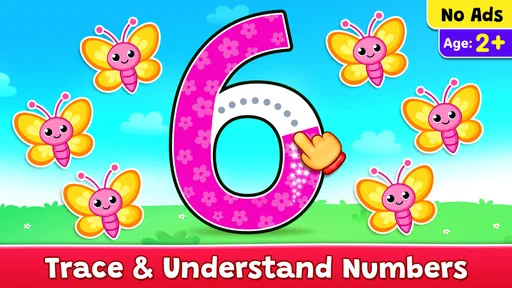
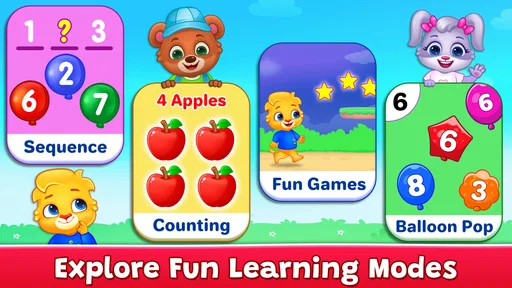
One of the standout features of this app is its interactive design. Kids aren't just staring at numbers on a screen; they're actively participating in tracing numbers and counting objects. This hands-on approach keeps children engaged and helps reinforce what they're learning. Plus, the colorful graphics and fun animations make every interaction a joy.
More From Our News Desk

Weather by Xiaomi Review: Clear at a Glance, Less Clear Up Close

X Under Pressure: Can It Recover When Posting Goes Wrong?

Clash of Clans Is Won Between the Battles

Android Auto Makes the Case for Quieter Car Software

MobiOffice: Transforming Mobile Productivity with Seamless Integration

EA SPORTS FC™ Mobile Soccer: Redefining Mobile Sports Gaming
Easy Navigation for Little Fingers
Another aspect worth mentioning is how user-friendly the app is. It's designed with little fingers in mind, which means navigating through the app is a breeze for even the youngest users. The intuitive layout ensures that kids can explore the app independently, boosting their confidence as they learn.
What really sets this app apart is its adaptability. It offers different levels of difficulty, allowing kids to progress at their own pace. Whether your child is just starting to learn numbers or is already a counting pro, there's something here for them.
Why Choose 123 Numbers?
If I had to sum up why 123 Numbers - Count & Tracing is a great choice, it would be its combination of education and entertainment. It's not just about memorizing numbers; it's about understanding them. And the app does a fantastic job of making this process enjoyable.
For a practical routine, I’d let the child use the tracing activity first, then ask them to find the same number on a page, clock, or toy label. That quick change of context is useful: it checks whether the screen activity is helping them notice numbers elsewhere, without turning play into a test. If they lose interest after tracing, don’t push them through more screens; use the moment to count a few nearby objects instead.
How it fits beside other learning options
Compared with a basic counting video, this game asks children to respond rather than only watch, which makes it a better fit when you want them to participate. Compared with flashcards or a workbook, it is more visually lively and can feel less like a lesson, but it does not replace the value of handling objects, talking through quantities, or practicing pencil control on paper. I’d use it as one tool in a mix, not as the whole plan for early math.
The app also provides a safe environment for kids to learn. There are no ads or in-app purchases to worry about, so parents can rest easy knowing their little ones are learning without distractions.
When another approach may work better
This is not the right choice for every child or every learning goal. A preschooler who needs a quiet, low-stimulation activity may find colorful animation distracting, while a child who already counts confidently may need richer challenges than number recognition and tracing. If the main goal is handwriting, paper, crayons, and an adult’s gentle guidance offer more useful practice; if it is understanding quantity, real objects make it easier to discuss “more,” “less,” and how a number relates to a group.
If the app seems unresponsive, I’d avoid assuming the lesson is the problem. Check that the device is responding normally, close and reopen the game if it has stalled, and try again when the child is not rushing through taps. If tracing repeatedly feels uncomfortable, switch to counting aloud or take a break rather than making the child repeat the same movement. These simple checks can help distinguish a brief device hiccup from a mismatch between the activity and the child’s mood or current skills.
In conclusion, if you're looking for an app that makes learning numbers fun and accessible, 123 Numbers - Count & Tracing is a fantastic option. It's engaging, educational, and offers a stress-free learning experience for kids and peace of mind for parents. So why not give it a try and watch your child's love for numbers grow?
My practical verdict
I’d recommend it most to families with toddlers or preschoolers who are beginning to recognize numbers and benefit from a playful prompt to count and trace. It is also handy for a caregiver who wants a simple activity that a child can explore with some independence, while still making room for an adult to connect the screen lesson to everyday objects. For a child who needs advanced math, quieter presentation, or dedicated handwriting instruction, I’d choose a different resource or use this only as a brief extra.
The best way to decide is to try a short session together and watch what the child actually does: whether they follow the tracing, count along, and return to the activity willingly. I like the app as a starting point, not a promise that a child will master numbers by tapping through a game. Keep it light, stay nearby at first, and let real-world counting do some of the teaching too.
123 Numbers - Count & Tracing Frequently Asked Questions
Is 123 Numbers - Count & Tracing appropriate for a child’s first number-learning game?
It is designed as a playful introduction to numbers for toddlers and preschoolers, with a focus on learning numbers, counting, and tracing. That makes it a natural option for a child beginning to explore these ideas through simple activities. Parents can try it alongside their child and see whether the approach feels comfortable and engaging for them.
What learning skills can a child practice with 123 Numbers - Count & Tracing?
The game centers on early number learning, including counting and tracing. These activities give children a chance to become more familiar with numbers while practicing on a screen. It can be used as a playful addition to everyday learning, such as noticing numbers or counting objects together, rather than as a replacement for interaction with a parent or caregiver.
Is 123 Numbers - Count & Tracing free to download?
Yes. 123 Numbers - Count & Tracing is a free educational game from RV AppStudios, designed as a playful introduction to numbers for young learners. Its free-to-download status makes it easy for families to try the activities and see whether they suit a child’s learning style. The game has an Everyone content rating, so its listed age suitability is broad.
What is 123 Numbers - Count & Tracing app about?
123 Numbers - Count & Tracing is an educational app designed to help young children learn numbers, counting, and tracing. It offers interactive games and activities that make learning numbers fun and engaging. The app is aimed at preschoolers and kindergartners, providing a solid foundation in early math skills through playful learning.
Is 123 Numbers - Count & Tracing suitable for all age groups?
While 123 Numbers - Count & Tracing is primarily designed for preschoolers and kindergarten children, typically aged 2 to 5 years, older children who need additional practice with numbers and counting might also find it beneficial. However, it may not be as engaging for children who have already mastered basic number skills.
Pros
- Engaging visual and sound effects
- User-friendly interface for kids
- Enhances counting and tracing skills
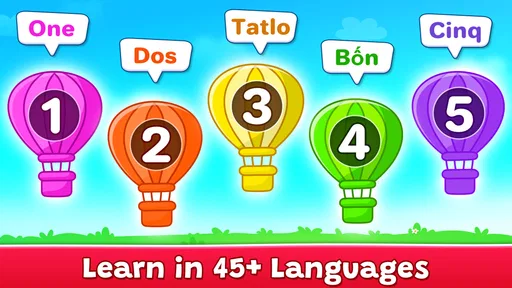
- Supports multiple languages
- No internet required for use
Cons
- Limited to basic counting
- In-app purchases can be distracting
- Ads may interrupt gameplay
- Lacks advanced features for older kids
- Not available on all devices