

Weverse: Connect with Artists
- 7.89K
- 4.6
- Installs
- 10.00M
- Price
- Free

Screenshots
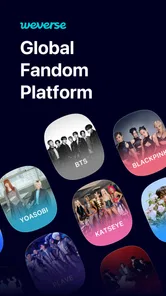

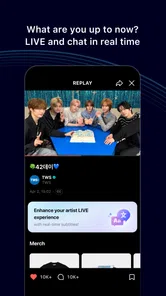
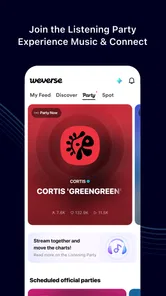
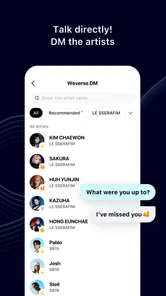

Analysis by Reviewed
I see Weverse as a fan community first and a social app second: its appeal is less about keeping up with every online conversation and more about having a place centered on artists you care about. That focus can feel welcoming when general social feeds are noisy, but it also means the experience depends heavily on whether the artists and communities you follow are active there. I would approach it as a useful fan destination, not as a guaranteed way to get personal access to an artist.
What trust means in a fan space
Weverse is a social app from WEVERSE COMPANY Inc., and its audience includes fans sharing enthusiasm as well as artists posting to their communities. That mix makes it worth thinking about what you choose to share. A public comment can become part of a large conversation, so I’d avoid posting details I wouldn’t want strangers to see and would pause before sharing personal information in a fan discussion.
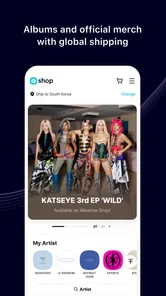
The app is free to download, with optional in-app purchases priced from $0.59 to $200.00 per item. That range is a reason to be deliberate if you browse paid offerings: free access does not mean every possible fan experience is included. I’d check the price and what an item provides before confirming a purchase, especially if I were using a shared device or letting a younger fan explore.
Small choices that make browsing easier
My practical advice is to decide what you want from Weverse before opening it. If you mainly want artist updates, check those communities directly instead of letting an endless scroll take over your break. If you want conversation, read a few recent posts first; that helps you understand the community’s tone before joining in. This is a useful way to enjoy the app without treating every notification or post as something you need to follow immediately.
It is rated for teens, and the scale is substantial: the app has a 4.7 average from around one million ratings and more than ten million installs. Those figures suggest that many fans find value in it, but popularity is not a substitute for deciding whether its social environment suits you. I’d be especially thoughtful about how a teen uses any public-facing fan community and what personal details they share.
For people comparing it with ordinary social networks, Weverse has a narrower purpose: artist-focused communities rather than a broad feed spanning friends, news, and unrelated interests. That focus can make fan activity easier to find, while a general social app may be a better fit if you want one place for all your conversations. I’d also choose other sources for timely general news; Weverse is most useful when the subject is a particular artist and the surrounding fan community.
Connecting Fans and Artists
What sets Weverse apart is its unique ability to bridge the gap between fans and artists. I was genuinely impressed by how it creates a community where fans can share their passion and enthusiasm. Upon opening the app, I was greeted with a sleek interface that made navigation a breeze. The app offers a dedicated space where artists post updates, behind-the-scenes photos, and exclusive content that you won’t find anywhere else.
More From Our News Desk

 Gmail
GmailGmail in a Busy Inbox: Who Benefits Most?
From first account to crowded workday, Gmail earns its place through dependable search and flexible sorting—but its best fit depends on how much inbox maintenance you can tolerate.

 Prime Video
Switching to Prime Video: What Changes in Your Viewing Routine
Prime Video can make a compelling second home for streaming, but switching means learning a different catalog, rental layer, and route from browsing to playback.

 Universal TV Remote Control
Universal TV Remote Control Works Best as a Reliable Backup
A phone remote earns its place through quick setup and reliable habits. Here is how to get more from Universal TV Remote Control—and where its limits show.

 Weather - By Xiaomi
Weather by Xiaomi Review: Clear at a Glance, Less Clear Up Close
Xiaomi’s weather app makes everyday forecasts quick to scan, but its calm surface can leave useful details and recovery paths harder to find than they should be.

 X
XX Under Pressure: Can It Recover When Posting Goes Wrong?
A resilience-focused review of X, examining setup, mistaken posts, interruptions, weak connections, and the gaps that matter when recovery needs to be dependable.

 Clash of Clans
Clash of Clans Is Won Between the Battles
Its raids are quick; its community is a long-term project of coordination, teaching, rivalry, and shared responsibility—with all the friction that entails.
Latest News



Engage and Interact
One of the standout features of Weverse is the interaction. Fans can comment on posts, join global fan communities, and even get replies from their beloved artists. I found myself scrolling through endless streams of posts, feeling like I was part of a big global family. The app also offers live streams and chat rooms where artists host Q&A sessions, making the interaction even more personal.
A realistic use for me would be opening a community during a short lunch break, checking an artist’s latest post, and leaving a comment before returning to work. I would not assume a reply is likely or immediate; the value is being able to join the conversation, not securing a direct response. If you prefer quiet, one-to-one communication, this public, many-fan setting may feel less satisfying than messaging a friend or following an artist’s announcements elsewhere.
For a smoother routine, I’d separate browsing from participation: first catch up on posts, then decide whether I have something useful or kind to add. That small pause helps avoid reacting to a fast-moving thread without context. It also makes the community more enjoyable when posts attract replies from fans across different time zones and in different languages.
Exclusive Content Galore
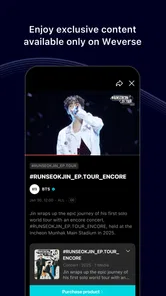
If you’re someone who loves exclusive content, then Weverse has got you covered. From behind-the-scenes footage to artist vlogs, the app is packed with content that keeps fans engaged. I was particularly thrilled with the variety of content available, as it offered a glimpse into the lives of the artists beyond the stage and studio.
The trade-off is that a dedicated fan app can encourage longer browsing than planned, especially when updates, comments, and videos sit together. I’d use it with a clear stopping point if I only have a few minutes. And if you’re mainly looking for polished video recommendations or a broad entertainment library, a general video platform may be more convenient; Weverse’s advantage is the artist-centered context around the content, not a replacement for every kind of viewing.
Making an informed choice
If you’re wondering whether you need an account to browse or what account controls are available, I’d check the sign-in and settings screens before sharing anything or committing to regular use. Those are the places to review the choices actually offered on your device. I wouldn’t assume a specific privacy control or permission is present without seeing it; the sensible approach is to grant only what feels necessary and revisit choices if your use changes.
The current version is 3.9.2 and it requires Android 9 or later. That makes checking your device’s software version a practical first step before installing. The app launched on June 10, 2019, and is rated Teen. I’d recommend it most to fans who enjoy following artist updates, watching related content, and joining a large community conversation. Someone who dislikes social feeds, wants guaranteed artist replies, or prefers to keep fandom entirely private may be happier with a less interactive way to follow updates.
User Experience
From my experience, the app runs smoothly without any hiccups. The developers have done an excellent job in ensuring that the app is user-friendly and responsive. The design is aesthetically pleasing, and the overall experience is seamless. It’s pretty clear that a lot of thought has gone into making sure that fans get the best possible experience.
A measured recommendation
My cautious verdict is that Weverse can make fandom feel more connected, but it works best when you treat it as a community space rather than a private channel to an artist. I’d start by following only the communities I genuinely care about, review any purchase before confirming it, and keep personal details out of public conversations. If that balance sounds right to you, it is worth trying; if you want a quieter, more private or less time-consuming way to keep up, another format may suit you better.
To wrap it up, Weverse is more than just an app; it’s a community that brings fans closer to their idols. If you’re looking to enhance your fan experience and engage with artists on a more personal level, this app is definitely worth checking out. So, what are you waiting for? Dive into the world of Weverse and get ready to connect like never before!
Weverse: Connect with Artists Frequently Asked Questions
What kind of app is Weverse, and who is it for?
Weverse is a social app for people who want to follow artists and take part in fandom communities. Its focus is on artist updates, fan discussions, and exclusive content rather than general-purpose messaging or music playback. If you enjoy keeping up with artists and seeing what other fans are talking about, its community-centered approach may suit you.
How much storage or data does Weverse use?
Weverse includes photos, videos, and live streams alongside text-based community posts, so the amount of mobile data it uses can vary with how much media you watch. If you plan to browse video content while away from Wi-Fi, it may be worth checking your mobile data settings and plan. You can also use the app primarily for posts and updates when you want to limit media use.
Can I browse Weverse before creating an account?
Weverse is built around artist communities, updates, fan discussions, and exclusive content, so creating an account and following artists is the way to take part in those activities. If you are deciding whether to download it, keep in mind that the app is a social platform for fandom rather than a standalone music player or a general-purpose messaging service.
Is Weverse suitable for younger fans?
Weverse is rated Teen, so it is intended for teen audiences and older users. As with any social app, the experience involves viewing community posts and engaging with other fans, so families may want to consider whether that environment is a good fit. Reviewing the app’s privacy settings and guidance before joining can also help users make informed choices.
What is Weverse and how does it work?
Weverse is a community platform where fans can connect with their favorite artists, including musicians and entertainers. It allows users to follow artists' updates, engage in fan discussions, and access exclusive content such as videos, photos, and live streams. Users can create an account, follow their favorite artists, and participate in community activities to stay updated and engaged.
Pros
- Exclusive artist content available
- Interactive fan communities
- Regular app updates
- User-friendly interface
- Free to download and use
Cons
- Limited artist selection
- In-app purchases can be expensive
- Requires stable internet connection
- Occasional app crashes
- Notifications can be overwhelming











