

Weezer-Sonic Bloom
- 414.00
- 4.0
- Installs
- 1.00M
- Price
- Free

Screenshots
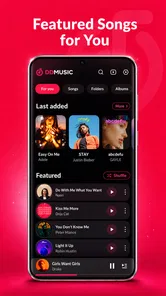
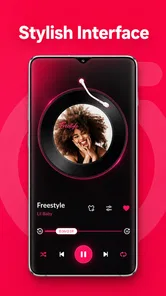
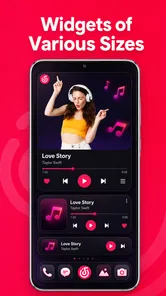
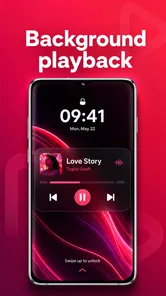
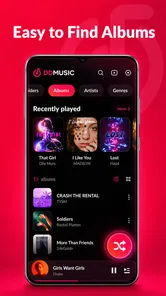
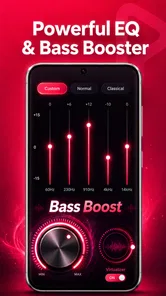
Analysis by Reviewed
I approached Weezer-Sonic Bloom as an everyday listening tool rather than judging it by its short store tagline. It is an entertainment app from Sangri Solutions, and its main appeal is straightforward: play audio stored on your device without depending on a streaming subscription or a constant internet connection. That simple focus makes it interesting for people who keep music, recordings, sound effects, or other audio files locally.
My first impression is that this is the kind of player that earns its place through convenience. It is free, supports common formats including MP3, WAV, and FLAC, and is designed for offline playback. Those details matter when I am travelling, trying to save mobile data, or listening somewhere with unreliable reception. At the same time, an offline player is only as trustworthy as the choices it makes around file access, privacy, and control, so I paid attention to those areas rather than treating format support as the whole story.
The app has a 4.1 average from around 7.9 thousand ratings, with more than a million installs. That gives it a meaningful user base, but I would not treat popularity alone as proof that it is right for every listener. The current version is 1.3.4, it works on Android 8.0 and later, and its Teen content rating is worth keeping in mind for households where device use is shared.
How the offline player fits into real listening
I find the most useful way to judge an offline player is to look at the routine it supports, not just the formats it can open. For a real listening habit, I would begin with a small, well-organized set of files and see how naturally the app fits into choosing something and pressing play. That baseline also makes it easier to decide which settings deserve attention before building a larger library around it.
A practical alternative to streaming
Streaming services are excellent when I want discovery, recommendations, synchronized libraries, and instant access to huge catalogues. They are less convenient when the connection is weak, a song is unavailable in my region, or I simply want to play files I already own. Weezer-Sonic Bloom occupies that narrower but useful space. It treats the phone as the source of the music instead of treating an online account as the centre of the experience.
That difference changes the best use cases. I can imagine using it on a flight with downloaded albums, during a commute through patchy coverage, or at home with a carefully organized collection of recordings. It also makes sense for people who have moved music from a computer to a phone and want a dedicated player instead of opening files one at a time through a general file manager.
There is a trade-off, though. A local player cannot replace the discovery tools of a streaming platform unless it offers comparable library organization, and I would not assume that it does simply because it recognizes several formats. If your priority is automatically finding new artists, building collaborative playlists, or keeping every device synchronized, a mainstream streaming service remains the more natural choice.
More From Our News Desk

 Gmail
GmailGmail in a Busy Inbox: Who Benefits Most?
From first account to crowded workday, Gmail earns its place through dependable search and flexible sorting—but its best fit depends on how much inbox maintenance you can tolerate.

 Prime Video
Switching to Prime Video: What Changes in Your Viewing Routine
Prime Video can make a compelling second home for streaming, but switching means learning a different catalog, rental layer, and route from browsing to playback.

 Universal TV Remote Control
Universal TV Remote Control Works Best as a Reliable Backup
A phone remote earns its place through quick setup and reliable habits. Here is how to get more from Universal TV Remote Control—and where its limits show.

 Weather - By Xiaomi
Weather by Xiaomi Review: Clear at a Glance, Less Clear Up Close
Xiaomi’s weather app makes everyday forecasts quick to scan, but its calm surface can leave useful details and recovery paths harder to find than they should be.

 X
XX Under Pressure: Can It Recover When Posting Goes Wrong?
A resilience-focused review of X, examining setup, mistaken posts, interruptions, weak connections, and the gaps that matter when recovery needs to be dependable.

 Clash of Clans
Clash of Clans Is Won Between the Battles
Its raids are quick; its community is a long-term project of coordination, teaching, rivalry, and shared responsibility—with all the friction that entails.
Latest News



Why format support matters more than it first appears
MP3 support covers the files most people already have, while WAV and FLAC support is more useful for listeners who keep larger, less compressed recordings. In practice, this means I would be comfortable testing the app with a mixed library rather than converting everything first. That saves time and avoids changing files merely to satisfy a player.
However, format compatibility is not the same as a complete audio-production workflow. Someone working with multitrack sessions, unusual codecs, or professional editing tasks should use software built for those jobs. This app makes more sense as a playback layer: select audio, listen, and keep the experience local. Its value is convenience, not replacing an editor or a studio tool.
A realistic daily scenario
Imagine preparing for a long train journey. I would copy a few albums, spoken recordings, and perhaps some WAV files to the phone before leaving home. Once on the train, I could use the player without worrying about dead zones or streaming data. If a recording sounded different from a compressed track, the broader format support would let me keep both versions in the same general listening setup.
The important preparation happens before the journey. I would organize filenames and folders first, remove duplicates, and check that the files are actually stored on the phone. An offline player cannot rescue a disorganized library or a file that exists only in cloud storage. This is one of the less obvious trade-offs: the app reduces dependence on the internet, but it increases the importance of managing local files sensibly.
Trust begins with the offline promise
An offline-first design can feel more predictable than an account-based service because the core activity is tied to files on the device. I like that model when I want a quiet listening session without recommendations, social features, or a stream of online content competing for attention. It also gives me a clearer reason to inspect what the app can access before granting permission.
Still, “offline” should not be read as a complete privacy guarantee. Offline playback describes how audio can be played; it does not, by itself, explain every data practice or every permission request. I would look at the permission prompts shown on my own device, read any privacy information presented by the developer, and avoid approving access that does not make sense for the task. That is a sensible habit with any media app.
What I would check during setup
My setup process would be deliberately cautious. I would install the app, note which permissions appear, and ask whether each one is necessary for finding and playing local audio. I would also check whether the app asks for an account, whether there are visible settings related to notifications or personalization, and whether Android offers a way to revoke access later.
This approach matters because user control is not just a privacy statement. It is the ability to make an informed choice at the moment access is requested, then change that choice afterward. If the app works without an account, that can reduce friction for a local library. If an account is requested, I would want a clear reason before creating one, especially for a player whose central job is playing files already on my phone.
Permissions and data-sensitive moments
The most sensitive moment is usually the first library scan. A player needs some way to locate audio, but the scope of that access matters. I would pay attention to whether Android presents a focused file-selection choice or a broader media permission, and I would prefer the narrowest option that still lets me use the library comfortably.
I would apply the same caution to notifications, microphone access, contacts, location, or any other request unrelated to basic playback. I am not saying this app asks for those permissions; I am saying that a user should evaluate every prompt on the actual device rather than accepting everything automatically. A music player has a clear job, so unrelated requests deserve extra scrutiny.
There is also a quieter data-sensitive issue: the audio itself. A local library may contain voice notes, interviews, family recordings, or work material, not just songs. I would avoid placing sensitive recordings in a shared folder and would consider Android’s own device-lock and app-management tools when the phone is used by more than one person. The app can play a file, but the responsibility for protecting the file still begins with the device owner.
Keeping control after installation
I value apps that let me change my mind. With this player, I would periodically revisit Android’s permission settings, especially after an update. I would also inspect the app’s visible controls for library scanning, notifications, and any optional online behavior. If I stopped using it, I would remove its access and uninstall it rather than leaving an unused media app with standing permissions.
That routine is useful because version changes can alter how an app presents choices. Version 1.3.4 is the current release associated with this review, but I would still treat future updates as a reason to glance at permissions and settings again. This is not a criticism of Sangri Solutions specifically; it is a practical way to keep agency over any app that handles personal files.
Where the experience may become frustrating
The strongest limitation of a local player is that it depends on the quality of the library around it. If filenames are inconsistent, album folders are mixed together, or files are scattered across storage locations, finding the right recording can take longer than it would in a polished streaming catalogue. I would not install this expecting the app alone to clean up years of neglected file management.
Large lossless files can also consume storage quickly. FLAC and WAV support is valuable, but keeping every recording in a high-quality format may leave less room for photos, video, and other apps. My practical compromise would be to keep lossless copies for albums or recordings where I care about them, then use smaller files for casual listening. The right balance depends on storage capacity and how often I notice the difference.
Offline playback also means fewer automatic conveniences. If I change a file on another device, the phone will not magically know about it. If I want a synchronized library, cloud backup, or seamless handoff between devices, I would choose a service designed around those features. Here, independence from streaming is the benefit, and manual organization is the cost.
Who should consider it
I think this app is best suited to listeners with an existing local collection. That includes people who keep personal recordings, downloaded albums, audiobooks in supported formats, or sound files for repeated reference. It is also a sensible option for anyone who wants an offline player without paying for the basic ability to listen to files already stored on a phone.
It may appeal to users who care about keeping listening separate from recommendation algorithms. I sometimes want to choose an album and leave it alone, rather than being pushed toward a queue assembled by a service. A local player can make that experience calmer and more intentional.
The Teen rating means I would be mindful when recommending it for younger users, particularly if the device contains recordings or media that parents expect to supervise. The rating does not tell me what is inside a user’s library, so the actual content still depends on the files that are added to the phone.
Who should choose something else
I would steer away from this app if my main goal were music discovery. Streaming platforms are better at surfacing unfamiliar artists, maintaining large searchable catalogues, and updating content without manual transfers. I would also look elsewhere if I needed advanced editing, recording, production, or detailed audio analysis.
It is not the obvious choice for someone who dislikes managing folders and filenames. A person who wants to sign in once and have the same library appear across several devices may find a cloud-centred service less demanding. Likewise, listeners who rely on synchronized playlists, social sharing, or live online content should compare those needs carefully before making an offline player their main music app.
Small habits that improve the experience
I would start with a small, tidy test folder instead of importing an entire storage drive immediately. That makes it easier to see how the app handles the formats I actually use and whether the library is presented in a way I find comfortable. It also limits unnecessary file access during the first setup.
For a travel collection, I would create a dedicated folder, use consistent artist and album names, and test playback with the phone in airplane mode. That last step is useful because it confirms that the files are genuinely available locally rather than depending on a connection or a cloud placeholder.
For sensitive recordings, I would keep them separate from ordinary music and review device access before sharing the phone with someone else. I would also maintain a backup outside the app. A player is not a backup system, and deleting or moving a local file can affect what is available even if the app itself remains installed.
My cautious verdict
Weezer-Sonic Bloom is appealing because it keeps its purpose understandable: local audio playback with support for widely used and higher-quality formats. I like the freedom from streaming interruptions, subscriptions, and constant online discovery when I already know what I want to hear. The free price makes it easy to test, and the broad Android compatibility means it is accessible to people using older devices as well as newer ones.
My recommendation comes with a clear boundary. I would choose it for a personal offline library, not as a universal replacement for streaming, cloud synchronization, or audio-production software. I would also install it with permission awareness, check every request shown by Android, and keep control over which folders contain private recordings.
Sangri Solutions has made an app that can fit a very practical listening habit, especially for users who value local files and predictable offline access. Its success for me depends less on flashy extras and more on whether my library is organized and whether the app gives me clear choices. If that matches the way you listen, it is worth trying. If you want the service to manage discovery, storage, synchronization, and recommendations for you, a different category of audio app will probably be a better fit.
Weezer-Sonic Bloom Frequently Asked Questions
What does the Teen age rating mean for Weezer-Sonic Bloom?
Weezer-Sonic Bloom has a Teen content rating, so it may not be appropriate for younger children. Parents and guardians should consider that rating when deciding whether to install it on a child’s device, and can check the app’s store page for the rating guidance and device-level parental controls. The rating is separate from whether someone is already familiar with Weezer’s music.
Who develops Weezer-Sonic Bloom, and how popular is it?
Weezer-Sonic Bloom is an Entertainment app developed by Sangri Solutions. It has a 4.1 average rating from around 7,900 ratings, with over 1 million installs. Those figures can give prospective users a quick sense of its reach, but they do not guarantee that its features or style will suit every listener. Consider whether its focus matches what you want from an app before downloading.
What is Weezer-Sonic Bloom?
Weezer-Sonic Bloom is a music-focused mobile experience connected with Weezer’s artistic world. It is designed for fans who want to explore the band’s sound, visuals, and interactive content in one place. Before downloading, keep in mind that the exact features may depend on your device, operating system, app version, and any promotional content currently available.
Is Weezer-Sonic Bloom free to download and use?
Weezer-Sonic Bloom is free to download. Users should still review any payment prompts carefully before confirming a purchase, and check the app’s current store page for details about its available features. Some experiences may include links to music, merchandise, events, or other external services, so take a moment to understand where a link leads before choosing to follow it.
Which devices are compatible with Weezer-Sonic Bloom?
Compatibility depends on whether you are using Android or iOS, as well as your device’s operating-system version and available storage. On Android, the app requires version 8.0 or later; recent phones and tablets should generally provide the smoothest experience, particularly for media-rich or interactive features. Check the official Google Play or App Store listing before installing to confirm requirements and supported devices.
Pros
- Distinctive Weezer-themed visuals and collectible content for fans.
- Simple controls make the game easy to pick up and play.
- Short sessions work well for quick entertainment on mobile.
- Music-inspired atmosphere adds personality beyond standard mobile games.
- Progression gives players a reason to return and improve their results.
Cons
- Appeal may be limited if you are not familiar with Weezer.
- Gameplay can feel repetitive after extended play sessions.
- Some features may require an internet connection to access fully.
- Limited customization may reduce long-term engagement for some players.
- Performance and loading times can vary across older mobile devices.











