Washington Post Select
- 17.33K
- 4.6
- Installs
- 1.00M
- Price
- Free

Screenshots





Analysis by Reviewed
I find Washington Post Select most useful when I want a considered route into the day’s news rather than a firehose of every available headline. It is a news and magazine app from The Washington Post, and its appeal is less about replacing every source I read than about giving me a focused place to catch up. If you like journalism with room for context, it is worth a look; if you mainly want a fast stream of short alerts, its approach may feel slower than you want.
A calmer way to check the news
In an ordinary morning, I can imagine opening the app with breakfast, scanning what has changed, then choosing one or two stories to read properly before moving on. That small routine is where a curated presentation can help: it gives me a starting point without asking me to sort through an endless feed first. The trade-off is that a focused selection is not the same as a comprehensive view of every developing story, so I would still turn to other sources when I need broad, minute-by-minute coverage.
The app is free to download, though it offers in-app purchases ranging from $0.99 to $15.00 per item. That makes it sensible to check what an individual purchase or access option covers before committing, especially if you only read occasionally. Its age rating is Everyone 10+, and it has a 4.6 average from around 70,000 ratings, with over one million installs. Those figures suggest a well-established audience, but they do not tell me whether its particular mix of reporting and presentation suits my habits; the best test is whether I return to it during a normal week.
First Impressions
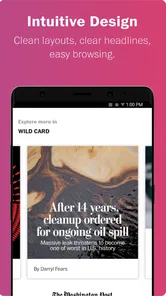
When I first downloaded Washington Post Select, I was drawn in by its sleek and minimalist design. The app doesn't bombard you with a zillion headlines right off the bat. Instead, it feels like it’s curated just for you, with a clean interface that’s easy on the eyes. The navigation is intuitive, and I didn’t need a degree in rocket science to figure out where everything was. The app aims to deliver the most important stories of the day, and it does so without any unnecessary fluff.
Features That Stand Out
One of the standout features of the app is its personalized reading experience. The more you read, the better it gets at tailoring content to your interests. It’s like having your own personal editor who knows what you like. The stories are divided into categories, so whether you’re into politics, sports, or tech, there’s something for everyone.
A practical way I would use that personalization is to treat it as a signal, not a filter to trust blindly. If the selection starts leaning heavily toward one subject, I’d deliberately open a different section for a broader sample. This is a useful habit with any tailored news feed: it keeps a convenient reading list from quietly becoming the only view of the day. Readers who want a strictly chronological, exhaustive feed may prefer a wire-service app or a publication that foregrounds live updates instead.
The offline reading feature is another lifesaver. Whether you’re commuting or sitting in a café with spotty Wi-Fi, you can download articles to read later. It’s perfect for those times when you’re stuck without a signal but need your daily dose of news.
More From Our News Desk

Weather by Xiaomi Review: Clear at a Glance, Less Clear Up Close

X Under Pressure: Can It Recover When Posting Goes Wrong?

Clash of Clans Is Won Between the Battles

Android Auto Makes the Case for Quieter Car Software

MobiOffice: Transforming Mobile Productivity with Seamless Integration

EA SPORTS FC™ Mobile Soccer: Redefining Mobile Sports Gaming
For a more reliable commute routine, I’d save the pieces I genuinely plan to finish before leaving a stable connection, then use offline time for reading rather than trying to load fresh coverage underground or in a dead zone. It is a small distinction, but it prevents a saved-reading workflow from being mistaken for live news access. If your main need is real-time updates while travelling, offline articles are useful backup, not a substitute for a connection.
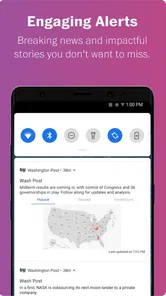
Another cool feature is the breaking news alerts. You can customize these alerts so you’re not constantly being pinged about every little thing. Only the most crucial updates get through, ensuring you’re always in the loop without being overwhelmed.
How it fits among other news apps
Compared with a general news aggregator, this app feels more like choosing a newsroom’s point of view and editorial priorities than assembling headlines from many publishers in one place. That can be a strength when I want a coherent account with reporting and context; it is a limitation when I want to compare how several outlets frame the same event at a glance. I’d use it alongside, not necessarily instead of, a broad aggregator if cross-publication comparison is part of my routine.
It suits readers who value explanatory articles, a visual presentation, and a manageable daily selection. It is less compelling for someone who wants every local update, specialist coverage across many niche subjects, or a bare-bones list of headlines to skim in seconds. Before relying on it as a primary source, I would try a few different days of reading: a quiet news day tests the regular mix, while a major story shows whether the app’s style and pace work for the coverage I personally need.
What Makes It Unique?
What sets the app apart from other news apps is its focus on storytelling. The articles are well-written, in-depth, and engaging. It’s not just about delivering the news; it’s about telling a story. The app also includes multimedia content like photos and videos, which add a rich layer to the reading experience.
That richer presentation is best enjoyed when I have a few uninterrupted minutes, rather than when I’m trying to grab a single fact while walking between tasks. When a story includes visual material, I’d make sure I’m on a dependable connection before opening it, particularly if I’m short on time. This also helps set expectations: the visual treatment can make reporting more absorbing, but it may take longer to load than a plain-text headline feed.
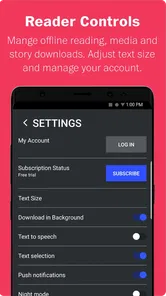
I also loved the dark mode feature. Not only does it make nighttime reading easier on the eyes, but it also saves battery life. It’s a small feature, but it makes a big difference, especially if you’re like me and tend to catch up on news before bed.
Who should give it a try
I’d recommend it to someone who already sets aside time to read and would rather follow a few substantial stories than skim dozens of snippets. It can also suit a reader who wants one familiar publication on a phone for a morning routine, a lunch break, or a quiet evening catch-up. The Washington Post has 17,000 reviews, and the app’s current version is 1.31.3; those details place it within an established product, but the version number alone does not tell me what changed or guarantee that every device will feel identical.
It is also worth considering the device you plan to use: the stated minimum operating system is Android 4.2, so compatibility depends on meeting that requirement, while the reading experience itself can still vary with screen size and connection quality. If you are comparing it with another news app, focus less on which interface looks busier and more on whether you actually finish stories there. A quieter front page is only valuable if its selection matches what you want to understand.
Room for Improvement
No app is perfect, and Washington Post Select is no exception. While the app is generally smooth and user-friendly, there were times when it lagged a bit, especially when loading multimedia content. It’s not a deal-breaker, but it’s something I hope they’ll address in future updates.
Another thing that could be improved is the search functionality. It works well for general topics, but if you’re looking for something very specific, it can be a bit hit or miss. It would be great if they enhanced the search algorithm to make finding niche topics easier.
That search limitation matters most when I return to an older story with only a partial memory of its wording. I would try a broad subject first, then refine with a distinctive name or phrase, rather than assuming the first result set is complete. For deep research, I would not use the app as my only archive; a web search or a publication’s broader site can be a better way to trace related coverage across time.
The app first appeared on September 14, 2015, and its current version is 1.31.3. That gives the product a long-running presence and a clear current version to identify, but I would not treat either fact as proof of a particular feature change. For someone already using it, the practical question is whether the current build remains comfortable on their device and fits their reading routine. I’d watch future releases for improvements to multimedia loading and search, since those are the friction points most likely to affect my own use.
Making it work for different reading habits
One thing I would decide early is whether I want the app to be a quick daily briefing or a place to spend longer with a story. Those are different jobs, and trying to make every news app do both can leave me checking headlines without actually understanding them. With this one, I’d start by opening it at a time when I can read rather than just scroll: a lunch break is a better test than a thirty-second wait in a queue. If the selection earns a place in that routine, I can then use alerts and saved articles more deliberately.
For example, someone following a local election might use the app to read a deeper account of a major development, then check a local outlet for neighborhood-level details and practical updates. That division of labor is more useful than expecting a national newsroom’s app to cover every small community issue. The same applies to a developing emergency: I would look for direct, timely instructions from the relevant authorities, not rely on a curated reading app as my sole source of immediate guidance.
Readers who follow many subjects can also avoid letting personalization narrow their day by making a conscious pass through categories they do not usually choose. This is not about fighting the app; it is about using recommendations as a starting point while keeping curiosity in the driver’s seat. I find that especially worthwhile on quieter news days, when the most familiar topics can otherwise dominate simply because they are the ones I tend to open.
Subscriptions, access, and sensible expectations
Because the download is free but purchases are available within the app, I would separate the decision to try it from the decision to pay for anything. First I’d check whether the stories I want to read are accessible in the way I expect, then consider whether a purchase makes sense for how often I use the app. The listed range runs from $0.99 to $15.00 per item, so I would read the wording on the purchase screen carefully instead of assuming every option gives the same kind of access or duration.
This matters particularly for occasional readers. If I only open a news app when a major story breaks, paying for access may not be as useful as it would be for someone who reads regularly and values the publication’s reporting. On the other hand, a daily reader should judge the value by the articles they actually finish and return to, not by how many headlines appear on a screen. I would make the choice based on a normal week of use rather than one unusually compelling story.
It is also reasonable to ask whether the app can replace a browser. For routine reading, a dedicated app can make returning to a publication feel straightforward, while a browser is often better for searching broadly, comparing sources, and following links beyond one newsroom. I would keep both roles in mind: the app for a familiar reading habit, and the browser for research that crosses publications or needs a wider trail of documents and coverage.
How it fits into a changing product
The Washington Post app has been around since September 14, 2015, and the version identified now is 1.31.3. Those facts provide useful context for existing users: this is not a newly appeared product, and there is a current build to check when troubleshooting. They do not, by themselves, reveal which interface or editorial choices changed along the way. I would judge the current experience by how it behaves on my device rather than reading a feature history into a version number.
For someone who already has it installed, a practical check after an update is simple: open a text-only story, then a multimedia piece, and see whether both load comfortably on the connection and screen you normally use. I would also revisit alerts and saved-reading habits after changing devices, because settings and routines that made sense before may not be right for a new schedule. That small review is more useful than assuming an update automatically improves every part of the experience.
What I would watch for in future releases is improvement in the parts that create the most friction: finding specific older coverage and waiting for visual stories to load. Those are concrete areas where a more polished experience could help without changing the app’s editorial character. Until then, I would keep a separate search route for archival research and avoid depending on multimedia when I need an instant answer.
Final Thoughts
Overall, Washington Post Select is a solid app that delivers on its promise of providing top-notch journalism in a user-friendly package. It’s perfect for anyone who wants to stay informed without feeling overwhelmed by the sheer volume of news out there. With its personalized features, offline reading, and focus on quality storytelling, it’s a must-have for news junkies and casual readers alike.
So, if you’re in the market for a reliable news app that respects your time and delivers stories that matter, give Washington Post Select a try. You might just find it becomes your go-to source for staying informed.
Washington Post Select Frequently Asked Questions
Who publishes Washington Post Select?
Washington Post Select is published by The Washington Post, and it sits in the News & Magazines category. Its presentation is described as bold and highly visual, giving readers a focused way to follow current news. If you are familiar with the newspaper, the app offers a mobile format for exploring its reporting and selected stories.
How much storage space does Washington Post Select need?
The app is available for Android and iOS, but the amount of storage it uses can vary with the device and the app version. Before installing, check the space available on your phone and the download details shown by your app store. Keeping some free storage also helps avoid interruptions when your device installs or updates apps.
What devices can run Washington Post Select?
Washington Post Select is designed for Android and iOS devices. On Android, it supports devices running Android 4.2 or later, so checking your phone’s operating system before downloading can help you avoid compatibility problems. The app is also available for iOS, where you can check its compatibility in the Apple App Store before installing.
Is Washington Post Select suitable for younger readers?
Washington Post Select is rated Everyone 10+, so it is intended for a broad audience that includes readers aged 10 and older. As with any news app, its reporting covers real-world events and may discuss serious subjects. Parents can decide whether the articles are appropriate for a younger reader and help them navigate the news.
What does Washington Post Select cost to download?
Washington Post Select is free to download, so you can install it without an upfront purchase. The app also offers in-app purchases, with listed items ranging from $0.99 to $15.00. Keep in mind that downloading the app and paying for optional content or access are separate decisions; review any purchase details shown in the app before confirming.
Pros
- User-friendly interface for easy navigation.
- High-quality journalism and reporting.
- Customizable notifications for breaking news.
- Offline reading mode available.
- Wide variety of news topics covered.
Cons
- Requires subscription for full access.
- Limited multimedia content.
- Occasional loading issues reported.
- Ads present in the free version.
- No dark mode option available.












