VR Player Pro - Video Player
- 25.00
- 3.5
- Installs
- 10.00K
- Price
- $2.49

Screenshots
Analysis by Reviewed
I treat a phone-based VR player as a practical tool, not a substitute for a dedicated headset or a guarantee that every video will look convincing. On that basis, VR Player Pro - Video Player is most appealing if you already have videos you want to watch through a mobile VR headset and value control over how they appear. It is an entertainment app from IRUSU, costs $2.49, and is rated for Everyone. Its average is 3.5 from around 860 ratings, a mixed enough response that I would approach it with realistic expectations rather than assume it will suit every phone, file, or viewer.
Trust starts with a clear purpose
The app’s role is focused: it is for watching video on a phone, including material intended for a VR-style view. That is useful context when deciding whether to install it, because a player may handle personal files or online video in ways that matter to you. I would make my choice based on the sources I plan to open and the controls I can actually see while using it, rather than treating the word “VR” as a trust guarantee.
Before choosing a video, I’d check the app’s visible prompts and settings and pay attention to any access request presented by the phone. I would grant only what seems necessary for the task I am trying to do, and I would avoid opening unfamiliar web content just because it is available to play. Those are sensible habits for any media player, especially one used with files that may be private or browsing that I would not want to share casually.
How I would make the viewing choice
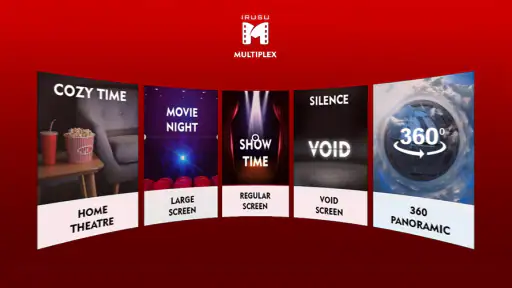
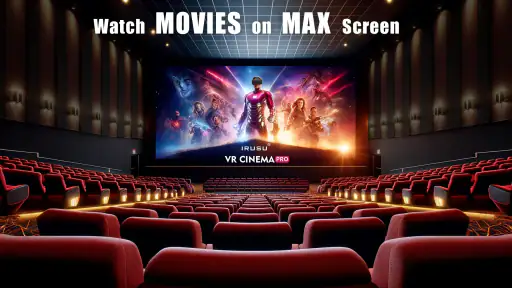
The practical question is not simply whether a clip is 360-degree, 3D, or ordinary 2D video; it is whether its format and presentation fit the way I want to watch. A flat film can feel more like a large screen when placed in a cinema-style view, while panoramic footage is meant to make looking around part of the experience. I would start with a short sample, choose the mode that looks natural, and only then settle in for a longer watch.
That small test also helps answer a common concern: will a video work without preparation? The app supports a range of formats and can play local files, but that does not mean every file will behave identically on every phone. If playback looks wrong, I would first check whether the selected viewing mode suits the video, then try another known file before assuming the app itself is at fault. Keeping a familiar sample clip available makes this troubleshooting much less frustrating.
Where it fits among video players
Compared with a standard phone video player, the appeal here is the added choice of VR-oriented viewing modes and adjustments such as screen size and audio settings. A conventional player is usually the simpler pick if I only want to watch an ordinary clip on the handset. A dedicated VR setup may make more sense for someone who watches immersive content often and wants a purpose-built viewing environment. This app sits between those options: it makes a phone useful for trying VR video without asking me to begin with a full setup.
That middle ground has trade-offs. A phone headset depends on the phone’s display and the fit of the headset, so I would not expect software settings alone to make a low-quality source look sharp or comfortable. For a quick preview or occasional viewing, convenience matters more than perfection. For a long film, I would weigh comfort, focus, and whether I can easily pause or adjust the view before choosing a phone headset over a larger screen.
More From Our News Desk

Clash of Clans Is Won Between the Battles

Android Auto Makes the Case for Quieter Car Software

MobiOffice: Transforming Mobile Productivity with Seamless Integration

EA SPORTS FC™ Mobile Soccer: Redefining Mobile Sports Gaming

How Microsoft OneDrive Became a Mobile Productivity Giant

How Google Translate Breaks Language Barriers Effortlessly
Immersive Experience at Your Fingertips
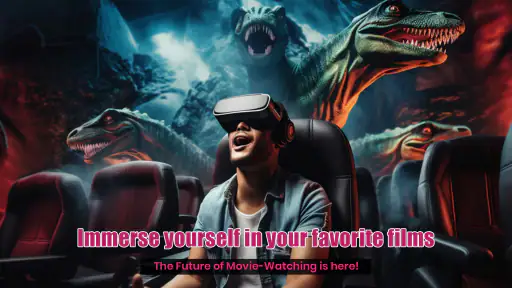
So, what's the buzz about VR Player Pro - Video Player? Simply put, it's a versatile video player that supports various formats like 2D, 3D videos, and even 360-degree videos. The app is designed to provide a seamless VR experience on your smartphone, and boy, does it deliver! As soon as you pop your phone into a VR headset, you're transported into a whole new world. Whether it's a thrilling roller coaster ride or a serene beach, the visual clarity and immersive sound make it hard to believe you're still sitting in your living room!
Feature-Rich and User-Friendly
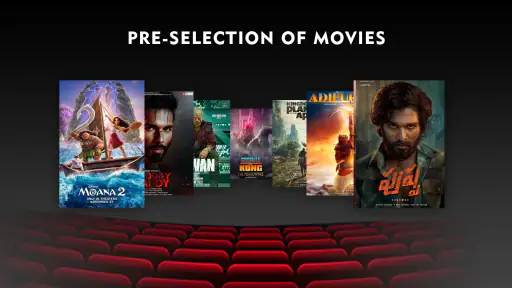
One of the first things I noticed about this app is its user-friendly interface. Navigating through the app is a breeze, even for someone who's not tech-savvy. The intuitive controls allow you to play, pause, and seek through videos with ease. Plus, it supports a range of video formats, so you don't have to worry about converting your files. Just load your favorite videos and enjoy!
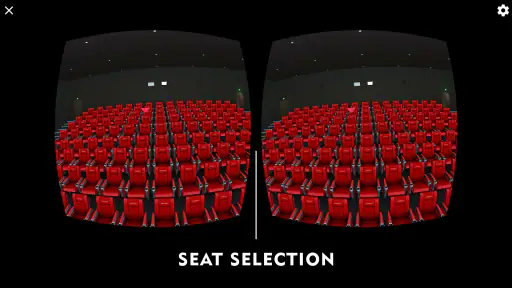
The app also offers customizable settings to enhance your viewing experience. You can adjust the screen size, select different modes (like cinema or dome), and even tweak the audio settings to suit your preferences. This level of customization is something I truly appreciate, as it allows me to tailor the VR experience to my liking.
Did Someone Say Streaming?
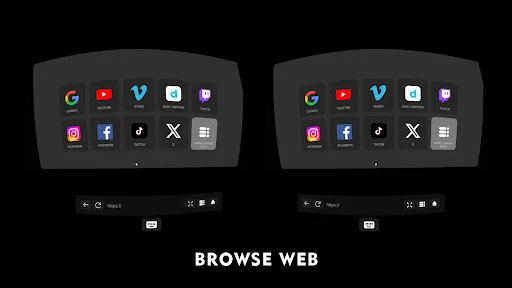
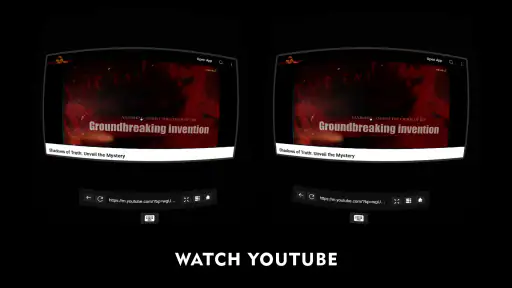
Yes, you heard it right! Not only does the app support local video files, but it also allows you to stream content directly from the web. This means you can enjoy a plethora of online VR content without having to download anything. It's like having a virtual cinema in your pocket!
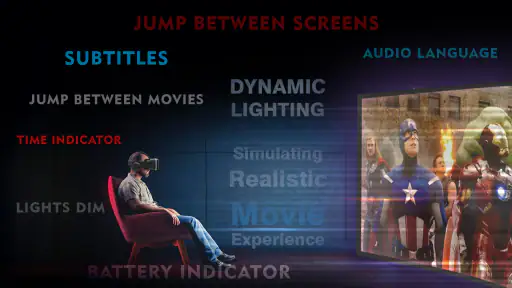
Another nifty feature is the app's support for subtitles. If you're watching a foreign film or a documentary, you can easily load subtitle files to follow along with the dialogue. This feature adds an extra layer of accessibility, making it a great choice for a diverse audience.
A useful routine for everyday viewing
For a realistic evening use, I would choose the video before putting the phone into a headset, check that it opens in the intended mode, and adjust the image while the controls are easy to reach. That order matters: trying to browse files or troubleshoot with the phone already secured in a headset can turn a relaxed watch into fiddling. I would also keep the first session short enough to judge focus and comfort, then decide whether a longer viewing makes sense.
For 360-degree footage, I’d begin by looking straight ahead and slowly turning rather than immediately scanning around. This gives me a better sense of whether the clip’s viewpoint feels stable and whether the headset sits comfortably. For a regular film, I’d test the cinema and dome options with the same short scene; the best choice is the one that keeps the picture easy to follow, not necessarily the mode that sounds most immersive.
Subtitles call for a little planning too. If a film depends on dialogue, I would confirm that the text is readable from my seating position before settling in. A subtitle line placed low on the image can be awkward to follow in a headset, so a brief check saves me from discovering that halfway through a conversation-heavy scene. This is a practical reason to test a representative clip rather than judging the setup from a few seconds of scenery.
Streaming, files, and sensible boundaries
Web streaming is convenient when I want to sample something without first saving it to the phone, while local playback is the more predictable choice when I already have a file ready. I would treat those as different workflows: streaming is useful for a quick preview, whereas a local video is easier to revisit without relying on the same browsing session. If a stream stutters or does not present as expected, trying a locally stored sample can help separate a connection issue from a playback-mode mismatch.
There is also a sensible privacy distinction between choosing a file I already know and opening a page or stream I have not checked. I would use familiar sources and make deliberate choices about what I play, especially if I am sharing the phone or headset with someone else. I would not assume that an online video is private simply because it is watched inside a VR player; the safer approach is to be thoughtful about the content source and the phone’s visible settings.
For anyone wondering whether an account is central to the experience, I would not make an account-related assumption on the app’s behalf. I would use the controls and prompts shown on my own device, and decide whether any requested step makes sense for the viewing task. The same principle applies to data choices: read what the phone presents, make a choice you understand, and do not treat a media app as a place to store or open sensitive material without considering the context.
Who will get the most from it
I think this is best for someone who already owns a compatible phone headset, has a few videos to try, and wants more than the basic flat-screen presentation of a standard player. It can also suit a curious newcomer who wants to explore 3D or 360-degree footage without immediately investing in a dedicated VR system. The app was released in June 2021 and is now at version 5.8, so I would still check that the phone meets its minimum operating-system requirement of version 12 before planning around it.
I would steer away from it if my main goal were simply to watch everyday clips on a phone screen, if I dislike wearing a headset, or if I expect software to correct poor source quality. Someone who mainly watches long films may be happier with a television or a conventional player, where positioning and controls are less of a concern. Likewise, a dedicated VR device is a better fit for frequent immersive viewing when the phone-and-headset combination feels restrictive.
The app has over 10,000 installs, but that does not settle whether it will suit a particular person; the 3.5 average is a reminder to test it against your own files and viewing habits. Its $2.49 price is a modest commitment, yet I would still make the decision based on whether the VR modes, local playback, web streaming, and subtitle support match what I actually need—not simply on the promise of a pocket-sized cinema.
In conclusion, VR Player Pro - Video Player has truly redefined how I consume media on my smartphone. It's not just an app; it's an experience. Whether you're a VR newbie or a seasoned enthusiast, this app offers something for everyone. With its impressive range of features and straightforward interface, it's no wonder it's becoming a favorite among VR fans. So, why not give it a try and see for yourself? You might just find your new favorite way to watch videos!
VR Player Pro - Video Player Frequently Asked Questions
What kind of app is VR Player Pro, and what is it designed for?
VR Player Pro is an entertainment app from IRUSU designed to play videos on mobile, including 360-degree content for viewing in a VR-style cinema. It may suit you if you want a dedicated way to watch compatible videos on your phone, whether or not you use a headset. The app is listed as suitable for everyone, but the videos you choose to watch may have their own age-appropriate content.
What video formats does VR Player Pro support?
VR Player Pro supports a wide range of video formats including MP4, AVI, MKV, and MOV. This versatility ensures users can play almost any video file they have, without the need for additional conversion software. The app is designed to handle both standard and 360-degree videos, making it a comprehensive solution for VR enthusiasts.
Can I use VR Player Pro without a VR headset?
Yes, VR Player Pro can be used without a VR headset. The app offers a 2D mode allowing users to watch videos on their mobile devices like a regular video player. However, to fully enjoy the immersive experience the app offers, a VR headset is recommended.
Is VR Player Pro compatible with all VR headsets?
VR Player Pro is compatible with most VR headsets, including popular models like Oculus Rift, HTC Vive, and Google Cardboard. The app is designed to provide an optimal experience across various devices, though users should check specific compatibility with their headset model for the best performance.
Does VR Player Pro offer subtitle support?
Yes, VR Player Pro offers subtitle support for a variety of subtitle formats, such as SRT and VTT. This feature allows users to enjoy their videos with subtitles in their preferred language, enhancing the accessibility and enjoyment of the content, especially for non-native speakers.
Pros
- Supports multiple VR headset models.
- Handles 360-degree videos smoothly.
- User-friendly interface layout.
- Customizable playback settings.
- Excellent video quality.
Cons
- Limited free version features.
- Occasional app crashes reported.
- Some formats not supported.
- No support for online streaming.
- Requires high device performance.
- Category
- Entertainment
- Version
- 5.8