Voicemod Soundboard
- 716.00
- 4.2
- Installs
- 1.00M
- Price
- Free

Screenshots







Analysis by Reviewed
My first useful test with a soundboard is not whether it can make a chat laugh once; it’s whether I can find the right sound quickly, play it at a sensible moment, and get back to the conversation without derailing it. That is the lens I’d use for Voicemod Soundboard, Voicemod’s free entertainment app. It is aimed at playful voice changes and sound effects, and works best when you treat it as a small tool for adding a punchline rather than as the main event.
Start with the moment, not the sound
Before opening the app, it helps to know what you want the sound to do. A short reaction in a casual voice chat has different needs from a planned joke for a group of friends. I’d pick one simple purpose first—such as punctuating a gaming mishap or sending a funny recorded message—then explore sounds that fit it. That keeps browsing from taking longer than the joke itself.
The app is listed in Entertainment, has a Teen age rating, and is free to install. Its current version is 1.10.4, and the listed minimum operating system is 8.1. Voicemod has built an audience around soundboard-style fun: the app has over one million installs and a 4.2 average from around ten thousand ratings. Those figures suggest plenty of people try it, but I’d still judge it by whether its style suits your own chats.
Getting Started with Voicemod Soundboard
First off, downloading and setting up the Voicemod Soundboard is a breeze. Available for both Android and iOS, you’ll find it in your respective app stores ready to transform your audio experiences. Seriously, within minutes, I was already diving into a world of hilarious sound effects and voice mods.
A Dive Into Features
What captivated me the most were the sheer number of features packed into this app. You have a plethora of sound effects at your fingertips. From epic cinematic sounds to quirky animal noises, the variety is insane! And let's not forget the voice modulator. Ever wondered how you’d sound as a robot or maybe even as a chipmunk? Well, wonder no more because this app lets you do just that.
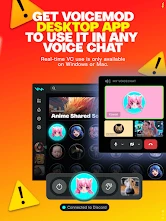
One of the coolest things is how it integrates with other platforms. I managed to use it while gaming, and let me tell you, the reactions from my friends were priceless. It’s like having a secret weapon in your audio arsenal. Plus, it works seamlessly with apps like Discord, which is a massive plus for gamers and streamers alike.
Make the handoff part of the plan
For a smoother session, I’d test the sound in a low-stakes moment before relying on it for a stream or a busy group call. There is a difference between a sound playing on your phone and everyone else hearing it in the conversation. If the handoff to another app is awkward on your device, keep the effect for a direct message or a planned recording instead. That way, the joke still works even if live playback is not convenient.
More From Our News Desk

Clash of Clans Is Won Between the Battles

Android Auto Makes the Case for Quieter Car Software

MobiOffice: Transforming Mobile Productivity with Seamless Integration

EA SPORTS FC™ Mobile Soccer: Redefining Mobile Sports Gaming

How Microsoft OneDrive Became a Mobile Productivity Giant

How Google Translate Breaks Language Barriers Effortlessly
A practical routine is to choose a sound before the conversation gets lively, keep the phone within reach, and use one effect at a time. Short bursts are easier for other people to react to than a run of noises layered over a conversation. I’d also leave a pause after playing something; the response from friends is often the funny part, and filling every silence with another effect can make the app feel intrusive.
User Interface and Experience
Now, let’s talk about the user interface. It's clean and intuitive, which is something I really appreciate. You don’t have to be tech-savvy to navigate through the features. Everything is laid out in a manner that just makes sense. The developers clearly put a lot of thought into making sure users can access everything without a hitch.
Another thing I noticed is how lightweight it is. It doesn’t hog your phone’s resources, which is fantastic because nobody wants an app that slows down their device. The performance has been smooth, and I haven’t encountered any bugs so far, which is always a win in my book!
Using it without interrupting the conversation
The most reliable way to get a laugh is to decide on the handoff before you open the soundboard. For example, in a casual gaming session, I’d keep the conversation going through the usual voice-chat setup, then use the phone for a short effect only if I already know how the sound will reach the group. If that route needs several taps or a switch between apps, the timing may be gone by the time I’m ready. In that case, I’d save the idea for a recorded message instead of forcing a live gag.
There’s also a useful distinction between choosing a sound for yourself and choosing one that works for a group. A dramatic effect may amuse the person playing it but drown out the next speaker or make a joke hard to follow. I’d favor a brief, recognizable cue over a long effect, and use it where everyone has enough context to understand why it is funny. This is less about having the biggest collection and more about making each sound earn its place.
If you’re trying the app with friends for the first time, I’d tell them what you’re testing and keep the first attempt low-key. That removes the awkwardness if the effect comes through too quietly, too loudly, or not through the call at all. It also gives you a chance to learn whether the group enjoys this kind of interruption. A soundboard is social by nature: the same effect can land perfectly with close friends and feel disruptive in a work call or a conversation where people need to concentrate.
Where it fits—and where it doesn’t
I’d recommend it most to people who already enjoy joking around in voice chats, making playful clips, or trying out character-style voices with friends. A realistic use is a small gaming group: after a ridiculous in-game mistake, play a brief dramatic sting, then let the conversation carry on. It is less suited to someone who wants a full audio-editing workspace, carefully produced voiceovers, or a dependable professional soundboard. A basic player or a saved audio clip may be simpler when all you need is one familiar sound with no live experimentation.
For a family group chat, the more natural use may be a recorded funny message rather than trying to route an effect into a live call. I’d plan the line, test how the altered voice sounds, and send it when people can listen on their own time. That gives the joke room to work without expecting everyone to pause a conversation at the same moment. It is also a better fit for people who enjoy making short bits but do not regularly game or stream.
Compared with a basic sound player, this app is more appealing when you want to experiment with voice character and comic timing, rather than simply replay the same stored clip. Compared with a dedicated audio editor, it is the lighter, more playful choice, not the place I’d go to polish a multi-track recording or refine a voiceover. And compared with using a sound effect built into a chat or streaming setup, the phone-based workflow can be less immediate. The right choice depends on whether you value quick experimentation or predictable controls more.
The trade-off is spontaneity versus control. A voice effect can make an ordinary message funnier, but it can also make speech harder to understand, especially if people are talking over one another. I’d use altered voices for short lines rather than long explanations, and switch back to a natural voice when clarity matters. For a stream, rehearse the handoff and volume balance before going live instead of discovering the awkward part in front of an audience.
Small habits that make the effects work better
One practical tip is to prepare a tiny shortlist for the kind of session you expect, instead of browsing every sound while people are waiting. Even without treating the app like a production console, a little advance choice makes the difference between a well-timed reaction and dead air. I’d also think about the group’s usual humor: a sound that feels playful among close friends may not suit a mixed audience or a public stream.
Another trade-off is that voice effects are not automatically clearer or funnier just because they are unusual. If a character voice makes a sentence difficult to understand, shorten the sentence rather than repeating it louder. If a sound effect is meant to punctuate a story, leave a beat before and after it so listeners can catch the setup and the reaction. These small choices help the app feel like part of the conversation instead of an interruption imposed on it.
For anyone wondering whether it is worth trying before paying, the app is free to start, while in-app purchases range from $3.99 to $109.99 per item. I’d explore the free experience before spending anything and decide whether I actually return to the soundboard after the novelty wears off. That is a more useful test than buying extra options simply because they are visible. If you only need occasional comic punctuation, the free entry point may be enough; if you expect a particular paid item to solve a specific need, check that it does so before purchasing.
Who will enjoy it, and when another tool is better
This is a good match for people who like low-pressure audio play: friends who trade silly voice messages, gaming groups that welcome a quick comic sound, or creators experimenting with a playful moment rather than producing a polished show. The Teen rating is a reminder to consider the audience and context, especially when sharing effects with younger listeners or in a public setting. I’d keep the humor friendly and avoid using a changed voice to mislead people about who is speaking.
I’d skip it if my main goal were reliable, hands-free sound triggering during a busy broadcast, or if I needed precise editing and repeatable output. In those situations, a dedicated desktop soundboard or audio-editing tool is usually the more sensible option because the controls and routing can be planned around that work. Someone who only wants to replay a single clip may find the phone’s ordinary audio player simpler. Voicemod Soundboard makes most sense when trying different voices and effects is part of the fun, not an obstacle to a more serious task.
A question I’d ask before installing is whether I need a live effect or just a funny recording. For a live reaction, test the route into the call first; for a message, record and listen back before sending so you can check that the joke is understandable. Another useful question is whether the people on the other end will hear the effect as intended. A sound coming from the phone speaker may reach a nearby room, but that is not the same as being routed cleanly into a voice chat.
Final Thoughts
In summary, if you’re on the hunt for an app that brings a whole new level of fun to your sound experiences, Voicemod Soundboard is definitely worth checking out. It’s feature-rich, user-friendly, and just an all-around blast to use. Whether you’re gaming, streaming, or just looking to add some cool effects to your chats, this app has got you covered.
So, why not give it a whirl? Download it, explore its features, and let your creativity run wild. Trust me, you won’t regret it!
Voicemod Soundboard Frequently Asked Questions
Can I record and share funny voice messages with Voicemod Soundboard?
Yes. Voicemod Soundboard is described as a voice changer and meme soundboard for recording funny messages and pranking friends. It is geared toward playful audio, so consider how a recipient might feel before sending a prank message. The app is listed as free to download, with optional in-app purchases for users who want to explore paid content.
What devices and operating system does Voicemod Soundboard support?
Voicemod Soundboard is an Android app from Voicemod, and its listed minimum operating system is version 8.1. Before downloading, check that your device meets this requirement and has enough room for an app. The published questions below also discuss Windows and Mac, but the mobile app’s compatibility details are the most relevant when deciding whether it will run on your phone.
What is Voicemod Soundboard and how does it work?
Voicemod Soundboard is a versatile application that allows users to modify their voice in real-time and add sound effects during voice chats or streams. It integrates easily with popular platforms like Discord, Zoom, and Twitch. Users can choose from a variety of voice filters and sound effects, customizing their audio experience to enhance fun and engagement during online interactions.
Is Voicemod Soundboard free to use, or does it require a subscription?
Voicemod Soundboard is free to download, but it also offers in-app purchases priced from $3.99 to $109.99 per item. The published description presents voice changing and meme sounds as the app’s focus; check the purchase details shown in the app before buying, so you understand what a particular item unlocks. You can start without paying and decide whether any paid options suit you.
Can Voicemod Soundboard be used on both Windows and Mac systems?
Currently, Voicemod Soundboard is primarily available for Windows users. The developers are actively working on expanding compatibility to include Mac systems, but as of now, Mac users may need to look for alternative solutions or use workarounds to access similar functionalities.
Pros
- Wide variety of sound effects
- Easy to use interface
- Integrates with multiple apps
- Custom sound creation
- Regular updates
Cons
- Limited free version features
- Occasional app crashes
- Ads in the free version
- Requires stable internet
- May affect device performance

- Category
- Entertainment
- Version
- 1.10.4