VIN Decoder & Vin check
- 63.00
- 4.7
- Installs
- 100.00K
- Price
- Free

Screenshots
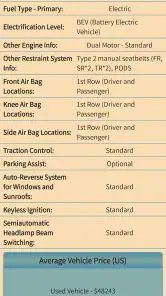
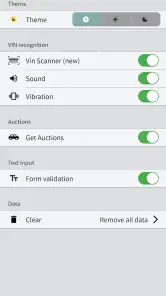

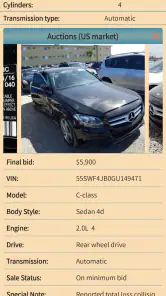


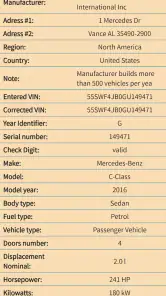
Analysis by Reviewed
Buying a used vehicle often starts with a small string of characters that can create a surprisingly large amount of doubt. I used VIN Decoder & Vin check as a quick way to turn that string into a more useful starting point, and I found that its value depends less on flashy presentation than on entering the right vehicle identification number and understanding what the result can—and cannot—tell me. It is a focused Auto & Vehicles app from Vin Check, aimed at people who want a VIN scanner, VIN recognition, and a vehicle VIN check in one mobile tool.
My first impression was that this is best treated as a screening assistant rather than a complete buying decision. It can help me organize the first stage of research when I am standing beside a car, looking at an online listing, or checking paperwork. It does not replace a physical inspection, a mechanic, or careful verification with official records. That distinction is important, because a decoded vehicle identity is useful only when it matches the actual car in front of me.
Where the real friction appears during a vehicle check
The most common difficulty is not understanding the idea of a VIN. It is getting a clean, accurate number into the app. A VIN is long enough for one mistaken character to spoil the search, and letters and numbers can be easy to confuse when I am reading a plate through a phone camera. A scanner may save time, but it does not make a blurry, dirty, angled, or poorly lit label reliable.
I would begin with the VIN itself, not with the app. I look for the number in a clearly visible location, clean the area if necessary, and hold the phone steady. If recognition hesitates, I do not keep pressing the same button and assume the app is broken. I move closer, improve the light, reduce glare, and try again. If the result still looks wrong, manual entry is the safer route when it is available in the workflow.
Another point that can confuse new users is the difference between a successful scan and a trustworthy result. Recognition means the camera has interpreted the characters; it does not prove that the characters were read correctly. I compare the displayed VIN with the physical marking before relying on anything that follows. This simple check is especially important when the vehicle is being viewed quickly at a dealership or in a crowded parking area.
The app’s free availability makes it easy to try before committing to a purchase decision, while optional in-app items range from $4.99 to $49.99 each. I would avoid paying for anything until the basic identification step has worked with the vehicle I am actually considering. A paid result is not useful if the input was copied incorrectly, and testing the scan first helps me decide whether the workflow suits my phone and the conditions around the car.
Why camera recognition is convenient but not foolproof
VIN recognition is most helpful when I need to avoid typing a long identifier by hand. It is less dependable when the characters are worn, partly hidden, reflective, or printed in a format the camera cannot separate cleanly from its background. I see the scanner as a convenience layer, not as an authority. My habit is to use it for speed, then verify every character against the source.
There is also a practical privacy consideration in everyday use. I would not photograph more of a document than necessary, especially if the VIN appears alongside personal information. Keeping the camera pointed at the identification area reduces clutter and makes recognition easier at the same time. This is a small adjustment, but it improves both accuracy and discretion.
For an online listing, I would copy the VIN into a note first and compare it with the number shown in the vehicle photographs or paperwork. Sellers can make typing mistakes, listings can be reused, and a VIN pasted into an app is only as dependable as its source. VIN Decoder & Vin check is useful here because it gives me a dedicated place to check the identifier, but it cannot correct a dishonest or outdated listing.
Setup checks that prevent avoidable problems
The app supports devices running Android 7.0 or later, so compatibility is a sensible first check before troubleshooting anything else. If the installation is available but the scanner behaves oddly, I would first close other camera-heavy apps, restart the phone, and retry in a brighter setting. These are ordinary steps, but they address the most likely causes without assuming a deeper fault.
I also make sure the phone lens is clean. A thin fingerprint can soften the exact edges that the recognition process needs, particularly on small stamped or printed characters. I hold the device parallel to the VIN rather than at a sharp angle, and I avoid placing the number directly under a strong reflection. The goal is not a beautiful photograph; it is a high-contrast, readable line of characters.
When a scan fails, I change one condition at a time. I might move from shade to indirect daylight, then alter the distance, then try a different angle. Changing everything at once makes it difficult to know what helped. This method is more useful than repeatedly tapping the scan control while the camera view remains unchanged.
Version 1.2.5 is the current version associated with the app, and keeping the installed copy current is a reasonable maintenance step. If the app has just been installed, I give the phone a moment to finish any normal setup work before testing it. I also check that the device is not in a mode that restricts camera use. I do not need to change unrelated system settings unless the camera itself is failing elsewhere.
Because the app is rated for Everyone, it is presented as a general-purpose vehicle utility rather than a specialist professional system. That makes the interface approachable for a first-time buyer, but it also means I should not expect the depth or formal authority of a service built specifically for inspectors, insurers, or government records. Its strength is the quick first check, not specialist certification.
A better first-use routine
I locate the VIN on the vehicle or in the paperwork and compare the characters visually before opening the scan.
I clean the lens and the visible identification area, then choose even lighting without glare.
I scan once, review the recognized characters, and compare them with the original instead of accepting the first result automatically.
I save or note the identifier separately so I can repeat the check without returning to the vehicle if the workflow allows it.
I treat the vehicle information as an initial research point and continue with inspection, documents, and seller questions.
This routine sounds slower than simply pointing the phone and tapping, but it usually saves time. The expensive mistake is not spending an extra minute on verification; it is researching the wrong vehicle because one character was misread. For me, the app works best when it is part of a disciplined process rather than a shortcut around one.
Recovering when the workflow breaks halfway through
Sometimes the camera recognizes a number but the next step does not feel clear. I would first return to the displayed VIN and check it character by character. If the identifier is wrong, starting a new scan is more sensible than trying to interpret a result built on bad input. If it is correct, I retry the check once under stable conditions rather than rapidly repeating the action.
When an app appears stuck, I use basic recovery steps: leave the screen, reopen it, and restart the phone if necessary. I avoid clearing information or changing system settings as a first reaction, because those actions can remove useful local state without solving a camera or network problem. A simple restart is easier to reverse and often separates a temporary phone issue from a repeatable app issue.
A useful recovery trick is to separate recognition from research. I write down the VIN exactly as it appears, then begin again with that verified text. This prevents me from repeatedly photographing the same difficult label and helps reveal whether the problem is the camera stage or the lookup stage. It also gives me a stable reference when speaking with a seller or comparing vehicle documents.
If the app returns an unexpected vehicle identity, I stop before drawing conclusions. I check for the classic transcription errors: confusing similar-looking letters and numbers, skipping a character, or reading a partial label as the full VIN. I also compare the result with the vehicle’s visible make, model, body style, and paperwork. A mismatch is a reason to investigate the input and the car, not merely to try the search again.
The same approach helps when a result takes longer than expected. I check whether other apps can use the phone’s connection normally, then retry once. If everything else works and this particular lookup repeatedly fails with a verified VIN, I treat that as a service or app issue rather than endlessly changing the vehicle data. Keeping notes about what happened makes support conversations more productive if I need them.
What to do before paying for an additional result
The optional purchase range deserves a careful pause. I would not use a paid option as a way to compensate for uncertainty about the VIN. First I confirm that the identifier is correct, that it belongs to the vehicle I am viewing, and that the available result answers the question I actually have. If I only need basic identity information, an extra purchase may not add enough value for my situation.
On the other hand, someone comparing several vehicles may find a paid lookup worthwhile if it gives them information they genuinely need during that comparison. I would keep a simple record of which VIN belongs to which listing, because mixing identifiers is easy when several cars look similar in photographs. The app can help with the checking step, but my own notes remain the safest way to keep the investigation organized.
When the app is not the cause of the problem
A VIN check cannot resolve a disagreement between the vehicle and its paperwork. If the number on the dashboard differs from the number on a document, I would not choose the version that produces the more convenient result. I would pause the purchase and ask for an explanation, because the discrepancy concerns the vehicle’s identity rather than the phone application.
Likewise, a clean decoded identity does not prove that a used car is mechanically sound. It will not replace checking warning lights, fluid leaks, tire wear, brake condition, service documents, accident repairs, or a professional inspection. This is where some users may overestimate the app: a digital result can make research feel complete even when the most important physical questions remain unanswered.
The seller and the source of the VIN matter too. If a listing contains a copied number from another vehicle, the app may process it normally and return information for that other car. That is not a failure of recognition. I compare the VIN across the vehicle, paperwork, and listing before trusting the result, and I ask direct questions when those sources do not agree.
There are also situations where a different tool is better. A manufacturer or official registration channel may be more appropriate for formal ownership or recall questions, while a mechanic is better for condition and repair judgment. A dedicated history service may suit buyers who need a broader record search, and a simple text note may be enough for someone who only wants to store a VIN. VIN Decoder & Vin check earns its place in the early screening stage, not every stage of vehicle ownership.
Compared with manually searching a VIN in a browser, the app’s main advantage is the focused mobile workflow and camera recognition. Compared with a full vehicle-history service, its appeal is convenience and a narrower purpose. Compared with writing the number down, it reduces typing effort but introduces the need to verify camera recognition. That trade-off explains who will appreciate it: people who check vehicles in person and want a quick, organized starting point.
Who will get the most from this app
I think it is a good fit for a first-time used-car buyer who wants to check an identifier before arranging a longer inspection. It also suits someone comparing several listings and trying to keep each VIN tied to the right vehicle. A small dealer, family member, or vehicle enthusiast may appreciate the scanner for repeated preliminary checks, provided they still validate the results and follow the relevant professional process.
A realistic example is a Saturday viewing at a seller’s driveway. I would photograph the VIN in clear light, verify the recognized characters, compare the returned identity with the advertisement, and note any mismatch before discussing a deposit. If the result supports the listing, I would still inspect the car and arrange a mechanical check. If it conflicts, I would treat that conflict as a reason to slow down, not as a minor inconvenience.
It is less suitable for someone expecting a complete ownership history, a guaranteed accident record, or a mechanical diagnosis from one scan. It is also not the right choice for a user whose phone cannot meet the Android requirement, or for someone who dislikes checking camera output manually. People who rarely handle vehicle research may find a trusted professional or official source more appropriate for decisions with legal or financial consequences.
The app has reached over 100 thousand installs and holds a 4.7 average from around 1.3 thousand ratings, which suggests that many users find the basic idea useful. I read those figures as evidence of practical appeal rather than proof that every scan will work in every environment. My own recommendation remains conditional: use it when you value fast VIN entry and an accessible first check, but keep independent verification in the process.
Since it is free to install, trying the core workflow is straightforward. I would test it on a VIN I can verify from the vehicle before relying on it during a time-sensitive purchase. That test tells me whether the camera handles my phone well and whether the result is presented clearly enough for my needs. It is a much better basis for deciding about optional purchases than the app’s category or rating alone.
My practical verdict after using it
VIN Decoder & Vin check is a useful, narrowly focused tool for the first minutes of vehicle research. I like the combination of VIN scanning, recognition, and checking because it addresses a real annoyance: entering a long identifier while standing beside a car. The workflow is most effective when I slow down for the verification step and use the result to guide further questions.
Its limitations are equally clear. Camera recognition can be affected by the physical condition of the VIN and the surrounding light, and a correct lookup still cannot tell me whether the vehicle is safe, honestly described, or worth its asking price. The optional in-app purchases also make it sensible to confirm the basic workflow and the relevance of a result before spending money.
My bottom line: use this app as a careful VIN screening tool, not as a complete vehicle history or inspection service. For a buyer who wants a convenient mobile starting point, it can save typing and help expose inconsistencies early. For formal records, deep history, or mechanical confidence, I would pair it with official documentation, a reputable history source, and an independent inspection.
That balanced role is where VIN Decoder & Vin check makes the most sense. Developed by Vin Check, it is free, suitable for Everyone, and currently listed as version 1.2.5. I would recommend it to friends who are about to view a used vehicle and want one more practical check in their pocket—provided they remember that the most valuable result is sometimes not a clean match, but an early warning to ask better questions.
VIN Decoder & Vin check Frequently Asked Questions
What devices can run VIN Decoder & VIN Check?
VIN Decoder & VIN Check is an Auto & Vehicles app for Android, with a minimum operating-system requirement of version 7.0. Before downloading, check your device’s software version and make sure you have a compatible phone or tablet. The app is free to install, and its age rating is Everyone, making it suitable for a broad audience.
What is VIN Decoder & VIN Check used for?
VIN Decoder & VIN Check is designed to help users understand information associated with a vehicle identification number. After entering a 17-character VIN, the app may display details such as the manufacturer, model, body type, engine information, production year, and country of origin. It can be useful when comparing a used car, checking basic vehicle data, or preparing questions for a seller before making a purchase.
Can VIN Decoder & VIN Check reveal a vehicle’s complete history?
The app can provide useful decoded vehicle information, but users should not assume that every result represents a complete history report. Available records depend on the VIN database, region, data providers, and the type of report selected. Accident records, theft information, mileage events, title problems, service history, or previous ownership may be incomplete or unavailable, so important findings should always be confirmed through official records and a professional inspection.
How do I enter a VIN correctly in the app?
A VIN normally contains 17 letters and numbers and can usually be found on the dashboard near the windshield, inside the driver’s door frame, or on vehicle documents. Enter the characters carefully and check for typing mistakes, especially because some VIN systems do not use the letters I, O, or Q. If the scan or lookup fails, compare the number with the vehicle and registration documents before trying again.
Is VIN Decoder & VIN Check free to use?
The app is free to download, but in-app purchases range from $4.99 to $49.99 per item. The cost may depend on the lookup or information you choose, so check the price and what is included before confirming a purchase. Reviewing the purchase details first can help you decide whether the available features fit your needs and avoid unexpected charges.
Pros
- Quickly identifies vehicle details from a VIN
- Useful for checking basic car information before buying
- Simple interface suitable for occasional users
- Helps compare VIN data with a seller’s description
- Convenient mobile access without special equipment
Cons
- Some reports may require an additional payment
- Results can vary by country and vehicle manufacturer
- Older or imported vehicles may have limited data
- A VIN alone cannot confirm a car’s mechanical condition
- Scanning may fail with damaged or poorly printed VINs

- Category
- Auto & Vehicles
- Version
- 1.2.5











