

Video Downloader and 4k Player
- 1.18K
- 4.3
- Installs
- 50.00M
- Price
- Free

Screenshots
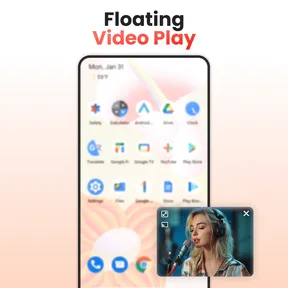
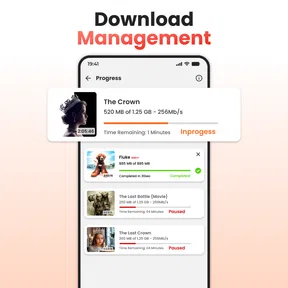
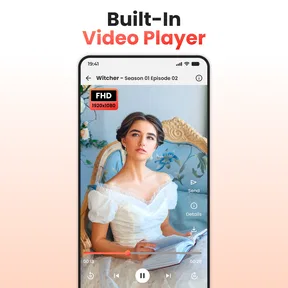
Analysis by Reviewed
I find a downloader most useful when it solves a specific problem: keeping a video available when I expect to be offline, rather than adding another app I rarely open. That is the practical appeal of Video Downloader and 4k Player. It brings saving and playback together, so the basic routine is simple: get a video onto the device, then use the same app to watch it later. For tutorials, reference clips, or other content I have permission to save, that can be more convenient than juggling separate tools.
A sensible first test before relying on it
I would try the app with one short, permitted video before building a collection. Save it, locate it in the app, and play it from beginning to end. That quick check tells you whether the source and your preferred workflow cooperate, and whether the saved file is useful for your needs. It is a better test than filling your phone with clips first and discovering only when you are offline that something did not save as expected.
This kind of trial also helps answer a practical question: does the app fit the way you already watch videos? If you tend to collect links and return to them online, a downloader may add an unnecessary step. If you often revisit the same demonstrations without a dependable connection, keeping permitted copies together can be a genuine convenience. I would decide based on that habit, not on the appeal of a long feature list.
What free access means in practice
The app is free to install, with optional in-app purchases priced from $1.99 to $13.99 per item. I would treat that as a low-commitment way to try the core experience, not as proof that every feature or use case is included at no cost. If you are deciding whether to pay, first use the free version for the kind of videos you actually want to keep and see whether its workflow fits. The presence of purchases does not, by itself, tell me what each item unlocks, so I would check the purchase details in the app before spending.
Its popularity suggests that many people are looking for this kind of all-in-one utility: it has a 4.3 average from around 334,000 ratings and over 50 million installs. Those figures are useful context, but they do not guarantee that it will work with every site or suit your habits. My recommendation is to judge it by a small, ordinary test: try a permitted video, find the saved file, and play it back before relying on it for a trip or a study session.
Saving videos and making them useful offline
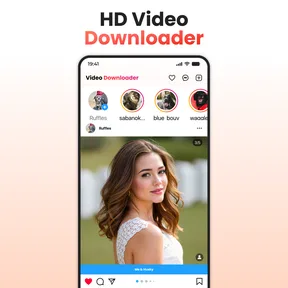
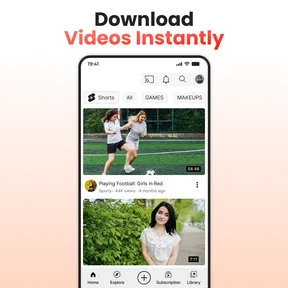
One of the standout features of the Video Downloader and 4k Player is, undoubtedly, its video downloading capability. With just a few taps, you can download videos from a wide range of platforms. Whether it's that hilarious clip from social media or an insightful tutorial from a video-sharing site, this app makes it incredibly easy. The interface is pretty intuitive, so even if you're not the most tech-savvy person out there, you'll find yourself navigating through it like a pro. Just paste the link, hit download, and voila! Your video is ready to be viewed offline.
In everyday use, I would not assume that a link behaves the same way across every platform. Some services restrict saving, and a downloader cannot make every online video available as a local file. A sensible habit is to confirm that the source allows downloading and that the video appears in the app’s own library before closing the page. If you are saving several clips for a commute, checking the list while you still have a connection can prevent a frustrating surprise later. Respecting creators’ rights and platform rules matters just as much as having the technical option.
More From Our News Desk

 Gmail
GmailGmail in a Busy Inbox: Who Benefits Most?
From first account to crowded workday, Gmail earns its place through dependable search and flexible sorting—but its best fit depends on how much inbox maintenance you can tolerate.

 Prime Video
Switching to Prime Video: What Changes in Your Viewing Routine
Prime Video can make a compelling second home for streaming, but switching means learning a different catalog, rental layer, and route from browsing to playback.

 Universal TV Remote Control
Universal TV Remote Control Works Best as a Reliable Backup
A phone remote earns its place through quick setup and reliable habits. Here is how to get more from Universal TV Remote Control—and where its limits show.

 Weather - By Xiaomi
Weather by Xiaomi Review: Clear at a Glance, Less Clear Up Close
Xiaomi’s weather app makes everyday forecasts quick to scan, but its calm surface can leave useful details and recovery paths harder to find than they should be.

 X
XX Under Pressure: Can It Recover When Posting Goes Wrong?
A resilience-focused review of X, examining setup, mistaken posts, interruptions, weak connections, and the gaps that matter when recovery needs to be dependable.

 Clash of Clans
Clash of Clans Is Won Between the Battles
Its raids are quick; its community is a long-term project of coordination, teaching, rivalry, and shared responsibility—with all the friction that entails.
Latest News



Make a collection that works beyond one viewing
For a class or personal project, I would think of saved videos as reference material rather than a pile of entertainment. Give yourself a simple routine: download only the clips you expect to revisit, group related ones, and remove files when they are no longer useful. This keeps the collection easier to scan and makes the app more valuable over time. The advantage is not merely having videos offline; it is being able to find the right one when you need it.
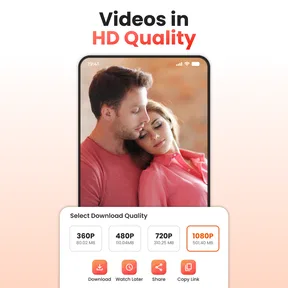
There is also a useful distinction between a player supporting high-resolution video and every saved clip being available in that resolution. The source quality, the chosen download option, and your device all affect what you can watch. Before saving a large file, I would weigh whether sharp detail matters for that particular video: a short demonstration may benefit from it, while a spoken lecture can be easier to manage at a lower quality. That trade-off can help keep storage available without changing what matters most about the content.
4K playback and format flexibility
Now, let's talk about its video playback capabilities. The app isn't just about downloading; it's also a robust video player that supports up to 4K resolution. This means you can enjoy your downloaded content in crisp, clear quality. I found the playback to be smooth, with no noticeable lag or buffering issues, which is a huge plus if you're particular about video quality. The app supports a variety of file formats too, so you won't run into compatibility issues often.
For me, the useful question is not whether every clip should be watched at the highest available quality, but whether the detail improves the viewing experience enough to justify the file. A craft tutorial, for instance, may be easier to follow when small steps are clear; a talk or interview may not need that level of detail. Choosing a more modest download quality when it suits the content is a practical way to save space, especially if you are preparing several videos at once.
Another thing I really appreciated was the ability to create playlists. It's super convenient if you're planning a binge-watching session and want everything queued up nicely. Trust me, once you start using the playlist feature, you won't want to go back.
For a practical study workflow, I would group related clips into a playlist after saving them, rather than relying on memory or repeatedly searching the download list. A cooking session, a set of exercise demonstrations, or several lessons can then be watched in sequence. I would also check that the files are actually playable before leaving home; a playlist organizes what is present, but it cannot replace a missing or incomplete download. This small check is especially worthwhile when the videos are meant to be useful offline.
Interface, storage, and everyday friction
Let's be honest, no one wants an app that's a nightmare to use. Fortunately, Video Downloader and 4k Player has a clean, user-friendly interface. Everything is laid out logically, and there's a helpful guide for first-time users. The settings menu is straightforward, allowing you to customize your download preferences easily. Whether you want to tweak the download quality or change the storage location, it's all just a tap away.
That control over quality and storage is more than a convenience if your phone also holds photos, work files, and messaging media. I would choose a location I can find again, then periodically review what I have saved and remove clips I no longer need. Keeping a collection tidy makes playlists easier to use and reduces the chance that an old download becomes clutter. It is a simple maintenance step, but it matters more in a downloader than in a streaming app, where videos do not accumulate as local files in the same way.
A realistic use case is preparing for a train journey: at home, I would save a few videos I am allowed to keep, choose a quality that makes sense for each one, and check playback before leaving. On the way, the playlist makes it easier to move from one clip to the next without depending on a connection. The workflow is most helpful when planned in advance. It is less suited to someone who expects every video to be instantly downloadable from any website.
Compared with using a browser alone, the appeal here is having downloads and playback under one roof. Compared with a dedicated media player, the appeal is the download workflow; a player focused only on playback may be a better fit if you already have your files and want nothing else. Streaming apps are often more convenient for browsing and watching while connected, but they are not a substitute for a local copy when offline viewing is permitted and genuinely needed. I see this app as a practical tool, not a replacement for every video service or player.
One small gripe I had was the occasional pop-up ad. They aren't overly intrusive, but they do break the flow a bit. However, considering the app's functionality, it's a small price to pay.
Where it fits—and where it doesn't
I would recommend it most to someone who saves videos regularly for a clear reason: a commuter preparing permitted clips before a journey, a student revisiting tutorial material, or a viewer who wants one place to organize local video files. A realistic routine might be to collect a few how-to videos at home, check that each one plays, and queue them for the ride the next morning. That is where combining a downloader, player, and playlists can save small amounts of effort repeatedly.
I would skip it if you mainly stream online, rarely need offline access, or want a player without download tools and ads. It is also not the right answer when a service blocks saving or when you do not have permission to keep a copy. For those situations, the service’s own offline option, where available, or a straightforward media player for files you already own may be a better match. The app is rated for Everyone, developed by Vidpal Apps Studio, and is currently at version 1.0.129; it requires Android 7.0 or later. Those basics make it easy to assess compatibility, while your device’s available storage remains a practical consideration for any video collection.
One question worth settling before a trip is whether offline access is truly necessary. If you have reliable connectivity and only want to watch something once, streaming is usually simpler and avoids managing local files. If you need a clip for repeated reference, or expect to be without a connection, saving a permitted copy has a clearer purpose. This distinction helps keep the app from becoming a catch-all for videos you never return to.
I would also be cautious about treating a high-resolution label as a promise about every download. The player’s support is useful when the file and device can take advantage of it, but it does not change the quality of the original source. For an older clip or a small-screen viewing session, a lower-quality option may be the sensible choice. The best setting depends on what you need to see, how long you plan to keep the file, and how much space you want to devote to it.
My verdict on the value
In a world where video content is king, having an app like Video Downloader and 4k Player is almost essential. It combines the convenience of downloading with the joy of high-quality viewing, all wrapped up in a user-friendly package. Whether you're saving tutorials for offline reference or creating a personal movie library, this app has got you covered. If you're on the hunt for a reliable video downloader and player, give this one a shot. You might just wonder how you ever lived without it!
My verdict is more measured: the free entry point makes it reasonable to try, while the optional purchases mean I would inspect what is offered before paying and only spend if it solves a need I have confirmed. Its strongest case is the everyday convenience of keeping permitted videos organized and ready to play offline. If that is part of your routine, it is worth testing; if not, a streaming service or a simpler player may serve you better.
Overall, I see the value in the combination rather than in any one promise: downloading, playback, and playlists can make a useful offline routine feel less scattered. The trade-off is that you still need to check whether each source permits saving, manage the files you keep, and accept occasional advertising. I would start free, test the exact kind of video I expect to use, and only consider an in-app purchase if its displayed terms clearly address a need I have. For regular offline viewing, that is a reasonable way to decide; for casual streaming, I would keep things simpler.
Video Downloader and 4k Player Frequently Asked Questions
Is Video Downloader and 4k Player suitable for someone who mainly wants a video player?
Yes. The app combines video downloading with a built-in player, so it may suit someone who wants to save videos and watch them in one place. Its store summary describes a player for all formats with 4K playback. If you already have video files, you can also use the player without making downloading the main reason to install it.
How much storage should I have available before downloading videos?
Leave enough free space for the videos you intend to save, as video files can take up a substantial amount of storage, particularly at higher resolutions. The amount needed varies with each file, so check the available space on your device before downloading. Keeping some room free can also make it easier to manage your existing apps and media.
Is Video Downloader and 4k Player suitable for children?
The app has an Everyone age rating, indicating that it is presented for a general audience. However, an age rating does not determine whether every video a person chooses to download or watch is appropriate for a particular child. Parents and guardians may want to supervise use and consider the source and content of videos.
Does Video Downloader and 4k Player work on my device?
The app is available for Android devices running version 7.0 or later. Before downloading, check your device’s operating system version and make sure you have enough storage for any videos you plan to save. Its stated age rating is Everyone, so it is presented as suitable for a general audience.
Who makes Video Downloader and 4k Player, and is it widely used?
Video Downloader and 4k Player is developed by Vidpal Apps Studio. It has more than 50 million installs and an average rating of 4.3 from around 334,000 ratings, suggesting that it has reached a broad audience. These figures can help you gauge its popularity, though your experience may depend on your device and how you use the app.
Pros
- Supports multiple formats
- High-speed downloads
- User-friendly interface
- 4K video playback
- No ads
Cons
- Limited free version
- Requires internet connection
- Large app size
- Occasional bugs
- No playlist download











