

VibeoFlix
- 26.00
- 1.8
- Installs
- 50.00K
- Price
- Free

Screenshots

Analysis by Reviewed
When I first opened VibeoFlix, I treated it as a quick entertainment stop rather than a full streaming replacement. That is the right mindset for this app from Moba Naki: it is built around mini-drama viewing, so the appeal is getting into a compact story when I have a few spare minutes. The free download makes it easy to try, and the Everyone age rating gives it a broad audience, although parents should still decide whether the dramatic themes suit a particular child.
The app sits in the entertainment category and has passed the fifty-thousand-install mark. Its current version is 1.1.5, and it runs on Android 7.0 or later. Those details matter mainly because this is not an app I would reserve for a brand-new phone. Someone using an older compatible Android device can still test it without immediately needing an upgrade.
My overall reaction is mixed. The short-form idea is convenient, but the experience needs patience because the app has an average rating of 1.8 from around seventy ratings and around thirty written reviews. That does not automatically make it unusable, yet it is a clear warning to keep expectations modest. I would install it as an experiment for casual viewing, not as my only source of drama entertainment.
Getting from installation to the first worthwhile viewing session
I’d make the first session a small, deliberate test rather than trying to explore everything at once. I would pick a moment when I can watch without rushing, then notice whether the story is easy to enter and whether the next step is clear when a segment ends. That gives me a practical basis for deciding what to look for in the viewing flow.
What the first launch feels like
The most useful way to approach VibeoFlix is to decide what kind of spare time you are trying to fill. If I am waiting for an appointment, taking a short break, or winding down before sleep, a mini-drama format sounds more practical than starting a long film. The app’s store summary points directly toward that use: short sessions where I can lose myself in a small piece of drama without committing an entire evening.
That convenience also creates a trade-off. A short episode can be easier to start, but it may not provide the same depth or atmosphere as a conventional television service. I would not choose this app when I want a carefully paced feature film, a large library of established shows, or a dependable replacement for a familiar streaming platform. Its value is narrower and more immediate: open it, find something that catches my attention, and watch for a while.
Because the developer is Moba Naki and the app is free to install, the initial decision is fairly simple. I can test the basic experience before spending anything. The important part is not to confuse a free download with an entirely cost-free viewing journey. VibeoFlix includes in-app purchases ranging from $6.99 to $299.99 per item, so I would pay close attention to any purchase prompt and avoid tapping through quickly just to continue a story.
More From Our News Desk

 Gmail
GmailGmail in a Busy Inbox: Who Benefits Most?
From first account to crowded workday, Gmail earns its place through dependable search and flexible sorting—but its best fit depends on how much inbox maintenance you can tolerate.

 Prime Video
Switching to Prime Video: What Changes in Your Viewing Routine
Prime Video can make a compelling second home for streaming, but switching means learning a different catalog, rental layer, and route from browsing to playback.

 Universal TV Remote Control
Universal TV Remote Control Works Best as a Reliable Backup
A phone remote earns its place through quick setup and reliable habits. Here is how to get more from Universal TV Remote Control—and where its limits show.

 Weather - By Xiaomi
Weather by Xiaomi Review: Clear at a Glance, Less Clear Up Close
Xiaomi’s weather app makes everyday forecasts quick to scan, but its calm surface can leave useful details and recovery paths harder to find than they should be.

 X
XX Under Pressure: Can It Recover When Posting Goes Wrong?
A resilience-focused review of X, examining setup, mistaken posts, interruptions, weak connections, and the gaps that matter when recovery needs to be dependable.

 Clash of Clans
Clash of Clans Is Won Between the Battles
Its raids are quick; its community is a long-term project of coordination, teaching, rivalry, and shared responsibility—with all the friction that entails.
Latest News



A sensible first setup
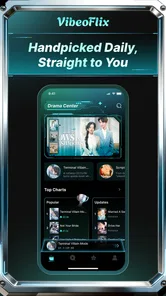
On an Android device running at least version 7.0, I would begin by installing the app when I have a few uninterrupted minutes rather than opening it during a rushed moment. My first practical step would be to look around the opening screen and identify how the mini-dramas are presented. I would note where a title begins, where an episode ends, and whether the app clearly separates ordinary viewing actions from anything that costs money.
This small inspection is more useful than immediately browsing at random. Short-drama apps often encourage quick tapping, and quick tapping is exactly when a user can miss a label or misunderstand what happens next. I would also keep the first session deliberately short. Watching one story segment gives me enough information to judge the presentation without becoming invested before I understand how the app handles continued viewing.
There is no reason to create a complicated routine around it. I would install, open the app, browse the available drama choices, and select one that matches my mood. If I am looking for a low-effort break, I would favor a title whose description or presentation makes the premise clear quickly. If the screen feels crowded or the choices are difficult to interpret, I would resist making a purchase simply to escape the confusion.
My advice for families is slightly different. Although the age label is Everyone, that label should not replace personal judgment about story content or the way the app presents purchases. I would let a younger user explore only after I had checked the opening experience myself. That takes very little time and helps prevent an accidental purchase or an unsuitable viewing choice.
The first successful action: finish a small piece of a story
The first meaningful success is not finding every available title. It is completing a short viewing session and understanding how the app expects me to continue. I would choose one mini-drama, watch a complete segment, and then pause before selecting anything that looks like an upgrade, unlock, or paid continuation. That gives me a clear answer to the most important beginner question: does the basic viewing flow work for me?
I would also judge the app by how easily I can return after a break. Mini-dramas are most useful when I can stop without losing track of the story. If I were using VibeoFlix during a commute or lunch break, I would make a mental note of the title and the last scene I watched. That simple habit is surprisingly helpful if the interface does not make the continuation point obvious.
A realistic example would be a fifteen-minute wait before an appointment. I could open the app, choose a drama, watch one compact section, and close it when my name is called. The app succeeds in that situation if I can start quickly and leave without feeling that I have committed to a long viewing block. It is less successful if browsing takes most of the available time or if the next step is unclear.
I would not measure the first session by how many episodes I consume. That encourages hurried tapping and makes it easier to overlook payment details. Instead, I would ask three practical questions: did the story hold my attention, could I understand the viewing sequence, and did the free experience feel useful without pressure? Those answers tell me more than the install count or the promotional wording.
Where a new user may become confused
The biggest likely point of friction is the boundary between entertainment and spending. Since individual in-app purchases can be substantial, I would treat every button that promises faster access, extra content, or continued progress with care. I would read the wording fully, check the displayed amount, and back out if the choice is not clear. A free starting point is helpful, but it does not mean every part of the viewing path is free.
Another possible confusion comes from the mini-drama format itself. A short segment may end before the story feels complete, which can make a user think the app is broken or that content failed to load. I would first check whether the segment has simply reached its natural stopping point. The compact structure is part of the concept, so the app may feel abrupt compared with a traditional episode.
I would also avoid judging the entire service from one title. A story that does not suit my taste says more about that selection than about every drama inside the app. At the same time, I would not ignore repeated friction. If several titles are difficult to start, if the continuation path remains unclear, or if payment prompts dominate the experience, that becomes a legitimate reason to stop using it rather than forcing myself to adapt.
The low average rating deserves a similar balanced reading. With around seventy ratings, it is not a huge statistical sample, but it is still enough to make me cautious. I would use VibeoFlix for a trial session and form my own opinion. I would not buy a high-priced item based only on curiosity, especially before confirming that the app’s story selection and viewing flow match what I want.
How I would use it after the first session
If the first mini-drama works for me, my next step would be to create a simple personal rule: use the free experience until I understand exactly what a purchase provides. I would not spend merely because I had already watched part of a story. That is the point where convenience can turn into pressure, and the price range makes a pause worthwhile.
A second useful habit is to match the app to a specific type of downtime. I would keep it for short breaks rather than opening it whenever I want serious, long-form viewing. This prevents disappointment and helps me decide whether the app is earning space on my phone. If I repeatedly close it after browsing without watching, that is a sign that the available choices are not meeting my needs.
For someone who enjoys dramatic cliffhangers and likes consuming stories in small pieces, the format may be appealing. It can fit around errands, travel, and brief pauses in a way that a full-length movie cannot. For someone who dislikes interrupted narratives or wants a broad, predictable catalog, a conventional streaming app is probably the better option. The choice depends less on the word “entertainment” and more on how the user prefers to spend viewing time.
I would also compare it with free video platforms before paying. Those alternatives may offer more varied formats and more familiar browsing habits, while VibeoFlix is more focused on the mini-drama idea. A paid streaming service may offer stronger catalog depth and clearer long-form value, but it usually asks for a recurring commitment. VibeoFlix’s free entry is more approachable, yet its purchase structure means I still need to evaluate each paid decision separately.
Who should try it, and who should skip it
I think VibeoFlix is worth trying for a first-time user who wants quick dramatic stories, has an Android device compatible with version 7.0 or later, and is comfortable exploring cautiously. It is particularly suitable for people who enjoy testing small entertainment apps without expecting the polish or breadth of a major streaming service. The free installation lowers the barrier, and a short first session can reveal whether the format fits naturally into daily life.
I would recommend skipping it if you want a large, established catalog, uninterrupted long-form viewing, or a payment experience that requires almost no attention. I would also avoid it if a low user rating makes you uncomfortable experimenting. There is no need to force a poor fit: a familiar streaming platform or a general video app may serve those needs more reliably.
For younger users, I would make the decision together rather than handing over the phone without supervision. The Everyone rating is reassuring in terms of broad access, but the combination of dramatic content and in-app purchases still calls for an adult’s quick check. I would explain that free installation does not authorize every tap, then let the user try the basic viewing flow.
My final recommendation after testing the idea
VibeoFlix has a clear use case, but it is a limited one. I like the idea of opening a dedicated mini-drama app when I have only a small amount of time, and the free starting point makes that experiment reasonable. The most important success comes from keeping the first session controlled: choose one story, complete a short segment, learn how continuation works, and inspect every purchase screen before proceeding.
My recommendation is therefore cautious rather than enthusiastic. Try it if compact drama matches your habits, but do not treat it as a full streaming replacement and do not rush into the higher-priced purchases. The rating of 1.8 and the small review base make a personal test more sensible than relying on reputation alone. The best way to use VibeoFlix is as a low-commitment trial for short breaks, with spending decisions kept firmly in your control.
After that first trial, the decision should be easy. If the stories hold your attention and the free path feels clear, keep it as an occasional time-filler. If browsing is frustrating or the payment prompts outweigh the entertainment, uninstalling it is perfectly reasonable. In my experience, this app makes sense for a narrow audience: people who specifically want mini-dramas in spare moments and are willing to explore carefully.
VibeoFlix Frequently Asked Questions
What devices and operating systems can run VibeoFlix?
VibeoFlix is an entertainment app for mobile devices, and its listed minimum operating-system requirement is Android 7.0. Before downloading, check that your device meets this requirement and has enough available storage for the app. The developer is Moba Naki, and keeping your operating system and app up to date can help you get a smoother experience.
What is VibeoFlix and what can I use it for?
VibeoFlix is an entertainment-focused video app designed for discovering and watching content in a convenient mobile format. Its store summary invites users with spare minutes to lose themselves in mini-drama. The main experience centers on browsing available videos, checking titles and descriptions, and choosing something to watch based on your interests. The exact catalog, categories, and available features may vary by region, device, and app version.
Is VibeoFlix free to download and use?
VibeoFlix is free to download, but that does not necessarily mean every viewing option is free. The app offers in-app purchases, with listed prices ranging from $6.99 to $299.99 per item, so review each purchase carefully before confirming it. Whether you can watch particular content without paying may depend on the options available in the app and your region.
Does VibeoFlix require an account or personal information?
Depending on the version and the features you want to use, VibeoFlix may allow limited browsing without registration while requiring an account for personalized recommendations, saved content, synchronized viewing, or access to restricted videos. Before signing up, check the requested permissions and privacy policy. Avoid providing unnecessary information, and use a strong, unique password if account creation is required.
Can I watch VibeoFlix videos offline or on multiple devices?
Offline viewing and multi-device support depend on the features enabled in the current VibeoFlix release and on your account plan. If downloads are supported, they may be limited by licensing rules, storage capacity, expiration dates, or the number of devices connected to an account. Users should also confirm whether playback works on tablets, phones, or other supported platforms before relying on the app for travel.
Pros
- Simple interface makes browsing videos quick and intuitive.
- Personalized recommendations help surface content matching your interests.
- Supports convenient on-demand viewing without fixed broadcast schedules.
- Video categories make it easier to discover different types of content.
- Regular content updates can keep the viewing experience feeling fresh.
Cons
- Content availability may vary depending on your country or region.
- Some videos may require a stable
- high-speed internet connection.
- Streaming quality can be affected by network congestion or weak signals.
- The catalog may feel limited compared with larger streaming platforms.
- Some features or content may be restricted behind a subscription or ads.











