

Verity mod for Minecraft PE
- 3.00
- 4.6
- Installs
- 100.00K
- Price
- Free

Screenshots
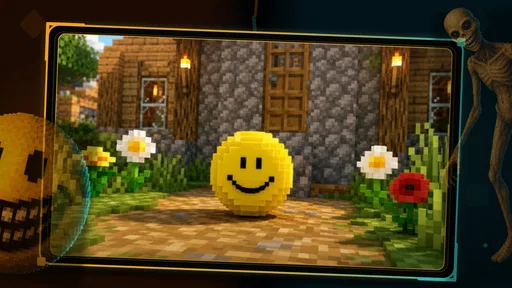
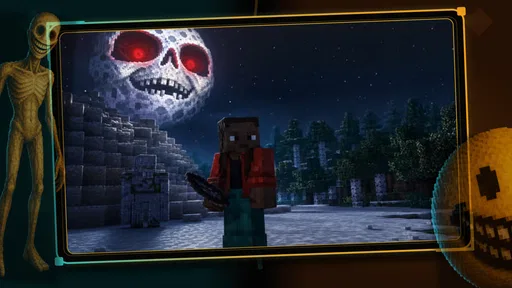
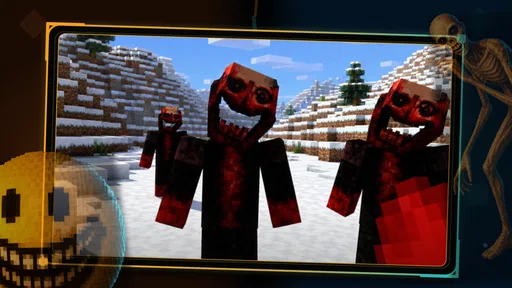

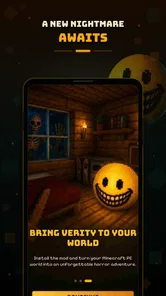
Analysis by Reviewed
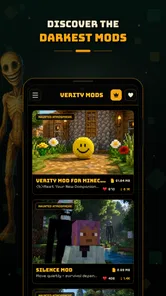
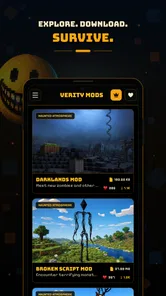
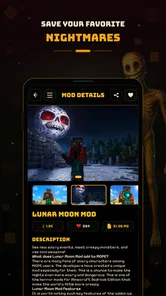
I spent time with Verity as an entertainment app built around scary horror mods for Minecraft PE and MCPE. Its appeal is easy to understand: instead of searching through scattered pages and trying to decide whether a horror-themed add-on is worth installing, it gives fans a focused place to explore this particular kind of Minecraft content. I found it most interesting as a discovery tool for players who already enjoy changing the mood of Minecraft, rather than as a replacement for Minecraft itself.
The app comes from Ignitus Probida and is free to install. That makes the first step simple: you can look around without paying an entry fee. It is aimed at Everyone, runs on Android 8.0 or later, and the current version is 1.0.7. Those details matter because the experience depends on whether your phone can run the app and whether you are comfortable with horror themes, even when the formal age label is broad.
What I like about the concept is its narrow focus. General Minecraft add-on collections often mix furniture, vehicles, maps, skins, survival tweaks and fantasy content together. Verity takes a different route by concentrating on the darker side of MCPE. That gives the app a clearer identity, although it also means it is not the right destination if you want a broad catalog of every kind of Minecraft modification.
How the horror-focused experience works in practice
I find the most useful way to approach this section is to treat Verity as the place where a horror-themed Minecraft session begins, not as the session itself. I’ll focus on how to make exploration deliberate: choosing one idea, keeping a familiar world separate, and deciding whether the mood suits a quick trial or a longer evening. That practical distinction also helps clarify what the app’s focused approach offers compared with broader add-on browsing.
A discovery app rather than a new Minecraft game
The first thing I would clarify for a new user is that this is not a standalone horror game with its own world, controls or story campaign. Its purpose is to help you explore horror mods connected with Minecraft PE and MCPE. You still need to think of Minecraft as the place where the modified experience belongs. Verity is the layer that helps you find the kind of content you want to try.
That distinction prevents a common misunderstanding. If you open it expecting a complete horror adventure that works independently, you may be disappointed. If you already play Minecraft on mobile and want to make a familiar survival session feel more tense, the app makes much more sense. I see it as a themed doorway into a different style of Minecraft play.
The focused presentation is useful when you have a specific mood in mind. Rather than browsing a huge mixed collection, you can approach the app with a question such as, “What can make tonight’s survival world feel unsettling?” That is a more practical starting point than downloading random add-ons and hoping they work well together.
More From Our News Desk

 Gmail
GmailGmail in a Busy Inbox: Who Benefits Most?
From first account to crowded workday, Gmail earns its place through dependable search and flexible sorting—but its best fit depends on how much inbox maintenance you can tolerate.

 Prime Video
Switching to Prime Video: What Changes in Your Viewing Routine
Prime Video can make a compelling second home for streaming, but switching means learning a different catalog, rental layer, and route from browsing to playback.

 Universal TV Remote Control
Universal TV Remote Control Works Best as a Reliable Backup
A phone remote earns its place through quick setup and reliable habits. Here is how to get more from Universal TV Remote Control—and where its limits show.

 Weather - By Xiaomi
Weather by Xiaomi Review: Clear at a Glance, Less Clear Up Close
Xiaomi’s weather app makes everyday forecasts quick to scan, but its calm surface can leave useful details and recovery paths harder to find than they should be.

 X
XX Under Pressure: Can It Recover When Posting Goes Wrong?
A resilience-focused review of X, examining setup, mistaken posts, interruptions, weak connections, and the gaps that matter when recovery needs to be dependable.

 Clash of Clans
Clash of Clans Is Won Between the Battles
Its raids are quick; its community is a long-term project of coordination, teaching, rivalry, and shared responsibility—with all the friction that entails.
Latest News



Why horror mods need more thought than ordinary add-ons
Horror content changes the way you use Minecraft. A decorative pack can be judged quickly by its appearance, but a scary mod affects pacing, atmosphere and the amount of attention you give to ordinary sounds or dark areas. I would not treat Verity as a casual catalog to scroll through while making a rushed decision. The better approach is to choose one idea, test it in a controlled world and then decide whether it suits your normal play.
My preferred workflow would be to create a separate test world before changing a favorite survival save. That is a small step, but it is especially sensible with themed modifications because you may not want a darker experience permanently mixed into a world built for relaxed construction. It also gives you a clean way to compare the atmosphere before and after using a mod.
A second useful habit is to test horror content during a short session rather than committing to a long multiplayer evening immediately. This helps you notice whether the tone is genuinely enjoyable or simply tiring. Some players want tension for an entire session; others only want a brief surprise between ordinary building projects. Verity is more valuable when you use it deliberately instead of treating every item as something that must stay installed.
Reading the audience response without overreading it
Verity has an average rating of 4.5 from around 457 ratings, with 3 written reviews. I would read that as encouraging interest, but not as a complete picture of every device or every Minecraft setup. A rating can tell you that many people found the app worthwhile enough to score, while the small number of written comments means there is less detailed public discussion to rely on when you are investigating a specific problem.
The app has passed 100K installs, which suggests it has reached a meaningful audience for a focused Minecraft entertainment tool. Still, popularity does not automatically tell me whether a particular horror mod will fit your preferred version, world or play style. I would use the app’s appeal as a reason to explore it, not as a guarantee that every discovery will be equally useful.
What the free starting point really means
The basic financial decision is straightforward: the app itself is free to install. That makes it reasonable to inspect the experience before deciding whether it deserves a regular place on your phone. You are not being asked to pay simply to find out whether the horror-focused idea suits you.
There is also a listed in-app purchase price of $43.99 per item. I would treat that as a serious value question rather than a minor optional expense. The important distinction is between free access to the app and paid value attached to individual items. Installing the app costs nothing, but that does not mean every part of the experience should be judged as free.
Because the purchase amount is substantial for a single item, I would not buy impulsively after seeing an attractive title or image. First decide what you actually want from the modification: a short scare, a repeatable change to survival, or a theme you expect to use across several sessions. If the answer is vague, the free access is probably enough for the moment. If a specific item clearly matches the way you play, then you can consider whether that personal value justifies the price.
Where the app can save time
The strongest practical benefit is concentration. A player who wants horror content does not have to begin with a general search for Minecraft add-ons and then filter away unrelated categories. That reduces the mental work involved in finding an atmosphere that matches a particular evening.
It can also help with planning a themed session. For example, I could decide to play a short solo survival session after dinner, use a separate world, and choose one horror direction rather than changing several things at once. This creates a clearer comparison: I can tell whether the mood comes from the selected content or from a confusing mixture of add-ons.
Another non-obvious advantage is that a focused catalog can encourage restraint. When every possible Minecraft category is presented together, it is easy to collect modifications without actually using them. A horror-only destination makes it easier to ask whether an item supports the session I want to play. That is a small but useful difference for anyone whose phone is already crowded with downloads.
Where the usual alternatives may be better
If your main goal is variety, a general Minecraft add-on source may serve you better. Those alternatives are usually more convenient when you want to move between horror, decoration, transportation, creatures and building tools without switching focus. Verity’s specialization becomes a limitation for players who do not want their browsing experience centered on fear or suspense.
Searching directly through broader communities can also be preferable when you need extensive user discussion, compatibility notes or comparisons between several versions. Verity is attractive for quick discovery, but a more open community-based approach may be better for careful research before you alter an important world.
On the other hand, broad sources can create their own friction. They may leave you sorting through unrelated results and deciding which descriptions are useful. For a player who already knows that horror is the desired theme, Verity’s narrower purpose can be more comfortable than a large, unfocused collection.
Compatibility and the sensible way to test it
The stated minimum operating system is Android 8.0, so users on older Android releases should not assume the app will be suitable. Meeting that requirement only answers the operating-system question; it does not remove the need to check how a particular mod behaves with your Minecraft setup.
I would approach compatibility in stages. Install the app, explore without changing a valuable world, and test one selection in a disposable or newly created environment. If the result is enjoyable, move on to a longer session. This workflow protects your main save and makes troubleshooting much easier than adding several horror elements at once.
It is also worth separating app performance from mod behavior in your own evaluation. If browsing feels fine but the Minecraft experience is not what you expected, the issue may be related to the chosen content or the way it fits your game environment rather than the catalog itself. Keeping the test simple gives you a better chance of understanding what happened.
Who will get the most from it
I would recommend Verity first to Minecraft PE and MCPE players who enjoy changing a familiar survival routine into something more tense. It suits people who like trying themed content in short experiments, especially those who would rather browse a focused horror selection than search through a general add-on collection.
It is also a reasonable choice for friends planning a themed session, provided everyone actually wants horror rather than ordinary cooperative building. A useful group routine would be to agree on one selected idea, create a separate world and decide in advance whether the session is meant to be a brief challenge or a longer survival run. That avoids the disappointment of one player expecting comedy or exploration while another expects sustained fear.
Creative builders may find value here too, but mainly if atmosphere is part of the project. A dark setting can support an abandoned village, a haunted-looking base or a suspenseful adventure layout. I would not choose the app for construction resources alone, because its identity is tied to horror rather than general building convenience.
Who should probably skip it
I would skip Verity if you rarely play Minecraft on mobile or if you are looking for a complete game that works without Minecraft. The app’s purpose is too specific to justify space on your device in that situation.
I would also be cautious if you prefer calm, predictable sessions. Horror modifications can change the emotional character of a world, and the free installation is not a reason to force yourself through a style of play you do not enjoy. The Everyone content label does not make the theme universally comfortable for every player.
Finally, users who expect a large amount of detailed written guidance may prefer a broader resource with more community conversation. With only around three written reviews attached to the listed rating activity, there is less public commentary to study than the score alone might suggest. That does not make the app poor, but it does make personal testing more important.
My value judgment on optional spending
The free entry point is the clearest part of the value proposition. You can investigate the app’s direction without paying, which is helpful because horror is highly personal: one player’s ideal atmosphere is another player’s irritation. I would use that free access fully before considering any purchase.
The $43.99-per-item purchase figure changes the calculation considerably. At that level, a paid item needs to deliver more than a momentary curiosity for me to call it good value. I would want a clear reason to return to it, such as a theme that supports repeated sessions or a particular project I am already planning. If I only want to sample a scary idea once, paying that amount would be difficult to justify.
I also would not confuse a high rating with proof that a paid item is worth its price. The rating reflects the app’s reception, while the purchase decision concerns the specific value you expect from an individual item. Those are related questions, but they are not the same question.
My final recommendation
After using the app as a focused entertainment tool, I see Verity as a sensible free starting point for Minecraft mobile players who specifically want horror-themed discoveries. Its clear identity is its biggest strength: it does not make you pretend that a general add-on library is the same thing as a horror-focused browsing experience.
My recommendation is to install it if you already have Minecraft PE or MCPE, enjoy suspense, and are willing to test content carefully in a separate world. Keep your expectations realistic: this is a route into themed Minecraft content, not an independent horror adventure. Use the free access to judge whether its selection and workflow suit you, and do not rush toward an individual purchase simply because the app itself costs nothing.
The short version of my verdict is simple: explore it freely if scary Minecraft sessions sound appealing, but be much more selective about paid items. Players seeking broad add-on variety, extensive community research or a standalone game will likely be happier elsewhere. For the right audience, though, this focused approach makes it easier to turn an ordinary mobile Minecraft session into something genuinely unsettling.
Verity mod for Minecraft PE Frequently Asked Questions
Is Verity Mod for Minecraft PE an app or an official Minecraft add-on?
Verity is an entertainment app from Ignitus Probida, described as a way to meet Verity and explore scary horror mods for Minecraft PE and MCPE. It is not an official Mojang or Microsoft release. Before downloading, make sure you understand that you are getting a third-party app related to Minecraft rather than an official Minecraft product, and review its compatibility and installation requirements for your device.
How much does Verity cost, and are there in-app purchases?
Verity is free to download, but it also offers in-app purchases priced at $43.99 per item. Consider this distinction before installing: downloading the app does not necessarily mean every optional feature or item is free. If purchases are a concern, check your device’s purchase controls and confirm any charge before completing it. The app is rated for Everyone, though individual horror-themed content may still be worth reviewing for younger users.
What is Verity Mod for Minecraft PE?
Verity Mod for Minecraft PE is a third-party modification designed to add new features, visual changes, or gameplay options to Minecraft Pocket Edition on compatible Android or iOS devices. The exact content can vary depending on the version and source where it is downloaded. It is not an official Mojang or Microsoft release, so users should verify the mod’s compatibility, permissions, and installation instructions before using it.
Does Verity Mod work with every version of Minecraft PE?
No, Verity Mod may not work with every Minecraft PE or Bedrock Edition release. Mods are usually created for specific game versions, and a Minecraft update can make an older modification unstable or unusable. Before installing, check the mod’s stated version requirements and confirm that they match the version installed on your device. Creating a backup of your worlds is strongly recommended in case conflicts occur.
Is Verity Mod for Minecraft PE safe to install?
The safety of Verity Mod depends largely on where it is obtained and which files are included. Because it is unofficial, it may not receive the same security checks as content distributed through official stores or Minecraft’s marketplace. Avoid suspicious APK files, excessive permission requests, and websites that force unknown downloads. Scan files with reputable security software, read user feedback, and keep a backup before installation.
Pros
- Adds new creatures
- items
- and challenges to refresh Minecraft PE gameplay.
- Offers extra exploration content for players who have completed the vanilla game.
- Can provide a more demanding experience for survival-focused players.
- Modded features may encourage creative building and new adventure ideas.
- Useful for players seeking community-made content beyond official updates.
Cons
- Compatibility may vary between Minecraft PE versions and devices.
- Installation can require extra steps compared with downloading official content.
- Some features may conflict with other addons or resource packs.
- Modded worlds may become unstable after game or addon updates.
- Unofficial downloads can pose security risks if obtained from unreliable sources.











