

UP Faith & Family
- 5.55K
- 4.2
- Installs
- 1.00M
- Price
- Free

Screenshots
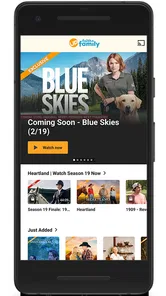
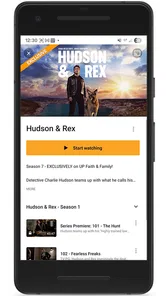
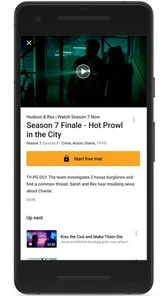
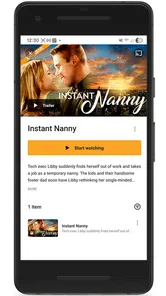
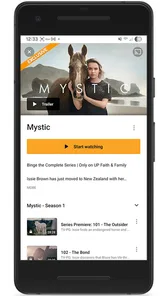
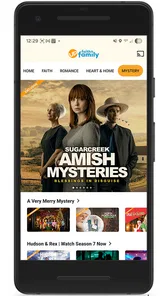

Analysis by Reviewed
I approached UP Faith & Family as a viewer looking for a calmer alternative to the crowded world of general streaming services. It is an entertainment app from UP Entertainment, LLC, built around family-oriented and faith-friendly movies and other programming. That focus is immediately more useful than a vague promise of “something for everyone”: you can open it with a particular type of viewing night in mind instead of sorting through a huge catalog that constantly mixes very different tones.
The app is free to install, carries an Everyone content rating, and has passed the point where a service feels experimental, with more than a million installs and an average score of 4.2 from roughly eleven thousand ratings. Those figures suggest a substantial audience, but they do not replace personal judgment. What matters to me is whether the service gives families a comfortable way to choose entertainment, whether its account and payment choices are understandable, and whether the narrower catalog is actually an advantage for the household using it.
What the app is trying to make easier
The central idea is simple: provide a place for family and faith-friendly streaming without commercial interruptions. In everyday use, that positioning changes the discovery process. I am not starting with the broadest possible selection and then checking every title for tone, language, or suitability. Instead, the service makes a particular editorial promise, and that promise is the reason to consider it over a general video platform.
That does not mean every viewer will interpret “family-friendly” in exactly the same way. Families have different ages, sensitivities, beliefs, and expectations. I would still read the description of a film before starting it with children, especially when the evening involves younger viewers. A broad content label can make browsing easier, but it should not become a substitute for a parent’s own decision.
The app is most appealing when the goal is shared viewing rather than endless individual browsing. I can imagine using it on a weekend evening when several people want a movie but nobody wants to negotiate through unrelated genres or unexpectedly mature recommendations. It also suits households that already know they prefer uplifting, inspirational, or faith-centered stories and would rather spend their time watching than filtering.
At the same time, I would not treat it as a complete replacement for every streaming subscription. A focused catalog is helpful when it matches your taste, but restrictive when you want the latest mainstream releases, highly specialized genres, or a very broad international selection. Someone who regularly jumps between crime dramas, science fiction, animation, documentaries, and live programming may find a general service more practical.
How the viewing experience feels in a real household
A realistic use case is a parent choosing a film after dinner while children are already waiting in the living room. With a conventional streaming service, the difficult part may be avoiding unsuitable thumbnails, checking maturity information, and stopping every few minutes to decide whether a title fits the group. A service with a clear family and faith-friendly identity reduces that first layer of uncertainty. It does not remove the need to check individual titles, but it makes the starting point less stressful.
More From Our News Desk

 Gmail
GmailGmail in a Busy Inbox: Who Benefits Most?
From first account to crowded workday, Gmail earns its place through dependable search and flexible sorting—but its best fit depends on how much inbox maintenance you can tolerate.

 Prime Video
Switching to Prime Video: What Changes in Your Viewing Routine
Prime Video can make a compelling second home for streaming, but switching means learning a different catalog, rental layer, and route from browsing to playback.

 Universal TV Remote Control
Universal TV Remote Control Works Best as a Reliable Backup
A phone remote earns its place through quick setup and reliable habits. Here is how to get more from Universal TV Remote Control—and where its limits show.

 Weather - By Xiaomi
Weather by Xiaomi Review: Clear at a Glance, Less Clear Up Close
Xiaomi’s weather app makes everyday forecasts quick to scan, but its calm surface can leave useful details and recovery paths harder to find than they should be.

 X
XX Under Pressure: Can It Recover When Posting Goes Wrong?
A resilience-focused review of X, examining setup, mistaken posts, interruptions, weak connections, and the gaps that matter when recovery needs to be dependable.

 Clash of Clans
Clash of Clans Is Won Between the Battles
Its raids are quick; its community is a long-term project of coordination, teaching, rivalry, and shared responsibility—with all the friction that entails.
Latest News



For a couple or a single viewer, the same focus can work differently. I would use it when I wanted something positive and easy to share, especially on a night when heavy or cynical entertainment was not appealing. I would skip it when I wanted a highly specific new release or when I was choosing mainly by actor, director, or franchise. The app’s value depends less on technical novelty than on whether its editorial lane matches the mood I want.
The commercial-free positioning is another meaningful part of the experience. For family viewing, interruptions can be more than a minor annoyance: they break attention, complicate bedtime routines, and can introduce material that does not fit the program. Removing that kind of interruption makes a difference. Still, “commercial free” should be understood as a viewing benefit, not as a promise that the entire service has no cost. The app is free to download, while in-app purchases are listed from $5.99 to $59.99 per item, so I would check the payment screen carefully before confirming anything.
Trust starts with clear expectations
My trust in an entertainment app begins with what it tells me plainly. Here, the developer is identified as UP Entertainment, LLC, the app belongs to the entertainment category, and the age classification is Everyone. The release date is listed as November 13, 2017, and the current version is 10.402.1, with Android support starting at version 8.0. Those details are useful because they tell me this is an established product with a defined technical baseline, not an anonymous download with no visible ownership.
That information still has limits. A developer name and version number help establish accountability, but they do not answer every privacy question. Before creating an account or starting a subscription, I would read the app’s current privacy and payment explanations directly and look at the permissions requested on my device. I would also make sure the account email is one I actively monitor, because subscription notices and account recovery depend on access to that address.
The Everyone rating is reassuring for the intended audience, but I would interpret it carefully. It describes the broad suitability classification, not a personal guarantee that every title will be ideal for every child. A seven-year-old and a teenager can both fall under a family-oriented service while having very different reactions to emotional themes, conflict, or religious subject matter. I prefer to preview the title description and make the final call myself.
The audience response is encouraging without being definitive. An average of 4.2 across around eleven thousand ratings indicates that many users find the app worthwhile, while about five and a half thousand written reviews provide a larger body of reactions than a handful of comments would. I would still read recent criticism alongside praise. Streaming apps can change their interfaces, catalog emphasis, login flow, and billing presentation over time, so older positive experiences may not describe the current version perfectly.
Account choices and payment attention
The most important trust moment is not the first browse; it is the point where the app asks me to identify myself or pay. Since the app includes in-app purchases ranging from $5.99 to $59.99 per item, I would slow down at every purchase screen rather than treating the free installation as evidence that all viewing is free. I would confirm what the purchase unlocks, whether it is recurring or one-time, and which account will be charged before tapping a confirmation button.
I would also avoid sharing an account casually across a household until I understood the service’s current account rules. A family may naturally want several people to use the same subscription, but the practical experience depends on the controls the app presents. If there is a profile, device, or playback-management screen, I would review it rather than assuming that every household member has the same access or that viewing choices are separated automatically.
For a shared tablet, I would pay special attention to the store account connected to the device. This is a small but important habit: a child browsing a free app can still encounter a purchase pathway, and the device owner may be charged if the confirmation process is not protected. I would use the operating system’s purchase authentication and keep payment credentials away from unsupervised screens. That advice is not unique to this service, but the listed purchase range makes it particularly relevant here.
If I stopped using the app, I would not assume deleting it cancels an active purchase. I would check the relevant app-store subscription controls and retain any confirmation messages. That gives me a clear record of what I selected and prevents the common mistake of confusing removal from a phone with cancellation of billing. The app’s free download makes trying it easy; responsible account cleanup remains the user’s job.
Data-sensitive moments I would handle carefully
Any streaming service can learn something from how people use it, even when the viewer is only trying to choose a film. Searches, selected titles, watch history, account details, and payment events can all become sensitive in a family context. I would therefore treat the first login, the first search, and the first purchase as separate decisions rather than one seamless setup process.
My practical approach would be to provide only the information necessary for the account, use a unique password, and avoid entering personal details into optional fields unless I understood why they were requested. I would review the permission prompts as they appear and decline access that does not make sense for the way I plan to watch. If the app works without a particular permission, there is no reason for me to grant it automatically.
I would also remember that a shared screen can reveal viewing choices. A family member opening the app may see recently watched titles, search suggestions, or recommendations connected to another person’s activity. If the service offers account or profile controls, I would use them. If it does not separate viewers in the way I expect, I would keep that limitation in mind before making the app the household’s only entertainment account.
Notifications deserve similar attention. Entertainment reminders can be useful, but they may display a title or message on a locked screen. I would choose notification settings that fit the household, particularly on a phone used by children or on a device visible to guests. Small choices like this improve privacy without making the app difficult to use.
Where the focused catalog helps, and where it does not
Compared with a general streaming platform, this app’s strongest advantage is reduction of search friction. The usual alternative offers breadth, but breadth creates work: I may need to filter by maturity, inspect descriptions, and decide whether a recommendation matches the values of the people watching. Here, the service’s identity does some of that sorting before I open a title.
The trade-off is obvious. A general platform is better when one household member wants a mainstream blockbuster, another wants a niche documentary, and a third wants a completely different series. A focused faith and family service is better when the group shares a clear preference for its programming style. I would choose based on the evening’s purpose, not on the assumption that one catalog must serve every possible mood.
It is also different from free, ad-supported video apps. Those alternatives may offer a larger amount of casual content without a direct purchase, but advertisements can interrupt the experience and introduce material outside the viewer’s control. The commercial-free approach is more attractive to me for children’s shared viewing, while the free alternatives may be preferable for someone who watches only occasionally and does not want another paid commitment.
One useful way to test the fit is to start with a specific household need instead of browsing aimlessly. If I want a clean movie night, I would judge how quickly I can find a suitable title and whether the available choices feel varied enough. If I want a large, constantly changing library across many genres, I already know the app’s focused purpose may feel limiting.
Technical fit and everyday friction
The minimum operating-system requirement is Android 8.0, so I would check the phone or tablet before planning a family setup. On a compatible device, I would keep the app updated to the current version, 10.402.1, because streaming reliability and account screens can depend on the installed build. I would also test playback before a planned movie night rather than discovering a login or connection problem after everyone is ready to watch.
That test can be simple: install the app, sign in if required, open a title, adjust volume and captions if available, and confirm that the device can maintain playback. I would repeat the check on a television or casting setup if that is how the household normally watches. A service can be a good editorial match and still be inconvenient if the chosen screen, operating system, or home network does not cooperate.
I would not promise a particular offline workflow, device limit, parental-control system, or playback feature without seeing it clearly in the app’s current interface. Those are exactly the areas where users should inspect the controls themselves. Before committing to a longer purchase, I would look for the account page, help section, billing area, and any visible viewing controls. A trustworthy experience is not only about having features; it is about being able to find and understand the choices that affect me.
The same principle applies to cancellation and support. I would identify where account management happens before paying, save purchase receipts, and make a note of the developer name, UP Entertainment, LLC, if I needed to locate the correct support channel. Keeping those details organized is especially helpful when a household has more than one app-store account or more than one person managing subscriptions.
Who I would recommend it to
I would recommend this app to families that want a dedicated place for faith-friendly and broadly family-oriented entertainment, especially when commercial interruptions are a serious concern. It is also a sensible option for adults who prefer encouraging shared viewing and do not want to spend the first part of every evening screening a general catalog.
I would recommend it cautiously to parents of younger children. The Everyone rating is a useful starting signal, but I would still preview individual titles and consider the child’s age and sensitivity. The app can reduce the amount of filtering required, yet no catalog label can make every choice automatically right for every family.
I would be less likely to recommend it to someone who wants one all-purpose streaming subscription. If your routine depends on the newest mainstream releases, a wide selection of unrelated genres, or highly specific search filters, a broad service may give you better value. I would also hesitate if you dislike managing in-app purchases or if you are unwilling to review account and payment settings before subscribing.
My cautious verdict
After looking at the app as both a viewer and an account holder, I see a clear purpose rather than a universal solution. Its focused identity makes family-oriented discovery easier, and the commercial-free approach is genuinely useful for uninterrupted shared viewing. The established developer, visible version information, Everyone rating, and sizable user base give me reasonable confidence that I am dealing with a recognizable entertainment product.
My caution is concentrated around user control. I would not move quickly from free installation to a paid item, because the listed purchase range is wide enough to deserve a careful look. I would review permissions, notification choices, account access, subscription status, and the device’s purchase authentication. Those steps take only a few minutes and give me much more control over the experience than simply trusting a reassuring description.
For the right household, this is a practical specialist service: less about having everything and more about making a particular kind of movie night easier to arrange. I would try it when the goal is calm, shared, faith-friendly entertainment, then judge the catalog and account experience on my own devices. The best reason to choose it is not its size, but the time it can save when its values and viewing style already match yours.
UP Faith & Family Frequently Asked Questions
Is UP Faith & Family free to download, and what does the subscription cost?
The app is free to download, but watching its full library generally requires a paid subscription. In-app purchase options range from $5.99 to $59.99 per item, and the amount you see can depend on the offer or subscription option presented in the app. Before subscribing, review the displayed price, billing frequency, renewal terms, and cancellation instructions for your platform.
Is UP Faith & Family suitable for children?
UP Faith & Family focuses on uplifting, family-friendly entertainment, including content built around faith, positive values, clean humor, and inspirational storytelling. The app has an Everyone age rating, but that does not mean every title will suit every child or family. Parents should check individual program descriptions and ratings and decide what is appropriate for younger viewers.
What is UP Faith & Family?
UP Faith & Family is a subscription streaming service focused on uplifting, family-friendly entertainment. Its catalog includes original series, movies, documentaries, and selected television content built around faith, positive values, clean humor, and inspirational storytelling. After installing the app, users can browse available titles, view program details, and stream content on supported mobile devices, although the exact catalog may vary by country and change over time.
Does UP Faith & Family require a subscription?
Yes, UP Faith & Family generally requires a paid subscription to watch its full library. New users may sometimes receive a free trial or promotional offer, but availability, pricing, and trial length can differ depending on the platform, region, and current promotion. Before confirming payment, check the subscription screen carefully, including renewal terms, billing frequency, and how cancellation works through Google Play or the App Store.
What kind of content can I watch on UP Faith & Family?
The service is designed for viewers who prefer wholesome and faith-oriented entertainment rather than unrestricted general streaming content. You can typically find family dramas, inspirational films, original productions, reality or lifestyle programming, and other positive stories. The app may also include content suitable for different age groups, but parents should still review individual ratings and descriptions before allowing younger children to watch.
Pros
- Family-friendly catalog with minimal mature content
- Includes uplifting faith-based movies
- series
- and documentaries
- Offline downloads help when traveling or away from Wi-Fi
- Supports multiple devices for convenient household viewing
- New titles and exclusives give subscribers fresh content
Cons
- Most content requires an active paid subscription
- Smaller catalog than major mainstream streaming services
- Availability and titles may vary by country
- Some older content has dated production quality
- App performance can depend on device and internet speed











