

TNA+
- 600.00
- 3.5
- Installs
- 100.00K
- Price
- Free

Screenshots
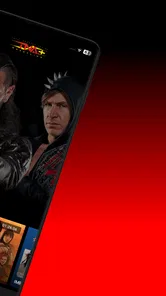
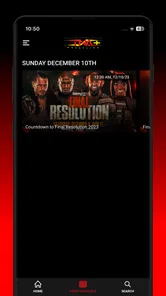
Analysis by Reviewed
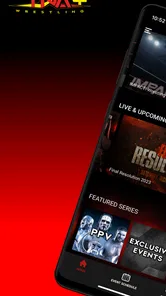
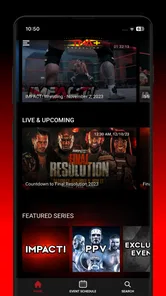
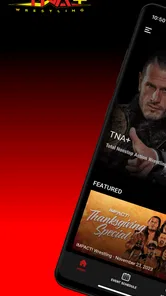
I approached TNA+ as a wrestling viewer who wanted a more focused way to watch matches and related programming, rather than as another general entertainment app. It is a free app from Anthem Sports & Entertainment Inc., built around access to a large wrestling video library. The basic appeal is easy to understand: instead of searching through unrelated clips or waiting for whatever a broader streaming service happens to carry, I can open one place dedicated to TNA content and decide what I want to watch.
That focus is both its biggest strength and its clearest limitation. If wrestling is already part of your regular viewing routine, the app has a sensible role on your phone or tablet. If you only watch occasionally, or expect a broad entertainment catalogue with many unrelated shows, the narrow subject may make it feel less useful. My experience was most positive when I treated it as a dedicated wrestling archive and viewing companion, not as a replacement for every streaming service I use.
How TNA+ fits into a normal wrestling routine
The simplest workflow is to open the app when I already know I want wrestling, browse the available programming, and settle into a longer viewing session. That sounds obvious, but it changes how the app feels compared with a general video platform. On a larger service, wrestling content can be mixed with films, series, recommendations and unrelated channels. Here, the subject is much more specific, so the decision-making process is shorter: I am not asking what kind of entertainment I want; I am choosing which wrestling content suits my time.
For a quick break, I would use it differently than for an evening watch. A short session works well when I want to sample a match or explore something I have not seen before. For a longer session, I prefer to start with a clear idea of what I am looking for, because a broad catalogue can still create browsing fatigue even when every item belongs to the same category. The app gives me a wrestling-first environment, but it does not remove the need for a little personal organization.
The store describes the service as access to thousands of hours of wrestling, and that scale is important to understand. It suggests a library intended for repeat viewing rather than a single short collection. In practice, the value depends on whether you enjoy discovering older material as much as following current programming. Someone who watches only headline moments may find more content than they need, while a committed fan can treat the app as a place to build a regular viewing habit.
I also found that the app makes more sense when used at the moment a viewing decision is made. If I am already sitting down with time available, opening a dedicated wrestling service is more direct than switching between several general-purpose apps. On the other hand, if I am looking for a particular clip and do not want to browse, a familiar video platform may sometimes feel faster because its search habits are already established in my routine.
What I check before settling in
My first practical check is whether I have enough time for the kind of viewing I want. A large wrestling catalogue can be useful, but it also encourages casual browsing that turns into a long session before I have chosen anything. I usually decide between three intentions: watch something immediately, explore the library, or return to a type of programming I already know I enjoy. Making that choice first keeps the app from becoming a passive scroll.
More From Our News Desk

 Gmail
GmailGmail in a Busy Inbox: Who Benefits Most?
From first account to crowded workday, Gmail earns its place through dependable search and flexible sorting—but its best fit depends on how much inbox maintenance you can tolerate.

 Prime Video
Switching to Prime Video: What Changes in Your Viewing Routine
Prime Video can make a compelling second home for streaming, but switching means learning a different catalog, rental layer, and route from browsing to playback.

 Universal TV Remote Control
Universal TV Remote Control Works Best as a Reliable Backup
A phone remote earns its place through quick setup and reliable habits. Here is how to get more from Universal TV Remote Control—and where its limits show.

 Weather - By Xiaomi
Weather by Xiaomi Review: Clear at a Glance, Less Clear Up Close
Xiaomi’s weather app makes everyday forecasts quick to scan, but its calm surface can leave useful details and recovery paths harder to find than they should be.

 X
XX Under Pressure: Can It Recover When Posting Goes Wrong?
A resilience-focused review of X, examining setup, mistaken posts, interruptions, weak connections, and the gaps that matter when recovery needs to be dependable.

 Clash of Clans
Clash of Clans Is Won Between the Battles
Its raids are quick; its community is a long-term project of coordination, teaching, rivalry, and shared responsibility—with all the friction that entails.
Latest News



A realistic everyday example is a commute or lunch break. I might open TNA+ expecting to watch only a small portion of a program, then switch to a longer session later when I am at home. That makes it useful as an on-demand entertainment app, but I would not assume that every viewing situation is equally comfortable. A phone screen is convenient for short periods, while longer wrestling sessions are more enjoyable on a larger display when that option is available through the device setup I use.
The app is free to download, which makes trying the experience relatively easy. However, the service also includes in-app purchases ranging from about eight dollars to over two hundred dollars per item. I would therefore avoid treating the download price as the full financial picture. Before committing to paid access, I would read the purchase screen carefully and decide whether the amount matches how often I expect to use the library. For a frequent viewer, a paid option may be easier to justify than for someone who watches only once in a while.
The Teen content rating is another small but important part of deciding whether it belongs on a shared family device. I would not interpret that rating as a recommendation for every younger viewer. Parents should still make their own decision based on the type of wrestling content they are comfortable with, especially when the app is used without supervision.
Settings and habits worth checking
I did not find a reason to treat the settings area as something to ignore. With a video app, the useful choices are often practical rather than exciting: checking account status, reviewing purchase information, confirming notification preferences if they are available on the device, and making sure the app behaves properly on the connection I plan to use. These checks matter more when I am paying for access or sharing a device with other people.
My strongest advice is to review any subscription or purchase wording slowly instead of tapping through it automatically. The price range makes this especially important. I would confirm whether a payment is for the access period or item I actually want, and I would keep track of the account used for the transaction. This is not a glamorous feature, but it is the habit that prevents the most avoidable frustration with entertainment apps.
I also prefer to check the app before a planned viewing session rather than waiting until the start time. Opening it earlier gives me a chance to confirm that I can sign in, find the content I want and begin playback without turning a relaxed evening into troubleshooting. This is particularly useful if I am using a new device or returning after a long break. A few minutes of preparation is more valuable than assuming every service will work exactly as expected.
Another useful habit is to keep the app updated through the normal store process when an update is offered. The app supports Android 7.0 and later, which covers a broad range of devices, but compatibility alone does not guarantee that every older phone will feel equally smooth. On an older device, I would close other demanding apps, keep enough storage available for normal operation and avoid judging the service solely by a single interrupted session caused by the phone itself.
Because TNA+ is entertainment rather than a productivity tool, I do not want excessive notifications competing with messages and work alerts. If the app offers notification controls in the version installed on your device, I would keep only the alerts that genuinely help me return to the service. If I am using it casually, fewer interruptions make the experience feel cleaner. If I follow programming closely, more timely reminders may be worthwhile. The right balance depends on whether the app is an occasional choice or part of a weekly routine.
Faster ways to find something worth watching
Experienced use is less about discovering a secret button and more about repeating a good process. I start by separating browsing from watching. When I have plenty of time, I explore the library and note the kinds of programs that hold my attention. When I have only a short break, I avoid opening the app without a plan. That simple distinction reduces wasted time and makes the large catalogue feel more manageable.
I also use a “known first, new second” pattern. I begin with something familiar when I want a reliable viewing session, then use any remaining time to explore less familiar material. This is a better compromise than forcing myself to browse from the start, especially after a busy day. It preserves the comfort of a dependable choice while still giving the library a chance to surprise me.
A second pattern is to create a personal shortlist outside the app when the service does not provide exactly the organization I want. I might write down the names of programs or matches I want to revisit, or keep a simple note grouped by “short watch,” “long watch” and “try later.” This is not as seamless as a built-in queue, but it gives me control over a large catalogue without pretending that every app offers the same discovery tools.
For households, I would agree on a viewing routine before sharing access. One person may want current wrestling content while another prefers older matches, and a shared account can become confusing if everyone browses without a plan. A simple agreement about who uses the account and when can be more effective than repeatedly searching for the same material. It also makes purchase decisions easier to discuss before anyone confirms a payment.
When playback is interrupted, I avoid immediately blaming the catalogue or the app. I first check whether the problem happens with one item or across several, then test the connection and restart the app if needed. If only one program behaves differently, I treat that as a content-specific issue; if everything struggles, the device or network becomes the more likely source. This basic troubleshooting habit helps me decide whether to keep watching, switch networks or try again later.
Where the service reaches its limits
The focused catalogue is not automatically a complete wrestling solution for every fan. If I want broad sports coverage, general television, films or a mixture of leagues, a larger entertainment subscription may offer better value because it serves more than one interest. TNA+ is strongest when its specialization is exactly what I want. It becomes harder to justify when wrestling is only one small part of my viewing diet.
The rating also gives a useful signal about the overall user experience. With an average of three and a half stars from around two thousand ratings, the app is clearly not universally loved. I would read that as a reason to keep expectations measured, not as proof that it is unusable. Dedicated fans may value the content enough to overlook interface friction, while casual viewers may be less patient with sign-in, browsing or purchase-related inconvenience.
The service has passed one hundred thousand installs, so it is not an obscure experiment, but its audience remains more specialized than the audience for a mainstream streaming platform. That matters when deciding how much time to spend learning the app. I would not build my entire entertainment setup around it unless wrestling is a major priority. I would add it when its library fills a specific gap that my other services do not cover.
There is also a difference between having a lot to watch and finding the exact thing I want quickly. A large archive can become less helpful if the organization does not match my habits. My workaround is to remember useful search terms, keep a personal shortlist and decide on a viewing length before opening the app. Those steps are small, but they make the difference between feeling served by the library and feeling buried in it.
People who need extensive parental controls, highly polished cross-device continuity or a single subscription for many entertainment categories should compare it carefully with broader alternatives. I would also skip it if I rarely watch wrestling and am mainly attracted by the fact that the app itself is free. The cost of a purchase is easier to justify when I know I will return repeatedly; otherwise, free installation does not necessarily mean low overall cost.
Who should install it and who should pass
I would recommend TNA+ to a wrestling fan who wants a dedicated place to browse and watch TNA programming, especially someone who enjoys both familiar favorites and deeper catalogue exploration. It suits viewers who are comfortable managing their own watchlist habits and who understand that a specialized service may be more valuable for depth than variety.
I would be more cautious recommending it to someone who wants a single app for every kind of entertainment. The category is entertainment, but the practical experience is very wrestling-centered. A general streaming service is a better first choice for a household with mixed interests, while a broad sports platform may be preferable for someone who wants several sports in one subscription.
The app is also a reasonable trial for viewers using compatible Android devices, since support begins with Android 7.0 and the download itself is free. I would still check the purchase details before choosing paid access, and I would judge the value after considering actual viewing frequency rather than the size of the catalogue alone. A huge library is useful only when I have a realistic habit for returning to it.
Anthem Sports & Entertainment Inc. has positioned the product around a clear audience, and that clarity helps me decide quickly whether it belongs in my app collection. I do not need it to be perfect at everything. I need it to make wrestling viewing more direct than the alternatives I already use. When it does that, its specialization feels purposeful; when I want broader entertainment, I reach for something else.
My verdict after building a repeatable routine
TNA+ works best when I use it deliberately: choose a viewing goal, check account and purchase details, keep a small personal shortlist, and separate quick sessions from longer browsing. Those habits do more to improve the experience than endlessly searching through the catalogue. The app gives wrestling fans a focused destination, but it still expects the viewer to manage time, expectations and spending sensibly.
I like the idea of having thousands of hours of wrestling gathered around one clear interest, and I can see why a committed fan would return regularly. At the same time, the middling average rating, possible purchase costs and specialized scope mean I would not recommend it blindly. It is not the right answer for a general streaming household or for a viewer who watches wrestling only once every few months.
My final recommendation is straightforward: install it if TNA content is a meaningful part of your viewing life, try the free entry point, and spend time testing how easily you can find the programming you actually want. Keep your purchase decisions separate from the excitement of discovering a large library. If the app becomes a dependable part of your weekly routine, its focus can be a real advantage. If it does not, a broader service will probably give you better value and less account management.
TNA+ Frequently Asked Questions
Is TNA+ suitable for younger wrestling fans?
TNA+ is an entertainment app with a Teen content rating, so it may be appropriate for some younger viewers, but parents should consider the nature of professional wrestling and decide what suits their household. The service focuses on wrestling programming, and individual shows or events may differ in tone. It is a good idea to review available content together before a young fan starts watching regularly.
What devices and operating systems can run the TNA+ app?
TNA+ is available as a mobile app, and Android users need a device running Android 7.0 or later to meet its stated minimum operating-system requirement. iPhone and iPad users should check compatibility in the relevant app store before downloading. Confirming that your device meets the current requirements first can help avoid installation or performance problems.
Is TNA+ free to download, and are there charges inside the app?
TNA+ is free to download, but access to subscription content can involve in-app purchases. Those purchases range from $7.99 to $219.99 per item, so it is worth reviewing the available options and what each one includes before confirming payment. The app is aimed at wrestling fans who want streaming access, while the price you ultimately pay depends on the purchase you choose.
What is TNA+ and what kind of content does it offer?
TNA+ is the official streaming service for fans of Total Nonstop Action Wrestling. After exploring the platform, its main appeal is access to TNA wrestling programming, including live events, premium specials, weekly shows, replays, interviews, and selected archive content. The exact catalog can vary by country, subscription level, and broadcasting rights, so users should check the current listings before subscribing.
How much does a TNA+ subscription cost, and are there different plans?
TNA+ generally offers subscription options designed for different viewing habits, such as a recurring monthly plan and a discounted annual option. Pricing, benefits, and access to premium events may change over time or differ between regions. Before downloading or paying, review the plan details shown in the app or official store, including renewal terms, taxes, and whether special events require an additional purchase.
Pros
- Official home for TNA wrestling shows
- events
- and exclusive content.
- Includes a library of past matches and wrestling programming on demand.
- Live event access lets fans follow TNA action as it happens.
- Available across supported mobile devices for convenient viewing.
- Useful for dedicated fans who want TNA content in one place.
Cons
- Most premium content requires an active subscription.
- Live streaming availability may vary by country or region.
- Video quality depends heavily on your internet connection.
- The catalog is focused mainly on TNA and offers limited variety.
- Some events or episodes may be subject to viewing restrictions.











