The Advocate
- 250.00
- 3.7
- Installs
- 50.00K
- Price
- Free

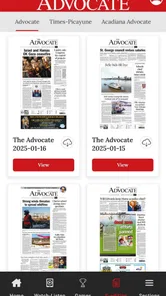
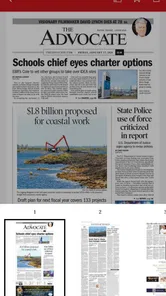
Screenshots



Analysis by Reviewed
When I opened The Advocate, I approached it as a practical local-news tool rather than a general news reader. Developed by Georges Media, the same publisher associated with NOLA and The Advocate, it is aimed at people who want nearby reporting in a focused Android app. The store summary promises access to current local news, and that is the right way to understand its purpose: this is not trying to replace every news source on your phone. It is meant to make local coverage easier to reach.
The app belongs to the News & Magazines category, is free to install, and is suitable for everyone. It has been available since May 4, 2012, so it is not a brand-new experiment. Its current version is 4.1.0, and it runs on Android 8.0 or later. Those details matter to a first-time user because the experience is best suited to someone with a reasonably modern Android device who wants a dedicated place for local headlines instead of constantly searching through a browser.
What to expect when you open The Advocate
The first useful distinction is between a local publication app and a broad aggregator. A typical aggregator mixes national headlines, international stories, opinion pieces, videos, and algorithmically selected items from many publishers. The Advocate has a narrower identity. I would choose it when the question in my mind is, “What is happening in the area covered by this publication?” rather than, “What is the entire internet talking about today?”
That focus can be a real advantage. Local stories are often easy to miss in large news apps because they compete with major national events. A dedicated publication app puts the local angle closer to the center of the reading experience. For someone following community developments, regional politics, public services, local business, sports, or events, that concentration can save time and reduce the need to sort through unrelated headlines.
At the same time, I would not install it expecting a complete replacement for every source I already use. A local publication naturally has a different scope from a global news service, a television station app, or a social feed. The Advocate makes more sense as a focused addition to a daily reading routine. I found the most sensible approach was to use it for local awareness, then turn to broader sources when I wanted national or international context.
The audience size gives some useful context without changing that conclusion. The app has passed 50 thousand installs, with an average rating of 3.7 from roughly 775 ratings and around 250 written reviews. I read that as a sign of a service with a meaningful user base but a mixed experience. It is not a reason to dismiss the app, but it is a reminder to judge it by your own reading habits rather than assuming that every user will find it equally convenient.
Because it is free to download, the initial decision is relatively easy. You can try the reading flow without paying at installation. However, in-app purchases range from $19.99 to $149.99 per item, so I would pay attention to any subscription or purchase screen before confirming anything. The free installation should not be confused with unlimited access to every possible part of a newspaper service.
More From Our News Desk

Weather by Xiaomi Review: Clear at a Glance, Less Clear Up Close

X Under Pressure: Can It Recover When Posting Goes Wrong?

Clash of Clans Is Won Between the Battles

Android Auto Makes the Case for Quieter Car Software

MobiOffice: Transforming Mobile Productivity with Seamless Integration

EA SPORTS FC™ Mobile Soccer: Redefining Mobile Sports Gaming
Who will get the most from it
I think The Advocate is a good match for a reader who already cares about local coverage and wants a direct route to it. It is especially useful if you check news in short sessions: while drinking coffee, during a commute as a passenger, or before deciding what deserves a deeper read later. A focused app can be more efficient than opening a browser, searching for the publication, and navigating through several pages every time.
It can also suit people who have moved away from the area but still want to keep up with local developments. The app gives that reader a dedicated habit: open one place, scan the latest coverage, and decide which stories deserve attention. That is more dependable than hoping a social network happens to show the right article.
I would be more cautious if you want a completely free, all-purpose news reader or if your main interest is breaking news from around the world. In those situations, a broad aggregator or a public broadcaster’s app may serve you better. The Advocate’s value comes from its local focus, not from trying to cover every topic equally.
Getting through the first setup
The first launch should be approached calmly. Rather than tapping through every screen as quickly as possible, I recommend checking what the app presents before settling into regular use. Look for the main news area, any account or access prompt, and any option related to paid content. This small pause helps you understand which parts are immediately available and which may lead toward an in-app purchase.
Since the app is free to install but includes paid items, the most important setup habit is separating installation from access. A payment request does not necessarily mean the app failed or that you must pay to try it; it may indicate a particular article, package, or subscription path. Read the wording on the screen carefully, and do not confirm a purchase simply because you are trying to close an introductory prompt.
I also suggest starting without changing too many settings at once. A first-time reader needs to learn the basic rhythm before deciding whether notifications, saved reading, or other available controls fit their routine. If you adjust everything immediately, it becomes harder to tell whether a later annoyance comes from the app itself or from a setting you enabled during setup.
Android compatibility is straightforward: the app requires Android 8.0 or newer. If it does not appear in your device’s available options, checking the operating system is a sensible first step rather than repeatedly reinstalling. On a compatible phone, allow the installation to finish, open the app, and spend a minute identifying the route back to the main news view. That simple orientation prevents the common mistake of treating an access screen as the entire product.
How I would organize the first reading session
For the first session, I would avoid trying to read everything. Scan the visible headlines and choose one story that clearly matters to your interests. It might relate to your neighborhood, a local institution, a community issue, or a subject you already follow. The goal is not to measure the app by the number of headlines on screen. The goal is to find out whether the app helps you reach relevant local reporting with less effort than your usual method.
That test is more useful than a quick visual impression. Some readers prefer a dense list because they want to scan quickly. Others want a calmer presentation with fewer distractions. Your first meaningful action should reveal whether the app’s organization works for you: can you recognize the local stories you care about, open one without confusion, and return to the news area afterward?
A practical tip is to use the app at the time of day when you normally catch up on news. If you usually read during a short morning break, do not test it late at night when you are tired and impatient. The Advocate is intended to support a recurring local-news habit, so the best evaluation comes from using it in the same situation where you expect it to earn a place on your phone.
Reaching the first useful result
The first successful action is simple but important: find a local story you genuinely want to understand, open it, read enough to judge its usefulness, and return to the main news area without losing your place. That sequence tells you more than installing the app or scrolling through a few headlines. It tests discovery, reading, and navigation as one complete workflow.
When I review a publication app, I pay attention to whether the first screen helps me make a decision. Can I tell which headline is most relevant? Is the distinction between a headline and a full article clear? Does the app make me feel that I am moving through a publication, or does it feel like a collection of disconnected prompts? For The Advocate, the answer will depend partly on what local coverage you want, but the focused identity gives it a clearer purpose than a generic news feed.
Here is a realistic everyday scenario. Imagine that you have ten minutes before leaving for work and want to know whether anything important happened locally overnight. You open the app, scan the current coverage, choose one story connected to your area, and read it instead of jumping between search results. If the story gives you enough context to decide whether to follow the issue later, the app has already done something useful. It has not replaced a full evening of reading; it has made a short local check more deliberate.
Another useful workflow is to treat the app as a starting point for questions. If a headline catches your attention, read it first in the app, then use another trusted source when you need a wider perspective. This avoids a common mistake: expecting one publication to provide every angle on a complicated story. The Advocate can be the place where you notice a local issue; a broader source can then help you understand how that issue connects to regional or national events.
For readers concerned about cost, the first successful action should also include a payment check. If an article or section leads to a purchase option, stop and read the terms shown on that screen before proceeding. The app’s free download makes experimenting easy, but the listed purchase range means regular access may involve a paid choice depending on what you try to open. I would never treat a purchase prompt as an automatic part of reading; I would decide whether the coverage is valuable enough for my own budget first.
Small habits that make the app more useful
One non-obvious advantage of a dedicated local-news app is habit formation. Instead of waiting for a social feed to surface a story, open The Advocate at a fixed point in your day and perform a short scan. Keep that scan focused: identify one or two items worth reading, then leave. This prevents local news from becoming an endless scroll and makes the app easier to evaluate over several days.
A second useful habit is comparing headline discovery with article value. A headline may be relevant because it names your town or a familiar institution, but the article may not be something you need immediately. Reading the opening portion and then deciding whether to continue helps control both time and possible subscription pressure. It also gives you a clearer sense of whether the publication consistently covers the subjects that matter to you.
A third trade-off involves using this app alongside, rather than instead of, your existing news tools. If you already have a national news app, keep that for broad events and use The Advocate for local detail. If you rely mainly on social media, the dedicated app can provide a more intentional route to coverage, but you should still compare important claims with other reliable reporting. The strongest setup is not necessarily one app; it is a small combination in which each source has a defined job.
Common confusion during regular use
The most likely confusion for a new user is assuming that “free” means every part of the publication is free. The installation costs nothing, but in-app purchases are available from $19.99 up to $149.99 for an individual item. That makes it important to distinguish between downloading the app, browsing what is presented, and obtaining access to paid material. If you are only looking for free headlines, inspect each access screen before investing time in a reading plan.
Another possible misunderstanding is expecting the app to behave like a neutral news search engine. It is connected to a specific publication, so its selection reflects that publication’s local-news role. That is a strength when you want a consistent editorial destination, but it is a limitation when you want many competing outlets in one place. Readers who prefer to compare several publishers side by side may find a news aggregator more convenient.
The rating of 3.7 suggests that some users have encountered friction, although a rating alone cannot tell me which issue affected each person. I would therefore test the exact tasks that matter to me: opening local coverage, returning to the main view, understanding access prompts, and deciding whether the reading flow fits a short daily session. A smooth experience for one reader may not be enough for someone whose priorities are different.
It is also easy to confuse local relevance with complete local coverage. Even a publication focused on a region cannot guarantee that every neighborhood, topic, or viewpoint will appear in every session. If you need highly specialized information, such as a particular school, council meeting, or local service, use the app to discover relevant reporting but do not assume that a quiet headline list means nothing is happening. Search and direct source checking may still be necessary for narrow questions.
Readers on older devices should keep the operating requirement in mind. Android 8.0 is the minimum, so compatibility comes before any discussion of reading quality. If your phone meets that requirement but feels slow with other modern apps, your personal experience may still differ from someone using newer hardware. In that situation, a mobile website or a lighter text-based source could be a better everyday option.
When another option is the better choice
I would skip The Advocate if my priority were a single feed combining international headlines, market updates, technology news, and local stories from many regions. A broad aggregator is built for that purpose. I would also look elsewhere if I wanted audio-first news, extensive video coverage, or a tool designed mainly around personalized recommendations. The Advocate’s appeal is its publication-centered local focus, so it should not be judged as though it were trying to solve those different problems.
I would also hesitate if I rarely read local news. A free app can still create clutter, and there is little benefit in keeping a dedicated publication app that I never open. Someone who checks news only occasionally may prefer a browser bookmark or one general news application. The Advocate becomes more worthwhile when local coverage is part of a regular routine.
On the other hand, I would recommend giving it a fair trial if local information directly affects daily decisions. People who follow community changes, regional institutions, local business, or nearby events may appreciate the reduced distance between opening the app and finding relevant reporting. The key question is not whether it offers every type of news. It is whether its local emphasis matches the reason you want a news app in the first place.
The next step after the first few days
After using The Advocate for several short sessions, I would make a practical decision based on three observations: whether I regularly find stories I care about, whether the navigation feels comfortable on my device, and whether the available access model fits my budget. Those answers are more valuable than a one-minute installation test. They tell me whether the app can support a lasting habit rather than merely occupy storage.
If the answer is positive, keep the workflow modest. Open it when you want local awareness, read the stories that genuinely matter, and use broader sources for context. That division of labor keeps the app useful without demanding that it become your only news destination. It also makes the paid-access question easier to judge because you will know which coverage you actually return to.
If the answer is negative, uninstalling it is reasonable. A local-news app should save attention, not create another obligation. You may be better served by a publication website, a general aggregator, or a different regional source if the app’s organization or access prompts do not suit you. The presence of a long publishing history and more than 50 thousand installs does not make it universally appropriate.
My overall view is that The Advocate has a clear and worthwhile role for readers who want local reporting in a dedicated Android experience. It is free to begin, works on Android 8.0 and later, and comes from Georges Media, giving it a specific publication identity rather than the feel of an anonymous headline collector. I would recommend it to a friend who wants a dependable local-news starting point, with one important condition: understand the difference between free installation and paid access before committing.
The best reason to try The Advocate is not the promise of endless news; it is the chance to make local awareness a simple, repeatable part of the day. If that matches your needs, The Advocate is worth testing through one complete reading session and a few ordinary daily check-ins. If you want a universal news feed, a different kind of app will probably be a better fit.
The Advocate Frequently Asked Questions
What does the app’s age rating mean for younger readers?
The Advocate is rated Everyone, making it suitable for a broad audience under the app-store age classification. That rating is useful when comparing apps, but readers and families may still want to consider the publication’s subject matter and editorial style. The app covers current events and LGBTQ+ issues, so individual stories can address serious topics that families may wish to discuss with younger readers.
Will The Advocate work on my Android device?
The Advocate is an Android news app, and its minimum operating-system requirement is version 8.0. Before downloading, check the Android version installed on your device to make sure it meets that requirement. The app is published by Georges Media, the group associated with NOLA and The Advocate, and is intended to bring local news to readers on Android.
What is The Advocate app used for?
The Advocate is designed for users who want convenient access to LGBTQ+ news, culture, politics, entertainment, and community-focused stories in one place. After exploring the app, its main appeal is the organized presentation of timely articles and opinion content from The Advocate’s publication. It is especially useful for readers who prefer following relevant updates through a mobile device rather than relying only on a web browser or social media feeds.
Is The Advocate app free to download and use?
The Advocate can generally be downloaded without an upfront fee, allowing users to install it and explore available content. However, access to specific articles, premium features, advertising policies, or subscription options may vary depending on the current version and platform. Before downloading, it is worth checking the app-store listing for the latest pricing details, in-app purchases, and any restrictions that could affect how much content is available at no cost. In-app purchases are offered, with listed amounts ranging from $19.99 to $149.99 per item, so review any purchase prompt before proceeding.
What type of content can I find in The Advocate?
The app focuses on LGBTQ+ journalism and related topics, including community news, politics, human rights, entertainment, celebrity coverage, culture, and personal stories. The content mix is intended for readers who want both current reporting and broader perspectives on LGBTQ+ life. Some articles may be informative and news-oriented, while others can be opinion-based or emotionally sensitive, so the experience may vary depending on the topics you choose to follow.
Pros
- Clear reporting helps users follow local and national news.
- Strong focus on community issues and public-interest journalism.
- Articles are generally easy to read on mobile devices.
- Useful source for readers interested in Texas politics and culture.
- Regular updates keep the news feed reasonably current.
Cons
- Coverage may feel regional for readers outside Texas.
- Some articles require a subscription to read in full.
- The app can include frequent advertisements or promotional content.
- Opinion pieces may not appeal to users seeking strictly factual news.
- Notification settings may need adjustment to avoid receiving too many alerts.












