Sling: Live TV + Freestream
- 41.44K
- 3.0
- Installs
- 10.00M
- Price
- Free

Screenshots
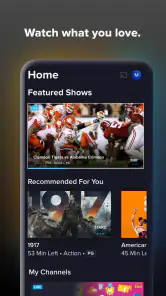
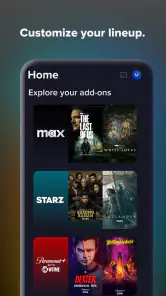
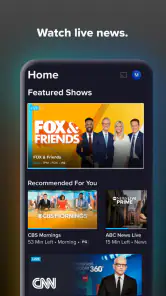
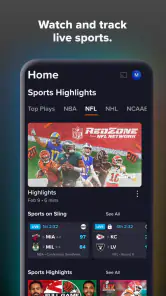

Analysis by Reviewed
Have you ever wished you could just ditch the traditional cable bundle and still catch all your favorite shows live? Well, let me introduce you to Sling TV: Live TV + Freestream. Imagine having a personalized TV experience that fits right into your lifestyle without the unnecessary channels you never watch. I’ve been diving deep into this app, and here’s what I think.
Breaking Down the Basics
Sling TV offers a refreshing take on live television by giving you the freedom to choose what you want to watch, when you want to watch it. Unlike the old-school cable services, Sling TV is all about flexibility and affordability. You get to pick from a variety of packages based on your interests. Whether you’re a sports fanatic, a news junkie, or just love binge-watching your favorite series, there’s something for everyone.
Easy Peasy Setup
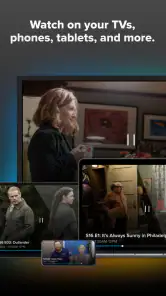
Setting up Sling TV: Live TV + Freestream was surprisingly simple. All you need is a reliable internet connection and a compatible device, and you’re good to go. The app is available for download on both Android and iOS, and it works smoothly across multiple platforms including smart TVs and streaming devices. The user interface is intuitive, making it easy even for the least tech-savvy among us to navigate through the options.
Channel Selection and Packages
One of the standout features of Sling TV is its customizable channel lineup. You can choose from different packages like Sling Orange and Sling Blue, or even combine them for a broader selection. The best part? You only pay for what you actually want to watch. For sports enthusiasts, they have dedicated sports packages, and for families, there are options filled with kid-friendly content.
Freestream: A Peek into the Future
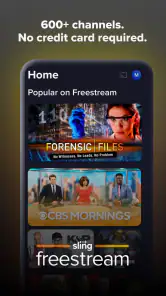
Aside from the live TV experience, Sling TV also offers Freestream, which is like a cherry on top. It’s a collection of free movies and shows that you can access without any subscription. It’s perfect for those days when you just want to relax and explore something new without any commitment.
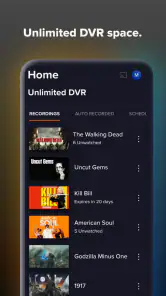
Another cool feature is the cloud DVR. It allows you to record your favorite shows and watch them at your convenience. No more missing out on the season finale because you were stuck at work or caught in traffic. Just set it to record and enjoy later!
Final Thoughts
Overall, Sling TV: Live TV + Freestream is a fantastic option for anyone looking to break free from the shackles of traditional cable. It’s flexible, affordable, and packed with features that cater to modern viewing habits. If you’re tired of paying for channels you never watch and want something more tailored to your needs, give Sling TV a whirl. You might find it’s exactly what you’ve been searching for.
Now, if you’ll excuse me, I’ve got some binge-watching to catch up on!
Pros
- Wide range of channel options.
- User-friendly interface.
- On-demand shows available.
- Customizable channel packages.
- Compatible with multiple devices.
Cons
- Occasional streaming lags.
- Higher subscription costs.
- Limited DVR storage.
- Regional restrictions.
- Ads in some content.

- Category
- Entertainment
- Version
- 9.5.16