

Sekai: Create · Remix · Play
- 2.52K
- 4.6
- Installs
- 5.00M
- Price
- Free

Screenshots
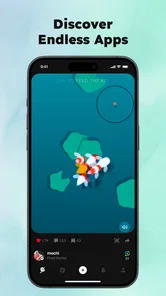
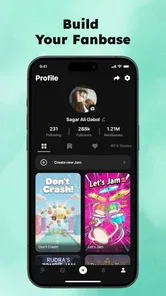
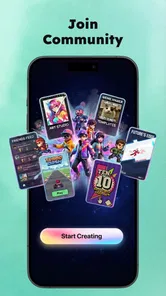
Analysis by Reviewed
I like the idea of an app that lets me dip into imaginative play without committing to a full-length game, but creative apps can be confusing when it is not clear where to begin or how to get unstuck. Sekai: Roleplay Your Own Story is an entertainment app from Sekai, and I would approach it as a place to explore roleplay and storytelling rather than as a conventional game with a fixed objective. It is free, rated Teen, and has attracted over a million installs. Its average rating is 3.5 from around 8,900 ratings, so expectations are best kept realistic: there is an audience for the idea, but the experience may not suit everyone.
Finding a way into the experience
When an app centers on open-ended creativity, the first hurdle is often deciding what to do, not learning a complicated control scheme. I would begin with a simple premise and one character goal instead of trying to invent a whole world at once. That gives each choice a direction and makes it easier to judge whether the roleplay style is enjoyable. The app’s current version is 1.49.0 and it requires Android 7.0 or later; on iOS, check the relevant store’s compatibility details before installing.
Start small, then build
A practical first session might be a short scene: a traveler arrives somewhere unfamiliar and needs to earn someone’s trust. Decide what the character wants, then respond in a way that reveals personality. I find that a modest setup is easier to continue than a sprawling backstory, especially when I only have a few spare minutes. If the opening feels flat, changing the character’s immediate goal is often more useful than rewriting every detail.
It is also worth separating experimentation from a story you care about keeping coherent. Try unusual choices in a low-stakes scene first; once you understand how the experience responds, you can spend more attention on a longer roleplay. That small distinction helps avoid the frustration of feeling that an early, random idea has boxed you in.
When setup or progress feels stuck
If something does not load or respond as expected, I would start with ordinary checks rather than assume the story itself is broken: make sure the app is up to date, close and reopen it, and confirm the device has a working connection if the part you are using needs one. If a problem persists, restarting the device is a reasonable next step. These checks cannot fix every issue, but they are a sensible way to separate a temporary hiccup from a limitation of the experience.
For creative friction, the recovery is different. If a scene loses momentum, restate the immediate situation in your next action and give the character one clear choice to make. If you are unsure whether a detail is supported, keep the next turn broad rather than building several plot points around an assumption. That makes it easier to redirect the story without feeling that you have wasted your session.
Who will enjoy this kind of roleplay?
I can see this being a good fit for people who enjoy improvising dialogue, testing character ideas, or turning a spare moment into a small fictional scene. It is less appealing if you want a tightly guided campaign, a clearly defined win condition, or a traditional role-playing game built around structured progression. Compared with those games, Sekai’s appeal is the freedom to shape a story; the trade-off is that you may need to supply more of the direction yourself.
More From Our News Desk

 Gmail
Gmail in a Busy Inbox: Who Benefits Most?
From first account to crowded workday, Gmail earns its place through dependable search and flexible sorting—but its best fit depends on how much inbox maintenance you can tolerate.

 Prime Video
Switching to Prime Video: What Changes in Your Viewing Routine
Prime Video can make a compelling second home for streaming, but switching means learning a different catalog, rental layer, and route from browsing to playback.

 Universal TV Remote Control
 Works Best as a Reliable Backup
A phone remote earns its place through quick setup and reliable habits. Here is how to get more from Universal TV Remote Control—and where its limits show.

 Weather - By Xiaomi
Weather by Xiaomi Review: Clear at a Glance, Less Clear Up Close
Xiaomi’s weather app makes everyday forecasts quick to scan, but its calm surface can leave useful details and recovery paths harder to find than they should be.

 X
X Under Pressure: Can It Recover When Posting Goes Wrong?
A resilience-focused review of X, examining setup, mistaken posts, interruptions, weak connections, and the gaps that matter when recovery needs to be dependable.

 Clash of Clans
 Is Won Between the Battles
Its raids are quick; its community is a long-term project of coordination, teaching, rivalry, and shared responsibility—with all the friction that entails.
Latest News



It also differs from writing in a notes app: the point is to interact with a roleplay experience rather than simply store prose. For a longer piece that needs careful editing and a polished final draft, a dedicated writing tool is a better fit. I would treat Sekai as a prompt for playful exploration, not a replacement for a full writing workspace.
Everyday use and sensible checks
Imagine waiting for a friend at a café with ten minutes to spare. You could sketch a character and play through one short encounter, then stop without needing to finish an entire campaign. That is the sort of casual use where open-ended storytelling can work well. A useful habit is to keep a brief note of the character’s goal and any important choice you want to carry forward; it makes resuming easier if you put the app down mid-scene.
If the app behaves inconsistently, first check whether the issue is limited to one scene or happens across the experience. Try a fresh, simple interaction before rebuilding a complicated setup. If only one idea is hard to continue, it may be a prompt problem rather than a technical fault. The Teen rating is another practical consideration: I would check that it is appropriate for the intended user, especially if a younger person will be exploring roleplay independently.
What to expect from character tools
Character creation can be a tempting place to spend the whole first session. I would set a small limit for myself: establish only the details that will change how the character acts in the opening scene. A motive, a recognizable manner, and one uncertainty are usually more useful at the start than a long biography. This keeps setup from becoming a project of its own and gives the roleplay room to reveal what else needs defining.
The customization options are a draw, but detail is not automatically depth. A character with a carefully chosen look can still feel hard to play if their goal is vague. I get more value by connecting appearance or personality choices to a decision the character might actually make. If I am creating someone just for a quick experiment, I skip polishing every aspect and move straight into a scene; for a recurring character, I take more care before investing time.
Keeping a story easy to resume
Open-ended roleplay has a practical weakness: it can be harder to pick up after a break than a game that marks the next objective for you. A compact recap helps. I would record the current location, what the character wants right now, and the last choice that changed the situation. Those three reminders are more useful than copying a whole conversation into a note, and they reduce the chance that I restart by repeating background information.
For a longer session, I also like to leave a clear unresolved question at the end, such as whether the character trusts someone or takes a risk. That gives the next visit a natural starting point without forcing the story into a rigid outline. If I return and the old direction no longer appeals, I can treat the recap as a guide rather than a rule and begin a different scene. This approach is especially handy when using the app in brief bursts rather than sitting down for a long writing session.
Choosing the right kind of creative app
Compared with a conventional role-playing game, Sekai puts less emphasis on goals you complete and more on the premise and choices you bring to the experience. That is a real advantage when I want to improvise, but it is not ideal if I need maps, a clearly explained quest, or a sense of measurable progress. A story-driven game is likely the more satisfying option for someone who wants authored scenes and a defined route through them.
Against a blank document or notes app, the appeal is the roleplay context: I can react to a situation rather than facing an empty page. The trade-off is control. A writing program is better when I want to revise paragraphs, manage chapters, or preserve a polished draft. I would use Sekai to get an idea moving, then move the material elsewhere if it grows into a piece that needs careful editing.
When the app may not be the problem
It is easy to call a stalled scene a technical failure when the real obstacle is that the premise has too many moving parts. I would test that by reducing the next action to one request or decision. If the interaction becomes easier to continue, simplify the setup rather than repeatedly restarting the app. If the same technical behavior affects unrelated parts of the experience, then ordinary device and connection checks make more sense.
Likewise, a mismatch in expectations can feel like a fault. Someone arriving for a complete, guided game may find open-ended roleplay unsatisfying even when it is working as intended. I would give the app a short trial with a clear, manageable scene before deciding. If what I want is still a structured campaign or a polished manuscript tool, switching to an alternative is more useful than trying to force this format to do that job.
Stepping Into Your Own Story
When I first launched Sekai: Roleplay Your Own Story, I was immediately drawn in by its sleek design and intuitive interface. Navigating through the app is as smooth as butter, making it easy to dive straight into crafting your own narrative. The app allows you to create characters and plotlines, and the possibilities are as endless as your imagination.
Character Creation and Customization
One of the standout features of Sekai is the character customization. Whether you want to be a gallant knight or a cunning sorceress, the options are plentiful. The app provides a variety of avatars and customization tools that allow you to tweak every detail to your liking. I spent a good chunk of time just playing around with the character creation tools, and I must say, it’s incredibly detailed.
Interactive Storylines
The real magic of Sekai, though, lies in its interactive storylines. Each decision you make can lead to a myriad of different outcomes. It’s like being the author of your own epic saga. I found myself completely absorbed in the stories I was creating, with each twist and turn keeping me on the edge of my seat. It’s a refreshing change from the linear narrative structures of many other role-playing games.
Community and Collaboration
What sets Sekai apart from other role-playing apps is its vibrant community. You’re not just playing in your own little bubble; you can share your stories and characters with others, and even collaborate on adventures. It’s a fantastic way to connect with fellow storytellers and get inspired by their creativity.
My practical verdict
Overall, Sekai: Roleplay Your Own Story is a delightful escape from the mundane. Whether you’re a seasoned storyteller or just looking for a fun way to pass the time, this app offers something for everyone. So why not give it a try? Dive into a world of endless possibilities and let your imagination run wild. Trust me, once you start, you won't want to stop.
Sekai: Create · Remix · Play Frequently Asked Questions
Is Sekai: Roleplay Your Own Story suitable for teens?
Sekai: Roleplay Your Own Story has a Teen content rating, so it is intended for teen audiences rather than young children. As with any role-playing and entertainment app, parents may want to review the experience and discuss appropriate use with younger users. The app centers on stories and user-created experiences, so what someone encounters can depend on the content they choose to explore.
What is Sekai: Roleplay Your Own Story app about?
Sekai: Roleplay Your Own Story is an interactive storytelling app that allows users to immerse themselves in various role-playing scenarios. Users can create, customize, and control characters within diverse worlds, making decisions that influence the storyline. It's perfect for those who love storytelling and want to see their choices impact the narrative directly.
Is Sekai: Roleplay Your Own Story free to use?
Sekai: Roleplay Your Own Story is free to download. The app offers a free-to-play model with in-app purchases. Users can access basic features and stories for free, but there are premium options available, such as exclusive storylines and character customizations, which require payment. This model allows users to enjoy the app without mandatory costs while providing options for enhanced experiences.
What platforms is Sekai: Roleplay Your Own Story available on?
Sekai: Roleplay Your Own Story is available on both Android and iOS platforms. Users can download it from the Google Play Store for Android devices and the Apple App Store for iOS devices. This multi-platform availability ensures that a wide range of users can enjoy the app's immersive storytelling experience.
Can I play Sekai: Roleplay Your Own Story offline?
Sekai: Roleplay Your Own Story requires an internet connection to download new content and updates. However, once a story or scenario is downloaded, users can play offline. This flexibility allows users to enjoy the app without constant internet access, although online connectivity enhances the overall experience with new content.
Pros
- Rich storyline with diverse paths.
- Engaging and interactive gameplay.
- High-quality graphics and sound.
- Customizable characters and scenarios.
- Regular updates with new content.
Cons
- Some in-app purchases can be pricey.
- Requires constant internet connection.
- Occasional bugs in storyline progression.
- Large file size
- may not fit all devices.
- Limited language options for non-English users.











