

Philo: Shows, Movies, Live TV.
- 6.38K
- 4.4
- Installs
- 5.00M
- Price
- Free

Screenshots

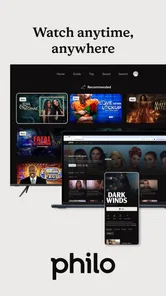
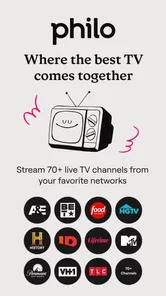
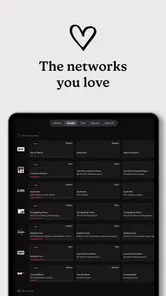
Analysis by Reviewed
I judge a streaming app less by how many things it claims to offer than by whether it helps me settle on something to watch without turning that choice into a project. That is where Philo: Shows, Movies, Live TV makes its clearest case: it brings live channels and on-demand viewing into one place, so I can switch between browsing what is on and choosing something for later.
One place for live and on-demand viewing
That combination is useful when my plans change halfway through an evening. I might start by checking live TV, then decide I would rather catch up on an episode at my own pace. Keeping both kinds of viewing in the same app makes that shift feel straightforward. It is a more focused approach than juggling a live-TV service and a separate collection of shows, though it will not replace every streaming subscription for every household.
Philo is an entertainment app from Philo, Inc., and its appeal is easy to understand if you want channel-style viewing alongside shows and movies. The app is free to install, but access involves subscription options with in-app purchases listed from $29 to $38 per item. I would check the available plan and its channel lineup before treating the download as a no-cost way to watch. The service has a 4.4 average from around 30,000 ratings, and more than five million installs suggest it has found a sizeable audience.
All About Entertainment
With Philo, you're diving into a world brimming with entertainment. From live TV to an extensive library of shows and movies, it’s like having a mini-cinema right in your pocket. Seriously, the variety is impressive. Whether you're into dramas, comedies, or documentaries, there's something for everyone. I mean, who doesn't love having options, right?
User-Friendly Interface
The first thing I noticed was how intuitive the interface is. The app layout is sleek, making navigation a breeze. You can easily switch between channels and explore categories without feeling like you’re lost in a maze. It's like they knew exactly what we needed for a seamless viewing experience.
A small habit makes browsing more purposeful: before opening the app, decide whether you want something live or a specific show to catch up on. That distinction gives the two parts of the service different jobs instead of leaving you scrolling through both. For a shared household, it is also worth agreeing on what people actually watch; a broad catalog sounds useful, but the value depends on whether the available channels and titles fit your tastes.
Live TV, Anytime, Anywhere
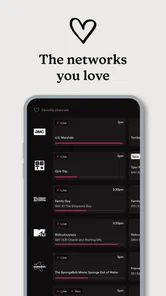
One of the standout features for me is the live TV option. Whether you’re commuting, taking a break at work, or just lounging at home, having access to live TV at your fingertips is a bliss. Plus, the streaming quality is top-notch, with minimal buffering, which is crucial for those cliffhanger moments in your favorite shows!
More From Our News Desk

 Gmail
Gmail in a Busy Inbox: Who Benefits Most?
From first account to crowded workday, Gmail earns its place through dependable search and flexible sorting—but its best fit depends on how much inbox maintenance you can tolerate.

 Prime Video
Switching to Prime Video: What Changes in Your Viewing Routine
Prime Video can make a compelling second home for streaming, but switching means learning a different catalog, rental layer, and route from browsing to playback.

 Universal TV Remote Control
 Works Best as a Reliable Backup
A phone remote earns its place through quick setup and reliable habits. Here is how to get more from Universal TV Remote Control—and where its limits show.

 Weather - By Xiaomi
Weather by Xiaomi Review: Clear at a Glance, Less Clear Up Close
Xiaomi’s weather app makes everyday forecasts quick to scan, but its calm surface can leave useful details and recovery paths harder to find than they should be.

 X
X Under Pressure: Can It Recover When Posting Goes Wrong?
A resilience-focused review of X, examining setup, mistaken posts, interruptions, weak connections, and the gaps that matter when recovery needs to be dependable.

 Clash of Clans
 Is Won Between the Battles
Its raids are quick; its community is a long-term project of coordination, teaching, rivalry, and shared responsibility—with all the friction that entails.
Latest News



A realistic use is putting on a live channel while making dinner, then moving to an on-demand episode once you can give the screen your attention. That is the kind of routine where Philo’s mix feels more convenient than a service devoted only to a fixed on-demand library. On the other hand, if your main goal is watching a particular film franchise or a narrow set of exclusive originals, a specialist streaming service may be a better fit than a channel-led option.
Endless On-Demand Choices
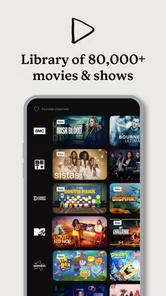
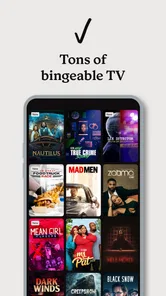
The on-demand section is where the magic truly happens. You can catch up on missed episodes or discover new series to fall in love with. There’s also a handy feature that allows you to save shows to watch later, perfect for those weekends when you just want to hibernate with your favorite series.
Saving a title for later is most useful when I spot something during a quick browse but do not have time to start it. I can make that choice once and return when I am ready, rather than trying to remember the title later. I would still go in with a short list of what I want to watch: saving items helps organize intent, but it does not make an oversized catalog easier to choose from by itself.
Affordability Meets Quality
In a world where subscription fees can sometimes feel overwhelming, Philo offers an affordable alternative without skimping on quality. It's like getting a premium service without the premium price tag. This makes it accessible for a wide range of users, ensuring everyone can enjoy high-quality entertainment.
I would treat affordability as a question of fit, not a guarantee that this is the cheapest choice for everyone. The listed in-app purchases are substantial enough to make checking the current subscription terms worthwhile, especially if you already pay for other streaming services. The trade-off is simple: the more often you use its live channels and on-demand selection, the easier it is to justify keeping it; occasional viewers may be better off with a service they already have.
The app is rated Teen, so I would keep that in mind when choosing it for a younger viewer and check whether the content suits your household. It runs on Android 5.1 or later, and version 9.17.1-846939-google is the current Android release. Those details make it approachable for many Android devices, though device compatibility alone does not determine whether its catalog is right for you.
Philo also promotes access to AMC+ and to discovery+ and HBO Max through one subscription. I see that as a reason to compare the exact access and terms on offer with the services you already use, rather than assuming every title from those brands is included in the same way. The practical question is whether the combined arrangement matches your viewing habits, not how many names appear beside it.
In a nutshell, if you're on the hunt for an app that offers a fantastic mix of live TV and on-demand content, all wrapped up in a user-friendly package, then Philo: Shows, Movies, Live TV is definitely worth trying out. It's become my go-to app for all things entertainment, and I bet it could be yours too!
Who is most likely to enjoy it?
I would recommend it most to someone who wants casual channel browsing and catch-up viewing in the same place, especially if that person regularly watches the kinds of programming available through Philo. If you mainly stream on-demand and rarely turn on live TV, or you need a very specific catalog, I would compare alternatives first. My advice is to check the plan details, confirm the lineup suits your routine, and then decide whether having both viewing styles together is worth the ongoing cost.
Making the channel lineup work for you
The useful question is not simply whether Philo has “a lot” to watch, but whether the channels you return to are present in the plan you would choose. I would compare the lineup against a normal week rather than a wish list: note the programs you actually follow, then see whether live access and catch-up viewing cover enough of them to replace another subscription. That simple check can prevent paying for a service whose breadth looks appealing but does not match your habits.
For someone who watches with a partner or family, this comparison is especially worthwhile. One person may value leaving a live channel on while doing chores; another may care only about a handful of series. A shared subscription makes more sense when those preferences overlap. If everyone wants a different set of exclusive shows, separate on-demand services may serve the household better even if they do not offer the same channel-first feel.
A practical evening, not just a catalog
Picture getting home without a plan for the evening. I might open Philo to see what is already airing, leave a channel on while preparing food, and then switch to a saved episode when I sit down. The benefit is less about having to make one perfect choice at the start and more about being able to change viewing mode without changing apps. That is a modest convenience, but it is exactly the sort that can make a service fit into an ordinary routine.
There is a useful limit to that scenario: live viewing works best when I am content to watch what is available at that moment, while on-demand is better when I want control over what starts next. I would not choose a live channel as a substitute for a precise watchlist, nor would I expect an on-demand library to recreate the feeling of casually tuning in. Knowing which mood I am in makes the app feel simpler and keeps browsing from becoming aimless.
Where it differs from other streaming choices
Compared with a conventional on-demand platform, Philo’s main distinction is the balance between scheduled channels and a library for later viewing. A subscription centered on originals or a particular film collection can be a stronger choice if you already know exactly what you want to watch. Philo makes more sense when you enjoy channel surfing, want a familiar program to put on without choosing an entire series, or need both approaches under one roof.
It is also different from relying on free, ad-supported viewing options. Those can be sensible when keeping costs down is the only priority, but they may not provide the same combination of channel access and catch-up viewing that makes this app attractive. I would compare the actual content you watch, not just the category labels: a free option you use every day can be better value than a paid service with a broader-sounding offer that rarely gets opened.
For sports-first households, people who want a particular premium channel, or viewers who follow a narrow set of new releases, the right alternative depends on those specific needs. I would not subscribe on the assumption that one service must cover every kind of TV. Philo is most convincing as a practical hub for its own mix; it is less convincing as a universal replacement for every other way of watching.
Small decisions that reduce friction
I find it helps to separate browsing from watching. When I have only a few minutes, I can use that time to identify a show and save it rather than begin an episode I cannot finish. Later, I can open the saved choice when I have enough time. This is a simple workflow, but it turns the save-for-later option into a planning aid instead of another place to collect titles I will forget.
Another sensible step is to review the subscription arrangement before signing up, especially if you already pay for services mentioned alongside Philo. The names AMC+, discovery+ and HBO Max may be useful starting points for comparison, but I would check what access the current arrangement actually provides and whether it overlaps with a subscription I already have. The decision should be based on viewing access and terms, not on assuming that every program associated with those services is automatically available in one identical package.
It is also worth thinking about when and where you will watch. The app is designed to make viewing available across everyday situations, but live video still depends on having a connection suitable for streaming. If I expect to watch during a commute or in a place where connectivity is unreliable, I would plan around that instead of assuming every viewing situation will be as smooth as watching at home. That is a practical consideration for any live-streaming service, not a reason to judge the catalog itself.
Who should pass, and who gets the most from it?
I would skip Philo if I rarely watch live channels, already have an on-demand service that covers the shows I care about, or am trying to keep recurring subscriptions to an absolute minimum. It may also be a poor match when a particular set of premium titles is the whole reason to subscribe; in that case, I would compare the relevant service directly rather than pay for a broader mix I might not use.
The strongest fit is someone who likes the low-effort rhythm of turning on a channel but also wants the option to catch up when a schedule does not suit. It can also work well for a household with varied, casual viewing, provided the lineup matches what its members genuinely watch. I would think of it as a way to combine two habits, not as a guarantee that one subscription will replace every other entertainment app.
That distinction answers the main question I would ask before installing it: does the combination solve a real problem in my routine? If I often move between live TV and saved shows, it has a clear purpose. If I only want a particular series or watch sporadically, the subscription may be harder to justify. The download costs nothing, but the decision that matters is whether the paid access earns a regular place in your viewing habits.
A balanced final take
Philo’s best idea is its straightforward blend of channel-style viewing and on-demand catch-up. I like that it can suit an unplanned evening as well as a more deliberate watch, and the save-for-later option gives browsing a practical next step. Its value is much less universal than its range may suggest, though: the lineup, subscription terms and viewing frequency all matter more than a general promise of variety.
If you enjoy casual live television and want a convenient place to return to shows later, I would put it on the shortlist and check the current plan details before committing. If you want a tightly curated selection of exclusive originals, a specific film catalog, or only occasional viewing, I would choose a service built around that narrower need. For the right viewer, this is a useful everyday entertainment app; for everyone else, its mix may be more than they need.
Philo: Shows, Movies, Live TV. Frequently Asked Questions
Does Philo work on Android phones and tablets?
Yes. Philo is an entertainment app for Android, and it requires Android 5.1 or later. Before downloading, check the operating system version on your phone or tablet and confirm that the app is available for your device. The app is developed by Philo, Inc. and is intended for watching shows, movies, and live TV.
Is Philo free to download, and will I need to pay to watch?
The app is free to download, but watching Philo’s subscription content involves a paid subscription. In-app purchase options are listed from $29 to $38 per item, so check the current offer and its terms before starting a subscription. The app’s free download does not mean that all shows, movies, or live channels are available without paying.
What kind of content can I expect to find in Philo?
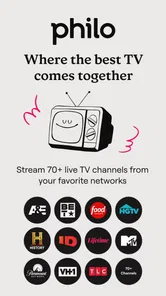
Philo brings together live TV, shows, and movies, with an emphasis on entertainment, lifestyle, and knowledge programming. Its channel mix includes names such as AMC, HGTV, and Comedy Central. The service also highlights AMC+ and access to discovery+ and HBO Max through one subscription, making it worth considering if those kinds of programs are what you want to watch.
Can I watch Philo on more than one device at the same time?
Philo can be accessed on a range of devices, including smartphones, tablets, computers, and supported TVs. The published subscription details describe simultaneous streaming on up to three devices, which can be useful when different people in a household want to watch at once. Check that your devices support the app and use the same account to get started.
Is Philo suitable for viewers who mainly want sports or local news?
Philo focuses on entertainment, lifestyle, and knowledge programming rather than sports or local news. Its channel mix includes options such as AMC, HGTV, and Comedy Central, so it may suit viewers who want shows and movies from those kinds of networks. If live sports or local news is essential to your viewing, consider that limitation before downloading.
Pros
- Affordable subscription price
- User-friendly interface
- Wide variety of channels
- No contract required
- 7-day free trial available
Cons
- Limited sports channels
- No offline viewing option
- Ads on some channels
- Limited DVR storage
- Not available outside the US











