PangoBooks: Buy & Sell Books
- 1.44K
- 4.7
- Installs
- 100.00K
- Price
- Free

Screenshots


Analysis by Reviewed
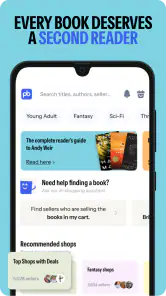
I found PangoBooks most useful when I treated it as a focused marketplace for readers rather than as a general shopping app. Its purpose is straightforward: people list books they no longer need, and other readers browse those listings for a convenient secondhand purchase. That simple idea gives the app a more personal feel than a large retail catalog, but it also means the quality of the experience depends heavily on individual listings, sellers, and the way you prefer to shop.
After spending time with it, my main impression is that the app is approachable for casual book buying and selling, especially if you already know the title, author, or type of book you want. It is free, aimed at Everyone, and developed by Pangobooks Inc. The current version is 3.0.39, and it runs on Android devices using at least version 6.0. That broad technical reach makes it practical for people using older phones, although the experience still depends on how comfortable you are with image-based browsing, small interface controls, and marketplace conversations.
How clearly the app supports different readers and sellers
Readability and navigation for everyday book shopping
The strongest part of the design is its clear purpose. I do not have to work through unrelated departments or promotional distractions before reaching books. That matters when I am trying to find a particular novel, compare used copies, or decide what to do with a shelf of books I have finished. The shopping flow feels more understandable when I approach it with a specific goal, such as looking for a certain author or building a reading list around one subject.
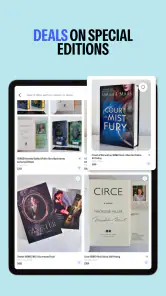
For someone who prefers visual browsing, book images can make the marketplace feel inviting. A cover gives me an immediate clue about the edition and condition, while the surrounding listing information helps me decide whether it is worth opening. This is also where I recommend slowing down rather than buying from the first attractive image. A cover may look familiar while the edition, format, or physical condition differs from what you expected.
The best accessibility habit is to treat each listing as a small inspection task. I look at the cover, read the title and seller-provided details, and check the images for signs of wear before making a decision. That workflow is useful for anyone, but particularly for readers who find rapid visual scanning tiring. It reduces the need to remember several listings at once and makes comparison more deliberate.
Navigation is easiest when I already know what I am seeking. Browsing without a plan can be enjoyable, but a marketplace full of individual listings may require more patience than a conventional bookstore app with standardized product pages. Different sellers may describe similar books in different ways, so readers who rely on consistent labels should expect to verify details manually.
The app’s rating gives some reassurance that many users find the overall experience worthwhile: it holds a 4.7 average from around 3.9 thousand ratings, with roughly 1.4 thousand written reviews. I would not treat that as a guarantee that every transaction will feel effortless. It is better read as evidence that the central buying-and-selling concept works well for a substantial group of users.
More From Our News Desk

Clash of Clans Is Won Between the Battles

Android Auto Makes the Case for Quieter Car Software

MobiOffice: Transforming Mobile Productivity with Seamless Integration

EA SPORTS FC™ Mobile Soccer: Redefining Mobile Sports Gaming

How Microsoft OneDrive Became a Mobile Productivity Giant

How Google Translate Breaks Language Barriers Effortlessly
Motor and sensory considerations when browsing listings
Book marketplaces naturally involve repeated actions: scrolling, selecting a listing, examining photos, reading descriptions, and moving through the purchase process. I found that this can be comfortable during a short search but more demanding during a long browsing session. Someone with limited dexterity may prefer to search for one book at a time instead of repeatedly swiping through a large collection.
Image-heavy shopping can also create a sensory trade-off. Photos are valuable because used books vary in condition, yet they can make the screen feel busier than a text-first catalog. If visual clutter or rapid movement is uncomfortable, I would use a slower routine: pause on one listing, inspect its written information, and move on only after deciding whether it deserves attention. This is not a special mode or certification claim; it is simply a practical way to make the marketplace less tiring.
Text size and contrast are especially important in a shopping context because small details affect the purchase decision. I would not rely on a thumbnail alone if I had difficulty reading compact text or distinguishing subtle marks in a photograph. Instead, I would use the phone’s available display tools where appropriate and ask the seller a direct question when a condition detail is unclear. That extra step is preferable to guessing.
For sellers, the motor demands shift from browsing to preparation. Listing a book requires handling the item, taking useful photos, entering information, and keeping track of the copy after it sells. Someone with limited hand movement may find the repetitive parts more difficult than the browsing itself. A helpful personal system is to prepare several books together, photograph them in one session, and write notes while each book is in front of you. That avoids repeatedly picking up the same item and reduces mistakes between listings.
Readers with sensory sensitivities may also appreciate the ability to control the pace of discovery. Unlike a physical store, I can stop after one listing, return later, and avoid the pressure of walking through a crowded space. The trade-off is that online marketplace browsing can encourage extended scrolling. Setting a clear goal, such as finding a used copy within a certain subject area, keeps the experience more manageable.
Situational access: where the app fits into real routines
A realistic use case is a student preparing for a new course who wants a less expensive way to find assigned reading. I would search for the exact title, inspect the listing photos carefully, and compare several copies before choosing one. The app is particularly useful when the buyer is comfortable with a used book and has enough time to confirm that the edition matches the requirement. It is less suitable when the student needs a guaranteed edition immediately and cannot risk waiting for a seller response or discovering a mismatch.
Another practical situation is moving house. Instead of carrying every finished book to a donation center, I could photograph the books I no longer want and list them individually. This makes the app more useful than a standard bookstore app because the user can participate on both sides of the transaction. The key limitation is that selling is not instant. I still need to describe the book accurately, respond to interest, and manage the item until it is no longer available.
I also see value for readers who enjoy building themed collections. Someone interested in cookbooks, children’s literature, classic fiction, or a particular author can browse beyond the newest releases and discover copies that would not be prominent in a conventional retail app. That discovery element is one of the reasons I would recommend trying it even when I do not have one exact title in mind.
On the other hand, I would skip it for urgent purchases, highly standardized professional materials, or situations where accessibility depends on a very predictable interface and carefully structured product information. A regular retailer may be better when I need reliable stock, precise edition filtering, fast delivery expectations, or a consistent description format. A local library remains better when my priority is borrowing rather than owning, and a donation service may be simpler when I want to clear books without managing listings.
The app is also a reasonable option for someone who avoids crowded shops or cannot easily travel to them. Shopping from home removes the physical demands of visiting several stores, and selling can be done without arranging a table at a community event. Still, online access does not eliminate every barrier. The user may need to read photos and descriptions closely, communicate with another person, and organize the physical book afterward.
What still creates friction for inclusive use
The central challenge is variability. A conventional store usually gives me a standardized page for each copy or product type. In this marketplace, one seller may provide excellent photos and careful notes while another may offer only the basics. That inconsistency affects everyone, but it has a larger impact on people who need dependable information before deciding whether a purchase is safe, suitable, or worth the effort.
Condition is another area where I would avoid assumptions. Words such as “good” or “used” can mean different things to different sellers. If a torn cover, writing inside, strong odor, or missing supplement would matter to me, I would ask before buying rather than infer from a single image. This is one of the most important practical lessons I took from using a peer-to-peer book marketplace: accessibility includes having enough information to make a confident choice.
Communication can be a barrier as well. Some users may prefer not to negotiate, ask follow-up questions, or explain why they need a particular detail. The app is more welcoming when sellers answer clearly and buyers feel comfortable requesting clarification. If that interaction feels stressful, a retailer with fixed listings may be a better fit even if the price or selection is less appealing.
There is also a physical side to every successful transaction. A buyer may need to open packaging, lift a parcel, store the book, or return attention to the listing if something is wrong. A seller must keep track of which copy was listed and ensure the correct item is handled after purchase. For me, photographing the front, back, and any visible damage before listing is a useful safeguard. It creates a clearer record and helps the buyer understand what to expect.
People using older devices should find the minimum operating system requirement relatively accommodating, but technical compatibility is not the same as effortless access. Screen size, performance, touch sensitivity, and the phone’s own accessibility settings can change how comfortable the app feels. I would test a short search before committing to a large selling project. That quickly reveals whether reading, scrolling, and image inspection are manageable on a particular device.
Privacy and trust also deserve ordinary marketplace caution. I would keep communication and transaction details within the app’s intended flow, avoid sharing unnecessary personal information, and review a listing carefully before committing. These are not reasons to dismiss the service; they are sensible habits whenever individual users buy from one another instead of purchasing from a single retailer.
Small workflows that make the experience easier
My first useful workflow is to separate discovery from decision-making. I browse freely when I am looking for ideas, but once I find a promising book, I stop and evaluate it on its own. I check the title, edition clues, format, visible condition, and seller information before returning to the wider selection. This prevents an attractive cover from becoming an automatic purchase.
The second is to create a consistent listing routine when selling. I place the book in good light, capture enough of the cover and physical condition to answer obvious questions, and write the details while the book is beside me. I do not depend on memory later. This approach is especially helpful when listing several books with similar covers or multiple volumes in one subject area.
The third is to use the marketplace for selective decluttering rather than trying to list an entire personal library at once. I would begin with books that are easy to identify and photograph, learn how much effort each listing takes, and then decide whether the remaining books justify the work. This is a better trade-off for users with limited energy or motor stamina than turning a whole shelf into a single large project.
For buyers with a strict budget, I would compare the total value of a used copy rather than focusing only on the apparent bargain. A cheaper book is not necessarily the better choice if its condition is uncertain, its edition is unsuitable, or the process takes too much time. The app works best when the buyer values both the price opportunity and the chance to find books through a reader-centered marketplace.
For readers who need a particular format or edition, I would search with a very specific target and ask questions before completing the purchase. This is where a general retailer may win: standardized inventory can make it easier to confirm exactly what is being bought. PangoBooks is stronger when flexibility, discovery, and secondhand value matter more than uniform catalog information.
Who will appreciate it, and who may prefer another option
I would recommend the app to readers who enjoy used books, want to sell from their own shelves, or like finding titles through a community marketplace. It is also a good match for someone who prefers shopping from home and is willing to inspect listings instead of expecting every copy to be described identically. The free price removes a major barrier to trying the service, and the Everyone age rating makes it broadly approachable as a shopping tool.
I would be more cautious about recommending it to a reader who needs immediate delivery, exact inventory guarantees, or minimal interaction with sellers. It may also frustrate someone who wants every condition detail presented in the same place and format. In those cases, a traditional online bookseller, a local shop, or a library can provide a more predictable experience.
The app’s reach is respectable, with over one hundred thousand installs, and its 4.7 average suggests strong satisfaction among many users. I see those figures as signs that the service has found a real audience, not as a substitute for checking whether its marketplace style suits a particular person. The best experience comes from matching the app to the task: discovery and peer-to-peer selling rather than urgent, perfectly standardized purchasing.
An inclusive verdict after using it
PangoBooks makes secondhand book shopping feel less like a transaction with a large catalog and more like browsing a collection assembled by readers. I like that the same app supports finding books and giving unwanted copies a new home. Its clear focus, free access, and broad age positioning make it easy to try, while the older operating-system requirement helps it remain relevant to people who are not using the newest phone.
Its inclusive qualities are practical rather than extraordinary. I can shop from home, control my pace, and inspect a book before deciding. Those advantages matter for people who avoid crowded stores, have limited travel options, or prefer a slower browsing routine. At the same time, the app cannot make inconsistent seller descriptions disappear, and it cannot guarantee that every listing will be equally easy to read, interpret, or compare.
My final advice is simple: use it when you have time to check details and value the flexibility of a reader-to-reader marketplace. Start with one focused search or a small group of books to sell, and build a careful inspection habit. If you need absolute predictability, instant availability, or highly structured information, choose a conventional retailer or library instead. For everyone else, this is a thoughtful way to buy and resell books while keeping control over the pace of the experience.
PangoBooks: Buy & Sell Books Frequently Asked Questions
Is PangoBooks free to download, and who is it for?
PangoBooks is a free shopping app for readers who want to buy books from other readers or sell books they no longer need. Its marketplace can suit collectors, students, and families looking for used books and deals. The app is rated for Everyone, making it broadly accessible, though users should review the individual book listings and marketplace policies before making a purchase.
What is PangoBooks: Buy & Sell Books?
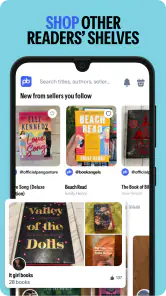
PangoBooks is a marketplace app designed for buying and selling used books. Sellers can create listings with photos, descriptions, prices, and shipping details, while buyers can browse titles, search for specific books, and communicate with sellers through the platform. It is particularly useful for readers, collectors, students, and families looking for more affordable books or a convenient way to sell books they no longer need.
How do I buy books on PangoBooks?
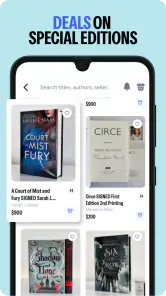
To buy a book, browse the marketplace or use the search function to find a title, author, ISBN, or subject. Review the listing photos, description, condition, seller information, price, and shipping cost before placing an order. Availability and delivery times can vary because individual users create the listings. It is important to read the complete listing carefully, especially when purchasing collectible, used, or older editions.
How can I sell my books through PangoBooks?
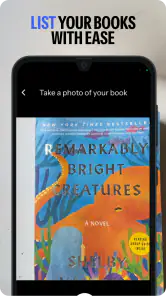
Selling generally involves creating an account, taking clear photos of the book, adding accurate information, selecting its condition, setting a price, and providing shipping details. Honest descriptions are important because highlighting writing, damage, missing pages, stickers, or other imperfections helps buyers make informed decisions. After a sale, the seller must package the book securely and follow the app’s instructions for shipping and order completion.
Are payments and purchases on PangoBooks safe?
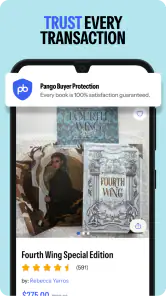
PangoBooks provides an in-app marketplace experience intended to keep communication and transactions organized, but users should still make careful decisions. Check seller ratings, reviews, listing details, and account activity before buying. Avoid sharing unnecessary personal information or completing payments outside the platform. Buyers should also understand the app’s current policies regarding refunds, cancellations, disputes, shipping problems, and items that do not match their descriptions.
Pros
- Simple marketplace focused specifically on buying and selling books.
- Useful search filters help narrow results by title
- author
- or genre.
- Book listings can include photos and condition details from sellers.
- Supports discovering affordable used books from independent sellers.
- Convenient option for clearing out books you no longer need.
Cons
- Inventory and seller availability may vary significantly by location.
- Book conditions can differ from expectations despite listing descriptions.
- Shipping costs may reduce savings on inexpensive books.
- Seller response times can vary when asking questions or arranging sales.
- The app may feel less useful for users seeking rare or international titles.
- Category
- Shopping
- Version
- 3.0.39











