

Palm Secret - Aging&Cartoon
- 4.03K
- 3.8
- Installs
- 10.00M
- Price
- Free

Screenshots

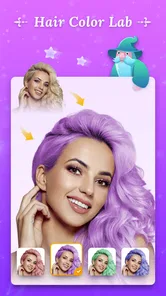
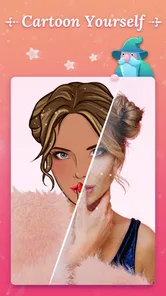
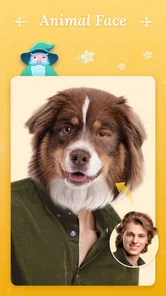
Analysis by Reviewed
I’d treat Palm Secret - Aging&Cartoon as a playful photo app rather than a serious portrait editor. Its appeal is the contrast between imagining an older version of yourself and turning a familiar face into a cartoon. That makes it easy to try with a single selfie, even if you normally avoid editing apps. I’d go in expecting a light experiment and a few shareable results, not a precise prediction of how anyone will look years from now.
What to expect from the two photo styles
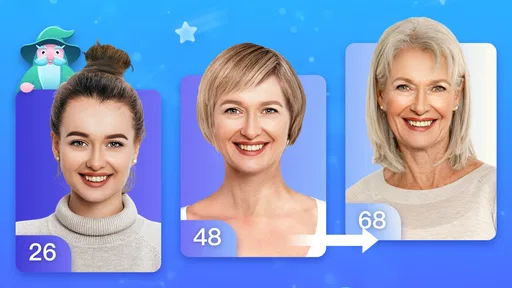
The aging effect is designed to make a present-day portrait look older, while the cartoon option gives it a more illustrated feel. I found that the fun comes from seeing the same face interpreted in very different ways. The results are better treated as playful transformations than as faithful portraits: lighting, expression and the original photo can all affect how convincing or amusing an edit feels.
The app is free to download and is published by Palm Horoscope. It sits in the entertainment category, has an Everyone age rating, and has reached over 10 million installs. Its average rating is 3.8 from around 81,000 ratings, which gives a useful sense that plenty of people have tried it, while also suggesting it may not delight everyone equally. Optional in-app purchases range from $25.99 to $99.99 per item, so I’d check the purchase details carefully before confirming anything.
Aging Filters: Peeking Into the Future
As someone who loves to play around with photo editing apps, Palm Secret - Aging&Cartoon caught my attention with its promise of peering into the future. The aging filter is incredibly detailed, adding realistic wrinkles, grey hair, and subtle aging effects that make the results both fascinating and slightly eerie. It’s like holding a magic mirror that gives you a glimpse of your future self, and I must admit, it’s pretty addictive!
Cartoon Yourself: Living in a Comic World
Switching gears from aging to animation, the cartoon feature is equally engaging. With a couple of taps, you can transform your selfie into a vibrant cartoon character. Whether you want to see yourself as a comic strip hero or a whimsical caricature, this feature doesn't disappoint. The variety of styles available ensures there's something for everyone, and it’s particularly amusing to see friends and family in animated form.
While testing this out, I shared a few cartoon transformations with my friends, and it sparked a wave of laughter and creativity as we imagined ourselves in a cartoon universe. The ease with which you can toggle between different cartoon styles makes it a user-friendly experience, perfect for anyone looking to add a bit of fun to their photos.
Getting a good first result
For a first attempt, I’d choose a clear, front-facing selfie with an unobstructed face and even light. That gives the effects a better chance to read the features they are transforming. If the first result looks odd, I wouldn’t immediately assume the app has failed; try another portrait with a different expression or less shadow before deciding whether the style suits you. This small change in the source photo can make the difference between a funny result and one that feels confusing.
More From Our News Desk

 Gmail
Gmail in a Busy Inbox: Who Benefits Most?
From first account to crowded workday, Gmail earns its place through dependable search and flexible sorting—but its best fit depends on how much inbox maintenance you can tolerate.

 Prime Video
Switching to Prime Video: What Changes in Your Viewing Routine
Prime Video can make a compelling second home for streaming, but switching means learning a different catalog, rental layer, and route from browsing to playback.

 Universal TV Remote Control
 Works Best as a Reliable Backup
A phone remote earns its place through quick setup and reliable habits. Here is how to get more from Universal TV Remote Control—and where its limits show.

 Weather - By Xiaomi
Weather by Xiaomi Review: Clear at a Glance, Less Clear Up Close
Xiaomi’s weather app makes everyday forecasts quick to scan, but its calm surface can leave useful details and recovery paths harder to find than they should be.

 X
X Under Pressure: Can It Recover When Posting Goes Wrong?
A resilience-focused review of X, examining setup, mistaken posts, interruptions, weak connections, and the gaps that matter when recovery needs to be dependable.

 Clash of Clans
 Is Won Between the Battles
Its raids are quick; its community is a long-term project of coordination, teaching, rivalry, and shared responsibility—with all the friction that entails.
Latest News



A practical first-session routine is to test one image with each style, compare the results, and keep only the versions you genuinely like. If you’re making a cartoon image for a profile picture, check that the crop still works at a small size before sharing it. A detail that looks amusing full-screen can become indistinct when reduced, so a quick preview at the size people will see is worthwhile.
Where it fits among photo apps
Compared with a general-purpose photo editor, this app is more about quick, novelty transformations than careful control over color, retouching or composition. That focus is useful when you want to see an instant aging or cartoon interpretation without building an edit from scratch. On the other hand, if you want to tune individual facial details, combine several effects, or prepare a polished image for work, a full-featured editor is likely the better tool.
It also differs from a messaging app’s built-in filters: those are convenient for a quick camera effect, while this is the kind of app I’d open when I specifically want to play with an aged or cartoon-style portrait. I wouldn’t install it expecting a complete photo workflow. Its strength is the quick visual change and the conversation it can start, not replacing the editor you already use for everyday pictures.
User Experience: Easy Peasy Lemon Squeezy
Now, let’s talk about the user interface. Navigating through the app is a breeze. It’s laid out in a straightforward manner, making it easy for even the least tech-savvy individuals to dive right in and start experimenting. The app loads quickly, and the transformations are processed in a snap, which is a huge plus for impatient users like me.
One thing I appreciated is the app’s clean design and intuitive layout. There aren’t any unnecessary frills or distractions, so you can focus on what matters: creating fun and engaging images. Plus, the app offers handy tips and guides for first-time users, ensuring a smooth experience from start to finish.
Small choices that make sharing easier
For an everyday use, imagine taking a selfie during a relaxed evening with friends and passing the phone around to see how each person looks in cartoon form. I’d ask before editing or sharing someone else’s face, and I’d keep the joke friendly: an aging effect can be funny to one person and uncomfortable to another. For a more personal result, try your own portrait first, then decide whether it feels right to send privately or post publicly.
It’s also sensible to make a copy of a photo you care about before experimenting, so the original stays untouched in your usual gallery. Treat the transformed image as a separate playful version, and check the final image before sending it. If you’re unsure whether a feature or purchase is free, pause and read the on-screen wording rather than assuming every option is included at no cost.
Who will enjoy it—and who may not
I’d recommend trying it if you like novelty effects, want a quick activity with friends, or are looking for a lighthearted way to transform a portrait. It is especially approachable for someone who wants a result without learning a complex editing workflow. The current version is 1.5.7, and the stated minimum operating system is Android 6.0, so compatibility is worth checking before downloading on an older device.
I’d skip it if your main goal is realistic age progression, professional retouching, or precise creative control. The aging image is an entertainment effect, not a reliable forecast, and the cartoon output is meant to be expressive rather than an exact illustration of every feature. If you only need a basic filter for a one-off post, your phone’s built-in tools may be enough; if you want a range of editing controls, a dedicated photo editor is the more sensible choice.
Making the first session feel worthwhile
If I were opening it for the first time, I’d start with a photo I already know well rather than an image picked at random. Familiarity makes it easier to judge what the transformation actually changed: perhaps the cartoon treatment keeps the expression recognizable, or perhaps the aging version shifts the mood more than expected. That comparison is more useful than trying several unrelated pictures and wondering whether the differences came from the effect or the source image.
I’d also keep the first test deliberately small. Choose one portrait, try the two styles, and decide which result you would genuinely save or share. This gives a newcomer a clear first success without turning the app into a long editing project. If neither version feels right, change the input photo before spending time searching for a perfect result; an angled face, heavy shadow, or busy background can make a transformation harder to appreciate.
Deciding what to do with the result
A useful everyday example is a family group chat where everyone is already trading casual photos. I’d make a cartoon version of my own selfie first, send it as a light joke, and let others decide whether they want to try their own. That keeps the activity voluntary and avoids putting an unexpected altered image of someone else in front of a wider audience. For a profile image, I’d review the crop and facial expression at thumbnail size; for a private joke, I’d care more about whether the result reads clearly on a phone screen.
There is a practical trade-off between the two styles, too. An aging transformation is more interesting when you want to compare a familiar face with an exaggerated future look, while a cartoon treatment is often easier to use as a playful avatar. Neither should be treated as a dependable way to assess appearance or identity. If the image is meant to represent you accurately, an unaltered portrait or a restrained editor is a better choice.
Purchases, expectations, and a sensible stopping point
The app is free to install, but that does not mean every available option is necessarily free. I’d look closely at any screen that asks me to start a purchase and make sure I understand what I’m agreeing to before continuing. The listed in-app purchase range is $25.99 to $99.99 per item, which is substantial for a novelty photo tool; I’d avoid buying anything unless I had tested the free experience and knew exactly what additional value I wanted.
That price range also shapes how I’d judge the app. For an occasional laugh or a single cartoon portrait, I’d be comfortable treating it as a free trial of an idea and stopping there. Someone who expects regular, detailed portrait work may get more lasting value from an editor built around adjustable controls. The key question is not whether a transformed face looks striking once, but whether I can see myself returning to the particular options offered often enough to justify any purchase.
Choosing it for the right reason
The strongest fit is someone who wants a quick, low-pressure experiment and is happy for the result to be playful rather than exact. It can also work as a small social activity when people are comfortable sharing their photos and everyone understands that the effects are for entertainment. I wouldn’t choose it for a client image, a careful family portrait restoration, or any task where consistency and fine control matter more than surprise.
For someone deciding between this and another photo app, I’d use the intended outcome as the guide. Built-in phone filters suit quick camera embellishments; a broad photo editor is better for exposure, color and composition; Palm Secret is the more focused choice when the specific appeal is an aging or cartoon-style interpretation of a face. That narrow focus is both its convenience and its limitation. It gives a first-time user a clear reason to open it, but it is not a substitute for a full editing toolkit.
Final Thoughts: A Fun Addition to Your App Collection
In a world where apps are a dime a dozen, Palm Secret stands out as a delightful and entertaining tool that breathes life into your photos. Whether you're curious about your future or just want a good laugh with friends, this app is worth checking out.
Its combination of aging and cartoon features offers a unique blend of fun and creativity, and the intuitive interface ensures you can enjoy the experience without any hiccups. So, if you're looking to add a bit of whimsy to your photo collection, give Palm Secret a whirl and let your imagination run wild!
A final word before you install
My recommendation is to approach it with one good selfie, a playful mood, and modest expectations. The app is at its best when I treat each result as an amusing interpretation rather than a promise about how I will look or a finished piece of professional artwork. That mindset makes it easier to enjoy a surprising outcome without being disappointed when a filter does not match the image in my head.
For a first-time user, the path is simple: check that the device meets the Android 6.0 minimum, choose a clear portrait, try the aging and cartoon treatments, and save or share only the result that feels worth keeping. Palm Horoscope’s entertainment app has an average rating of 3.8 and around 4,000 written reviews, so reactions are mixed enough to make a cautious trial more sensible than a big commitment. I’d try it for a quick bit of fun, keep purchases optional, and move on to a dedicated editor if I needed reliable control over every detail.
Palm Secret - Aging&Cartoon Frequently Asked Questions
Will Palm Secret - Aging&Cartoon work on my phone?
Palm Secret - Aging&Cartoon requires Android 6.0 or later, so check your device’s operating system before downloading. The app’s current version is 1.5.7. If your phone meets the minimum requirement, you can try its palm-themed entertainment and photo effects; keep in mind that performance can also depend on your device and connection.
Who makes Palm Secret - Aging&Cartoon, and what kind of app is it?
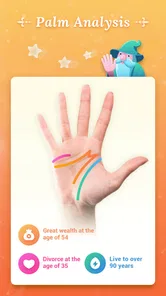
Palm Horoscope develops Palm Secret - Aging&Cartoon, an entertainment app focused on playful palm-related content and photo transformations. Its short description is simply “Palm Secret,” while its store summary asks what secrets are hidden in your palm and invites users to turn photos into cartoons. It is aimed at casual experimentation rather than professional image editing.
Is Palm Secret - Aging&Cartoon free to download, and are there optional costs?
Palm Secret - Aging&Cartoon is free to download, but it also offers in-app purchases. The listed purchases range from $25.99 to $99.99 per item, so review the price shown in the app before selecting a paid option. If you only want to explore the free experience, check which features are available before committing to a purchase.
Can I use Palm Secret - Aging&Cartoon to create images from my own photos?
The app’s photo-focused features let you experiment with transformations using pictures, including cartoon-style results and aging effects. Before choosing an image, think about whether you are comfortable using that photo in an entertainment app, especially if it shows other people. You can also consider trying a picture that does not contain sensitive or private details.
Is Palm Secret - Aging&Cartoon still being maintained, and what version should I expect?
Palm Secret - Aging&Cartoon’s current version is 1.5.7, and the app was released on September 6, 2019. App versions can vary by platform and may change over time, so check the version shown on your device’s download page. Keeping an app updated can help you use the latest version available for your phone.
Pros
- User-friendly interface enhances experience
- Wide range of aging filters available
- Cartoon effects are highly realistic
- Fast processing time for images
- Regular updates with new features
Cons
- Contains in-app purchases
- Requires internet for full functionality
- Some ads can be intrusive
- Limited free features
- May strain older devices











