Natural Grocers
- 187.00
- 3.5
- Installs
- 100.00K
- Price
- Free

Screenshots
Analysis by Reviewed
If you are looking for a simpler way to connect with Natural Grocers while shopping for natural and organic food, the Natural Grocers app is worth a look. I approached it as a first-time shopper rather than someone already familiar with the retailer, and that made its main appeal clear: it is meant to keep the store experience close at hand instead of making you rely entirely on a browser or a paper shopping plan.
Natural Grocers is a free shopping app from Vitamin Cottage Natural Food Markets, Inc. It is available for everyone and works on Android devices running version 8.0 or later. The current release is 3.5.3, and the app has passed the hundred-thousand-install mark. Those details make it a reasonably accessible option for people who use an older Android phone and want a retailer-specific tool without paying for another subscription.
My overall impression is positive but measured. This is not the kind of app I would install expecting a complete replacement for every shopping tool on my phone. Its value depends on whether Natural Grocers is already part of your routine. If you regularly visit one of its stores, the app has a practical reason to exist. If you only shop there occasionally, a normal browser search may sometimes feel just as quick.
What to expect before your first visit
The first thing to understand is that this is a focused shopping companion, not a general marketplace. Its purpose is tied to Natural Grocers and its natural-food retail environment. That focus can be helpful because you are not sorting through unrelated sellers, broad product categories, or a crowded marketplace interface. At the same time, it means the app is most useful when your shopping decision already involves this particular retailer.
I would describe the experience as a bridge between planning and visiting a store. You can use it before leaving home to orient yourself, then return to it while deciding what to buy. That makes it especially suitable for a weekly grocery trip, a quick stop for dietary staples, or a shopper who wants to check the retailer’s own information rather than depend on a third-party grocery service.
The store rating sits at 3.5 on average from roughly three hundred ratings, with close to two hundred written reviews. I read that as a sign to keep expectations realistic. The app is useful enough to have a substantial audience, but it is not universally loved. In practice, that usually means the core idea works for some shoppers while the smoothness of the experience may vary from one person to another.
One useful way to approach it is to decide what success means before opening the app. If success means finding a store-related detail, preparing for a shopping trip, or making a more informed choice within the Natural Grocers environment, the app has a clear role. If success means comparing every retailer in your area, building a highly automated grocery workflow, or replacing a dedicated delivery service, you may be asking it to do a job it was not designed to handle.
More From Our News Desk

Clash of Clans Is Won Between the Battles

Android Auto Makes the Case for Quieter Car Software

MobiOffice: Transforming Mobile Productivity with Seamless Integration

EA SPORTS FC™ Mobile Soccer: Redefining Mobile Sports Gaming

How Microsoft OneDrive Became a Mobile Productivity Giant

How Google Translate Breaks Language Barriers Effortlessly
Who will get the most from it
I think the best match is a shopper who already prefers Natural Grocers and wants one place for retailer-specific information. It can also suit someone who is becoming more deliberate about natural food shopping and wants to make store visits less improvised. Parents, people following a particular eating style, and shoppers who like to prepare a list before entering a store may appreciate having the retailer’s app available during that process.
The app is less compelling for someone who rarely visits Natural Grocers, shops across many supermarket chains, or wants a single universal list that connects every store. In those cases, a general grocery-list app or a supermarket comparison tool may be more convenient. I would also skip it if you expect a fully automated experience that handles all of your shopping decisions for you.
That distinction matters because retailer apps often feel excellent when they reduce friction inside one shopping ecosystem, but limited when you want them to act like independent planning software. Natural Grocers follows that pattern. Its narrow focus is both its strength and its main trade-off.
Getting set up without overcomplicating the first session
Installation should be straightforward on a compatible Android phone because the app is free and carries an Everyone content rating. I recommend installing it before you are standing in the parking lot. That gives you time to open it calmly, look around, and decide which parts are genuinely useful to you instead of trying to learn it while holding a basket or rushing through a short visit.
For a first session, I would use this order:
Open the app somewhere with a stable connection and take a minute to identify its main shopping areas.
Start with the information most relevant to your next Natural Grocers visit rather than exploring every screen at once.
Choose one small task, such as preparing for a specific trip, and judge the app by whether it helps you complete that task.
Before leaving home, note anything you still need to verify in the physical store.
This approach sounds simple, but it avoids a common mistake: treating a retailer app like a game that must be mastered. You do not need to understand every option before it becomes useful. A first meaningful success could be as modest as using the app to make your next store visit more organized.
I also suggest keeping your first test narrow. Pick a normal shopping trip rather than a large holiday shop or a complicated dietary restock. A small trip gives you a clearer sense of whether the app saves time. If it does, you can gradually make it part of a larger routine. If it does not, you will discover that early without investing much effort.
How I would prepare for a real shopping trip
Imagine that I am leaving work and need to stop at Natural Grocers on the way home. I would open the app before driving, decide what I need to accomplish, and use the available retailer information to shape the visit. The important point is not to browse aimlessly. I would begin with a short list of priorities: the staples I need, any product detail I want to check, and anything that might require a question at the store.
That workflow creates a useful separation between planning and buying. At home, I can think clearly and avoid impulse decisions. In the store, I can focus on locating the items and checking them against my plan. The app does not need to perform every part of the trip to be valuable; it only needs to make one or two parts less awkward.
A second practical tip is to use the app as a reminder of your shopping purpose, not as a guarantee that every in-store situation will be identical to what you expected. Retail conditions can change, and a retailer app should complement your judgment rather than replace it. If a product is unavailable or a detail looks different on the shelf, I would treat the physical store as the final point of confirmation.
Finding your first successful action
For a new user, the best first action is one that produces a visible benefit within a single shopping cycle. I would not begin by exploring every category or trying to redesign my entire grocery routine. I would choose one upcoming Natural Grocers visit and ask the app to help me make that visit more intentional.
For example, I might use it while planning a restock of pantry basics. I would review the information that matters to that trip, write down the items I actually need, and then open the app again shortly before visiting. If I arrive with a clearer plan and spend less time wondering what to check, that is a successful first result.
The non-obvious advantage here is consistency. A retailer-specific app can become a repeatable starting point for the same store, even when the individual trip changes. Over time, you may find that opening it before a visit reminds you to check details you otherwise overlook. That is more useful than a one-time burst of browsing because it turns the app into part of a routine.
Another sensible use is preparing questions. If you care about ingredients, dietary suitability, or the difference between similar products, note those questions before you enter the store. The app can help you organize the shopping process, while store staff and product packaging remain important for final decisions. This is particularly helpful when shopping for another person whose food choices need extra care.
I would also test the app under ordinary conditions rather than only when everything is perfect. Open it at home, then try it again shortly before a trip. Notice whether the navigation feels understandable and whether you can return to the information you used earlier. That small test tells you whether the app will be practical when you are in a hurry.
A workflow that avoids wasted time
My preferred workflow has three stages. First, I decide what kind of visit I am making: a planned weekly shop, a quick replacement trip, or an exploratory visit. Second, I use the app only for information connected to that purpose. Third, I finish the plan outside the app by writing down the few items or questions that matter most.
This may sound less ambitious than using the app for everything, but it is more reliable. Many shopping tools become frustrating when users expect them to remember every detail, solve every comparison, and remove all uncertainty. Natural Grocers works better when I treat it as a retailer companion and keep the final plan simple.
A useful trade-off appears here. The app’s retailer focus can reduce distraction, but it may also mean that shoppers who compare several chains still need another tool. I would happily use Natural Grocers for the store-specific part of a trip, then use a separate list or notes app for the wider household plan. That combination is less elegant than one universal system, but it may be more realistic.
Where first-time users may feel confused
The most likely confusion is not technical; it is about scope. A new user may open the app expecting a full grocery marketplace, a universal price tracker, or a delivery dashboard. Because Natural Grocers is centered on its own retail experience, the app makes more sense when you begin from the question, “How can this help with my Natural Grocers visit?” rather than, “Can this manage every grocery purchase I make?”
Another possible friction point is knowing when to trust the app and when to verify something in person. I would use it to prepare and orient myself, but I would still read the package for ingredients, allergens, and suitability. Food choices can have personal consequences, and no convenient interface should replace checking the actual product when the detail matters.
It is also easy to overbrowse. Natural-food shopping can involve many similar choices, and an app may encourage you to keep looking when you already have enough information to make a decision. My advice is to set a stopping point before you begin. Once you have answered the question that brought you in, close the app and continue with your plan.
Users may also wonder whether the app is worth keeping installed if they only visit occasionally. My answer depends on your pattern. If your visits are rare but substantial, installing it shortly before a planned trip may be enough. If Natural Grocers is a regular stop, keeping it available makes more sense because the benefit comes from repeated preparation rather than a single session.
The average rating reinforces that balanced approach. I would not dismiss the app because it is not near-perfect, but I would avoid assuming that every part of the experience will feel equally polished. Start with the task you care about most. If that task is easy enough and genuinely saves effort, the app earns its place. If it adds steps to a simple trip, a normal browser or your existing notes app may be better for you.
When another option is the smarter choice
If I were comparing several supermarkets, I would use a general shopping tool alongside this app rather than expecting Natural Grocers to cover the whole comparison. A universal grocery list is better for households that divide purchases across multiple stores. A browser may be faster for a one-off question, especially when I do not expect to return to the retailer soon.
On the other hand, a general tool may lack the retailer-specific context that makes this app useful. If my trip is definitely to Natural Grocers, using the retailer’s own app can keep the planning process more focused. The right choice is therefore situational: broad tools win for cross-store organization, while this app is more sensible for repeated Natural Grocers shopping.
I would also avoid relying on it as the only tool for a time-sensitive trip until I had tested it myself. A first-time user should learn the basic path at home, then use the app during a low-pressure visit. That is a small but important precaution, particularly if you have a strict schedule or are shopping for someone with specific dietary needs.
Making it part of a useful routine
After the first successful visit, the next step is to decide whether the app deserves a regular place in your routine. I would keep it if it helps me prepare faster, remember important questions, or feel more confident about a Natural Grocers trip. I would not keep opening it merely because it is installed. The test should remain practical: does it improve the way I shop?
One advanced habit is to separate discovery from replenishment. Use the app more deliberately when you are learning about products or planning an unfamiliar visit. For routine staples, keep your process short and avoid repeating research you have already completed. This prevents the app from turning a familiar grocery run into a long browsing session.
Another useful habit is to make the app part of the departure checklist rather than the in-store checklist. Open it before you leave, settle the main questions, and arrive with a clear purpose. That reduces the temptation to stand in an aisle trying to remember why you opened the app in the first place.
Families can adapt the same method by assigning the app a supporting role. One person can prepare the retailer-specific information while another maintains the household list. This avoids forcing every family member to use the same system and acknowledges that a store app is not always the best place for shared planning.
For people who shop according to dietary needs, the most important insight is to combine digital preparation with physical verification. Use the app to organize the visit and narrow your search, then inspect the packaging and ask questions when necessary. That two-step approach is slower than trusting a single screen, but it is safer and more dependable for decisions where ingredients really matter.
The developer, Vitamin Cottage Natural Food Markets, Inc., gives the app a clear connection to the retailer it represents. That can reassure shoppers who prefer dealing with a store’s own application rather than an unrelated shopping platform. Still, the connection also explains why the app will feel narrow to anyone seeking a broad grocery-management system.
After using it as a focused companion, I see Natural Grocers as a useful optional tool rather than an essential app for every shopper. It is free, accessible to a wide age range, and available on older Android software, which lowers the barrier to trying it. Its strongest quality is not that it does everything; it is that it can make a Natural Grocers visit more deliberate when you use it with a specific purpose.
My recommendation is to install Natural Grocers if you shop at this retailer regularly and want a retailer-focused starting point before each visit. Give it one ordinary trip, use it to prepare a small and realistic plan, and judge the result by the time and uncertainty it removes. If you need cross-store comparisons, advanced list management, or a universal grocery system, keep using a broader alternative alongside it. For the right shopper, that modest role is exactly what makes the app worthwhile.
Natural Grocers Frequently Asked Questions
Is Natural Grocers free to download, and which devices can run it?
Natural Grocers is a free shopping app from Vitamin Cottage Natural Food Markets, Inc. It is intended for Android devices running version 8.0 or later, and its content rating is Everyone. Before downloading, check that your device meets the operating-system requirement and has enough available storage. As with any app, the experience may vary somewhat between devices and operating systems.
Who is the Natural Grocers app best suited for?
The app is most relevant to people who shop at Natural Grocers or want to explore what the retailer offers. Its focus is the Natural Food Market, so shoppers looking for store-related information, deals, product details, or wellness content may find it useful. If you do not shop at Natural Grocers, many of its features may be less relevant to your everyday needs.
What is the Natural Grocers app used for?
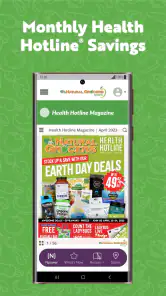
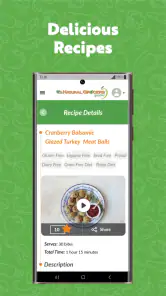
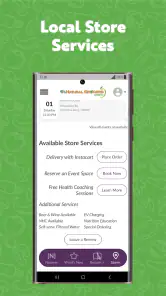
The Natural Grocers app is designed to help shoppers interact with the Natural Grocers store experience from a mobile device. Depending on the current version and your location, it may provide access to store information, weekly deals, product details, shopping resources, recipes, and other wellness-focused content. It is most useful for customers who regularly shop at Natural Grocers and want store-related information in one place.
Can I use the Natural Grocers app to find nearby stores and check opening hours?
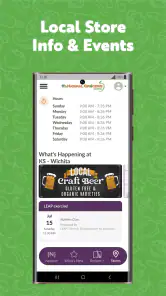
Yes, the app is intended to help customers locate Natural Grocers stores and review practical information such as addresses, contact details, and opening hours. Store information can vary by location, especially around holidays or special events, so it is still sensible to confirm details before making a long trip. Location permissions may improve the convenience of finding the nearest store.
Does Natural Grocers offer digital coupons, deals, or a loyalty program in the app?
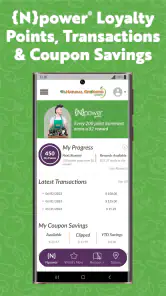
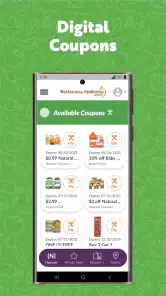
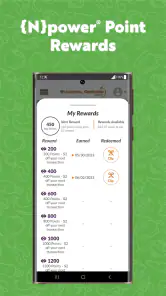
Natural Grocers may provide access to promotions, weekly savings, digital offers, or customer benefits through its app and related account features. The exact options can change over time and may depend on your region, account status, or current company promotions. Before relying on an offer, check its expiration date, product restrictions, and whether it must be activated or presented at checkout.
Pros
- Easy access to weekly deals and digital coupons
- Store locator helps find nearby Natural Grocers locations
- Product information supports more informed shopping decisions
- Focus on natural and organic grocery options
- Useful for planning purchases before visiting the store
Cons
- Features may vary depending on your local store
- Some products and promotions may have limited availability
- The app may feel less useful without a nearby location
- Digital offers can require account setup or sign-in
- Shopping experience may be limited compared with larger retailers
- Category
- Shopping
- Version
- 3.5.3











