

MapleStory Worlds
- 55.00
- 2.9
- Installs
- 1.00M
- Price
- Free

Screenshots
Analysis by Reviewed
If someone in my household asks for a colorful mobile game to dip into together, MapleStory Worlds is an appealing starting point. Its bright, characterful presentation makes a friendly first impression, though I’d treat it as a shared entertainment option rather than assume that everyone will enjoy the same pace or play style. It is a free entertainment app from Toben Studio Inc., and its broad, creator-shaped world is a different proposition from choosing one self-contained mobile game.
Making room for different players
On a shared device, I’d decide in advance who is using it and whose account is active. That small boundary matters whenever more than one person takes turns: it helps prevent one player’s session from being mistaken for another’s, and makes it easier to keep track of purchases or progress. I would also agree on a simple handoff routine—finish the current activity, check whose turn is next, then pass the device—rather than leave the next player to work out what is happening mid-session.
For a casual visit, I’d suggest that a new player explore at their own pace before joining a group. A parent or older household member can sit nearby, help with the initial choices, and see whether the game’s social side feels comfortable. This is a practical way to judge fit without turning a relaxed game into a family project.
Discovering the World of MapleStory
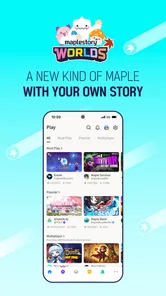
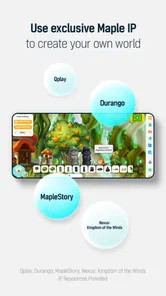
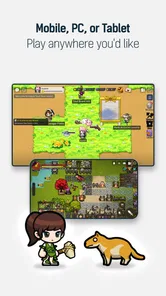
Upon launching MapleStory Worlds, I was instantly drawn in by its charming graphics and upbeat soundtrack. The game boasts a visually appealing design, with bright colors and detailed environments that are bound to keep your eyes glued to the screen. The characters are equally delightful, each with unique traits and personalities that add depth to the game.
Gameplay and Features
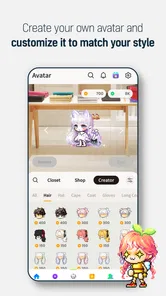
The gameplay of MapleStory Worlds is engaging and accessible, making it perfect for both casual gamers and seasoned players alike. You start by creating your character, customizing it to your liking with a plethora of options. Once you're set, the real adventure begins.
The game offers a variety of quests and challenges that keep the experience fresh and exciting. Whether you're battling monsters, completing missions, or exploring new territories, there's always something to do. The controls are intuitive, allowing you to navigate the world with ease and perform complex actions with simple gestures.
Choosing how to spend a short session
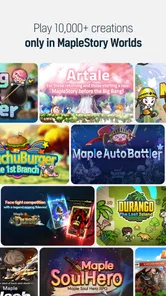
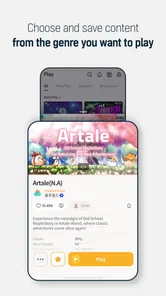
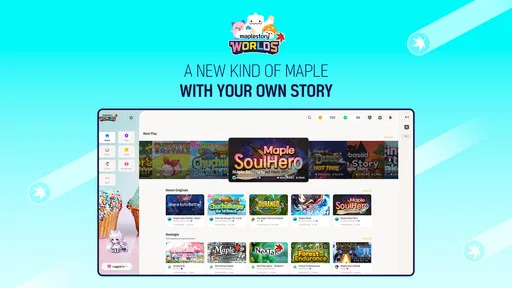
The name points to a broader collection of MapleStory experiences, so I wouldn’t approach it like a single, linear campaign that must be completed in order. If I had only a few minutes while waiting for someone, I’d pick one clear activity and avoid beginning something that depends on a long uninterrupted stretch. For a longer evening, I’d take time to browse and settle on a world that suits the group’s mood. That choice is a useful trade-off: variety can keep returning players curious, but it may feel less focused than a conventional mobile game built around one central loop.
More From Our News Desk

 Gmail
GmailGmail in a Busy Inbox: Who Benefits Most?
From first account to crowded workday, Gmail earns its place through dependable search and flexible sorting—but its best fit depends on how much inbox maintenance you can tolerate.

 Prime Video
Switching to Prime Video: What Changes in Your Viewing Routine
Prime Video can make a compelling second home for streaming, but switching means learning a different catalog, rental layer, and route from browsing to playback.

 Universal TV Remote Control
Universal TV Remote Control Works Best as a Reliable Backup
A phone remote earns its place through quick setup and reliable habits. Here is how to get more from Universal TV Remote Control—and where its limits show.

 Weather - By Xiaomi
Weather by Xiaomi Review: Clear at a Glance, Less Clear Up Close
Xiaomi’s weather app makes everyday forecasts quick to scan, but its calm surface can leave useful details and recovery paths harder to find than they should be.

 X
XX Under Pressure: Can It Recover When Posting Goes Wrong?
A resilience-focused review of X, examining setup, mistaken posts, interruptions, weak connections, and the gaps that matter when recovery needs to be dependable.

 Clash of Clans
Clash of Clans Is Won Between the Battles
Its raids are quick; its community is a long-term project of coordination, teaching, rivalry, and shared responsibility—with all the friction that entails.
Latest News



There are also sensible household questions to settle before play becomes a habit. The app is free to download, but it offers in-app purchases, with items ranging from $1.99 to $64.99. I’d make sure the person using the device knows that optional spending is possible and agree on a purchase rule beforehand. The game is rated for Everyone, which is a helpful starting point for age suitability, not a replacement for an adult’s judgment about a child’s online interactions or screen time.
Social Interaction and Community
One of the standout features of MapleStory Worlds is its strong emphasis on community. The game encourages social interaction, allowing you to team up with friends or make new ones as you journey through the game. The community is vibrant and welcoming, making it easy to find people to play with and share experiences.
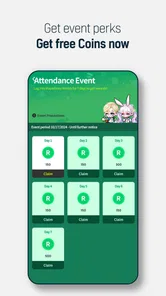
Moreover, the game includes various events and activities that foster collaboration and competition among players. Whether you're working together to defeat a formidable foe or challenging each other in mini-games, the social aspect of MapleStory Worlds adds a layer of depth and enjoyment to the overall experience.
Keeping a shared session comfortable
When several people want to play, coordination is more important than squeezing everyone into one session. I’d agree on who is playing, how long the turn lasts, and whether friends are joining before passing over the device. That helps avoid confusion and gives a younger player a chance to ask for help if an interaction feels uncomfortable. For someone who prefers solo play and does not want a community element, a single-player platform game may be a better match.
Compared with the usual mobile alternatives, this is less like downloading one polished, fixed adventure and more like entering a varied MapleStory space where the experience can depend on what you choose to explore. That flexibility is its draw, but it also means the game may not suit someone who wants a simple objective, a predictable session, or no social discovery. Its average rating is 2.9 from around 2.8 thousand ratings, so I’d go in with measured expectations rather than assume the broad appeal will work equally well for everyone.
The Final Verdict
After spending some quality time with MapleStory Worlds, I can confidently say this game is a delightful addition to the mobile gaming universe. Its captivating graphics, engaging gameplay, and vibrant community make it a must-try for anyone looking for a fun and immersive experience. So, if you haven't already, grab your device and start your adventure in MapleStory Worlds today. You won't regret it!
My more cautious recommendation is for households with someone who already likes colorful side-scrolling worlds and is happy to explore different activities. It has reached over one million installs, is free to start, and currently runs as version 1.26.3 on Android 6.0 or later. I’d skip it if you want a tightly guided, strictly private game or need a predictable, purchase-free experience. For everyone else, try a short session first, agree on account and spending boundaries, and see whether the world earns a place in your shared-device routine.
Making the first visit easier
When I introduce a new person to a world-based game, I try not to explain every possibility at once. I’d let them choose a character and get comfortable with the basic movement before discussing quests, social play, or the wider range of worlds. That order keeps the first session from becoming a tour of menus and makes it easier to tell whether the person actually enjoys moving through the environment. If the initial appeal is mainly the look of the game, a short hands-on trial is more useful than a long description.
For a shared tablet or phone, it also helps to distinguish between taking turns and sharing one ongoing play session. A handoff is simple when one person finishes an activity and the next person starts fresh; it can be more confusing when the next player inherits an unfinished task or a screen they do not understand. I’d leave a moment for the outgoing player to say what they were doing, then let the next person decide whether to continue or choose something else. That small bit of context is especially useful for younger players who may otherwise tap through choices just to get moving.
Choosing worlds without getting overwhelmed
The broad selection is best treated as a reason to sample thoughtfully, not as a promise that every option will suit every player. I’d pick a world based on the mood of the session—something straightforward for a first visit, or a more social activity when everyone already understands the basics. If browsing starts to take longer than playing, set a simple limit: choose one option to try, then decide afterward whether to keep exploring. This avoids the familiar problem of a large catalogue turning a quick break into indecision.
That approach also gives the household a fair comparison point. Rather than judging the whole app by the first thing opened, try a second type of experience on another occasion and notice what changes: the pace, the amount of reading, or whether other players are part of the fun. I wouldn’t assume that a favorite world will become everyone’s favorite. The app’s appeal lies partly in having different kinds of experiences under one roof, which naturally makes preferences less uniform.
Where it fits beside other mobile games
If I want a quick, self-contained puzzle or a familiar arcade loop, I’d choose a focused game instead. Those alternatives usually make their main activity obvious from the start and can be easier to recommend to someone who wants to play for a few minutes without browsing. MapleStory Worlds asks for a little more curiosity: the player needs to decide what to explore, and the payoff depends on finding a world that clicks. That is a real distinction, not a flaw by itself, but it makes the app a less reliable choice for someone who dislikes choice-heavy experiences.
On the other hand, a single fixed game can run out of novelty for a household whose members want different things. Here, the range of worlds gives the group a reason to revisit and compare what they enjoy, rather than repeatedly sharing one narrow activity. I’d see it as a better fit for an exploratory player than for someone who wants a clear beginning, middle, and end. If you already enjoy MapleStory’s visual style and are open to discovering different takes on it, that variety is more likely to feel like a benefit than a distraction.
Talking through accounts and spending
On a device used by both adults and children, I’d make the account boundary explicit before play. Agree whose account is active, who is allowed to make choices connected to it, and what should happen if a screen asks for a purchase. I would not rely on a child remembering a rule that was only mentioned once; a calm reminder before handing over the device is more practical. The purchase range makes that conversation worth having even when the app itself costs nothing to download.
There is a trade-off here: keeping one account convenient for everyone can make casual handoffs easy, but it can also blur who made a choice or spent money. Separate use habits may be clearer for a household, while a shared-device routine may be simpler when play is occasional. I’d choose the arrangement that the people using the phone can actually follow, rather than create complicated rules that are forgotten after a few days. A quick check before and after a session can prevent avoidable misunderstandings.
Age context and social comfort
The Everyone age rating makes the app approachable as a starting point for a broad audience, but I still think the social dimension deserves attention from a parent or caregiver. A child who is comfortable playing alone may respond differently when other people are involved, so I’d stay nearby during the first few sessions and ask what felt fun or awkward afterward. The aim is not to make ordinary play feel risky; it is to give the child an easy route to ask for help and to let the adult judge whether the experience suits them.
For adults sharing the app with children, playing alongside them can answer practical questions faster than trying to predict every reaction. You can see whether the child follows the activity, whether they enjoy the pace, and whether the social side is something they want to engage with. If they prefer quiet solo play, there is no need to push them toward group activities just because those are available. If the household wants a deliberately private experience with no community element, a conventional offline single-player game is likely the more comfortable pick.
A useful routine for busy households
A realistic use case is a short wait before dinner or a quiet stretch while one person finishes a call. I’d have one player choose a manageable activity, set a clear stopping point, and leave enough time to hand the device over without rushing. The next person can then decide whether to explore a different world or wait for another turn. This works better than beginning an open-ended session when the household is about to leave, because a clean stopping point makes it easier to put the phone away without an argument.
For a longer shared evening, I’d make the game one option rather than the whole plan. Let each person suggest a world, try one at a time, and stop when the group’s interest fades. That prevents the most enthusiastic player from setting the pace for everyone else. It also makes clear that enjoying one session does not require committing to the app as a daily habit; a varied entertainment app can be something the household returns to when the mood fits.
Overall, my recommendation depends on what you want from mobile entertainment. I’d choose MapleStory Worlds for a player who likes a colorful MapleStory setting, is curious about trying different activities, and can handle a little browsing before settling in. I’d pass if the priority is a tightly structured campaign, a simple no-choice game, or a fully private experience. Start with one short, supervised visit if children share the device, keep account and spending expectations clear, and let each person decide whether the variety is genuinely enjoyable.
MapleStory Worlds Frequently Asked Questions
Is MapleStory Worlds suitable for children, and what does its age rating mean?
MapleStory Worlds is rated Everyone, making it suitable for a broad audience. As with any entertainment app that includes online features, parents may want to consider how their child uses it and discuss responsible interactions with other players. The rating is a helpful starting point, while a family’s own preferences and rules can guide whether the app is right for a particular child.
How much storage space and internet access should I plan for?
MapleStory Worlds is an online multiplayer experience, so an internet connection is important for accessing its worlds and interacting with other players. Make sure your connection is reliable, especially when you are playing with others. The amount of storage needed can depend on the app and its updates, so it is sensible to check the available space on your device before installing.
Who develops MapleStory Worlds, and is it available as a mobile app?
MapleStory Worlds is a mobile entertainment app developed by Toben Studio Inc. It is available to download for Android and iOS devices, so you can explore its MapleStory-themed experience on a compatible phone or tablet. Before installing, check that your device meets the platform’s requirements and that you are downloading the app from a trusted app store.
What is MapleStory Worlds and what can I do in the game?
MapleStory Worlds is an expansive, immersive multiplayer online role-playing game (MMORPG) where players can explore a vibrant, animated world filled with quests, characters, and adventures. You can create and customize your own character, engage in battles, complete missions, and interact with other players. The game also features a rich storyline and numerous in-game events that keep the gameplay exciting and engaging.
Is MapleStory Worlds free to play, or are there in-app purchases?
MapleStory Worlds is free to download and play, offering a vast amount of content at no cost. However, it does include in-app purchases that can enhance your gaming experience. These purchases can be used to buy items such as costumes, weapons, and other accessories to personalize your character or boost your progress in the game. Purchases are optional, so you can decide whether to spend anything while playing.
Pros
- Rich
- immersive game world
- Frequent updates and events
- Engaging storyline
- Large community of players
- Wide variety of character customization
Cons
- Requires constant internet connection
- In-app purchases can be expensive
- Graphics may be demanding on older devices
- Gameplay can be repetitive
- Occasional bugs and glitches











