

Magic Fluids
- 2.29K
- 4.9
- Installs
- 100.00K
- Price
- $4.99
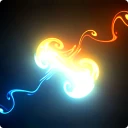
Screenshots
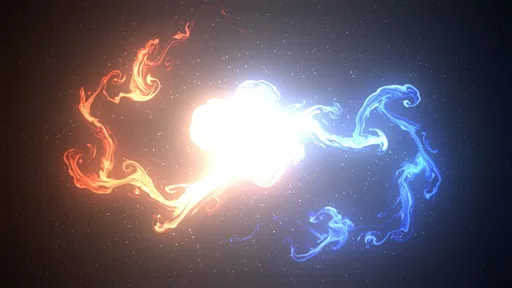
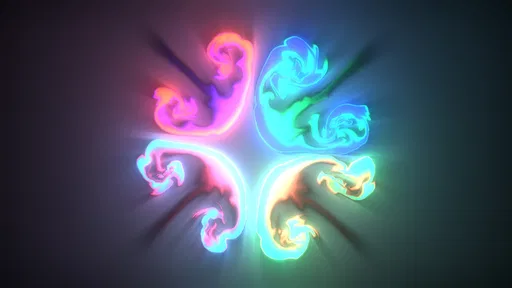
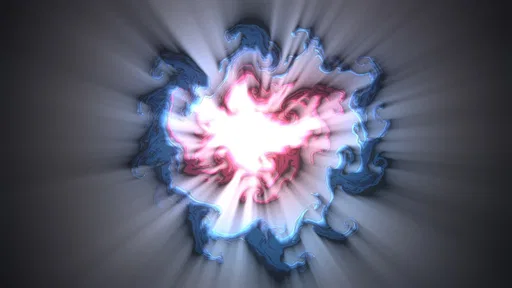

Analysis by Reviewed
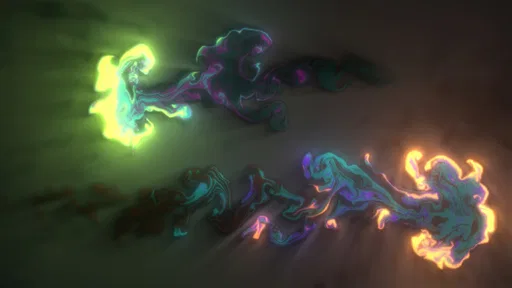
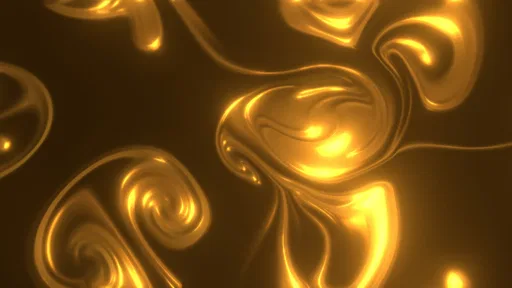
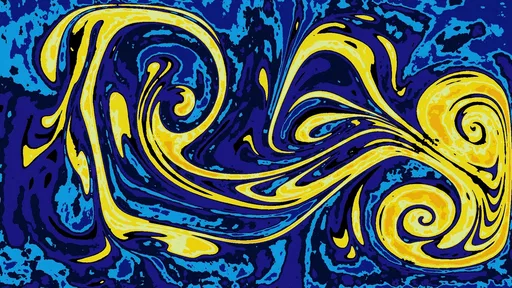
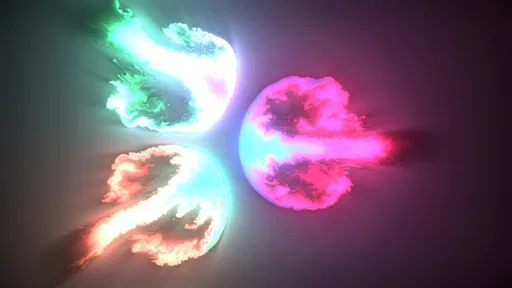
Have you ever been mesmerized by the swirling colors in a lava lamp or the hypnotic patterns in an abstract painting? If so, then Magic Fluids might just be the app you never knew you needed. This app transforms your smartphone screen into a vibrant canvas of swirling colors and shapes, offering a soothing escape from the mundane. Let's dive into the magical world of Magic Fluids.
What the experience is best suited to
I see this as a small, hands-on visual toy rather than a conventional entertainment app with a plot, levels, or a fixed goal. Its appeal is that you can open it, make a few movements, and watch the image respond. That makes it a natural fit for a short break, for someone who enjoys experimenting with color, or for a person who wants a visual focus while winding down. If you need a structured activity, a practical productivity tool, or a guided meditation with spoken instruction, I would look elsewhere.
For an everyday use, imagine waiting for a friend at a café with a few minutes to spare. Instead of scrolling through another feed, you can move a finger across the screen, see the pattern shift, and stop when you are ready. I find that kind of open-ended interaction pleasant precisely because it asks very little of me. It is not a promise of deep relaxation, though; how calming it feels depends on whether moving, changing colors, and watching motion suits your mood.
When a fluid-art toy fits better than another screen habit
The strongest reason to choose this over a typical entertainment app is that it does not ask you to keep up with a story, a feed, or a score. You can give it your attention for a minute and leave without feeling that you have abandoned a task halfway through. That makes it a good fit for people who enjoy tactile, exploratory play, including adults who want a low-pressure creative diversion and families looking for an uncomplicated visual activity. Its Everyone age rating reflects a broadly accessible presentation, but the open-ended play will still suit some people more than others.
A useful way to decide whether the $4.99 price is right for you is to think about what you would use instead. Free videos and wallpaper can provide moving color without requiring interaction; a drawing app is better if you want to compose a deliberate image; a meditation app is more suitable if you want a voice to guide a session. I would pay for this one if the act of changing the display is part of the appeal, not simply because I want a pretty screen. If you expect a library of structured activities or a finished piece to save and share, I would choose a different kind of app.
Unleashing Your Inner Artist
One of the most captivating features of this app is its ability to let users create stunning visual displays with just a few swipes of their fingers. The interface is incredibly user-friendly, allowing even those who aren't artistically inclined to create mesmerizing patterns and designs. You can customize the flow, colors, and even the physics of the fluids to suit your mood or style. It's like having a personal art studio right in your pocket!
Endless Customization
The customization options in Magic Fluids are truly endless. You can choose from a variety of presets or dive into the settings to tweak every aspect of the fluid dynamics. Want to create a calming oceanic scene? Adjust the color palette to cool blues and greens and slow down the flow. Feeling fiery? Switch to vibrant reds and yellows and watch the screen come alive with energy. The possibilities are as limitless as your imagination.
More From Our News Desk

 Gmail
GmailGmail in a Busy Inbox: Who Benefits Most?
From first account to crowded workday, Gmail earns its place through dependable search and flexible sorting—but its best fit depends on how much inbox maintenance you can tolerate.

 Prime Video
Switching to Prime Video: What Changes in Your Viewing Routine
Prime Video can make a compelling second home for streaming, but switching means learning a different catalog, rental layer, and route from browsing to playback.

 Universal TV Remote Control
Universal TV Remote Control Works Best as a Reliable Backup
A phone remote earns its place through quick setup and reliable habits. Here is how to get more from Universal TV Remote Control—and where its limits show.

 Weather - By Xiaomi
Weather by Xiaomi Review: Clear at a Glance, Less Clear Up Close
Xiaomi’s weather app makes everyday forecasts quick to scan, but its calm surface can leave useful details and recovery paths harder to find than they should be.

 X
XX Under Pressure: Can It Recover When Posting Goes Wrong?
A resilience-focused review of X, examining setup, mistaken posts, interruptions, weak connections, and the gaps that matter when recovery needs to be dependable.

 Clash of Clans
Clash of Clans Is Won Between the Battles
Its raids are quick; its community is a long-term project of coordination, teaching, rivalry, and shared responsibility—with all the friction that entails.
Latest News



Experimenting without overworking the settings
For a more satisfying first session, I would start with a preset and change just one quality at a time, such as the palette or pace. That makes it easier to notice what actually changes the mood of the image, instead of turning several controls and losing track of what you liked. A slower, restrained look can work well as a quiet background; stronger color and movement make more sense when you want to actively play with the screen. The trade-off is that customization is part of the attraction, but users who want a finished animation without any tinkering may prefer a passive wallpaper or video instead.
A simple workflow for more intentional sessions
There is a practical reason to avoid adjusting everything at once: when several qualities change together, it becomes hard to recreate a look you liked. I would treat a preset as a starting point, make one adjustment, and spend a few seconds observing before making another. If the display becomes visually busy, back off rather than trying to fix it by adding more effects. That small habit turns casual tapping into a more deliberate experiment and makes it easier to find a setting that feels comfortable to watch.
It can also help to decide what the screen is for before opening the controls. For a short pause, I would choose a calmer palette and keep my interaction light; for playful exploration, I would move across the screen and see how the image responds. The point is not to arrive at a perfect composition. The payoff is the immediate feedback between touch and flow, so settings are most useful when they support that feeling rather than becoming a project of their own.
Relaxation at Your Fingertips
In our fast-paced world, finding moments of relaxation can be challenging. Magic Fluids offers a simple yet effective way to unwind. The gentle movement of the fluids, combined with the ability to control the flow and colors, creates a meditative experience that's perfect for a quick mental break during a hectic day. It's like having a stress ball for your eyes!
Compared with a looping nature clip, this is more interactive: your touch helps shape the display rather than simply advancing a video. Compared with a drawing app, it is less about producing a precise finished picture and more about enjoying motion as it develops. That distinction matters if you plan to share or keep a particular result. I would approach it for the process, not as a substitute for an illustration tool or a library of ready-made scenes.
Where the open-ended format can fall short
The same lack of goals that makes the app easy to dip into can also limit its staying power. There is no built-in reason to return tomorrow beyond wanting to see and shape the fluid patterns again. If you enjoy a sense of progression, unlocks, challenges, or a clear end point, this may feel more like a brief diversion than a lasting hobby. I would not recommend buying it in the hope that it will develop into a conventional game or teach formal art skills.
Visual comfort is personal, too. Color and movement that one person finds soothing may feel distracting to someone else, especially when they are tired or trying to concentrate. If you are sensitive to animated screens, try short sessions and stop if the motion feels unpleasant; a still wallpaper or a calm audio track may be a better way to take a break. Likewise, it is not a substitute for support or a guided relaxation practice when you need more than a visual distraction.
Performance and Compatibility
Despite its stunning visuals, Magic Fluids runs smoothly on most devices without any noticeable lag. This is a testament to the app's optimization and efficiency. Whether you're using an Android or iOS device, you can expect a seamless experience that doesn't drain your battery or hog your device's resources. Plus, it's a lightweight app, so you won't have to worry about it taking up too much space on your phone.
On Android, Mad Scientist's entertainment app is currently at version 2.2.7 and requires Android 5.0 or later. It costs $4.99, so I would treat the purchase as a choice to support a focused visual experience, not as a commitment to a broad collection of activities. Its Everyone age rating makes the presentation suitable for a general audience, though the open-ended nature may be more engaging for people who enjoy visual experimentation than for those looking for a game with goals.
What the release history tells existing users
Magic Fluids was released on March 13, 2013, and the current Android version is 2.2.7. That gives existing users a clear reference point for the version they are considering, but it does not establish what changed in each release. I would not assume that a later version introduced a particular control or that the app has moved in a new creative direction without a specific release note saying so. What remains clear is the kind of experience it offers: open-ended, touch-led fluid visuals rather than a goal-based activity.
For someone returning after time away, the most useful test is whether the present experience still meets the original reason they installed it. If it was a quick way to play with colors, that core idea remains the deciding factor; if the hope was for new structure or a growing set of activities, the version number alone cannot answer that. The rating is a 4.9 average from around 9,100 ratings, with roughly 2,300 written reviews and over 100,000 installs. That indicates a substantial audience for this particular kind of visual play, not a guarantee that its calm, free-form approach will suit every person.
Who should choose it, and what to expect
The app has a 4.9 average from around 9,100 ratings, alongside roughly 2,300 written reviews and over 100,000 installs. That is encouraging evidence of an audience for this kind of experience, but it does not mean every user will find the motion soothing or the controls worth exploring. If you are sensitive to busy visuals, prefer still images, or want a clear task and sense of progress, I would skip it. If you like manipulating color and flow for its own sake, it has a more distinctive appeal than another passive clip.
One practical question is whether it is useful without a long session. In my view, yes: its quick, touch-driven nature lends itself to brief pauses, while the settings give curious users a reason to return and experiment. Another is whether the price makes sense. That depends on how often you expect to use a personal fluid-art toy; someone who only wants occasional background visuals may be better served by free videos or built-in wallpaper options. I would also keep expectations modest about battery and device performance: the earlier smooth-use impression is not a guarantee for every handset or every session, especially when a moving display is left running for a while.
A mature version, with sensible expectations
Magic Fluids was released on March 13, 2013, and its current Android version is 2.2.7. Those facts give a useful sense of a product that has been around and has a defined current release, but they do not tell me which individual features changed between versions. For existing users, the useful question is whether the present experience still suits their habits: if they already enjoy shaping fluid patterns, the core appeal remains clear; if they were hoping for a goal-driven game or an entirely different kind of entertainment, a version number alone is no reason to expect that shift. I would watch future releases for clearly described changes before making assumptions about new controls or compatibility.
What I would watch before recommending it
For prospective buyers, I would pay attention to clear descriptions of any future changes to customization, usability, or device support rather than treating a version bump as proof of a major redesign. Existing users may care most about whether the controls they rely on remain familiar, while newcomers may want to know whether the first session still makes it easy to explore without a lengthy setup. Those are practical questions for a visual toy, because its value depends on how quickly a person can move from opening it to enjoying the display.
My recommendation is therefore fairly specific: choose it if you want a tactile, low-pressure way to make fluid patterns and are happy to spend time exploring color and motion. Skip it if you need a structured game, guided calm, or a tool for creating precise artwork. Its long-established release and current version are useful context, but I would judge it by the experience it offers now rather than by assumptions about what may come next.
In conclusion, Magic Fluids is more than just an app; it's an experience. Whether you're looking to unleash your creativity, find a moment of calm, or simply enjoy some beautiful visuals, this app delivers on all fronts. It's a delightful blend of art and technology that provides endless entertainment and relaxation. So, why not give it a try and let your screen come alive with swirling colors and shapes? You might just find yourself getting lost in the magic.
Magic Fluids Frequently Asked Questions
Is Magic Fluids a paid app, and what should I expect before downloading?
Magic Fluids costs $4.99, so it is worth knowing that this is a paid download before you decide to install it. It is an entertainment app by Mad Scientist, built around colorful fluid effects rather than a conventional game with objectives or levels. If you are looking for a relaxing visual experience that you can interact with directly, its simple concept may appeal to you.
What is Magic Fluids and how does it work?
Magic Fluids is a mesmerizing fluid simulation app that allows users to create stunning, colorful displays with the swipe of a finger. The app uses advanced algorithms to simulate realistic fluid dynamics, resulting in beautiful, swirling patterns. It's perfect for relaxation, creativity, and even as a visual aid for meditation. Simply touch the screen and watch as the colors flow and blend in real-time.
Is Magic Fluids suitable for all age groups?
Yes, Magic Fluids is suitable for users of all ages. The app is easy to use and does not contain any explicit content, making it appropriate for children, teens, and adults. Its intuitive interface and calming visuals make it a great tool for relaxation and stress relief, regardless of age. The app has an Everyone content rating, which makes it a straightforward option for families seeking a colorful, interactive experience.
What are the system requirements for Magic Fluids?
Magic Fluids is compatible with both Android and iOS devices. For optimal performance, it is recommended to have a device running Android 5.0 or later, or iOS 10.0 or later. The app is lightweight and does not require a high-performance device, making it accessible to a wide range of smartphones and tablets.
Is Magic Fluids a game with goals, or is it mainly for relaxing?
Magic Fluids is best approached as an interactive visual experience rather than a game built around missions, scores, or progression. You touch the screen and watch colorful flows form and shift, making it suitable for relaxed exploration or simply taking a break. The store describes the effects as calming or creatively trippy, so the experience depends largely on how you choose to use it.
Pros
- Mesmerizing visual effects
- Highly customizable settings
- Smooth and fluid animations
- No intrusive ads
- Relaxing and stress-relieving
Cons
- Limited free features
- No multiplayer mode
- Battery drains quickly
- Requires high-end device for best performance
- Occasional crashes











