

Klede Plus
- 1.78K
- 4.7
- Installs
- 100.00K
- Price
- Free

Screenshots
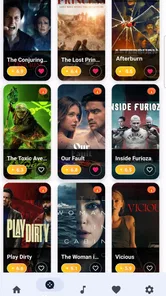
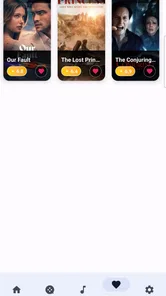
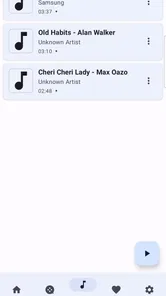
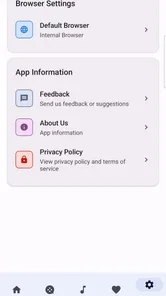

Analysis by Reviewed
I tend to collect useful pages faster than I can properly organize them. A recipe gets buried in a chat, a buying guide disappears among open browser tabs, and an article I planned to read later becomes impossible to find. Klede Plus is built around that simple problem: keeping favorite web pages together in an interest library instead of leaving them scattered across the browser and messaging apps.
After spending time with it, I see this free entertainment app from Zivsy as a focused companion for people who save a lot of online material. It is not trying to replace a full browser, a notes app, or a task manager. Its appeal is narrower and more practical: it gives saved web content a dedicated home. That focus is also its main limitation, because the value of the experience depends heavily on how often you are connected and how neatly you maintain your collection.
Saving pages is useful, but the network remains part of the experience
The first thing I noticed is that Klede Plus makes more sense when I treat it as a layer over the web rather than as a self-contained reading environment. The pages I want to keep still live online, so the app is most useful when my phone can reach them. In a strong connection, saving an interesting page feels quick and natural; I can capture something during browsing and return to the library later instead of relying on memory.
That connection-dependent design changes how I use the app. I do not see it as a guaranteed replacement for downloaded articles or a personal archive of complete web pages. I see it as an organized doorway back to things I found online. That distinction matters if you often travel through areas with unreliable service or expect every saved item to remain fully readable without access to the web.
A realistic example is my evening browsing routine. I might come across several pages about a hobby, save the ones that look genuinely useful, and sort my attention later when I have more time. The benefit is not that Klede Plus magically removes the internet from the process. The benefit is that it turns a stream of temporary discoveries into a collection I can revisit with more intention.
There is a subtle trade-off here. A browser bookmark list is often faster for someone who saves only a handful of pages, while Klede Plus becomes more attractive when saved material has different themes and deserves a clearer structure. If your browsing habits are mostly short searches with no need to return, adding another place to manage links may feel unnecessary.
What happens when the connection is weak
Connectivity is most noticeable when I am moving between networks. A page may open perfectly at home but take longer in a crowded public place, and the transition from mobile data to Wi-Fi can interrupt the simple rhythm of saving and revisiting. For that reason, I prefer to capture pages while they are already open and loading properly, rather than waiting until I need them during a rushed moment.
More From Our News Desk

 Gmail
GmailGmail in a Busy Inbox: Who Benefits Most?
From first account to crowded workday, Gmail earns its place through dependable search and flexible sorting—but its best fit depends on how much inbox maintenance you can tolerate.

 Prime Video
Switching to Prime Video: What Changes in Your Viewing Routine
Prime Video can make a compelling second home for streaming, but switching means learning a different catalog, rental layer, and route from browsing to playback.

 Universal TV Remote Control
Universal TV Remote Control Works Best as a Reliable Backup
A phone remote earns its place through quick setup and reliable habits. Here is how to get more from Universal TV Remote Control—and where its limits show.

 Weather - By Xiaomi
Weather by Xiaomi Review: Clear at a Glance, Less Clear Up Close
Xiaomi’s weather app makes everyday forecasts quick to scan, but its calm surface can leave useful details and recovery paths harder to find than they should be.

 X
XX Under Pressure: Can It Recover When Posting Goes Wrong?
A resilience-focused review of X, examining setup, mistaken posts, interruptions, weak connections, and the gaps that matter when recovery needs to be dependable.

 Clash of Clans
Clash of Clans Is Won Between the Battles
Its raids are quick; its community is a long-term project of coordination, teaching, rivalry, and shared responsibility—with all the friction that entails.
Latest News



This is one of the most useful habits I developed with the app: save first, organize when calm. If I am standing in a shop, waiting for transport, or quickly browsing during a break, I do not try to build a perfect library immediately. I save the page while the original context is in front of me, then review the collection later. That reduces the chance of forgetting why a link seemed important.
I also avoid treating the library as a substitute for urgent information. If I need a ticket detail, address, instruction, or time-sensitive page, I check the original source rather than assuming a saved entry will always be enough. Web pages change, links can stop behaving as expected, and a connection problem can turn a convenient reference into a frustrating delay.
How it fits real mobile routines
Klede Plus feels best suited to short, repeated phone sessions rather than one long desktop-style research project. I can imagine using it while commuting, during a lunch break, or after seeing a recommendation in a social feed. Those are moments when I want to preserve something without immediately deciding exactly when I will read it.
The app also works well for people whose interests overlap. I might save a travel article, a film-related page, a cooking idea, and a technology explainer in the same week. The interest-library approach gives those discoveries a place outside the browser’s general-purpose bookmark area. That separation is valuable because browser bookmarks often become a mixed drawer of work links, temporary searches, and pages I no longer remember saving.
On a small screen, however, organization needs restraint. If I save everything, the library can become another crowded feed. My practical rule is to ask one question before saving: will I realistically want to find this page again? If the answer is uncertain, I leave it in the browser history or share it with myself temporarily. This keeps the app’s collection more useful over time.
One non-obvious strength is that the app encourages a two-stage workflow. The first stage is capture, when speed matters more than perfect decisions. The second is review, when I can decide which interests deserve attention and which saved pages were only momentarily appealing. That separation is more realistic than expecting myself to categorize every discovery correctly while distracted.
It is also why I would not recommend Klede Plus to someone who wants a full productivity system. I would choose a notes or project-management tool for deadlines, assignments, checklists, and detailed annotations. Klede Plus is better when the object being collected is the web page itself, not a long record of my thoughts about it.
Who benefits most from the interest-library approach
The strongest audience is a curious, web-heavy user who regularly gathers references. Students researching several subjects, people planning trips, readers following a hobby, and anyone who keeps sending links to themselves can all find a clear use for it. The app gives those links a more deliberate destination than a chat thread.
It is less convincing for someone who already has a disciplined browser-bookmark system and rarely loses saved pages. In that case, a second library may create duplication rather than solve a real problem. It may also be a poor fit for users who expect an offline-first reading tool, because the experience is tied to web access rather than presented as a replacement for the original online page.
The Teen content rating is worth keeping in mind for families deciding whether the app belongs on a shared device. It is an entertainment-oriented app, but its practical value depends more on the kinds of pages a person chooses to save than on the library concept itself. I would still treat saved web content with the same judgment I use when browsing normally.
Recovery, cleanup, and the cost of depending on live pages
Every saving app eventually faces a recovery question: what do I do when a page is no longer useful, no longer available, or was saved by mistake? My approach is to review the library periodically instead of allowing it to become a permanent storage bin. Removing dead ends and outdated interests is not exciting, but it keeps future searches faster and makes the collection feel intentional.
When a page does not open, I first check whether the problem is the connection or the page itself. Trying again after switching networks can distinguish a temporary loading issue from a broken destination. If the page still fails, I do not keep treating the saved entry as reliable. I either search for a current version of the information or remove the item if it no longer serves a purpose.
This recovery habit reveals an important limitation: saving a page is not the same as preserving its contents. Klede Plus helps me remember where something was, but a live website can change its layout, move material, add a sign-in requirement, or disappear. Anyone building a serious research archive should keep important facts in a separate, durable format rather than relying on a saved web destination alone.
Another useful habit is to save the page at the moment its purpose is clear. A vague title or a forgotten context makes later cleanup harder. When I save something, I try to remember the interest it belongs to and why I wanted it. Even without turning the process into formal note-taking, that small pause makes the library easier to understand weeks later.
I would also avoid saving duplicate versions of the same page unless there is a clear reason. Duplicates create the illusion of a larger, more useful collection while making the actual material harder to scan. The app works better when I treat it as a curated shelf, not a complete record of every tap I make online.
Using it without wasting mobile data
Because the saved items lead back to web content, data-conscious use matters. I save pages when I have a stable connection and postpone browsing long, media-heavy destinations until I am comfortable with the network I am using. This is especially sensible when I am on a limited mobile plan or in a place where the signal repeatedly drops.
I also separate collecting from consuming. Capturing a page can be a quick action, while opening several saved pages later may involve images, video, advertisements, or other content loaded by the original website. If I am trying to conserve data, I review titles and interests first, then open only the pages that still matter. That simple filter prevents casual browsing from turning into a long, unnecessary session.
This is another area where Klede Plus differs from a dedicated offline reader. An offline reader is designed around downloading and reading stored material; this app’s central idea is organizing favorite web pages. Neither approach is automatically better. I would choose Klede Plus for discovery and retrieval, and a different tool when guaranteed access without a live connection is the deciding requirement.
Battery and loading time can also become practical concerns during mobile browsing, although they are not really problems the library alone can solve. The original pages control much of what happens after opening a saved item. I therefore judge the app mainly by how well it helps me choose what to revisit, not by expecting it to make every website lightweight.
Features, maturity, and everyday value
The current version is 1.1.5, and that detail gives me a cautious impression: the app is focused, but I would approach it as a developing utility rather than a replacement for every established bookmarking and reading workflow. Its basic idea is easy to understand, which is a strength. I do not need a complicated system to begin collecting pages around my interests.
Its public response is encouraging, with a 4.7 average from around 4.9 thousand ratings, while the app has passed 100 thousand installs. Those figures suggest that the concept is connecting with a meaningful audience, but they do not remove the need to test it against personal habits. A high average cannot tell me whether a library-based workflow fits someone who never saves links or someone who needs extensive research tools.
The app is free, which lowers the risk of trying it as a supplement to an existing browser. I would begin with one clearly defined interest rather than importing my entire browsing history or saving every page in sight. After a week or two, it becomes easier to judge whether the library is reducing friction or simply adding another inbox to maintain.
For me, the strongest use case is the middle ground between a casual bookmark and a formal knowledge base. I want to keep a page because it may matter later, but I do not yet want to write a detailed note, assign a deadline, or build a research database. That is where this app feels most natural.
The weakest use case is urgent, offline, or highly structured work. If I need guaranteed access on a flight, extensive annotation, collaboration, task reminders, or a complete citation system, I would look elsewhere. Klede Plus can sit beside those tools, but I would not force it to become something it was not designed to be.
My connectivity verdict
After using Klede Plus as a place for web discoveries, I find its value closely tied to the quality of my connection and the discipline of my saving habits. It is helpful when I want to capture pages quickly, separate interests from ordinary browser clutter, and return to online material with less searching. It is less helpful when I expect saved pages to behave like permanent downloaded documents.
My recommendation is straightforward: try it if your phone is full of links you genuinely intend to revisit. Start with a small interest library, save pages while they are available, and review the collection before it becomes crowded. Keep important information somewhere more durable, and do not depend on the app as your only source during weak connectivity or time-sensitive situations.
Zivsy has made a focused entertainment app for organizing the web around personal interests. Its simplicity is its best quality, but that simplicity means the user must supply the judgment: what deserves saving, what can wait, and what should be stored elsewhere. If you want a cleaner home for favorite web pages rather than a complete offline archive or productivity suite, Klede Plus is worth trying.
Klede Plus Frequently Asked Questions
Who develops Klede Plus, and what should I know before installing it?
Klede Plus is an entertainment app developed by Zivsy. It is intended for saving favorite web pages and building a library around your interests, so it may suit people who want to keep useful or enjoyable pages organized for later. Before installing, consider whether that purpose matches what you want from an app; its central appeal is collecting web pages rather than providing a general-purpose browsing experience.
What is Klede Plus and what can I use it for?
Klede Plus is an application designed to provide users with access to its main digital services and features through a mobile device. Its stated purpose is to help you easily save favorite web pages and create an interest library. This can be useful when you come across pages you want to revisit or keep together by topic. Check the official store page for the current description and supported device requirements before downloading.
Is Klede Plus free to download and use?
Klede Plus is free to download. Its listed price is free, so you can try the app without an upfront purchase. As with any app, review the official store page and any prompts shown during use before agreeing to optional services or sharing payment details. Its free price may make it an easy way to explore the idea of saving web pages and creating an interest library.
Is Klede Plus safe and trustworthy?
The safest way to install Klede Plus is through its official Google Play Store or Apple App Store listing rather than from an unknown APK or third-party website. Before creating an account, review the developer information, recent user feedback, requested permissions, privacy policy, and update history. Avoid sharing sensitive information unless it is clearly necessary, and keep your device and the application updated.
What permissions and account information does Klede Plus require?
The permissions required by Klede Plus depend on the features you use and the operating system installed on your device. It may request access to notifications, storage, camera, microphone, location, or account details when those functions are needed. During setup, read each permission request carefully and deny anything unrelated to the app’s purpose. Some services may also require an email address, phone number, or password.
Pros
- Simple interface makes browsing and managing content easy.
- Useful search tools help locate specific items quickly.
- Smooth performance on most modern Android and iOS devices.
- Regular updates can improve stability and add useful features.
- Convenient access makes it practical for frequent users.
Cons
- Some features may require a paid subscription or in-app purchase.
- The app may collect usage data depending on privacy settings.
- Performance can vary on older phones or slower connections.
- Support options may be limited if users encounter technical issues.
- Availability of certain content or features may differ by region.











