

Kids Bowl Free
- 314.00
- 4.2
- Installs
- 500.00K
- Price
- Free

Screenshots
Analysis by Reviewed
When I’m trying to plan an outing that works for children and doesn’t require a lot of advance preparation, bowling is an appealing option: it’s active, indoors, and easy for a group to enjoy at different paces. Kids Bowl Free is a free entertainment app from developer Steven Grimm that helps families access the program’s bowling coupons on the go. Its purpose is focused rather than broad, which is useful if you already want to organize a bowling trip, but less compelling if you’re looking for a general directory of children’s activities.
Readability and finding a participating center
The app is built around a practical sequence: find a participating bowling center, register children, and bring up coupons when you need them. I like that this keeps the main task clear. It is not trying to be a full family planner or a bowling game; it is a companion for arranging and using the offer. The listing describes the app as suitable for everyone, and its entertainment focus makes sense for parents or caregivers who want to handle the booking steps while children look forward to the outing.
In a real-world plan, I would check the available centers before promising the kids a visit. That small step matters: the offer is tied to participating locations, so the nearest alley is not automatically the right one. I’d also open the app before leaving home, rather than waiting until we’re at the counter, to make sure I can find the relevant coupon and have the center’s details ready. That is a simple workflow, but it can prevent a family from arriving with the wrong expectations.
For readability, the useful test is whether I can complete the task while distracted, not whether the interface looks polished in a screenshot. A caregiver may be checking the center while answering questions from children, so a short path from location choice to coupon access matters more than decorative extras. I would take a moment at home to learn where the selected center and coupons appear, then use that familiar route on the day. That small bit of preparation is especially helpful if the phone is being shared between adults or if someone else will handle the coupon at the desk.
Motor and sensory considerations
Bowling can suit a mixed-age group because everyone can take turns and participate at their own pace, but the app itself is only one part of the experience. A parent may need to manage registration and coupon access while also supervising children, carrying bags, or helping someone who needs extra time. Keeping the coupon ready before entering a busy venue can make that handoff easier. The app’s value here is convenience, not a substitute for checking whether a particular bowling center works for your family’s needs.
The alley can also be loud and lively, which some children enjoy and others find tiring. I would treat the coupon as a way to make a visit more affordable, not as a reason to stay longer than a child is comfortable with. A shorter visit, a quieter time chosen with the center, or a plan to take breaks may be better for some families. Those decisions happen outside the app, but they shape whether its offer turns into a genuinely enjoyable outing.
There is a practical motor trade-off too: a phone is convenient because it replaces a paper coupon, but holding and navigating it while supervising a group is not always easy. I’d have one adult be the designated phone-holder and bring the coupon up before the group joins a queue. If a child needs support with transitions, it can help to explain the plan before arriving: check in, bowl, pause when needed, then leave. The app can help with the coupon step, but it cannot make the venue itself calmer or remove the need for hands-on support.
More From Our News Desk

 Gmail
GmailGmail in a Busy Inbox: Who Benefits Most?
From first account to crowded workday, Gmail earns its place through dependable search and flexible sorting—but its best fit depends on how much inbox maintenance you can tolerate.

 Prime Video
Switching to Prime Video: What Changes in Your Viewing Routine
Prime Video can make a compelling second home for streaming, but switching means learning a different catalog, rental layer, and route from browsing to playback.

 Universal TV Remote Control
Universal TV Remote Control Works Best as a Reliable Backup
A phone remote earns its place through quick setup and reliable habits. Here is how to get more from Universal TV Remote Control—and where its limits show.

 Weather - By Xiaomi
Weather by Xiaomi Review: Clear at a Glance, Less Clear Up Close
Xiaomi’s weather app makes everyday forecasts quick to scan, but its calm surface can leave useful details and recovery paths harder to find than they should be.

 X
XX Under Pressure: Can It Recover When Posting Goes Wrong?
A resilience-focused review of X, examining setup, mistaken posts, interruptions, weak connections, and the gaps that matter when recovery needs to be dependable.

 Clash of Clans
Clash of Clans Is Won Between the Battles
Its raids are quick; its community is a long-term project of coordination, teaching, rivalry, and shared responsibility—with all the friction that entails.
Latest News



Situational access and practical trade-offs
The biggest everyday advantage is having coupons on a phone instead of relying on a printout. If plans change, a digital copy is easier to keep with you; if you are coordinating with another adult, it also helps to agree in advance who will open and present it. I’d avoid assuming that the app replaces every part of the visit, though. The coupon covers the eligible bowling offer, while details such as shoe rental can still affect what the family pays. Checking costs with the center before setting a budget is sensible.
Compared with searching the web for family activities or calling bowling alleys one by one, a dedicated coupon app can make the offer easier to locate and use. The trade-off is that it is narrow: if you want several types of discounts, broad local listings, or activities that do not depend on a bowling center, a general events directory or a direct call may be more useful. I would use this app when bowling is already on the shortlist, not as my only tool for deciding what to do during school holidays.
My best low-stress workflow would be to check the participating center first, register well before the outing, and confirm any venue-specific conditions directly with the alley. Then I’d open the coupon while still at home and make sure the right adult can access it. That sequence avoids trying to handle account steps in a noisy lobby and gives the family time to change plans if the location or schedule does not fit. It also makes the app useful as a focused tool rather than a last-minute rescue.
Who will get the most from it
It is most useful for a caregiver planning a visit with children who are keen to bowl, especially when a participating center is convenient and the group can work around the offer’s conditions. For example, on a rainy afternoon, I’d check the local center in the app, register the children ahead of time, and bring the coupons up before we reach the desk. That leaves less to sort out while everyone is waiting. Families who rarely visit bowling alleys, have no participating center nearby, or need a fully customized activity plan may not get much from keeping it installed.
One practical question is whether it works for a group beyond a small household. The original app experience described registration for up to six children, which can help when cousins or friends join, but I would still check the current registration flow before organizing a larger group. Another is whether you need paper coupons: the intended convenience is accessing them in the app, so I’d have the phone charged and the coupon ready rather than planning around printing. For venue-specific rules, I’d rely on the center’s own guidance before travelling.
It is also worth thinking about who should skip it. If the children in your group do not enjoy turn-taking, busy indoor spaces, or the sensory feel of a bowling alley, a free offer may not make the outing worthwhile. Likewise, families looking for a spontaneous activity without checking eligibility or planning around a participating location may find a local park or general activity listing simpler. I would not install it expecting a steady stream of unrelated family deals; its strength is helping with this one kind of outing.
The app has an average rating of 4.3 from 682 ratings, with 301 written reviews, and has reached over 500,000 installs. It is free and carries an Everyone age rating. Those figures suggest it has found a clear audience, but they do not tell me whether a particular location or family’s schedule will make the offer worthwhile. Its version 2.5.0 supports operating systems from 7.0, so compatibility is worth checking if you use an older device.
What is Kids Bowl Free?
Alright, for those who haven't heard about it yet, Kids Bowl Free is an app that offers exactly what its name suggests. It allows kids to bowl for free during the summer months at participating bowling centers. You heard me right! Free bowling for kids! It's designed to give kids a fun activity during their holidays, while also providing a little relief on our wallets. The idea is pretty simple and genius if you ask me.
Getting Started
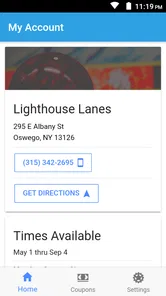
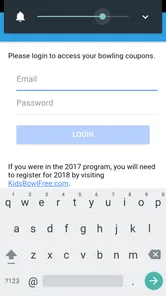
First things first, you need to download the app from your app store, be it Android or iOS. The installation was a breeze, and once you open it, you're greeted with a user-friendly interface. I was able to sign up without any hiccups, and it only took a few minutes. Once you're all set up, you can search for the nearest participating bowling centers. The app lists them out neatly, and you can even get directions to the venue. Talk about convenience!
Even with a straightforward sign-up, I would avoid leaving registration until the moment you want to go. Doing it earlier gives you space to check that the children are entered as intended and that you have chosen the right center. If another adult is helping with the outing, agree on who will manage the account and coupon before you set off. That prevents a needless scramble when the group is ready to check in, and it keeps the app’s small administrative task from becoming the main event.
Using the App
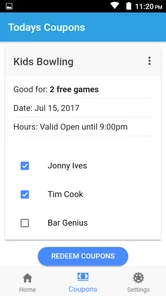
Once you've picked your bowling center, you simply need to register your kids. The app allows you to register up to six kids, which is fantastic if you have a big family or if you're planning an outing with friends. After registration, the app generates coupons that you can use at the bowling center. I found it super handy that you can access these coupons directly from the app, so no need to worry about printing them out or losing them.
For a group outing, I’d still make one adult responsible for matching the coupon to the plan and checking the center’s conditions. The group limit makes the app appealing for a family plus a couple of friends, but it is not a reason to assume every child in a larger party can be covered the same way. If more children may join, check the current process before inviting them. This is a small bit of coordination, yet it avoids an awkward conversation at the counter and makes the offer easier to use fairly.
The Bowling Experience
Now, onto the actual bowling experience! My kids were thrilled when we arrived at the bowling alley. The atmosphere was lively, and it was the perfect setup for some family fun. Thanks to the coupons, we didn’t have to spend a dime on the games for the kids. Just a heads-up, though, you might need to rent shoes, as that's not covered by the app. But hey, a small price to pay for a day full of entertainment, right?
I would budget with the whole visit in mind rather than treating the coupon as a promise that everything will be free. Ask the center about shoe rental and any other costs that apply to your group, then decide whether the total still suits your plans. That is particularly helpful when inviting friends, since families may have different expectations about spending. A clear estimate makes it easier for everyone to enjoy the outing without having to renegotiate the plan once you arrive.
Why You Should Try It
Honestly, if you're looking for a budget-friendly way to keep the kids entertained this summer, Kids Bowl Free is a no-brainer. Not only does it provide a fun outing for the kids, but it also gives parents a chance to relax and join in on the fun without worrying about the cost. Plus, it’s a great way to introduce the kids to bowling and maybe even spark a new hobby!
I’d recommend it most when the bowling trip is already something your family wants to do and the participating center fits your location and schedule. It can make planning that specific outing easier, but it is not a substitute for comparing other activities if your main goal is simply to fill an afternoon. A free or discounted activity still has a time cost, travel, and possible extras. Thinking about those factors upfront helps decide whether bowling is genuinely the best choice for that day.
In conclusion, the Kids Bowl Free app is a fantastic initiative that combines fun, activity, and savings. It's easy to use, and the joy it brings to the kids makes it worth every second spent on the app. So, go ahead and give it a try! Your kids will thank you, and you might just find yourself enjoying a game or two.
An inclusive choice, with sensible limits
For me, the app’s strongest inclusive point is practical rather than technical: it brings the coupon into a device a caregiver may already carry, and it keeps the outing’s core steps together. That can help when plans involve several children or when one adult is handling logistics while another supervises. Still, ease of accessing a coupon should not be confused with accessibility across every ability or setting. Families should consider the child’s comfort with the venue, the support they need, and whether the center can accommodate them.
My verdict is that this is a useful, narrowly focused companion for families who want to make a bowling visit happen, not a complete solution for planning accessible outings. I would use it when a participating center is convenient, the children are interested, and I have checked the practical details before leaving. If those pieces line up, having the coupon ready on the phone can remove one small source of friction. If they do not, choosing a different activity is the better call, even when the offer looks tempting.
Kids Bowl Free Frequently Asked Questions
What does the Kids Bowl Free app help me do?
Kids Bowl Free is an entertainment app for accessing your Kids Bowl Free bowling coupons on the go. It is intended to make it easier to use the program while away from home, with the app serving as a companion for viewing and managing your coupons. The app is free and is rated for Everyone, so families can consider it when planning a bowling outing.
What is Kids Bowl Free?
Kids Bowl Free is a program designed to provide a safe, secure, and fun experience for children during the summer months. Participating bowling centers offer registered children two free games of bowling each day, encouraging physical activity and family bonding. The app facilitates registration and tracking of your bowling games and rewards.
How do I register my child for Kids Bowl Free?
To register your child for the Kids Bowl Free program, download the app on your Android or iOS device and follow the on-screen instructions. You will need to enter your child's information and select a participating bowling center. Once registered, you will receive free bowling passes directly to your email or app account.
Is there a cost associated with Kids Bowl Free?
The Kids Bowl Free program itself is completely free for children. However, shoe rentals are not included and may incur a small fee at the bowling center. Additionally, there are optional family passes available for purchase, which allow other family members to bowl alongside the registered children at a discounted rate. The app itself is free to download.
What are the age restrictions for Kids Bowl Free?
Kids Bowl Free is generally available for children aged 2 to 15 years old, although specific age requirements may vary by participating bowling center. It is best to check the details for your selected location on the app to ensure your child meets the age criteria before registering.
Pros
- Free bowling games for kids.
- Encourages physical activity.
- Great for family outings.
- Easy registration process.
- Promotes social interaction.
Cons
- Limited to participating centers.
- Restricted time slots.
- Requires adult supervision.
- Not available year-round.
- Limited to specific age groups.











