Instant Loans for Bad Credit
- 67.00
- 4.0
- Installs
- 100.00K
- Price
- Free

Screenshots
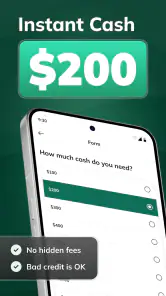
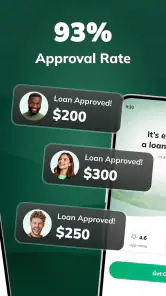
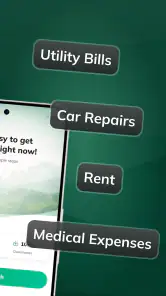

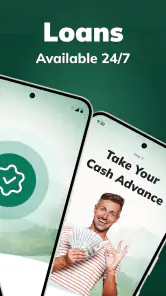
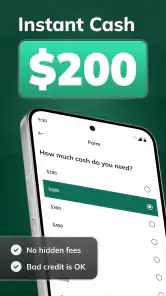
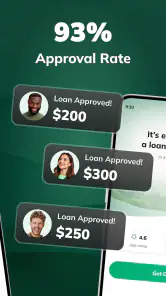
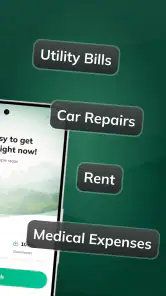
Analysis by Reviewed
When an unexpected bill appears, the hardest part is often not finding a financial app but judging whether it will actually help without creating a bigger problem later. I spent time looking at Instant Loans for Bad Credit from SMT-Group as a finance app built around online borrowing, and my first impression is that it is aimed at people who want to explore a loan request from a phone rather than visit a branch or make several calls. That convenience is appealing, but it should not be confused with guaranteed approval or automatically affordable borrowing.
The app is free to install, carries an Everyone age rating, and is available for devices running Android 7.0 or later. Its current version is 1.0.10, while the app itself was released on February 25, 2025. Those details make it accessible to many older Android phones, which matters if your device is not recent. In my view, the most important question is not whether it opens quickly; it is whether you can review the borrowing terms calmly before accepting anything.
How Instant Loans for Bad Credit feels in real use
Speed is useful only when the decision is clear
The main appeal of Instant Loans for Bad Credit is obvious: it is designed for people looking for an online loan or an installment-based option when cash is needed. A mobile-first process can feel faster than comparing lenders through separate websites, especially when you are already dealing with a time-sensitive expense. The short description, “Instant Loans,” sets that expectation, but I would interpret it as quick access to a loan-search or application experience, not as a promise that money will arrive immediately.
That distinction is essential. A fast form is not the same as fast funding, and a quick response is not the same as approval. Loan decisions can depend on information you provide, lender checks, eligibility rules, and the terms presented during the process. I would use the app to begin an application and understand the available route, while keeping a realistic backup plan for a bill that cannot wait.
My practical advice is to prepare before opening it. Know the amount you genuinely need, the date by which you could repay it, and the maximum total cost you could handle. This prevents the common mistake of starting with “How much can I get?” instead of “How much can I repay safely?” That small change in approach makes a finance app more useful and reduces the temptation to borrow extra simply because an offer appears available.
A better workflow for urgent expenses
For an everyday situation, imagine your car needs an unexpected repair just before payday. I would first write down the repair amount, check whether delaying the repair creates a larger risk, and then use the app to investigate an appropriate borrowing amount. If an installment option appears, I would compare the payment schedule with my next few pay cycles rather than focusing only on the first payment.
The non-obvious trade-off is that installment borrowing can make a large expense look manageable while extending the financial pressure beyond the original emergency. A smaller payment may fit this week but cost more over time. I would therefore record the total repayment, any stated fees, and the due dates before agreeing. If those details are difficult to find or understand, I would stop rather than rush because the app feels convenient.
I would also avoid submitting repeated applications simply because the first result is disappointing. Multiple attempts can make the process confusing, and each new offer may have different conditions. Treat the first pass as information gathering: understand what the app is asking, check the repayment structure, and only continue when the terms match your budget.
What happens during heavier use
Finance apps usually do not demand the same graphics power as games or video editors, and this one is a focused borrowing tool rather than a resource-heavy entertainment app. On a compatible Android phone, I would expect ordinary screens such as forms, account details, and loan information to be more demanding of your attention than of the processor. The real “heavy-use” moment is likely to be a long application session, especially when you are switching between the app, your banking information, messages, and notes.
That workflow can expose practical friction. On an older phone, moving between apps may reload a page or remove text that has not been saved. I would prepare important figures in a note first and avoid filling out a loan request while walking, commuting, or dealing with a stressful emergency. A stable connection and a charged device are more valuable here than raw speed.
There is also a human performance issue. When money is tight, it is easy to skim a screen and accept the first apparently suitable option. I recommend pausing at every repayment figure and reading the complete offer. If the app presents several choices, make a short comparison in your notes: amount received, payment amount, payment frequency, total repayment, and the date the first payment is due. This is a simple but powerful way to prevent a fast interface from encouraging a rushed decision.
Stability and recovery matter more than visual polish
For this type of app, reliability means more than whether the home screen loads. I would judge it by how clearly it preserves progress, how understandable its messages are when something goes wrong, and whether I can return to the same information after an interruption. A loan application is sensitive work, so a vague error or an unexpectedly reset form can be much more frustrating than a slow animation in another category.
Because the app is relatively new, I would keep my expectations practical rather than assuming every device and network will behave identically. Its public reception is encouraging but not overwhelming: it has an average rating of 4.0 from around 1.1 thousand ratings, with 67 written reviews and over 100 thousand installs. I see that as enough interest to take seriously, but not as a reason to skip my own checks of the screens and terms.
If the app stops responding, my recovery routine would be conservative. I would note the last screen reached, avoid pressing a submit button repeatedly, check whether the request actually went through, and then reopen the app only after confirming the connection is stable. Repeated submissions are a poor idea in a financial workflow because you may not know whether the first attempt was recorded.
I would also keep screenshots or written notes of important offer details where appropriate, without capturing sensitive account credentials. That gives you a reference if the app closes or you need to compare the offer later. The goal is not to create a permanent archive of private information; it is to avoid relying on memory during a stressful borrowing decision.
Older devices are welcome, but the operating system is not the whole story
The minimum requirement of Android 7.0 is useful because many people keep an older phone as their main or backup device. In that sense, the app is less demanding than finance tools that require a newer operating system. Still, compatibility does not guarantee a smooth experience on every older handset. Limited storage, an aging battery, weak mobile data, or aggressive background-app management can all interrupt a form-based process.
If you are using an older phone, I would close unnecessary apps, charge the battery, and use a dependable connection before beginning. Keep the operating system and browser components reasonably maintained as well, since secure financial screens can depend on system components beyond the app itself. These steps do not change the loan terms, but they reduce the chance of losing your place at an inconvenient moment.
Privacy deserves extra attention on shared or borrowed devices. I would not complete a loan request on a public tablet or a phone that another person regularly uses. After finishing, I would review saved passwords, notifications, and any downloaded documents. The Everyone rating describes general audience suitability, not financial maturity; an adult still needs to make a responsible borrowing decision, and a young user should not treat the app as casual spending money.
Who will find it useful?
I think the app is most suitable for someone who wants a convenient starting point for investigating an online loan and who is capable of comparing repayment details independently. It may also suit a person with an older Android phone because the Android 7.0 requirement is not especially restrictive. The free installation lowers the barrier to exploring the process, although “free” refers to accessing the app, not to the cost of borrowing.
It is less suitable for anyone looking for guaranteed approval, guaranteed instant cash, or a way to avoid reading financial conditions. It is also a poor fit if your income is already committed and even a modest new payment would force you to miss essentials. In that situation, a conversation with a bank, credit union, debt adviser, employer, or trusted support service may be safer than taking a high-pressure loan decision through any app.
People with bad credit should be especially careful about the phrase implied by the app’s name. A lender willing to consider a difficult credit profile may still offer terms that are expensive or restrictive. I would never assume that “bad credit” means “no checks,” “no conditions,” or “better value.” The right comparison is the complete cost and repayment risk, not simply whether an application can be started.
How it compares with ordinary alternatives
Compared with visiting a traditional bank branch, a mobile loan app is more convenient and can be used outside branch hours. It also gives you a private place to begin researching rather than explaining your situation face to face. The downside is that a digital interface can make borrowing feel frictionless, while a bank adviser may ask questions that expose whether the payment is truly affordable.
Compared with a bank’s own app, a dedicated lending tool may feel more focused on finding an online loan or installment arrangement. A bank app, however, may offer clearer access to your existing balance, regular income, and established relationship. If you already bank with an institution that provides a personal-loan calculator or a pre-approved option, I would compare that route carefully before choosing a separate service.
Compared with a credit card or overdraft, an installment loan can offer a more defined repayment schedule, which may help with planning. On the other hand, an overdraft might be cheaper for a very short gap, while a card could be more flexible if you can repay it quickly and responsibly. The better option depends on the total cost and how long the debt will remain. I would use a basic written comparison instead of assuming the app’s first available route is automatically the best one.
Compared with borrowing from family or asking for a payment extension, an app-based loan is more independent but may introduce formal costs and scheduled obligations. For a small, temporary emergency, negotiating a bill date or using existing savings may be preferable. The app becomes more defensible when it solves a necessary expense that cannot reasonably be delayed and the repayment fits your budget without sacrificing rent, food, utilities, or essential transport.
Small habits that make the experience safer
My first tip is to separate eligibility from affordability. An app may help you discover whether a lender is willing to consider your application, but that answer does not tell you whether the loan belongs in your budget. Before accepting, calculate the payment alongside your fixed expenses and leave room for ordinary surprises.
My second tip is to read the repayment calendar, not just the headline amount. If payments fall on dates that do not match your income, even a seemingly reasonable offer can become difficult. A calendar view in your own notes can reveal whether two obligations land in the same week, which is a detail easy to overlook during an urgent application.
My third tip is to use the app at a calm time whenever possible. If you are applying because of an immediate crisis, take a short pause to verify names, amounts, and dates before submitting. Check that you are on the intended screen and that you understand whether you are reviewing an offer or completing an agreement. That distinction is one of the most valuable pieces of discipline in a fast borrowing workflow.
Finally, keep the app updated when a newer version becomes available, but do not treat an update as proof that a loan offer is suitable. The current release is 1.0.10, and software maintenance can improve compatibility or fix problems, yet it cannot replace careful financial comparison. The app can support the process; it cannot make the decision for you.
My performance verdict
After weighing its purpose, accessibility, and likely use under pressure, I see Instant Loans for Bad Credit as a practical entry point for researching online borrowing on Android, especially for people who value a phone-based process and use a device that meets the Android 7.0 requirement. Its free access, focused finance category, and clear loan-oriented purpose make it easy to understand.
My recommendation is conditional rather than enthusiastic: use it as a comparison and application tool, not as an emergency button that removes the need for judgment. I would be comfortable exploring it for a necessary expense after preparing a repayment budget, but I would not accept an offer simply because the process feels quick. The app’s strongest quality is convenience; its biggest risk is that convenience can shorten the time you spend thinking.
SMT-Group has created something that may be useful to borrowers who need a straightforward mobile starting point, and the app’s 4.0 average suggests a generally positive reception. Still, the right result depends on the terms shown to you and your ability to repay them. If you need guaranteed certainty, personal guidance, or a very low-cost solution, a bank, credit union, bill negotiation, or debt-support service may be the better choice.
In short, I would recommend trying the app only with a written budget beside you. Check the total repayment, align the dates with your income, protect your personal information, and stop if the conditions are unclear. Used with that discipline, it can make loan research more convenient; used as a shortcut around affordability, it is not the solution I would trust.
Pros
- Quick application process with minimal paperwork
- May help users with limited or damaged credit histories
- Clear repayment schedules are often shown before acceptance
- Funds can be useful for urgent
- unexpected expenses
- Many services offer online access at any time
Cons
- Interest rates and fees can be significantly higher than traditional loans
- Late payments may lead to extra charges and credit damage
- Loan amounts may be too small for larger financial needs
- Approval is not guaranteed despite bad-credit eligibility claims
- Some lenders may share data with third-party service providers

- Category
- Finance
- Version
- 1.0.10











