

iFunny-video memes, meme maker
- 185.61K
- 4.0
- Installs
- 10.00M
- Price
- Free

Screenshots
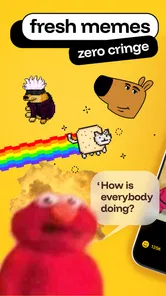


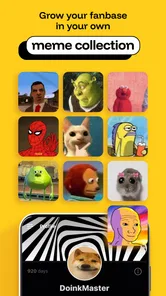




Analysis by Reviewed
I usually turn to iFunny-videos,memes,jokes,GIFs when I want a quick laugh without deciding what to watch in advance. It is an entertainment app from iFunny Inc., built around a constantly browsable mix of jokes, image posts, GIFs and video. That casual, dip-in-and-out format is its biggest strength: I can open it during a quiet moment, find something amusing, and leave without committing to a longer show or conversation.
It works best when I treat the feed as an assortment rather than a promise that every post will suit me. Some days I find a joke worth sending to a friend within a minute; other times I scroll past several posts before anything lands. That variation is part of the experience, so I would approach it as a low-effort source of discovery, not as a dependable answer to a very specific entertainment need.
Finding the right kind of laugh
Once you dive into iFunny-videos,memes,jokes,GIFs, you'll instantly notice the vast array of content available. From hilarious memes to viral videos and witty jokes, there's something for everyone. The app's user-friendly interface makes it super easy to navigate, allowing you to quickly find the type of content you're in the mood for. Trust me, it's like a treasure trove of laughter waiting to be uncovered.
That variety also means the feed can feel uneven. A run of posts may land perfectly, while the next few miss my sense of humor or lean on a joke I have already seen elsewhere. I treat it as a broad stream to browse rather than a carefully edited comedy collection. If you want one specific style, or a polished playlist with a predictable tone, a dedicated video service or a creator’s own page may be a better fit.
Compared with a short-video platform, iFunny feels more mixed: the appeal is not only watching clips but also moving among images, jokes, GIFs and community posts. Compared with searching the web for a particular meme, it is less precise but more likely to surface something unexpected. That trade-off matters. I open it when I am open to whatever comes next, not when I need a specific clip or want to follow one creator closely.
Personalized content and a more useful scroll
One of the standout features of iFunny is its ability to tailor content based on your preferences. As you interact with different posts, the app smartly curates a feed that aligns with your sense of humor. So, the more you engage, the better your experience gets! It's like having a personal comedian who knows exactly what tickles your funny bone.
A practical way to shape that experience is to notice which posts you genuinely enjoy and interact selectively, rather than tapping through everything just to keep moving. That gives the feed clearer signals and helps avoid training it around a passing curiosity. I also recommend deciding before you open the app whether you have a spare minute or are ready for a longer browse: a continuous stream makes it easy to lose track of time, especially when one funny post leads to another.
More From Our News Desk

 Gmail
Gmail in a Busy Inbox: Who Benefits Most?
From first account to crowded workday, Gmail earns its place through dependable search and flexible sorting—but its best fit depends on how much inbox maintenance you can tolerate.

 Prime Video
Switching to Prime Video: What Changes in Your Viewing Routine
Prime Video can make a compelling second home for streaming, but switching means learning a different catalog, rental layer, and route from browsing to playback.

 Universal TV Remote Control
 Works Best as a Reliable Backup
A phone remote earns its place through quick setup and reliable habits. Here is how to get more from Universal TV Remote Control—and where its limits show.

 Weather - By Xiaomi
Weather by Xiaomi Review: Clear at a Glance, Less Clear Up Close
Xiaomi’s weather app makes everyday forecasts quick to scan, but its calm surface can leave useful details and recovery paths harder to find than they should be.

 X
X Under Pressure: Can It Recover When Posting Goes Wrong?
A resilience-focused review of X, examining setup, mistaken posts, interruptions, weak connections, and the gaps that matter when recovery needs to be dependable.

 Clash of Clans
 Is Won Between the Battles
Its raids are quick; its community is a long-term project of coordination, teaching, rivalry, and shared responsibility—with all the friction that entails.
Latest News



There is a useful distinction between a one-off interest and the humor I want more of. If I linger on a post only because I am trying to understand the joke, I do not necessarily want the feed to treat that as a strong preference. I interact more deliberately when I am browsing for fun, and I move on quickly when a post is not for me. This is a small habit, but it makes personalization feel less like a chore and more like a gradual adjustment.
Community, sharing and the small snags
What sets iFunny apart is its vibrant and engaging community. You can comment on posts, share your favorite memes, and even create your own content to share with others. It's a delightful way to connect with like-minded humor enthusiasts from all around the world. Plus, who doesn't love a little friendly banter in the comments section?
Comments can add context or turn a post into a running joke, but they are not essential to enjoying the feed. If a discussion gets repetitive or stops being fun, I simply move on instead of treating every thread as a conversation worth following. Sharing is useful when a friend will understand the reference; a meme that depends on a fast-moving trend can lose its punch if sent without context, so I choose posts that make sense on their own.
When I do want to share something, I think about the recipient before I send it. A visual joke that works instantly is a better casual message than an inside reference that needs a long explanation. If the humor depends on the comments, I may share it only with someone who enjoys reading the thread too. This avoids turning a quick laugh into a confusing notification for a friend who has not seen the same trend.
Another cool aspect is the app's daily features, where top memes and jokes are showcased. It's a great way to discover trending content and see what others are enjoying. And if you're feeling particularly creative, you can even participate in meme contests and challenges!
That community element is also a reason to set your own boundaries. I can enjoy the posts without joining every discussion or feeling that I need to publish something in return. If I am browsing in a short break, reading comments can easily take longer than viewing the post itself, so I decide whether I want the extra context before opening a thread. For people who want an entirely private, passive viewing experience, the social side may feel like unnecessary noise.
Setup checks and getting back into a smooth workflow
If the app seems slow, a feed fails to refresh, or a clip will not play, I start with ordinary checks before assuming something is wrong with the content: confirm the phone has a working internet connection, close and reopen the app, and make sure the installed version is current. A weak connection can make image-heavy or video posts feel stalled even when the rest of the phone works normally. If the problem appears only on one post, I skip it and test another; if it affects the whole feed, restarting the app is a sensible first step.
When I am interrupted mid-scroll, I do not rely on remembering exactly where I was. I share or save a post only if I expect to come back to it, and otherwise start fresh rather than spending time searching for a moment I may not find again. For a meme I want to send later, sharing it while it is on screen is usually a simpler workflow than trying to describe it from memory. These small habits make a casual browsing app easier to use without turning it into another task to manage.
If the first check does not help, I change one thing at a time instead of repeatedly tapping a stalled clip. I try another post, then return to the feed; if the whole app remains unresponsive, I close and reopen it before considering more involved troubleshooting. This makes it easier to tell whether the trouble is limited to a particular piece of content or affects browsing generally. It also avoids accidentally sending a post or opening a purchase prompt while trying to get a frozen screen moving.
Some friction may come from the phone rather than iFunny itself. If other apps are also struggling to load media, check the connection and available device resources before blaming this feed. If only iFunny is affected after a restart and update check, trying again later is more reasonable than repeatedly tapping a stalled post. I also keep the Teen content rating in mind when deciding whether it is suitable for a younger viewer; it is not a promise that every joke will match a family’s expectations.
Who it suits, and what it costs to browse
Let's face it, life can get pretty hectic, and we all need a little laughter to lighten the load. iFunny serves as the perfect antidote to stress, providing a constant stream of entertainment that's just a tap away. Whether you're into classic jokes, GIFs, or the latest viral videos, this app has it all. And the best part? It's completely free to download!
For a realistic use case, I can picture opening it during a lunch break, checking a few posts, then sharing one with a friend who appreciates the same kind of internet humor. It suits people who enjoy browsing without a strict plan and do not mind an occasional dud. If you prefer a quiet, tightly curated experience, dislike comment-heavy social spaces, or need reliable, focused entertainment for a particular mood, a subscription comedy service or a direct search on a video platform may serve you better.
It can also work as a small shared ritual: a couple of friends can send each other posts during the day, then pick up the conversation when they have time. The best use is lightweight rather than demanding. I would not choose it as the sole plan for a group that needs a clean, chronological collection of clips, but it can be an easy source of conversation starters when everyone already enjoys meme culture.
The app is free, though in-app purchases range from $0.99 to $69.99 per item, so I would check any purchase prompt carefully rather than assume every option is part of the free experience. iFunny has a 4.0 average from around 689,000 ratings, with more than 10 million installs; that scale makes it a familiar choice, but popularity does not guarantee that its humor will suit you. Its Teen age rating is another useful consideration for families.
For a younger person, I would make the decision with the actual viewer in mind rather than treating an age label as a complete guide to every post. Humor varies widely in tone, and a shared family phone does not make every community post appropriate for everyone using it. Adults who want to supervise should be prepared to discuss what the person encounters; anyone looking for a tightly controlled library may be more comfortable with a service built around selected content.
It is also worth separating the free download from optional spending. If a purchase prompt appears, I pause and read what it refers to before continuing; there is no reason to buy anything simply to test whether the basic browsing experience suits me. That makes the app low-commitment for someone curious, while still giving cautious users a clear reason to pay attention to prompts and avoid accidental purchases.
My practical verdict
So next time you're feeling down or just need a quick pick-me-up, give iFunny a whirl. It's a fantastic way to unwind and remind yourself not to take life too seriously. After all, laughter is the best medicine, and with iFunny, you've got a never-ending prescription at your fingertips.
In conclusion, iFunny-videos,memes,jokes,GIFs is a must-have app for anyone who loves a good laugh. Its vast collection of humorous content, personalized experience, and thriving community make it a standout choice for meme enthusiasts everywhere. Download it today and let the good times roll!
I would call it a good option rather than a universal essential: use it when you want an informal stream of internet humor, and leave it aside when you need something predictable, focused or carefully age-filtered. The app dates back to November 25, 2011, and version 10.30.11 supports Android 8.0 and later. Those details make it easier to judge basic compatibility; the deciding question is still whether its mix of community posts and quick laughs fits how you like to spend a spare moment.
My practical recommendation is to try it with a simple expectation: browse for a few minutes, interact only with posts you truly like, and share selectively. If you find yourself enjoying the variety, its loose format is a real advantage. If you keep searching for a particular creator, a consistent tone or an uninterrupted viewing session, switching to a more focused alternative will probably feel better than trying to make this feed behave like one.
iFunny-video memes, meme maker Frequently Asked Questions
Does iFunny work on both Android and iOS?
iFunny is available as an app for Android and iOS, so you can use it on either platform if your device meets the relevant requirements. Before downloading, check your device’s operating-system compatibility. The app’s minimum OS requirement is 8.0, and the current version is 10.30.11. Keeping your device software current can help avoid compatibility issues.
What kind of content can I expect to see in the iFunny feed?
The app focuses on entertainment, with memes, jokes, funny videos, pictures, and GIFs. Its community contributes content, so the feed can include a mix of formats and styles of humor. That variety is part of the appeal for people looking for quick laughs, but it also means individual posts may differ in tone and suitability.
Can I use iFunny to make videos, or is it only for browsing?
iFunny is not only for browsing: it also includes a video meme maker, so users can create humorous clips as well as explore shared posts. The app centers on memes, jokes, funny videos, pictures, and GIFs, making it suited to people who want both to enjoy comedy and contribute their own ideas. What you create should follow the app’s guidelines.
Is iFunny suitable for teenagers, and what should parents know before downloading it?
iFunny is rated Teen, so its humor and user-posted material may not suit every younger user. The app includes community guidelines and moderation, and users can report content they find inappropriate, but parents should still consider whether its comedy and social features are a good fit for their teen and discuss responsible use.
What is iFunny and what can I do with it?
iFunny is a popular entertainment app that allows users to explore, share, and enjoy a vast collection of funny videos, memes, jokes, and GIFs. It provides a platform for users to interact with humorous content, comment, and engage with a community of like-minded individuals who love comedy and humor. It also includes a video meme maker, making it useful for people who want to create humorous content as well as browse it.
Pros
- Extensive library of memes and GIFs.
- User-friendly interface for easy navigation.
- Regular updates with fresh content.
- Engaging community with active users.
- Option to create and share your own memes.
Cons
- Contains ads that can be intrusive.
- Some content may not suit all audiences.
- Occasional bugs affecting performance.
- Requires internet connection to access.
- Limited features in the free version.











