HungryPanda: Food Delivery
- 621.00
- 3.9
- Installs
- 1.00M
- Price
- Free

Screenshots

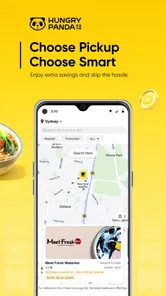
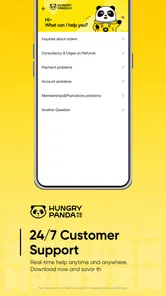
Analysis by Reviewed
Have you ever found yourself daydreaming about your favorite dish from that local Chinese restaurant, but the thought of stepping out just makes you sigh? Enter HungryPanda: Food Delivery, your new best friend when it comes to satisfying those cravings without leaving the comfort of your home. Let’s dive into what makes this app a delightful addition to your smartphone.
When an order depends on a steady connection
Food delivery is one of those tasks that feels simple until the network falters at the wrong moment. Browsing menus, sending an order, and checking its progress all rely on the app being able to communicate with its service. I’d place an order while connected reliably, rather than waiting until I’m moving between weak signals or trying to finish checkout in a crowded spot with patchy reception. That small bit of planning makes the experience less stressful, especially when I’m ordering for more than myself.
A reliable connection matters most at two decision points: confirming what I want and knowing what happens after I submit it. If a menu page loads slowly, I would avoid tapping repeatedly or restarting the order before checking whether the first action went through. Duplicate attempts can turn a routine meal into an avoidable headache. I prefer to pause, let the screen respond, and verify the order status before trying again.
That is a practical distinction between a delivery app and a paper menu or a direct phone call. A printed menu remains available without a signal, and a call can be a useful fallback if the app is not responding and the restaurant accepts phone orders. The app’s convenience is strongest when I want to compare choices on screen and manage the order digitally; it is less useful if my connection is unreliable or I need a conversation to clarify a complicated request.
Useful in the moments people actually order
HungryPanda is most appealing when I already have a craving for Chinese food and want to browse without making a separate trip. At home, I can take time to look through available menus and decide whether I want a familiar dish or something less predictable. For a shared meal, I would settle on the restaurant and broad order first, then check the individual dishes with everyone before sending it. That avoids the common group-order problem of one person changing the plan while another is already at checkout.
It can also suit a work break, but only if I can give the ordering process a little attention and have a dependable connection. I would not leave ordering until the last few minutes of a short break: choosing dishes, checking the basket, and waiting for updates are easier when I am not watching the clock. For a meal with a fixed start time, ordering earlier and allowing room for delays is wiser than treating an estimated arrival as a guarantee.
When I’m out and about, the app is useful for deciding what might be available nearby, but that convenience depends on where I am and how well the phone connects. I would check the options before heading somewhere with poor reception, rather than assume I can complete every step on the move. If I’m already near a restaurant and need food immediately, walking in or calling may be more direct than opening an app, choosing dishes, and waiting for delivery.
More From Our News Desk

Weather by Xiaomi Review: Clear at a Glance, Less Clear Up Close

X Under Pressure: Can It Recover When Posting Goes Wrong?

Clash of Clans Is Won Between the Battles

Android Auto Makes the Case for Quieter Car Software

MobiOffice: Transforming Mobile Productivity with Seamless Integration

EA SPORTS FC™ Mobile Soccer: Redefining Mobile Sports Gaming
Browsing with care instead of rushing the basket
The most useful habit with any menu-based ordering app is to treat the basket as a final review, not just a payment step. I’d check each dish, its selection, and the order as a whole before submitting. That is especially worthwhile for a mixed group, where similar dish names or different preferences can make a rushed choice easy to miss. A short pause before confirming is more helpful than trying to fix a mistake after the order is underway.
For a first order from an unfamiliar restaurant, I’d keep the selection straightforward and avoid building a meal around assumptions about portion size or preparation. Restaurant menus can be appealing, but the app cannot remove the uncertainty that comes with trying a place for the first time. Choosing a couple of dishes that sound clear to me makes it easier to judge whether I want to order there again. If I already know the restaurant, the same browsing process becomes quicker because I can go straight to the dishes I trust.
When ordering for someone with a particular dietary need or a strong ingredient preference, I would not rely on a brief dish name to answer every question. If the menu does not make an important detail clear, contacting the restaurant directly is the safer choice where possible. That extra step may be less convenient, but it is better than treating a delivery interface as a substitute for confirming something that matters.
What to do when the app or connection stalls
A temporary loading problem does not necessarily mean an order failed, so I would first give the app a moment and check the order area before repeating checkout. If the order appears there, I would use its status as the source of truth rather than placing another one. If nothing is visible and the network is still unstable, switching to a stronger connection before trying again is a sensible next step. The goal is to avoid turning uncertainty into a duplicate order.
Tracking is helpful when updates arrive, but it should not make a meal plan depend on a perfectly precise arrival time. I’d keep notifications and the order screen in perspective: if timing is important, leave a buffer and have a backup plan rather than assuming every update will be immediate. A delayed refresh can reflect a connection issue as well as a change in the order, so I would wait for a clear status before drawing conclusions.
If a payment or confirmation screen behaves unexpectedly, I would avoid repeating the action several times in quick succession. First check whether the order was accepted and whether there is a confirmation in the app. If the result remains unclear, using the app’s available help route or contacting the restaurant is more sensible than guessing. This is a general precaution for app-based ordering, not a guarantee about how any particular issue will be resolved.
Keeping mobile use practical and data-conscious
Menu browsing and order updates use a phone’s connection, so I’d do the exploratory part while on a stable network and keep the final confirmation for a moment when I can pay attention. That is useful if I’m managing a limited mobile data allowance, though the actual data use can vary with how the app loads its content. I would avoid repeatedly refreshing screens just to see whether anything has changed; checking at sensible intervals is less distracting and avoids unnecessary loading.
There is also a privacy-minded reason not to rush through checkout on a shared or public device. I would use my own phone and review the order before confirming, especially when entering payment details. If I’m using public Wi-Fi, I’d rather switch to a connection I trust for the final transaction. These are ordinary precautions for mobile ordering, not special requirements unique to this service.
For someone trying to reduce screen time, the app is best used with a clear purpose: open it when ready to choose and order, rather than browsing indefinitely while hungry. A quick look at menus can be enjoyable, but endless comparison rarely makes dinner easier. Deciding on a cuisine, setting a rough budget, and then narrowing the choice can make the experience faster without assuming the app has a particular filtering tool.
Who will appreciate it, and who may prefer another route
The service is a natural fit for people who often seek Chinese food and value ordering from a phone. It may also appeal to someone who misses familiar dishes and wants an easy way to explore restaurants without traveling first. HungryPanda is a free Food & Drink app from HungryPanda, and its focus gives it a clearer identity than a general delivery service that treats every cuisine as equally central.
That focus is also a trade-off. If I want a broad mix of cuisines in one place, a general-purpose delivery app may be a better starting point. If I know exactly which restaurant I want and prefer to speak to staff about changes, ordering directly may be more suitable. Someone with unreliable internet, strict timing, or questions that need a personal answer should consider those alternatives rather than assuming the app will solve every part of the meal.
For comparison, a restaurant’s own ordering channel can sometimes be the most direct route for a loyal customer, while a phone call can help with requests that need clarification. A general marketplace may offer a wider variety of food choices, whereas this app’s appeal is more specific. I would choose based on the decision in front of me: browse and place a convenient order here when its restaurant selection suits the craving; use another channel when breadth, direct discussion, or certainty matters more.
What to expect before installing
The app has an average rating of 4.4 from around 6,700 ratings, and it has been installed over a million times. Those figures suggest that many people have tried it, but they do not tell me whether its restaurant selection or delivery coverage will suit a particular neighborhood. I would judge it by checking what is available where I actually order, rather than assuming the experience is identical everywhere.
It is rated for Everyone and is free to install. The app was released in 2016, and version 8.73.0 is the current version. It requires Android 7.0 or later, which is a useful compatibility check before downloading. These details help answer basic installation questions, but they do not change the practical advice: a dependable connection and a careful order review matter more than the version number when dinner is on the line.
The short description and positioning point toward food delivery and takeaway, so I would think of it as an ordering tool rather than a place to plan every part of a night out. Its usefulness will depend on whether the restaurants and choices shown fit what I want. Before relying on it for an important meal, I’d explore the available menus at a relaxed moment and learn how the ordering flow feels on my own phone.
Your Gateway to Authentic Chinese Cuisine
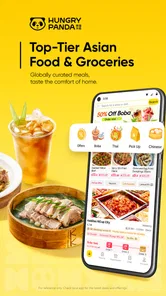
First things first, HungryPanda is not just another food delivery app. It's a niche service that specializes in delivering authentic Chinese cuisine right to your doorstep. Whether you're in the mood for spicy Sichuan, savory Cantonese, or sweet and sour Hunan dishes, this app has got you covered. The variety is impressive, and the authenticity is something you can taste in every bite.
User Experience That Hits the Spot
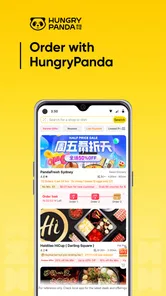
The user interface is sleek and intuitive. Even if you're not particularly tech-savvy, navigating through the app is a breeze. You can easily browse through menus, check restaurant ratings, and place your order in just a few taps. Plus, the app supports multiple languages, making it accessible to a broader audience. It’s like having a multilingual food connoisseur in your pocket!
Speedy and Reliable Service
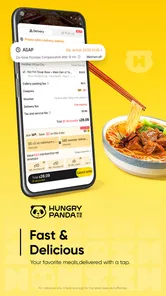
We all know the agony of waiting for food delivery, watching the minutes tick by as your stomach growls louder. Fortunately, with HungryPanda, the wait times are surprisingly short. The app provides real-time tracking of your order, so you’re never left wondering where your food is. It’s a relief to know that hot, delicious food is just around the corner, literally!
Payment Options Galore
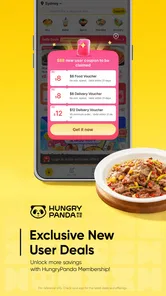
Let’s talk about paying for your feast. HungryPanda offers a variety of payment options, from credit cards to mobile wallets, catering to all preferences. This flexibility is a huge plus in today’s digital age, where convenience is key. Plus, they often have promotions and discounts, so keep an eye out for those!
In conclusion, HungryPanda: Food Delivery is more than just an app; it's a passport to a culinary adventure. For those who live for the joy of discovering new flavors or simply miss the taste of home, this app is a must-have. So the next time you're in the mood for some quality Chinese food, skip the line and let HungryPanda bring the feast to you. Bon appétit!
HungryPanda: Food Delivery Frequently Asked Questions
Is HungryPanda free to download, and what devices can run it?
HungryPanda is free to download and is available for Android and iOS. On Android, it requires version 7.0 or later, so it is worth checking your device’s software before installing. The app is rated for Everyone, making it suitable for a broad audience. Downloading is only the first step; any food, delivery, or service charges that apply to an order are separate.
What is HungryPanda and how does it work?
HungryPanda is a food delivery app specifically designed to cater to the needs of the Chinese community abroad. It connects users with local Chinese restaurants and supermarkets, allowing them to browse menus, place orders, and have their favorite Chinese dishes delivered directly to their doorstep. The app functions similarly to other food delivery platforms, where users can search for restaurants, choose their meals, and pay through the app securely.
Is HungryPanda available in my city or country?
HungryPanda operates in various cities and countries, primarily targeting areas with a significant Chinese population. To find out if HungryPanda is available in your location, you can visit their website or download the app and enter your address. The app will inform you if service is available in your area and which restaurants are participating.
What types of payment methods does HungryPanda accept?
HungryPanda offers a range of payment options to ensure convenience and security for its users. Commonly accepted methods include credit and debit cards, popular digital wallets like WeChat Pay and Alipay, and sometimes cash on delivery, depending on the location. When placing an order, users can select their preferred payment method at checkout.
How does HungryPanda ensure the quality and safety of the food delivered?
HungryPanda partners with reputable local restaurants and conducts regular checks to ensure food quality and safety standards are met. They also provide a platform for customer reviews and ratings, which helps maintain transparency and accountability. Additionally, delivery personnel are trained to handle food safely, minimizing risks during transit.
Pros
- Wide variety of Asian cuisines available.
- Easy-to-navigate user interface.
- Fast delivery service in many areas.
- Order tracking feature is very accurate.
- Multiple payment options are supported.
Cons
- Limited delivery zones in some countries.
- Occasional app crashes reported by users.
- High delivery fees during peak hours.
- Customer support can be slow at times.
- No option for customization of orders.











