HBO Go
- 300.00K
- 4.6
- Installs
- 1.00M
- Price
- Free

Screenshots
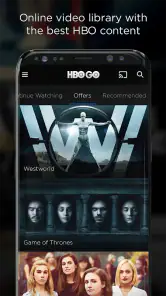
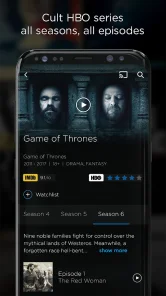
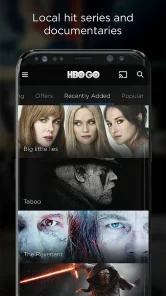
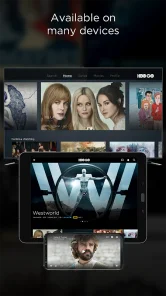
Analysis by Reviewed
I tend to judge a streaming app by what happens when I press play at an inconvenient moment, not just by how polished its menus look. HBO Go is an entertainment app from HBO Holding Zrt., and its central idea is simple: watch HBO programmes and films on a mobile device through a cable subscription. That makes it a more focused choice than a service built around a broad mix of studios, but it also means the viewing experience depends on having the right access and a usable connection.
How it fits into everyday viewing
At home, the app makes most sense as a handy companion to a subscription you already use. I can imagine settling in for an episode on the sofa, then picking up my phone when someone else wants the television. The small-screen format suits a familiar series or a film watched in short stretches, though a phone is not my first choice for a visually rich feature when a larger screen is available.
When the network becomes part of the experience
Streaming is only as comfortable as the connection carrying it. A strong, steady network makes it easy to get from browsing to watching; a weak signal can turn that simple routine into waiting or interruptions. I would avoid starting an important episode right before leaving home if I knew I would move between Wi-Fi and mobile coverage. That small bit of planning matters more than any promise of a smooth interface.
For a realistic weekday routine, I might browse at home, choose something before dinner, and watch while waiting for an appointment on a reliable connection. If I am heading into a subway or a place with patchy reception, I would not assume a stream will remain uninterrupted. The practical question is not just “What do I want to watch?” but “Will I have a dependable connection for the length of it?”
Mobile viewing has trade-offs
A phone is useful when the television is occupied, when I want a brief episode during a quiet break, or when I am travelling somewhere with reliable internet. It is less appealing for a long session if holding the device becomes uncomfortable, the screen feels cramped, or I need to conserve mobile data. For those situations, a larger-screen streaming option can be a better fit, while HBO Go’s strength is having HBO viewing available on a mobile device.
I would also treat this as a service for people who can use its cable-subscriber access, rather than a general-purpose app that automatically suits every viewer. If you do not have the relevant subscription, the app’s basic premise may not fit your needs. Before planning a trip around it, check that your account access is ready while you are still at home; sorting out access when you are already in a hurry is an avoidable frustration.
What to do when playback falters
If a programme pauses or refuses to start, I would first check whether the connection is stable, then try again once the signal improves. Moving closer to a reliable Wi-Fi source or waiting until a busy network is less strained can be more useful than repeatedly tapping play. It is also worth closing and reopening the app if it seems stuck. These are ordinary troubleshooting steps, not a guarantee that every interruption will disappear.
More From Our News Desk

Clash of Clans Is Won Between the Battles

Android Auto Makes the Case for Quieter Car Software

MobiOffice: Transforming Mobile Productivity with Seamless Integration

EA SPORTS FC™ Mobile Soccer: Redefining Mobile Sports Gaming

How Microsoft OneDrive Became a Mobile Productivity Giant

How Google Translate Breaks Language Barriers Effortlessly
One useful habit is to separate account problems from connection problems. If browsing works but playback does not, I would check the network and try another title before assuming the whole service is unavailable. If access itself is the obstacle, confirming the cable subscription details is the more sensible next step. That way, I am not wasting time changing settings when the real issue is simply that the account needs attention.
Watching without wasting mobile data
Long video sessions can use a meaningful amount of mobile data, so I would save them for Wi-Fi when a monthly allowance is tight. If you are watching away from home, a short episode is easier to fit into a limited-data routine than starting a film without thinking about the connection. I would also avoid leaving playback running while distracted or away from the screen; that is a simple way to keep a session intentional.
People often want to know whether they can prepare episodes for a flight or another offline stretch. I would not plan around offline viewing unless the app clearly offers that option for your account and title. The safer approach is to expect a live connection and choose another way to entertain yourself when you know service will be unavailable. This is especially important for a long journey, where a last-minute connection check can save disappointment.
How it compares with broader streaming choices
Compared with services that combine films and programmes from many providers, HBO Go is more appealing when HBO is the reason you are opening a streaming app in the first place. That focus can make it easier to decide what to watch if you already follow its shows. On the other hand, someone who wants one subscription to cover a wider range of studios may prefer a broader catalogue elsewhere. I would choose based on the content I actually watch, not on the assumption that one app must replace every other option.
Its mobile format is convenient, but it does not remove the usual trade-offs of streaming on a phone: connection quality, screen size and data use still shape the experience. If those are your main concerns, watching on a stable home network and using a larger display where possible will likely feel better. If flexibility matters more than a cinema-like screen, mobile access is the useful part.
A closer look at the original experience
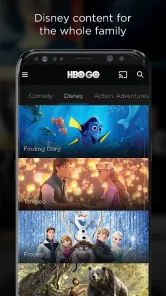
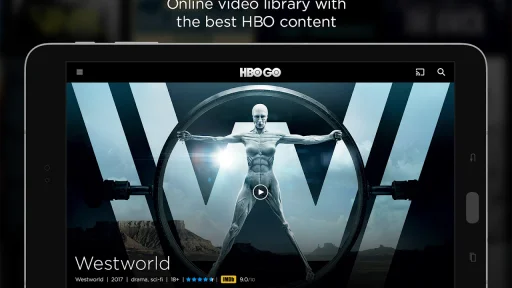
When I first opened the HBO Go app, I was greeted with a sleek and intuitive interface. It's like walking into a well-organized library, where everything is right where you expect it to be. The navigation is smooth, and finding your favorite shows and movies is a breeze. I was up and running in no time, which is perfect for those of us who want to jump straight into binge-watching.
Content Galore!
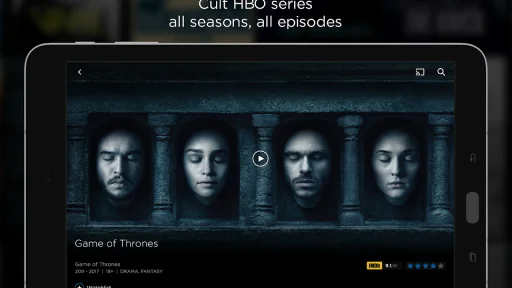
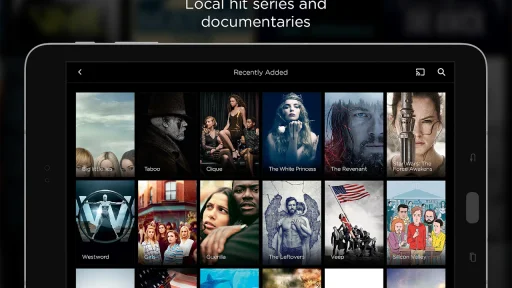
The app boasts a massive library of content, from iconic series like "Game of Thrones" and "The Sopranos" to blockbuster movies and exclusive documentaries. As a fan of diverse genres, I found myself spoiled for choice. There's something for everyone, whether you're into drama, comedy, or fantasy. Plus, new content is regularly added, so you'll never run out of things to watch.
User Experience
One of the standout features of HBO Go is its user-friendly experience. The app runs smoothly on both Android and iOS, and I didn't encounter any annoying bugs or crashes. The streaming quality is top-notch, with crisp visuals and no buffering issues. It's like having a mini cinema right in your pocket! Plus, the ability to download content for offline viewing is a game-changer for long commutes or flights.
Customization and Features
Another aspect I appreciated is the level of customization the app offers. You can create personalized watchlists, so you'll always have quick access to your must-watch shows. The app also suggests content based on your viewing history, which is a nice touch for discovering new favorites. And if you're a subtitles fan like me, you'll be happy to know that the app offers multiple subtitle options.
In terms of accessibility, the app supports multiple languages, making it a great option for international users. The parental controls feature is also a plus, giving parents peace of mind when letting their kids explore the app.
Who is likely to enjoy it?
I would recommend it most to someone who already has cable access and wants HBO viewing within reach when the television is unavailable. It may also suit viewers who like to keep a watchlist for later rather than choosing a title from scratch every time. The app is free to download, has a PEGI 3 age rating, and its listing shows a 4.6 average from around 150,000 ratings, with about one million installs. Those figures suggest broad interest, but they do not tell me whether the service matches an individual viewer’s subscription or viewing habits.
Families may appreciate the stated parental controls, but I would still set expectations and check what a child can access before handing over a device. An age rating is a helpful starting point, not a substitute for a parent’s judgement about specific programmes. Likewise, language support can make navigation more comfortable, but it does not mean every title will necessarily be available in every language.
Choosing it for the right reasons
The current version is 5.9.8, and the app was released on October 21, 2024. I would keep it updated through the usual app-store process, particularly if I rely on it for regular viewing; current software is a sensible first step when troubleshooting. Still, an update cannot compensate for a poor signal or account access that is not set up correctly.
HBO Go is not the right pick if you want a streaming app that works independently of a cable subscription, or if your priority is watching without dependable internet. In those cases, another service that better matches your access and connectivity needs is the more practical choice. I would also skip it if you mostly watch on a television and have no reason to use your phone for streaming.
My connectivity verdict
So, is HBO Go worth downloading? In my opinion, absolutely! It's a solid streaming app with a vast array of content and a user-friendly interface. Whether you're a long-time fan of HBO shows or just looking for something new to watch, this app has got you covered. Give it a try, grab some popcorn, and enjoy the endless entertainment that HBO Go has to offer.
My recommendation comes with one clear condition: treat it as a convenient mobile route to HBO viewing, not as a fix for weak connectivity or a replacement for every streaming service. If your cable access is in place and you usually have a stable connection, it can fit neatly into everyday viewing. If you need dependable offline entertainment or a wider mix of content, another option may serve you better.
HBO Go Frequently Asked Questions
What is HBO Go and how does it differ from HBO Max?
HBO Go is a streaming service that provides access to HBO's vast library of original series, films, and documentaries. Unlike HBO Max, which offers an extensive range of additional content from WarnerMedia’s catalog and third-party partners, HBO Go is primarily focused on HBO’s own productions. It’s crucial to check if HBO Go is still available in your region, as HBO Max has replaced HBO Go in many areas.
Can I download content on HBO Go for offline viewing?
HBO Go does not allow users to download content for offline viewing. The service is designed for streaming content in real-time, requiring a stable internet connection. If you’re interested in downloading content, you might want to explore HBO Max, which offers this feature to its subscribers, allowing them to watch their favorite shows and movies offline.
Is HBO Go available for both Android and iOS devices?
Yes, HBO Go is available for download on both Android and iOS devices. Users can find the app on Google Play Store for Android devices and the Apple App Store for iOS devices. Ensure your device meets the minimum system requirements for a smooth streaming experience. Additionally, some features might vary slightly between the two platforms.
How much does an HBO Go subscription cost?
The cost of an HBO Go subscription can vary by region, as it is often tied to cable or satellite TV packages. Some providers include HBO Go access as part of their premium TV bundles. It’s best to check with your local cable provider for exact pricing and availability. In regions where HBO Max has replaced HBO Go, subscription prices might differ.
What should I do if I encounter streaming issues on HBO Go?
If you experience streaming issues on HBO Go, first check your internet connection to ensure it’s stable. Restarting your device or router can often resolve connectivity problems. If issues persist, try clearing the app's cache or reinstalling it. For further assistance, contacting HBO Go’s customer support can provide specific troubleshooting steps tailored to your issue.
Pros
- Wide selection of movies and series.
- High-quality streaming.
- Supports multiple devices.
- User-friendly interface.
- Exclusive HBO content.
Cons
- Limited offline viewing options.
- Requires stable internet.
- Subscription can be expensive.
- Some content is geo-restricted.
- Periodic app performance issues.

- Category
- Entertainment
- Version
- 5.9.8