

Hallmark+
- 6.38K
- 3.2
- Installs
- 1.00M
- Price
- Free

Screenshots



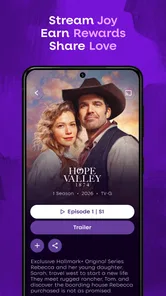

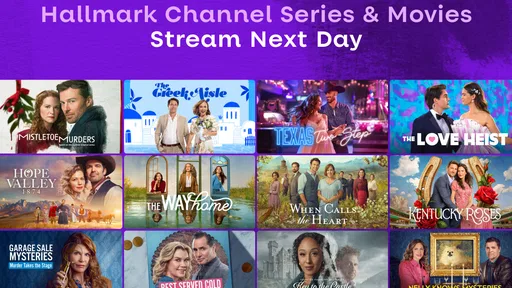


Analysis by Reviewed
I found Hallmark+ most useful when I treated it as a shared source of gentle entertainment rather than as a complete replacement for every streaming service in the house. The app focuses on Hallmark original series, movies, and related feel-good programming, so its appeal is quite specific: it is made for viewers who already know they want comforting stories, familiar seasonal moods, and easy evening watching. I installed it with that expectation, and the experience made sense almost immediately.
It is a free entertainment app from Crown Media Holdings Inc., with optional purchases listed from $3.99 to $79.99 per item. That combination matters. Downloading the application costs nothing, but the practical value depends on what content is available through the viewing arrangement attached to your account. I would not approach it as an unlimited free movie library. I would approach it as a focused Hallmark destination that may suit a household looking for a particular kind of viewing.
The service has been available since September 5, 2014, and its current version is 8.107.2. It supports devices running Android 6.0 or later. Those details make it accessible to many older phones and tablets, although an older device can still affect how pleasant video playback feels. In my experience, the app is best judged less by the age of the software and more by whether your household actually wants Hallmark’s style of programming often enough to justify keeping it around.
How Hallmark+ works in a shared household
When I’m setting up Hallmark+ for more than one person, I find it helps to agree on the basics before anyone starts browsing: which account the shared device uses, who handles any purchase decisions, and whether a series is a group watch or someone’s personal choice. That small conversation can prevent mixed-up expectations later. I’d also make the first session a low-pressure test, so everyone can learn the viewing routine before movie night.
A realistic evening use case
Picture a fairly ordinary weeknight. One person has finished work, another is preparing dinner, and someone else wants something calm in the background rather than a tense crime drama or a complicated science-fiction series. This is where the app fits naturally. I can open it, look for a familiar type of story, and settle into a movie without spending a long time comparing dozens of unrelated services.
That narrow focus is a strength when the household agrees on the mood. Hallmark content tends to work well for relaxed group viewing because it is easy to dip into without explaining a large fictional universe first. A parent, partner, or older relative can choose something based on tone and occasion, while another person joins without needing much preparation. For a shared television or tablet, that simplicity can be more useful than a huge catalog that leaves everyone scrolling.
The trade-off is just as clear: this is not the app I would install for a household with very different entertainment tastes. If one person wants live sports, another wants major action releases, and a third expects a broad selection of international programming, Hallmark+ will feel limited. Its value comes from being specialized, not from trying to cover every possible viewing habit.
More From Our News Desk

 Gmail
GmailGmail in a Busy Inbox: Who Benefits Most?
From first account to crowded workday, Gmail earns its place through dependable search and flexible sorting—but its best fit depends on how much inbox maintenance you can tolerate.

 Prime Video
Switching to Prime Video: What Changes in Your Viewing Routine
Prime Video can make a compelling second home for streaming, but switching means learning a different catalog, rental layer, and route from browsing to playback.

 Universal TV Remote Control
Universal TV Remote Control Works Best as a Reliable Backup
A phone remote earns its place through quick setup and reliable habits. Here is how to get more from Universal TV Remote Control—and where its limits show.

 Weather - By Xiaomi
Weather by Xiaomi Review: Clear at a Glance, Less Clear Up Close
Xiaomi’s weather app makes everyday forecasts quick to scan, but its calm surface can leave useful details and recovery paths harder to find than they should be.

 X
XX Under Pressure: Can It Recover When Posting Goes Wrong?
A resilience-focused review of X, examining setup, mistaken posts, interruptions, weak connections, and the gaps that matter when recovery needs to be dependable.

 Clash of Clans
Clash of Clans Is Won Between the Battles
Its raids are quick; its community is a long-term project of coordination, teaching, rivalry, and shared responsibility—with all the friction that entails.
Latest News



Why the narrow catalog can be helpful
Many streaming apps create a small decision-making problem every time I open them. There may be too many genres, recommendations, rows, and competing services. Hallmark+ reduces that particular kind of friction by keeping the identity of the service obvious. When I want a Hallmark movie or series, I do not need to search across a general entertainment platform and wonder whether the title is included.
A useful household habit is to decide the viewing purpose before opening the app. If the goal is a comforting movie after a busy day, this service is a sensible first stop. If the goal is to discover something completely outside Hallmark’s usual tone, a broader platform is probably a better choice. That small distinction prevents disappointment and keeps the app from being judged for something it was never designed to do.
I also like it for occasional shared viewing rather than constant daily use. A household might keep it available for movie nights, seasonal watching, or a particular original series, then use other services for the rest of the week. That approach makes the focused catalog feel intentional instead of restrictive.
Using one device without turning it into a family organizer
On a shared tablet, the practical challenge is not only finding something to watch. It is remembering who is using the device, which account is active, and whether another person expects to continue a program later. I would keep the app associated with the household account that is actually intended for viewing, rather than casually signing in and out whenever someone picks up the tablet.
That simple boundary avoids a common source of confusion: one person assumes a title or viewing position belongs to them, while another person has changed the account or started something else. For a living-room device, it helps to agree that the app is a shared space and that personal viewing should happen on an individual device when possible.
The most useful household rule is to separate shared watching from personal account activity. Hallmark+ can support a common movie night, but I would not treat a shared device as a substitute for clearly managed accounts. Before handing the tablet to a child, guest, or relative, I would check which account is open and whether the device is still connected to the intended household profile.
Setup boundaries before the first movie
The initial setup is straightforward in concept: install the app on a compatible device, open it, and follow the account or viewing prompts presented on screen. I would do this while the device owner is present, especially if the tablet or phone is used by several people. Shared-device setup is a good moment to decide who is responsible for account access and who can approve any optional purchase.
Because the app is free to download but includes in-app purchases, I would not leave payment decisions vague. The listed purchase range runs from $3.99 to $79.99 per item, so a household should agree in advance about whether purchases are allowed and who handles them. I would also avoid entering payment details on a device that is regularly handed between adults and children unless the account owner is comfortable managing that arrangement.
This is not about making the app difficult. It is about avoiding an awkward situation in which someone believes that installing a free application means every part of the service is automatically free. I would explain the difference to anyone else using the device: the download is free, while some viewing-related choices may involve payment.
Account boundaries that make shared viewing calmer
For a couple or small household, a single shared account may be convenient if everyone is happy with the same viewing environment. It keeps the service simple and avoids repeated sign-ins. The downside is that personal preferences and viewing progress can become mixed together, especially when one person starts a movie and another person later opens the app expecting to find their own place.
If several people use the same device, I would create a basic household routine. Decide who chooses the evening movie, agree not to start a new title while another person is halfway through one, and leave a quick note in a family chat if something is being saved for later. These are small habits, but they matter more than endlessly adjusting settings that may not exist or may not suit the device.
I would also keep the account owner’s email and purchase responsibility clear. If a teenager uses the tablet, the adult responsible for the account should be the one who understands the sign-in and billing arrangement. The app carries a Teen content rating, which gives useful age context, but that rating should not be treated as a complete substitute for a parent’s judgment about individual titles or the household’s expectations.
Coordinating movie nights without overcomplicating them
Hallmark+ works particularly well when someone takes the role of coordinator. That person can decide whether the evening is for a movie, an original series, or another type of Hallmark content, then check that the shared device is charged and connected before everyone sits down. This sounds obvious, but it prevents the familiar problem of beginning a group viewing session with account recovery, updates, or a missing charger.
My preferred workflow is simple: choose the mood first, open the app second, and browse with a limit in mind. If nobody has selected a title after several minutes, I would switch to a prepared shortlist rather than letting the evening become a scrolling session. The service’s focused identity makes this approach practical because the shortlist can stay within a recognizable Hallmark style instead of covering every genre.
For a household with different schedules, coordination becomes more important. One person may watch on a phone during a commute or break, while another expects the television to remain available for a group movie later. I would avoid starting a shared series casually unless everyone understands whether it is a joint activity or an individual one. That small conversation prevents spoilers and reduces arguments over who is allowed to continue.
The app is also a reasonable option for relatives who do not want to learn a complicated streaming interface. A family member can be shown one repeatable path: open the app, choose the intended Hallmark section, and select the agreed title. I would still stay nearby during the first use, because the real difficulty for less technical viewers is often account confusion rather than the video itself.
What to expect from the viewing experience
The strongest part of the experience is the clarity of purpose. I do not open Hallmark+ expecting an enormous general-purpose catalog. I open it expecting Hallmark-branded entertainment with a warmer, more reassuring tone. That makes it easier to recommend to someone who already knows their preferences.
The weaker part is the same specialization. If I am looking for a wide range of unrelated films, the app cannot replace a broad streaming service. It may also feel repetitive if the household watches only one type of story and uses the service every day. I would treat it as one piece of a viewing mix, not as the only entertainment application on a shared device.
Another practical consideration is that playback quality depends on the device and connection being used. A newer television or tablet will generally make group viewing more comfortable than a small, aging phone screen. If the app is being used on an older Android device, I would update the operating system where possible, close unnecessary applications, and test playback before inviting everyone to watch. The minimum supported Android version is 6.0, but technical compatibility alone does not guarantee a smooth living-room experience.
For phone use, I see the app as better suited to short personal sessions or continuing a program away from the television than to a full group gathering. A tablet offers a more natural middle ground for two people. For a larger household, casting or television support would determine how convenient the service feels, so I would check the options available on the specific device rather than assume every setup behaves the same way.
Age context and trust
The Teen content rating is important for shared-device planning. It suggests that parents should not hand the app to a younger child with the assumption that every title is intended for children. I would look at the individual program before choosing something for a mixed-age family night, especially when younger viewers are present.
For teenagers, the app may be suitable within the family’s normal rules, but I would still keep account ownership and purchases with the responsible adult. The age rating answers one question about the general audience; it does not decide whether a particular story fits your child, your household values, or the time of day. A parent who wants very tightly filtered children’s entertainment may prefer a service built specifically around younger audiences.
This is also where trust matters more than elaborate coordination. If an older child uses the same tablet as an adult, everyone should understand whether they are allowed to browse freely, start content independently, or make any purchase. I would explain that the app is free to install, but optional in-app purchases exist, and I would keep purchase approval with the account holder.
For older relatives, trust takes a different form. They may appreciate the familiar programming but dislike repeated sign-in prompts or uncertainty about whether they are using the right account. I would set up the app together, write down the household’s chosen account details in a secure place, and avoid changing the arrangement every time someone watches. A predictable routine is more valuable than a technically elaborate one.
How it compares with usual entertainment alternatives
Compared with a general streaming service, Hallmark+ is easier to understand but less versatile. A broad platform is better when the household wants one subscription or app to cover comedy, documentaries, animation, action, and international titles. Hallmark+ is better when the household specifically wants Hallmark programming and does not want to search through unrelated recommendations.
Compared with free, ad-supported video applications, this service offers a more focused destination for its own brand of entertainment, but the purchase structure deserves attention. Someone choosing purely on the basis of avoiding extra costs should read the on-screen options carefully before committing to anything. The free download is attractive for trying the interface, yet the household should decide whether the available access matches its budget and viewing habits.
Compared with broadcast television, the app offers more control over when a viewer starts a program, which is useful for a shared schedule. Broadcast viewing can still be simpler for someone who prefers to turn on a channel without managing an account. I would recommend Hallmark+ to a viewer who wants Hallmark content on demand, not to someone who dislikes applications and would rather watch whatever is currently scheduled.
Compared with buying individual movies, a streaming-focused service can be more convenient for people who watch several titles from the same catalog. On the other hand, a viewer who wants only one specific film may prefer a one-time rental or purchase elsewhere, depending on availability and total cost. The right choice depends on whether Hallmark is an occasional interest or a recurring part of the household’s routine.
Who should use it, and who should skip it
I would recommend Hallmark+ to a household that regularly watches Hallmark original series and movies, enjoys low-stress group viewing, and wants a recognizable entertainment destination on a shared television or tablet. It is also a good fit for someone who feels overwhelmed by broad streaming catalogs and would rather begin with a clearly defined style.
I would be more cautious about recommending it to a household that expects one app to satisfy every viewer. It is not the obvious choice for people who mainly want sports, news, children’s programming, cutting-edge action, or a constantly changing selection from many studios. I would also pause before installing it on a child’s personal device without discussing the Teen rating and the account’s purchase boundaries.
For occasional viewers, the free installation makes trying the app relatively easy, but I would still judge it by actual use rather than by the size of the download or the appeal of the brand. If the household opens it only once and then returns to a broader service, keeping another app on the device may not be worthwhile. If it becomes the regular choice for movie nights, its focused design starts to make much more sense.
My household verdict
Hallmark+ is a specialized entertainment app that succeeds when the household wants exactly what it offers. I like its clear identity, its suitability for relaxed shared viewing, and the way it can give a family a simple starting point for a movie night. I also appreciate that it can serve different devices, from a personal phone to a shared tablet, as long as everyone understands which account and viewing routine they are using.
My reservations are practical rather than dramatic. The catalog focus will not suit every taste, shared accounts can become confusing without a basic household agreement, and the free download should not be mistaken for completely cost-free access. The Teen rating also means parents should make their own choices for younger viewers instead of assuming that every program is suitable for all ages.
With those boundaries in place, I think the app is worth considering for Hallmark fans and families who want calm, familiar entertainment without browsing a general platform for half the evening. Its average rating is 3.2 from around 14 thousand ratings, and it has passed over 1 million installs, which reflects a substantial audience but not a reason to ignore your own household’s needs. I would install it for a shared Hallmark-focused routine, test it on the device everyone plans to use, and keep it only if the viewing experience genuinely earns a regular place in the home.
Hallmark+ Frequently Asked Questions
Can I install Hallmark+ on an older Android phone?
Hallmark+ is available for Android devices running Android 6.0 or later. Before downloading, check your phone’s software version and make sure you have enough available storage for the app and any content you may choose to download. A compatible operating system is only one part of the experience; playback can also depend on your device and internet connection.
Is Hallmark+ available for iPhone and other devices?
Hallmark+ is intended for Android and iOS mobile devices, and it may also be accessible on compatible televisions, streaming players, and web browsers. The experience can differ across device types, so consider where you plan to watch before choosing a subscription. For a phone or tablet, check the relevant app store’s compatibility details and keep the app updated.
How large is Hallmark+ as an app, and is it popular?
Hallmark+ is an entertainment app with over a million installs. That gives prospective viewers a sense that it has reached a sizable audience, but popularity alone does not guarantee that its catalog or viewing experience will suit everyone. Think about whether you enjoy Hallmark’s feel-good movies and series, and review the subscription details before committing to paid access.
Is Hallmark+ free to download, and what costs should I expect?
Hallmark+ is free to download, but watching its full collection generally involves a paid subscription, and the app also offers in-app purchases. The amount you pay can depend on the option you choose and where you subscribe. Check the purchase screen carefully before confirming, and keep in mind that a free download does not mean every movie or series is free to watch. In-app purchase amounts range from $3.99 to $79.99 per item, so review the terms shown for your chosen option before buying.
Is Hallmark+ suitable for families and younger viewers?
Hallmark+ is an entertainment app with a Teen content rating. Its focus on feel-good movies and series may appeal to families looking for lighter viewing, but the age rating is a useful reminder to check a title before handing the device to a younger viewer. Parents can also review available account and device settings to help guide what children can access.
Pros
- Includes Hallmark movies
- series
- and exclusive original content.
- Offers live TV channels alongside an on-demand streaming library.
- Simple interface makes browsing family-friendly content easy.
- Supports multiple profiles for personalized recommendations.
- Available on phones
- tablets
- smart TVs
- and other streaming devices.
Cons
- Most content requires a paid subscription after the trial period.
- Availability of titles and live channels may vary by location.
- Some older devices may experience compatibility or performance issues.
- Offline downloads may be limited to select titles or subscription plans.
- The library may feel narrow for viewers seeking non-Hallmark genres.











