FAB Adblocker Browser:Adblock
- 37.63K
- 4.6
- Installs
- 10.00M
- Price
- Free

Screenshots






Analysis by Reviewed
I use an ad-blocking browser for a fairly simple reason: on a phone, an intrusive banner or pop-up can turn a quick search into a frustrating chore. FAB Adblocker Browser:Adblock is designed to make everyday web browsing less cluttered, with extras that may appeal if you want more than a basic browser. My view is that it is worth trying when advertising regularly gets in the way, but it makes the most sense as a browser to test alongside your usual one rather than an automatic replacement.
Starting free, with purchases kept in perspective
The browser is free to install, while in-app purchases are offered, with listed items ranging from $0.99 to $114.99. That gives you a way to start using it without paying upfront, but it does not make every optional purchase necessary for the basic browsing experience. I would first use the free access for the sites I actually visit, then decide whether any paid option solves a problem I genuinely have.
The app is a communication browser from Adblock – Rocketshield Browser Technology Limited. It has a 4.6 average from around 978,000 ratings, and it has been installed over 10 million times. Those figures suggest plenty of people have considered it, but they are not a promise that every page will behave perfectly. It is rated for Everyone, and it requires Android 9 or later, so checking that requirement before installing can save time on an older device.
How it fits into everyday browsing
First off, the most impressive feature of FAB Adblocker Browser has to be its ability to provide a seamless browsing experience. As soon as I installed it, I noticed a significant decrease in the number of ads. I could scroll through my favorite websites without a single interruption from those flashing banners or sudden pop-ups. It’s like having a personal bodyguard for your screen!
Where cleaner pages make a difference
The difference is easiest to appreciate on pages where banners and pop-ups compete with the article itself. If I am reading a recipe while cooking, for example, fewer interruptions make it easier to keep my place and return to the instructions. I would also use it for a quick search on a phone when a cluttered page makes links hard to tap. The practical value is not simply “no ads”; it is less visual clutter when I need to find one piece of information and move on.
That said, ad blocking can occasionally affect how a site displays or behaves, because some pages rely on advertising elements for parts of their layout. If a page looks incomplete, my first move would be to try another page or revisit the site in a regular browser, rather than assume the whole site is broken. Keeping a second browser available is a sensible fallback for sign-in flows, shopping checkouts, or pages that do not cooperate with filtering.
What changes when it becomes your browser
The useful comparison is not just with another ad blocker; it is with the browser you already reach for. A conventional browser without a blocker may be a better fit if you prioritize familiar saved items, account workflows, and consistent behavior across devices. A browser that lets you add a blocker may suit you if you want to keep your existing setup. FAB’s appeal is the all-in-one route: open a separate browser when you want a less cluttered page, without first changing your main browser’s configuration.
You May Like

Clash of Clans Is Won Between the Battles

Android Auto Makes the Case for Quieter Car Software

MobiOffice: Transforming Mobile Productivity with Seamless Integration

EA SPORTS FC™ Mobile Soccer: Redefining Mobile Sports Gaming

How Microsoft OneDrive Became a Mobile Productivity Giant

How Google Translate Breaks Language Barriers Effortlessly
That distinction suggests a practical setup. I would keep the browser I already use for sites where I rely on stored logins or a well-established routine, and use this one for reading, searches, and casual visits. After a few days, it becomes easier to judge whether the cleaner pages save enough hassle to justify switching more of my browsing over. If moving between browsers feels like extra work, the convenience of an add-on in your existing browser may outweigh the appeal of a dedicated app.
A simple test before switching
Rather than judging it on one dramatic ad-heavy page, I would test a small set of tasks: read an article, follow a link from it, open a site where I already have an account, and return to the first page. That checks whether the browsing flow feels comfortable, not just whether a banner disappears. I would also note any site that looks broken or asks me to repeat a step, since those are good candidates for opening in my usual browser.
This approach also helps separate a filtering problem from a website problem. If a page fails in one browser, opening it in another gives you a quick comparison before you spend time changing settings or retrying a checkout. For routine browsing, that is a useful habit; for anything time-sensitive, the fallback browser can save more effort than trying to make every site behave perfectly in a single app.
A clean interface, with a small switching cost
Another aspect that I really appreciated was the user-friendly interface. Navigating through the app is a breeze, even for those who might not be so tech-savvy. The layout is clean and intuitive, making it easy to access all the features without any confusion. Plus, the settings are straightforward, so you can customize your ad-blocking preferences to suit your needs.
For someone moving from a standard mobile browser, the main trade-off is consolidation: browsing and ad blocking happen in this app rather than adding a blocker to a browser they already use. That can be convenient if you want a single place for everyday reading, but it may not suit someone attached to their existing browser’s habits, saved items, or workflow. I would test it with a handful of regular sites before making it my only browser, especially if my browsing depends on several account logins.
Why ad blocking is not the same as complete privacy
In a world where online privacy is becoming increasingly important, FAB Adblocker Browser takes this concern seriously. The app not only blocks ads but also prevents trackers from collecting your personal data. This means you can browse with peace of mind, knowing your information is safe. Personally, I found this feature to be a huge bonus, as it adds an extra layer of security to my online activities.
I would still treat ad blocking and a VPN as helpful browsing tools, not as a reason to share sensitive information carelessly. For banking, work accounts, or private messages, I would pay attention to the site address and use my usual security habits; a browser feature is not a substitute for careful choices. If your priority is a dedicated privacy setup with controls you already understand, compare those needs against this app’s built-in approach before switching.
It is also worth being clear about what a cleaner page does and does not tell you. Fewer ads can make reading more comfortable, but it does not mean that every website is trustworthy or that every tracking concern has disappeared. I would continue to use strong, unique passwords where appropriate and avoid entering account details on pages I do not recognize. That is especially important if you use several browsers, since it is easy to mistake a familiar-looking page for the real sign-in page.
Using the VPN and night mode sensibly
Aside from blocking ads, the app comes packed with additional features that enhance your browsing experience. For instance, there's a built-in VPN that allows you to surf the web anonymously. This is particularly useful if you want to access content that might be restricted in your region. Moreover, the app also supports a night mode, which is a blessing for late-night browsing without straining your eyes.
A practical way to judge the VPN is to try it for ordinary browsing first, then see whether it fits your own needs before relying on it for anything important. A VPN can change how a connection appears to a website, but it does not guarantee that every region-restricted page will open, and it should not be confused with an ad blocker. Night mode has a simpler use: it can make reading in a dim room more comfortable, though it is a preference rather than a reason by itself to switch browsers.
For example, if I am reading on public Wi-Fi, I would see the VPN as one possible layer in my browsing setup, not as a blanket guarantee of safety. I would still avoid sensitive transactions on a network I do not trust. For region-specific pages, I would also keep expectations modest: access can depend on the site, so a VPN feature is better treated as a tool to try than a promise that a particular video or page will become available.
Night mode is most useful as part of a routine rather than as a headline feature. If I read in bed, switching to a darker display can make the screen feel less harsh, but it will not replace lowering brightness or taking a break when my eyes feel tired. The value here is convenience: ad blocking, browsing, and a more comfortable reading option sit in the same app, so I can use the setting when it suits the moment without installing a separate tool for that purpose.
Who will appreciate the free starting point
I would recommend trying it if ads regularly interrupt your phone browsing and you are happy to use a separate browser for reading, searching, and casual web visits. It is particularly suited to someone who wants ad blocking and extra browsing tools together without an upfront app price. If you rarely browse the web on your phone, prefer your current browser’s setup, or need a specific site to work exactly as it does in a standard browser, you may be better off keeping your existing option.
The free install makes the decision relatively low-commitment, but I would not treat the existence of paid options as proof that buying one will improve your own experience. First identify a real limitation you encounter, then decide whether an optional purchase addresses it. If the free browsing already handles your everyday reading and searches, there may be no reason to spend anything. If you are comparing paid choices, check what each one actually offers in the app before deciding; the price range alone does not tell you which option is useful for your habits.
One low-effort test is to use the app for a normal day of browsing: open a news or recipe page, follow a few links, revisit a site where you are signed in, and read something at night with the display mode you prefer. That reveals more than testing a single page, because it shows whether the browser fits your actual routine. If those everyday tasks feel easier and the purchase options remain optional for your needs, the free starting point offers a straightforward way to judge its value.
My buy-or-skip verdict
For me, the strongest reason to try this app is a specific, everyday annoyance: web pages on my phone feel crowded, and I want ad blocking without setting up a separate blocker in my usual browser. Someone who mainly reads articles, looks up practical information, or browses casually may get a noticeable quality-of-life improvement from that arrangement. The built-in VPN and night mode add reasons to explore it, but I would treat them as useful extras rather than assume they make it the right choice for every task.
I would skip it as a full replacement if I depend on one browser’s existing setup, need every site to behave as expected, or do not want to move between apps when a page has a problem. I would also avoid paying for an optional item until I can name the limitation it solves. That is the fairest way to judge value here: begin with the free access, try real tasks, and spend only if a clearly useful option meets a need that the free experience does not.
All in all, the FAB Adblocker Browser:Adblock is more than just an ad blocker. It’s a comprehensive tool that enhances your browsing experience by offering a range of features designed with the user in mind. From a clean interface to robust privacy settings, this app ticks all the right boxes for me. If you’re tired of intrusive ads and are looking for a reliable solution, give this app a try. You might just find it to be your new favorite browsing companion!
FAB Adblocker Browser:Adblock Frequently Asked Questions
Can I use FAB Adblocker Browser: Adblock as my everyday browser?
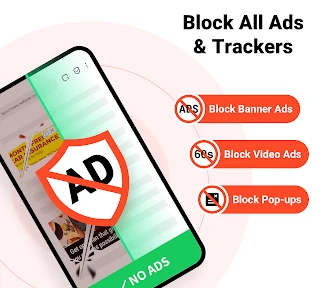
FAB Adblocker Browser: Adblock is designed for web browsing, with ad blocking built into the experience. Its focus on blocking banners, pop-ups, and video ads may make it appealing for everyday browsing if you prefer fewer interruptions. You can try it alongside your current browser and decide whether its browsing tools suit your regular routine.
Will FAB Adblocker Browser: Adblock help reduce interruptions from online ads?
The app’s advertised purpose is to block banners, pop-ups, and video ads while you browse. That can make pages feel less cluttered and reduce interruptions, though individual websites may behave differently. If a site relies on advertising or uses anti-adblock measures, you may find that some content or functions require an adjustment to your browsing settings.
Is FAB Adblocker Browser: Adblock suitable for younger users?
FAB Adblocker Browser: Adblock has an Everyone content rating, so it is presented as suitable for a broad audience. It is a communication app centered on web browsing, ad blocking, and related browsing features. As with any browser, parents may still want to guide younger users’ internet activity and review the websites they visit.
What is FAB Adblocker Browser: Adblock, and who makes it?
FAB Adblocker Browser: Adblock is a mobile browser app whose main appeal is blocking banners, pop-ups, and video ads while browsing. It is developed by Adblock – Rocketshield Browser Technology Limited. If you are looking for a browser with ad blocking built into the experience, FAB brings those functions together in one app rather than requiring a separate ad-blocking tool.
What platforms is FAB Adblocker Browser: Adblock available on?
FAB Adblocker Browser: Adblock is available on both Android and iOS platforms. Users can download it from the Google Play Store for Android devices and the Apple App Store for iOS devices. This ensures that users across different mobile operating systems can benefit from its ad-blocking features while browsing the internet.
Pros
- Blocks intrusive ads effectively
- Improves browsing speed significantly
- Reduces data usage while browsing
- Protects privacy with anti-tracking
- User-friendly interface design
Cons
- Occasional site compatibility issues
- Limited customization options
- Adblocker can miss some ads
- Consumes more battery than expected
- Free version has ad interruptions

- Category
- Communication
- Version
- Varies with device












