

DMV Permit Practice Test Genie
- 15.58K
- 4.7
- Installs
- 1.00M
- Price
- Free

Screenshots
Analysis by Reviewed
For permit-test prep, I’d rather have a routine I can repeat than a pile of questions I rush through once. DMV Practice Test Permit Genie is a study app from Elegant E-Learning for people preparing for a standard driver’s license test or looking at commercial driving material. It is free to start, rated for Everyone, and has a 4.7 average from around 38,000 ratings. That makes it a well-used option, though the useful question is whether its practice fits the way you need to learn.
Build a steady baseline before test day
I’d begin by choosing the material for the state where I plan to take the test, then work through a short practice session and read the explanations instead of treating a score as the whole result. The state-specific focus is the app’s clearest advantage over a general driving quiz: road rules and test expectations can vary, so practicing broadly without checking the jurisdiction can leave gaps.
A practical everyday routine is to answer questions during a bus ride, mark which topics make me hesitate, and return to those topics later at home. The goal isn’t to memorize a sequence of answers; it’s to understand why a rule applies. If I keep missing the same kind of question, I’d pause and review the underlying rule before attempting another full test. That habit makes each session more useful than repeatedly tapping through familiar questions.
Why You Need This App
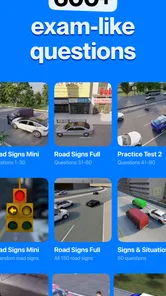
First off, the DMV Practice Test Permit Genie is like having a personal driving instructor right in your pocket. It’s packed with loads of practice questions that are actually tailored to your state’s DMV requirements. This means you’re not just getting generic questions but ones that will genuinely help you pass your test. I’ve tried other apps before, but this one really stands out because of its accuracy and relevance.
Features That Stand Out
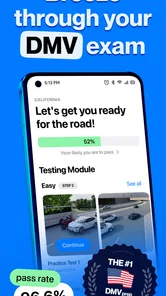
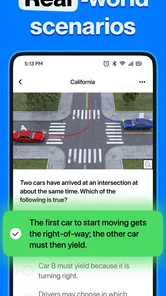
What I love about this app is its user-friendly interface. The design is super intuitive, making it easy to navigate through the different sections. You can take a quick practice test, review your answers, and get detailed explanations for each question. This is incredibly helpful for understanding why a particular answer is correct, which in turn, helps reinforce the material.
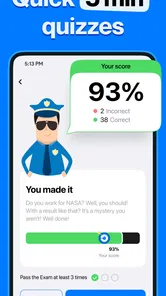
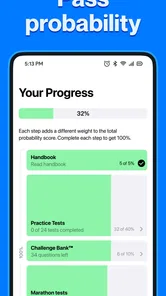
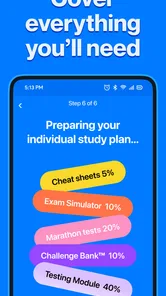
Another cool feature is the simulated DMV test. It’s like taking the real test but without the pressure. You can track your progress, see how you compare to other users, and even set reminders for study sessions. Plus, there’s no need to worry about staying updated, as the app regularly refreshes its questions to match any changes in DMV guidelines.
Use practice results as a map, not a verdict
For a first-time learner, the most useful result is not necessarily a high score; it is a pattern. If I repeatedly struggle with signs, right-of-way situations, or another topic, I would treat that as a cue to return to the relevant handbook section rather than taking the same quiz until the answers feel familiar. This keeps practice from turning into recognition of question wording, which can be misleading when the real test presents a rule in a different way.
More From Our News Desk

 Instagram
Instagram’s Power Comes From Its Place in Your Phone
A close look at how Instagram turns Meta’s reach, recommendation systems and everyday camera habits into durable platform power—and what that costs users.

 Gmail
GmailGmail in a Busy Inbox: Who Benefits Most?
From first account to crowded workday, Gmail earns its place through dependable search and flexible sorting—but its best fit depends on how much inbox maintenance you can tolerate.

 Prime Video
Switching to Prime Video: What Changes in Your Viewing Routine
Prime Video can make a compelling second home for streaming, but switching means learning a different catalog, rental layer, and route from browsing to playback.

 Universal TV Remote Control
Universal TV Remote Control Works Best as a Reliable Backup
A phone remote earns its place through quick setup and reliable habits. Here is how to get more from Universal TV Remote Control—and where its limits show.

 Weather - By Xiaomi
Weather by Xiaomi Review: Clear at a Glance, Less Clear Up Close
Xiaomi’s weather app makes everyday forecasts quick to scan, but its calm surface can leave useful details and recovery paths harder to find than they should be.

 X
XX Under Pressure: Can It Recover When Posting Goes Wrong?
A resilience-focused review of X, examining setup, mistaken posts, interruptions, weak connections, and the gaps that matter when recovery needs to be dependable.
Latest News



A realistic week might look like this: I do a brief session while waiting for an appointment, review the explanations that evening, and use a longer simulated test on a day when I can give it my full attention. I would keep a simple note of the topics that caused uncertainty, because a score alone doesn’t show whether I guessed correctly or understood the rule. The app’s progress tracking can help me notice movement, but my own list gives that progress context.
Make short sessions count
Rather than taking a long test whenever I open the app, I’d use quick sessions to isolate one weak area, then save a simulated test for a quieter stretch when I can concentrate. Reviewing wrong answers immediately is a useful second pass: I can explain the correct choice in my own words, which shows whether I understand the rule or merely recognize the wording. That small check is especially helpful when two answer choices sound plausible.
Before relying on any practice tool, I’d confirm that the selected state and test type match my actual appointment. Someone preparing for a commercial license should use the relevant CDL material rather than assume ordinary permit questions cover it. The app serves several preparation needs, but the value comes from choosing the right track and pairing practice with the official handbook for the local rules.
Settings, costs, and sensible limits
I’d check the available settings early, especially anything related to state, license type, study reminders, or practice format, so the app supports a routine instead of interrupting it. A reminder can help if I tend to forget short study sessions, but it won’t replace a plan: I’d set a realistic time and use it to revisit missed topics, not just chase a streak or a high score.
The app is free to download, with in-app purchases ranging from $3.49 to $199.00 per item. I would start with the free material and decide whether a paid option solves a specific problem, such as needing more practice, before spending. That broad price range makes it particularly sensible to check what an item includes and whether it matches my test goal. The current version is 5.14.1, and it requires OS 8.0 or later.
There are trade-offs. A practice score can create confidence without proving that I know every rule, and a phone quiz is no substitute for reading the official handbook or paying attention during driver education. The app’s broad coverage may also be more than someone needs if they only want a quick reminder before a retake. In that case, a state handbook or a focused, free set of official materials may be the better starting point.
How it fits beside other study options
Compared with a paper handbook, this app is quicker to use in small gaps and gives me a way to check recall instead of simply rereading. The handbook still has an important advantage: it is the place I would turn to settle a rule in its full context, especially if an explanation in a quiz leaves me unsure. I see the two as companions rather than competing choices. A useful cycle is practice, identify the confusing topic, read the official material, then return to a fresh set of questions.
Compared with a driving class or an instructor, the app is much easier to fit around a busy day, but it cannot watch how I respond to an actual intersection or explain a situation based on what I am seeing on the road. It prepares knowledge, not practical driving judgment. For a learner who already has instruction and wants a low-friction way to rehearse test material, that division works well. If I needed someone to teach a concept from scratch, I would choose guided instruction first and use quizzes afterward.
Who benefits most from a repeatable routine
This is a strong fit for people who have a test coming up and can study in short, regular sessions, as well as learners who want to identify weak areas before asking a teacher or family member for help. It may also help someone studying for CDL material keep written-test revision separate from ordinary driving practice. I would not recommend treating it as a complete course, though: the best results come when practice questions prompt further learning instead of replacing it.
Someone who gets anxious when a score fluctuates may find repeated testing discouraging, especially early on. In that case, I’d start by reading one subject in the handbook and use the app only to check understanding afterward. If I were already comfortable with the rules and needed just one specific local clarification, going straight to official state materials would be more efficient than working through a broad practice tool.
Perfect for On-the-Go Learning
One of the biggest perks of using the DMV Practice Test Permit Genie is the convenience factor. You can study literally anywhere—while waiting for the bus, during lunch breaks, or even in bed just before sleep. The app is available on both Android and iOS, so you can switch between devices without losing your progress.
And here’s a little secret: the app also offers a premium version with even more practice tests and exclusive features. If you’re serious about passing your permit test, the small investment is totally worth it.
Questions I’d settle before committing
Is it useful if I have not studied before? Yes, as a way to start checking what you know, but I would pair it with the handbook rather than assume quiz explanations cover every detail. Is it only for new drivers? No; the app also covers CDL preparation, so a returning driver or commercial-license learner can use it if they choose the matching material. The key is not to mix up a general permit track with the specific test they plan to take.
Do I need to pay to get started? No: it is free to download, and I would try the available free practice before deciding whether a purchase is worthwhile. The in-app purchase range is broad, so I would read each offer carefully and avoid buying anything until I knew exactly what extra material it provides. Does it guarantee a pass? No study app can promise that. It can help me practise and expose gaps, but readiness also depends on understanding local rules and preparing beyond a screen.
Who should choose it, and who should look elsewhere
I’d recommend it to a learner who wants structured practice in spare moments, benefits from explanations, and is willing to review mistakes rather than guess until a score improves. It can also suit someone returning to driving rules after a long break, provided they select the right state and license track. Its 1M+ installs suggest many people have tried it, but popularity alone can’t tell you whether its study style fits you.
If you learn best from a printed handbook, need a classroom instructor to explain unfamiliar road situations, or are looking for real behind-the-wheel coaching, this isn’t a replacement for those options. Nor would I rely on a third-party quiz as the sole authority when local guidance is available. Use the app to rehearse and identify weak spots, then verify important rules against official state materials.
Final Thoughts
To sum it up, if you’re gearing up to take your driving test, the DMV Practice Test Permit Genie is definitely worth checking out. It’s comprehensive, easy to use, and genuinely helpful in preparing you for the DMV test. Trust me, with this app, you’ll walk into your test feeling confident and ready to hit the road.
So, what are you waiting for? Download it now and get one step closer to getting your driver’s license. Happy studying!
DMV Permit Practice Test Genie Frequently Asked Questions
Does DMV Practice Test Permit Genie cover preparation for different types of driving tests?
Yes. DMV Practice Test Permit Genie is described as preparation for permit and driver license tests, with drivers education for all states and CDL testing also included in its focus. That broad scope may make it useful if you are studying for a standard permit or license, or looking for commercial-driver preparation. Check that the material you choose matches the test you plan to take.
How much does DMV Practice Test Permit Genie cost, and are there purchases inside the app?
The app is free to download, and it offers in-app purchases ranging from $3.49 to $199.00 per item. That means you can install it without paying upfront, while some optional content or features may involve a purchase. Review the purchase information in the app before confirming anything, so you understand the cost and can decide whether the free experience meets your study needs.
Who develops DMV Practice Test Permit Genie, and which devices can run it?
DMV Practice Test Permit Genie is developed by Elegant E-Learning and is an Auto & Vehicles app for preparing for permit and driver license tests. It requires Android 8.0 or later. If you are considering downloading it, check that your device meets that minimum requirement and has enough space for installation.
What is the DMV Practice Test Permit Genie app?
The DMV Practice Test Permit Genie app is a mobile application designed to help users prepare for their driving permit test. It offers a comprehensive range of practice questions, mimicking the actual DMV test format. The app aims to boost users' confidence and knowledge, ensuring they are well-prepared for the real permit exam. Its store summary also describes preparation for driver license tests, drivers education across states, and CDL testing.
How does the DMV Practice Test Permit Genie app work?
The app works by providing users with a series of practice tests that cover a wide range of topics found in the DMV's official test. Users can take unlimited practice tests, view detailed explanations for each question, and track their progress over time. The app is designed to simulate the real test conditions to enhance the learning experience. This format lets learners use repeated practice to identify areas that may need more attention.
Pros
- Comprehensive question bank for thorough preparation.
- User-friendly interface enhances learning experience.
- Customizable practice tests to target weak areas.
- Simulates real DMV test environment accurately.
- Provides instant feedback on answers for improvement.
Cons
- Limited free content
- requires in-app purchases.
- Some questions may not reflect recent updates.
- Occasional app crashes reported by some users.
- Ads can be intrusive and disrupt study flow.
- Requires internet connection for full functionality.












