Denny's
- 5.85K
- 4.3
- Installs
- 1.00M
- Price
- Free

Screenshots




Analysis by Reviewed
I tend to reach for Denny’s app when I already know I want diner food and would rather sort out the order before I arrive. It’s a practical bridge between deciding what sounds good and getting that meal from a Denny’s location. The app is free, comes from Denny’s, Inc, and sits in the food-and-drink category; I see it as a restaurant-specific ordering tool, not a general food delivery service.
When you already have Denny’s in mind
The app makes the most sense when the restaurant is already part of your plan. Maybe you’re heading out for breakfast, meeting family, or looking for a familiar meal after a long day. Rather than opening a broad delivery app and weighing a list of unrelated places, you can focus on Denny’s menu and decide what suits the occasion.
That focus is both its strength and its boundary. A restaurant’s own app can make it easier to browse that restaurant’s choices and prepare an order, while a delivery marketplace is more useful if you want to compare several businesses or have food brought from whichever one best fits your needs. I’d start with Denny’s when the craving is specific; if I’m undecided or want the widest choice, I’d look elsewhere first.
Starting with a craving, not a long search
The most useful starting point is having a rough idea of where you’ll eat and what you’re in the mood for. If I’m choosing between a breakfast plate and pancakes, browsing the menu on my phone gives me a chance to think it through before I’m at the counter or trying to coordinate with other people. The app is aimed at Denny’s, so it makes more sense when the restaurant is already the destination than when I’m comparing every nearby place.
That distinction matters. A restaurant’s own app can keep the process focused on its menu, while a broad delivery app is better for comparing several restaurants in one place. I’d use Denny’s when the craving is specific; if my priority is finding the quickest option from any restaurant, I’d start with a local search or delivery service instead.
Getting Started with Denny’s
Right off the bat, downloading the Denny's app is as easy as pie. Available for both Android and iOS, it welcomes you with a user-friendly interface that’s as comforting as a warm cup of coffee. The home screen is neatly organized, allowing you to navigate through the menu, find nearby locations, and even get exclusive offers.
Exploring the Features
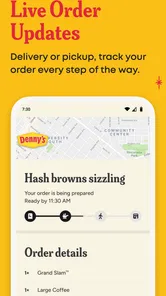
One of the coolest features of this app is the online ordering system. Gone are the days of waiting in line; now you can order your favorite Grand Slam breakfast from the comfort of your bed. The process is straightforward: just browse the menu, select your items, customize them if needed, and boom—you’re good to go!
More From Our News Desk

Weather by Xiaomi Review: Clear at a Glance, Less Clear Up Close

X Under Pressure: Can It Recover When Posting Goes Wrong?

Clash of Clans Is Won Between the Battles

Android Auto Makes the Case for Quieter Car Software

MobiOffice: Transforming Mobile Productivity with Seamless Integration

EA SPORTS FC™ Mobile Soccer: Redefining Mobile Sports Gaming
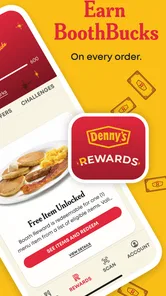
Another highlight is the rewards program. Every dollar you spend earns you points, and once you rack up enough, you can redeem them for free food. It’s like getting paid to eat, and who wouldn’t love that?
From choosing a location to placing an order
For a smoother handoff, I’d check the selected location before getting invested in a specific order. A nearby restaurant is not automatically the right one for your route: if I’m driving across town, picking the location near my destination may be more useful than the one closest to home. I’d also review the order once more before sending it, especially when several people are choosing items or customizing a shared meal. That quick pause is a simple way to catch a missed change before the kitchen receives the request.
A realistic use is a weekend morning when everyone wants something different and nobody wants to negotiate at the counter. I can look through the menu with the group, settle the choices, and place the order before we leave. It can make the decision easier, but it does not remove the need to coordinate pickup or confirm the restaurant is convenient. If the plan changes mid-drive, the app may be less helpful than speaking directly with the location; I wouldn’t treat a submitted order as something I can freely revise.
User Experience
The app runs smoothly, with minimal glitches. It’s designed to ensure that even the least tech-savvy diner can navigate it without breaking a sweat. The layout is intuitive, and the colors are easy on the eyes, making the whole experience quite enjoyable. Plus, the app offers useful information like nutritional facts and allergen details, which is a thoughtful touch.
Checking the details before food is involved
I find menu details especially valuable when I’m trying to make a considered choice rather than ordering on autopilot. Nutritional information can help compare dishes, while allergen details are a useful prompt to check ingredients carefully. For a serious allergy, though, I would not rely on an app screen alone: I’d contact the restaurant to confirm how a particular order can be handled. That is a sensible trade-off with any digital menu, where convenient browsing is not the same as a direct conversation about food preparation.
The app has a 4.5 average from around 41,000 ratings, and it has been installed over a million times. Those figures suggest it has found an audience, but they don’t guarantee that every order will fit every situation. It is free and rated for Everyone, so trying it is low-commitment; its current version is 6.0.7, and it requires Android 10 or later on Android devices. It was released on January 8, 2014, which gives it a long history as a restaurant app, though what matters more to me is whether the ordering flow suits the next meal I’m planning.
Why You’ll Love It
Now, let’s talk about why this app might just win your heart. Imagine you wake up on a lazy Sunday morning craving some pancakes. Instead of dragging yourself out of bed, you grab your phone, open the app, and within minutes, your breakfast is on its way. It’s convenience at its finest.
Furthermore, the app often features exclusive deals that you won’t find anywhere else. Whether it’s a discount on your favorite dish or a special promo for app users, these deals add an extra layer of excitement every time you log in.
Using offers without letting them drive the order
I’d treat offers as a pleasant extra, not the reason to choose a restaurant or assume a particular discount will be available when I order. Checking what is shown in the app while planning is more useful than building a meal around a deal I have not confirmed. The same practical thinking applies to timing: ordering ahead can reduce the counter-side decision-making, but it cannot make a busy morning or an inconvenient location disappear.
This is also where the choice between ordering ahead and eating in matters. If I want to sit down, ask questions, or change my mind while talking through the menu, the usual in-person experience is a better fit. If I already know what I want and value deciding at my own pace, using the phone is more convenient. For someone who rarely visits Denny’s, the app may not earn a permanent spot on the home screen; a one-off visit can still make it useful for checking the menu and organizing an order.
Who benefits most from the app
I think it is most useful for people who already visit Denny’s often enough to recognize what they like, or for anyone planning a specific meal there with other people. Regular customers may appreciate having the menu, ordering, offers, and rewards in one restaurant-focused place. A less frequent visitor can still benefit from being able to browse before arriving, especially when a group needs time to agree on a meal.
It is less compelling if your eating habits are built around trying new places or choosing whatever is closest at the last minute. In that situation, a local search or multi-restaurant delivery service gives you a broader view. Likewise, if you prefer a server to guide you through choices, or expect to make several changes through conversation, ordering in person is the more natural route. The app helps organize a Denny’s order; it doesn’t make Denny’s the right choice for every meal.
A practical routine for a group order
For a family breakfast, I’d use the menu as a planning aid before anyone is hungry and waiting. Each person can settle on a choice, one person can check the selected location, and the person placing the order can make a final pass through the items and customizations. That division keeps the phone from becoming a bottleneck while everyone debates at once. It also gives the group a chance to catch a simple mistake, such as leaving out one person’s meal, before the order is submitted.
There is a trade-off: one person becomes responsible for collecting everyone’s choices and confirming the final order. If the group is still undecided, ordering together at the restaurant may be easier than trying to settle every detail in advance. I’d use the app when the menu choices are mostly settled, not as a substitute for coordinating a group that has not decided what it wants.
What to expect from the handoff
Once I’ve chosen the location and reviewed the order, the app’s role is to pass those choices along. The useful part is being able to make decisions before reaching the counter; the part that still needs attention is the physical handoff at the restaurant. I’d make sure everyone knows which location the order is for and avoid assuming that placing an order automatically solves questions about arrival time or changes.
If an unexpected delay or change comes up, I’d contact the location rather than count on editing a submitted order through the app. That is a small but important distinction: digital ordering makes the initial request more convenient, but a direct conversation is better when the situation no longer matches what was entered. For a straightforward planned meal, that division of responsibility feels sensible. For a complicated or rapidly changing plan, it can feel like extra coordination rather than a shortcut.
Final Thoughts
In conclusion, the Denny's app is a delightful blend of convenience, functionality, and rewards. It’s perfect for those who want their breakfast with a side of technology. Whether you’re a regular diner or just someone who occasionally craves a good stack of pancakes, this app is definitely worth a download. So, next time you’re in the mood for some delicious diner food, give the Denny's app a try, and let it bring the comfort of a diner right to your doorstep.
My recommendation is straightforward: install it if Denny’s is already part of your routine, or keep it handy for the occasional planned meal when ordering before arrival would help. I would skip it if I mainly want to compare restaurants, need a flexible last-minute change, or prefer to discuss dietary concerns face to face. Used for what it does best—browsing Denny’s choices and arranging an order—it can make the path from craving to meal feel more organized, without replacing the judgment and communication a good order sometimes needs.
Denny's Frequently Asked Questions
Can I use the Denny’s app to order ahead for pickup or dine-in?
The Denny’s app is designed around online ordering, and it lets users place orders for dine-in or takeout. You can browse the menu and make selections in the app before visiting a restaurant, which may make planning a meal more convenient. Check the options presented for your order and location to see which ordering choices are available to you.
Who makes the Denny’s app, and what is it intended for?
The app is developed by Denny’s, Inc and belongs to the Food & Drink category. Its store summary describes it as Denny’s newest online ordering experience, so it is geared toward people who want to explore the menu and order through the app. The app is called Denny’s, making it easier to identify when searching for it on a mobile device.
Is the Denny’s app free, and what devices can use it?
The Denny’s app is free to download and is listed for an Everyone audience. It requires a device running operating system version 10 or later, so check your phone’s software version before installing. The app is a Food & Drink app from Denny’s, Inc, intended for people who want to explore Denny’s online ordering experience.
What can I learn from the app’s ratings and download history?
The app has an average rating of 4.5 from around 41,000 ratings, with about 5,400 written reviews and over one million installs. These figures offer a useful snapshot of its reach and reception, but individual experiences can differ depending on how someone uses the app. Reading recent reviews may help you decide whether its ordering and restaurant features suit your needs.
What features does the Denny's app offer?
The Denny's app offers a variety of features designed to enhance your dining experience. Users can browse the full menu, place orders for dine-in or takeout, and customize their meals according to dietary preferences. Additionally, the app provides access to exclusive deals, a built-in rewards program for earning points on purchases, and a convenient restaurant locator to find the nearest Denny's.
Pros
- User-friendly interface
- Wide range of menu options
- Easy online ordering
- Frequent promotions available
- Loyalty rewards program
Cons
- Limited delivery areas
- Occasional app crashes
- High delivery fees
- Inconsistent customer support
- Limited payment options











