Cold Stone®
- 979.00
- 3.9
- Installs
- 500.00K
- Price
- Free

Screenshots
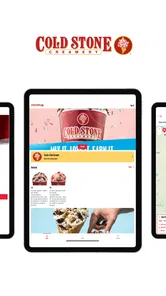
Analysis by Reviewed
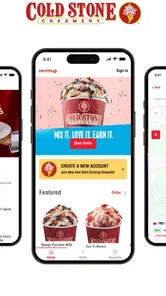
I see Cold Stone® as a useful companion for people who already choose Cold Stone, rather than a general-purpose food delivery app. It brings ordering, rewards, and store finding into one place, which can make a planned treat simpler. The app is free, developed by Kahala, and sits in the food and drink category. Its current version is 5.0.1, following a release history that began in 2017. That tells me it has had time to evolve, though a version number alone can’t show exactly which changes were made or how every feature performs today.
What the current app is best suited to
The most useful way to think about this app is as a shortcut to a particular kind of visit, not as a replacement for every way of buying dessert. Its main draw is having the brand’s order, rewards, and location tools together. That is a natural fit if Cold Stone is already part of your routine, but it is less compelling if you are simply looking for the nearest dessert shop or comparing menus across several businesses.
That distinction also helps set expectations. Installing it does not make a visit worthwhile by itself; the value comes from whether a nearby shop, the available choices, and the ordering flow suit the occasion. I would keep it for recurring visits or a planned pickup, and skip it if I expect to use it only once and would rather make a quick decision at the counter.
Who will get the most out of it
The strongest case for installing it is repeat use: if you have a usual order, visit a nearby shop often, or like checking your rewards balance, keeping those tasks in one app is more practical than searching the web each time. It may also help when you’re choosing a pickup stop while out and about. By contrast, if you only want ice cream once in a while, a quick visit in person may be easier than setting up an account and learning another ordering flow.
A realistic use is deciding on dessert before leaving work. I’d check the location finder first, make sure there’s a convenient shop on my route, then place an order if the app shows the choices I want. That sequence matters: picking a location before building a cart can help avoid doing the same work twice if your preferred shop isn’t the one you’ll visit. I’d still allow a little extra time rather than treating a mobile order as a guarantee of instant pickup.
How it fits alongside other ways to order
Compared with walking in, ordering by phone can reduce time spent choosing at the counter, especially when you already know your flavors and mix-ins. The trade-off is that an in-person visit is better when you want to ask questions or decide after seeing the options. Compared with a broad delivery service, this app is focused on Cold Stone’s own ordering and rewards experience; that focus can be convenient for loyal customers, while a general service may be more useful if you’re comparing restaurants or arranging delivery from several places.
There is also a practical difference between using a dedicated brand app and relying on search results. A search can help compare nearby dessert stops, but it may send you across several pages to find a location or reach an ordering option. The dedicated app makes more sense when you have already settled on Cold Stone and want to handle those brand-specific tasks together. If your priority is browsing a whole neighborhood’s food choices, a map or broad ordering service is the better starting point.
More From Our News Desk

Weather by Xiaomi Review: Clear at a Glance, Less Clear Up Close

X Under Pressure: Can It Recover When Posting Goes Wrong?

Clash of Clans Is Won Between the Battles

Android Auto Makes the Case for Quieter Car Software

MobiOffice: Transforming Mobile Productivity with Seamless Integration

EA SPORTS FC™ Mobile Soccer: Redefining Mobile Sports Gaming
Small habits that make it more useful
I’d treat the rewards balance as something to check before paying, not after, so I can see whether the visit fits my plan. If I’m ordering for a group, I’d settle everyone’s choices first and review the cart carefully before checkout; multiple custom treats are easy to mix up when names or combinations sound alike. For a new location, checking the finder before setting out is a sensible way to avoid relying on memory, particularly during a trip.
For a group order, I would also make one person responsible for collecting each choice and confirming the finished cart aloud before submitting it. That small pause is more useful than rushing through checkout: flavor combinations can be similar, and a treat selected for one person may not be the one another person intended. If someone in the group is still undecided, it may be easier to wait and order together in person rather than trying to guess their preference on a phone.
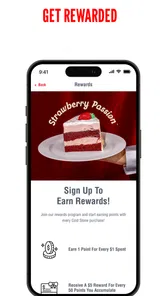
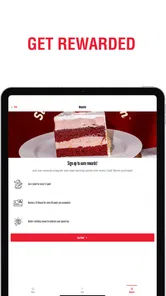
Rewards are most helpful when they influence a visit you were already planning, rather than becoming a reason to buy something you do not want. Checking the balance first keeps the program in perspective and lets you decide whether to use the app or simply pay as usual. I would avoid assuming that a particular reward will apply to every order or location; the sensible habit is to review what the app actually shows before completing the purchase.
The app’s audience feedback is mixed but substantial: it holds a 3.7 average from around 4,400 ratings, with roughly 900 written reviews, and has passed 500,000 installs. I read that as a reason to keep expectations practical rather than assuming every order will feel effortless. It is rated for Everyone, and the listed Android minimum is version 6.0, so compatibility is worth checking on an older device before making it part of your routine.
Ice Cream at Your Fingertips
First off, the app is all about convenience. Imagine being able to order your favorite ice cream creation with just a few taps on your phone. Gone are the days of waiting in line, and trust me, that’s a lifesaver on a hot day. The app is available for both Android and iOS, which is super handy for all you smartphone users out there.
Design and User Experience
The design of the app is pretty sweet—pun intended! It’s user-friendly and straightforward. The colors are vibrant, much like the ice cream itself, and it’s super easy to navigate through the menu. Whether you’re a tech-savvy person or someone who struggles with technology, you’ll find this app a breeze to use.
For a first visit, I would use the menu as a planning aid rather than assume it removes every decision. Browsing before reaching the counter can help narrow down a combination, while ordering in person leaves room to ask questions and change direction at the last moment. That makes the app especially handy when I know what I want, but less decisive when I am choosing a treat for someone with preferences I do not know well.
Features That Stand Out
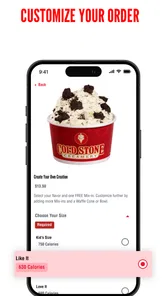
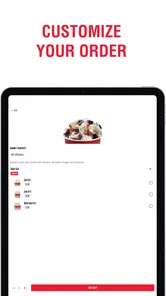
One of the features that I absolutely loved is the customization option. You can mix and match your favorite flavors and toppings just like you would in-store. Plus, the rewards system is a cherry on top. Every purchase gets you closer to a free scoop, and who doesn’t love free ice cream?
Customization is a strength, but it also makes a quick review of the order worthwhile. Before checking out, I would read each item from top to bottom and confirm that the selected flavors and toppings belong together as intended. This is especially useful when ordering several treats or building a combination from memory. A little care at that point can prevent the convenience of placing the order from turning into confusion at pickup.
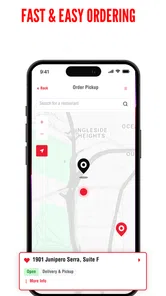
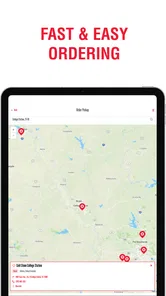
Another fantastic feature is the location finder. If you’re on a road trip or simply exploring new places, the app helps you find the nearest Cold Stone® outlet. It’s like having an ice cream GPS!
For travel, I would check the location before changing plans around it. A nearby result is a useful lead, not a reason to assume the shop is directly on the route or that it will suit the timing of a stop. I would confirm the destination and leave room for a change of plan, especially when traveling with others. The finder is most valuable as a way to locate a brand outlet, not as a substitute for broader route planning.
Ordering Made Easy
Ordering through the app is as simple as ordering pizza online. You select your flavors, add them to your cart, and proceed to checkout. The payment process is secure, and you can even save your payment details for faster checkouts in the future. It’s efficient and saves so much time.
The key question is whether a mobile order fits the moment. If I am passing a shop and have time to browse, walking in gives me flexibility and avoids having to prepare the order in advance. If I am coordinating a stop between errands, choosing first on my phone can make the visit more orderly. I would still check the selected shop and cart before submitting, because a faster checkout is only useful when the order is going to the right place.
Saving payment details can make repeat ordering smoother, but I would choose that convenience only on a device I use and secure regularly. If I share a phone or prefer not to keep payment information in an app, entering details as needed or ordering in person may suit me better. Either way, I would treat the final checkout screen as the moment to verify the location, items, and payment choice rather than tapping through on autopilot.
Room for Improvement?
While the app is generally awesome, there are a couple of things that could be improved. Sometimes the app takes a little longer to load, especially during peak hours. It’s not a deal-breaker, but it’s something to keep in mind. Also, adding a few more payment options could make the app more versatile.
That friction matters most when the order is time-sensitive. I would not wait until I am already at the counter with a group behind me to install the app, sign in, and work out a custom order. Setting it up earlier—or simply ordering with staff—keeps a slow-loading moment from becoming stressful. For a spontaneous visit, the counter can be the smoother option even though the app is designed to save steps.
Version 5.0.1 is the current point in the app’s evolution, while its history reaches back to 2017. That gives existing users a reason to expect a product that has developed over time, but the version label does not tell me which screens or processes changed. I would judge any future changes by their practical effect: whether it becomes easier to find a shop, build a clear order, and check rewards without adding extra steps.
If you already visit Cold Stone, the app is worth considering as a handy way to organize a familiar treat. If you want to compare independent shops, discover desserts across different brands, or decide only after talking through choices, a map, general ordering service, or in-person visit may serve you better. For me, its appeal is specific rather than universal: Cold Stone® can make a planned stop more convenient, as long as I keep an eye on the selected location and the details in my cart.
Cold Stone® Frequently Asked Questions
Is Cold Stone® free to download, and what does it require to run?
Cold Stone® is a free Food & Drink app from Kahala for Android and iOS. It is rated Everyone, and the listed Android minimum is version 6.0. The app focuses on ordering made-fresh ice cream, checking points and reward balance, and finding a location. As with any app, make sure your device meets the platform requirements before downloading.
What is Cold Stone® app and what are its main features?
The Cold Stone® app is designed to enhance your ice cream experience by offering a seamless way to order your favorite Cold Stone Creamery products directly from your smartphone. Key features include a user-friendly interface for browsing the menu, a rewards program that lets you earn points with every purchase, and the convenience of finding the nearest store location. Additionally, the app provides exclusive deals and offers, ensuring you get the best value every time you choose Cold Stone®.
Is the Cold Stone® app free to download and use?
Yes, the Cold Stone® app is completely free to download on both Android and iOS platforms. Users can access all the features without any subscription fees. However, while the app is free, you will need to pay for any food items you order through it. Occasionally, the app offers special promotions and discounts that can be applied to your purchases, providing additional savings.
How does the rewards program in the Cold Stone® app work?
The Cold Stone® app includes a rewards program designed to benefit loyal customers. Each time you make a purchase through the app, you earn points. These points accumulate over time and can be redeemed for discounts or free products. The app keeps track of your points, and you can easily check your balance within your account. It's a fantastic way to enjoy more of what you love while saving money.
Can I customize my ice cream orders through the Cold Stone® app?
Absolutely! The Cold Stone® app allows for extensive customization of your ice cream orders. You can choose from a variety of flavors, mix-ins, and toppings to create your perfect dessert. The app also remembers your past orders, making it easy to reorder your favorites with just a few taps. This feature ensures that every order is tailored to your taste preferences.
Pros
- User-friendly interface
- Wide range of ice cream flavors
- Customizable orders
- Loyalty rewards program
- Frequent updates
Cons
- Limited delivery areas
- Requires account to order
- Occasional app crashes
- Some features require internet
- In-app ads











