cleveland.com
- 334.00
- 3.2
- Installs
- 100.00K
- Price
- Free

Screenshots


Analysis by Reviewed
I spent time with cleveland.com as a local news app, looking at it less like a quick headline reader and more like a tool someone might depend on during a busy day. Its purpose is straightforward: it brings Cleveland-area news from cleveland.com into a mobile format. That focus is its biggest strength, but it also means the experience is most useful when your interests, location, and reading habits line up with regional coverage.
The app is free to install, is made by cleveland.com, and sits in the News & Magazines category. It is aimed at Teen users, runs on Android 8.0 or later, and the current version is 5.0.0. I found those details important because this is not a general-purpose national news reader. It is a focused local publication app, and the decision to use it should begin with whether Cleveland-area reporting is genuinely relevant to your daily life.
How the reading experience works for different people
I find that the reading experience is shaped as much by a person’s routine and access needs as by the app’s local focus. In this section, I’ll look at practical ways to make Cleveland coverage easier to scan, follow, and return to, including when short, purposeful visits work better than extended browsing.
Readability and navigation in everyday use
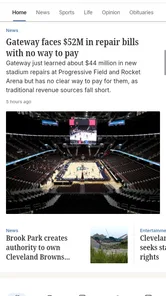
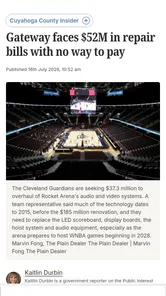
The first thing I noticed is that the app’s value depends on how quickly I can move from the main news stream to the particular story I need. A local news application should reduce the effort between opening it and understanding what is happening nearby. In that respect, cleveland.com makes sense for readers who want a dedicated place for regional coverage rather than a broad feed filled with stories from everywhere.
I found it most practical when I approached it with a specific purpose: checking what had changed locally, scanning several headlines before work, or opening a story connected to a neighborhood concern. That is different from browsing a social media timeline, where local reporting can be mixed with commentary, reposts, and unrelated material. Here, the publication identity gives the experience a clearer editorial center.
At the same time, a focused local app can feel narrower than a large news aggregator. If I want national politics, international events, technology coverage, weather from several regions, and local reporting in one place, I would probably prefer a broader news service. cleveland.com is better understood as a direct route to Cleveland-area information, not as a replacement for every news source on a phone.
For readers with visual preferences, the practical question is whether the text presentation feels comfortable during longer sessions. I would approach it by adjusting the phone’s own display settings when needed rather than assuming the app alone will solve every readability issue. Larger system text, stronger contrast, reduced glare, and a suitable screen brightness can make a meaningful difference, especially for someone reading several articles rather than only checking a headline.
More From Our News Desk

Weather by Xiaomi Review: Clear at a Glance, Less Clear Up Close

X Under Pressure: Can It Recover When Posting Goes Wrong?

Clash of Clans Is Won Between the Battles

Android Auto Makes the Case for Quieter Car Software

MobiOffice: Transforming Mobile Productivity with Seamless Integration

EA SPORTS FC™ Mobile Soccer: Redefining Mobile Sports Gaming
A useful habit is to separate quick scanning from deep reading. I use the opening view to decide which story deserves attention, then read one article at a time instead of trying to process every headline. That workflow helps reduce visual clutter and makes the app more manageable for people who become tired when faced with a dense stream of information. It also makes the local focus more valuable: I can choose a few relevant stories instead of treating the app like an endless feed.
The app’s average rating is 3.2 from around 850 ratings, with over 330 written reviews. I would not treat that figure as a final verdict, but it does suggest that the experience may not feel equally smooth for everyone. My own view is that the app’s usefulness is tied closely to expectations. Someone seeking a simple Cleveland news destination may be satisfied, while someone expecting the polish and breadth of a major all-in-one news platform may notice limitations more quickly.
Motor and sensory considerations
News reading is often a low-pressure activity, but it still involves repeated taps, scrolling, and choosing among headlines. That matters for people with limited dexterity, tremors, fatigue, or one-handed use. I found the most comfortable approach was to slow down and use deliberate gestures instead of trying to move rapidly through the feed. A phone’s built-in touch accommodations can also be useful if quick taps or precise targets are difficult.
One practical trade-off is that a news app rewards frequent small interactions. You open it, select a story, scroll through the article, return to the list, and repeat. For me, that is fine during a short check-in, but it can become tiring during a longer reading session. Someone with motor limitations may prefer opening one story and staying with it, rather than repeatedly navigating back and forth through several items.
People who are sensitive to motion, brightness, or crowded screens should judge the app in the conditions where they normally read. A bright phone in a dark room can make any news feed uncomfortable, and rapid scrolling can be tiring even when the content itself is easy to understand. I would use a stable reading position, moderate brightness, and the phone’s accessibility controls before deciding that the app is unsuitable.
For users with hearing loss, the core activity is primarily text-based, which is naturally more convenient than an audio-first news service. However, that does not automatically make every part of a news app equally accessible. If a story relies on visual presentation, embedded media, or information that is easier to understand through another format, the reading experience may vary. I would not choose it on the assumption that every article will work identically for every sensory need.
Users with cognitive disabilities may benefit from a simple routine: open the app at a planned time, choose one or two subjects, and stop when the relevant information has been read. Local news can become overwhelming when every alert or headline feels urgent. The app works better for me when I treat it as a source to consult, not a stream I must constantly monitor. That small change reduces pressure and makes the information easier to organize.
Situational access beyond the ideal reading environment
The realistic test for a local news app is not only how it behaves while sitting comfortably at home. I also considered situations such as checking a developing local story during a commute, reading with one hand while carrying a bag, or looking for context during a conversation about something happening nearby. In those moments, the app’s regional focus is useful because it avoids the extra filtering required by a general news service.
It can also suit people who have moved away from Cleveland but still want a connection to the area. The app gives that reader a dedicated place to check local developments without having to search the wider web each time. For former residents, family members, or people who follow Cleveland because of work or community ties, that direct focus may be more valuable than a larger app with a less relevant feed.
On a slow connection or in a distracting environment, I would avoid relying on the app for information that must be retrieved instantly. News apps are most comfortable when the phone has a stable connection and the reader has enough attention to interpret the full article. A headline alone can be misleading, particularly with local events that change quickly. My advice is to use the app for informed reading rather than making decisions from a rushed glance.
It is also worth considering screen size. A phone is convenient for short updates, but a larger tablet or desktop browser may be better for readers who need bigger text, more space, or less frequent scrolling. cleveland.com’s mobile format is convenient because it travels with you, yet portability and comfort are not the same thing. For someone with low vision or hand fatigue, the larger-screen alternative may be the more inclusive choice even if the app remains useful for quick checks.
The app is free, which lowers the barrier to trying it. However, in-app purchases range from $7.99 to $199.99 per item. I would pay attention to any purchase screen and make sure I understand what is being offered before confirming anything, particularly if a child or another family member shares the device. The free entry point is helpful, but it should not be confused with an experience where every possible part of the publication is necessarily included without cost.
Where the experience still creates friction
The biggest limitation is not that the app lacks a clear purpose; it is that a clear purpose can also make it less flexible. I would skip it if I rarely need Cleveland-area news, because a broader news reader would give me more value from the same space on my phone. I would also hesitate if I want a highly personalized national feed, extensive international coverage, or a single dashboard combining many unrelated information sources.
Another barrier is the difference between accessibility in principle and accessibility in practice. A text-based news app may be easier for some people than video-heavy platforms, but that does not guarantee that every control, article layout, or media element will suit every user. Since needs vary widely, I recommend testing the app with the phone’s own screen reader, magnification, text-size, contrast, and touch settings if those tools are part of your normal routine.
Readers who struggle with information overload should be especially deliberate. Local news is valuable because it is relevant, but relevance can also make difficult stories feel personal and urgent. I found it helpful to decide beforehand what I was checking for: traffic-related developments, community news, public safety information, or general headlines. That approach turns the app into a purposeful reference tool instead of another source of constant interruption.
There is also a difference between reading comfort and editorial completeness. cleveland.com can be a useful local source, but I would still compare important stories with official notices or another reputable outlet when accuracy and immediate action matter. That is not a criticism unique to this app; it is a sensible habit for any news service. A mobile interface can make information easier to reach, but it cannot remove the need to read carefully and consider context.
The age classification of Teen is another reason I would use judgment when sharing the app with younger readers. Local reporting can cover serious subjects, and a general age label does not tell me how every individual story will affect a particular reader. For a family device, I would talk with younger users about which sections they are reading and use the device’s purchase controls when necessary.
Useful workflows I would recommend
My preferred workflow is a short morning scan followed by focused reading. I open the app, identify the few Cleveland stories that could affect my day, and read those fully instead of tapping everything. This is especially useful for people who need local context but have limited attention or energy. It also reduces unnecessary scrolling, which can help users with motor fatigue or visual strain.
A second workflow is to use it as a conversation and verification starting point. If a neighbor, colleague, or family member mentions a local development, I can consult the app for the publication’s coverage and then look for additional context when the subject is important. The app is not merely a headline dispenser in that situation; it becomes a way to orient myself before deciding what else I need to check.
A third tip is to treat the free installation as a trial rather than an automatic commitment. I would use it for several ordinary reading sessions, including one with accessibility settings enabled, before deciding whether it deserves a permanent place on my home screen. That test reveals more than a quick launch: it shows whether the regional focus matches my routine, whether the reading pace feels comfortable, and whether any purchase prompts fit my expectations.
For people who share devices, I would create a clear boundary between reading and purchasing. The presence of paid items means that a free download does not remove the need to review transaction controls. This is a small but important part of responsible use, especially on a family phone or a device used by someone who may tap through screens without fully understanding the consequences.
Who will benefit most from it
I would recommend cleveland.com to Cleveland residents who want a direct local news destination, people with strong ties to the area, and readers who prefer a publication-focused experience over a mixed social feed. It can also work well for someone who checks news in short sessions and values regional relevance more than a large range of subjects.
I would be more cautious recommending it to readers outside the Cleveland area, people who need one app for worldwide coverage, and users who require a very specific accessibility workflow that the app does not fit comfortably. Those readers may be better served by a larger news platform, a browser-based reading setup, or a publication that offers the exact text, audio, display, and navigation controls they already rely on.
Its history also shows that it is an established app rather than a brand-new experiment: it was released on February 19, 2011. The current version, 5.0.0, supports Android 8.0 and later, and the app has passed 100,000 installs. Those figures place it in a familiar, long-running local-news context, but they do not by themselves guarantee that the interface will suit every phone or every reader.
My inclusive verdict
After using it as a focused Cleveland news reader, I see cleveland.com as a practical option for people whose information needs are genuinely local. Its strongest quality is concentration: it gives Cleveland-area reporting a dedicated place instead of asking me to filter it from a much larger stream. That can make daily news checks faster, calmer, and more relevant.
Its inclusive value is more nuanced. Readers who are comfortable with text, short browsing sessions, and standard phone navigation may find it easy to fit into a routine. People with visual, motor, hearing, or cognitive needs can improve the experience through device-level settings and a deliberate reading workflow, but I would still test it personally rather than assuming the same result for everyone.
My main recommendation is to judge cleveland.com by the situation in which you will actually use it. If you need Cleveland news while keeping your reading focused, the free app is worth trying. If you need broad coverage, highly specialized accessibility controls, or a larger reading canvas, another option may be more comfortable. I would keep it as a local source, use it intentionally, and treat important stories as a starting point for careful understanding rather than as information to consume at headline speed.
cleveland.com Frequently Asked Questions
Is cleveland.com available for my Android or iOS device?
cleveland.com is a mobile app for reading Cleveland-area news on a compatible Android or iOS device. Its minimum operating-system requirement is version 8.0, so check your device’s software version before downloading. The app is developed by cleveland.com and is categorized as News & Magazines, making it a straightforward option for readers who prefer getting regional headlines on a phone or tablet.
What is cleveland.com, and what can I use the app for?
cleveland.com is a news and information app focused on Cleveland, Northeast Ohio, and related regional topics. After installing it, you can browse local breaking news, politics, sports, entertainment, business, weather, and community coverage. The app is useful for readers who want quick access to headlines and stories from the Cleveland area in a mobile-friendly format.
Is the cleveland.com app free to download and use?
The cleveland.com app is free to download, so there is no installation fee. However, some content or features may require payment, and the app includes in-app purchases with prices that vary by item. Access to articles may also depend on the publication’s subscription and digital-access policies. Check the terms shown in the app before purchasing or subscribing.
Does cleveland.com require a subscription to read articles?
Not every article necessarily requires a subscription, but cleveland.com may place limits on how many stories non-subscribers can read or restrict selected content to registered or paying members. Subscription benefits, pricing, and access rules can change over time. If you regularly follow local news, review the available plans and cancellation conditions before purchasing.
What types of news and features are available in cleveland.com?
The app typically brings together coverage of Cleveland and Northeast Ohio, including local news, crime, politics, sports, dining, entertainment, events, weather, and opinion content. Depending on the current version, users may also find notifications, saved stories, newsletters, multimedia reports, and links to related coverage. Available sections and tools may vary by device and update.
Pros
- Fast access to breaking news and local Cleveland coverage.
- Useful sections for sports
- politics
- weather
- and community updates.
- Clean layout makes headlines easy to scan on mobile.
- Push alerts can help users follow important local developments.
- Includes articles
- photos
- and videos from a trusted regional newsroom.
Cons
- Some articles may require a subscription or account to read fully.
- Advertising can make parts of the app feel crowded.
- Coverage is mainly regional and may not suit users seeking global news.
- Frequent notifications may feel excessive unless carefully customized.
- Performance and loading speed can vary with connection quality.













