cleveland.com: Browns News
- 65.00
- 3.8
- Installs
- 10.00K
- Price
- Free

Screenshots
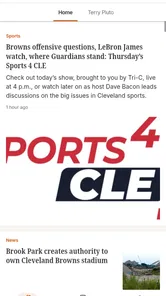
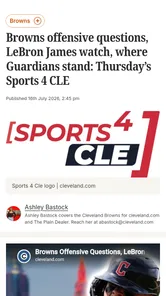
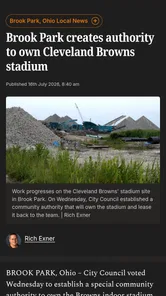
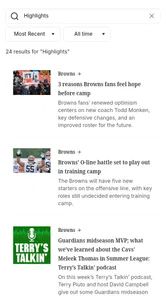
Analysis by Reviewed
If you follow the Cleveland Browns and want a focused way to keep up with team coverage, cleveland.com: Browns News is worth a look. I see it as a straightforward sports app built around Cleveland Browns news rather than a broad, all-team sports hub. That focus is its main appeal: when I open it, I am looking for Browns-related reading, not trying to sort through every league, club, and headline at once.
The app is free to install, carries a Teen content rating, and comes from cleveland.com. It has been available since July 23, 2012, and the current version is 5.0.0. Those details matter less than the everyday question: will it help you get to useful Browns coverage quickly? For a fan who already knows what they want to follow, the answer is generally yes. For someone expecting a complete live-score service, a full statistics database, or a replacement for every sports tool on a phone, I would set expectations lower.
What to expect when you open the Browns news app
My first impression is that this is a reading-first product. Its identity is tied to Cleveland Browns coverage, so the useful habit is opening it when you want to catch up on reporting, follow the conversation around the team, or browse stories you may have missed. It makes more sense as a dedicated news shelf than as an all-purpose sports command center.
That distinction is important before you install it. A general sports app usually wins when you need scores across several leagues, standings, schedules, fantasy information, or a broad stream of breaking alerts. This app is better suited to the fan who wants a narrower editorial destination. If your interest is specifically the Browns, that narrower scope can save time because you are not constantly filtering unrelated teams.
The store lists an average rating of 3.8, based on around 160 ratings, with roughly 65 written reviews. I read that as a mixed but usable signal rather than a guarantee. The app has passed the stage of being an unknown experiment, yet the rating also suggests that individual expectations and experiences can vary. I would judge it by whether its coverage style fits your routine instead of assuming that the score tells the whole story.
It has more than 10,000 installs, which gives it a modest footprint compared with the biggest national sports platforms. That is not automatically a weakness. A smaller, team-centered app can feel more relevant to a Browns supporter, although it may not have the same breadth or polish as a major sports network application.
Who will get the most from it
I think the best audience is a Browns fan who checks team news several times during the week and prefers a dedicated place to read rather than searching the web from scratch. It can also suit someone who follows the team casually but wants a quick way to reconnect before a game, after a result, or during a busy news period.
More From Our News Desk

Weather by Xiaomi Review: Clear at a Glance, Less Clear Up Close

X Under Pressure: Can It Recover When Posting Goes Wrong?

Clash of Clans Is Won Between the Battles

Android Auto Makes the Case for Quieter Car Software

MobiOffice: Transforming Mobile Productivity with Seamless Integration

EA SPORTS FC™ Mobile Soccer: Redefining Mobile Sports Gaming
It is less convincing for a user whose main goal is live game tracking. If you need detailed play-by-play, deep player comparisons, league-wide scores, or a carefully organized schedule, a larger sports service will usually be the stronger companion. I would also skip this app if you rarely read team articles and only want one occasional score; installing a focused news app may add another icon without solving your real need.
Getting started without overthinking the setup
After installing it on a compatible device, I would begin with a simple first session rather than trying to explore every screen immediately. Open the app, look through the available Browns stories, and identify the kind of coverage you actually want to return for. That first scan tells you more than a long setup process: you can see whether the writing, organization, and pace of updates suit you.
The minimum operating-system requirement is Android 8.0 or later. If you are using an older Android phone, compatibility is the first practical checkpoint. On a supported device, the sensible approach is to let the app load its main content, open one article that interests you, and then return to the listing. That gives you a feel for the movement between the news stream and the individual story without committing to a complicated routine.
I recommend deciding early whether this will be a quick-check app or a reading app. For quick checks, scan the headlines and open only the stories connected to what you are following. For deeper reading, save the app for a quiet moment and work through several related pieces. Treating it as both at once can make the experience feel less focused, especially if you open it expecting instant game data and find that the value is in the articles.
The app is free, but in-app purchases are listed from $4.99 to $99.99 per item. That makes it worth paying attention to any purchase prompt rather than tapping through automatically. I would start with the free experience and only consider an optional purchase if you understand exactly what it changes for your use. A free download is not the same thing as every possible part of the experience being free, so this is one place where a careful first session is sensible.
Your first meaningful success
For me, the first successful action is not merely opening the app. It is finding one Browns story that answers a question I already have, such as what the team is discussing, what has changed around the roster, or what the local coverage is emphasizing after a game. Once I can do that quickly, I know whether the app has earned a place in my regular rotation.
A useful first-day test is to open a headline that looks relevant, read enough to understand the central point, and then return to the main feed to see whether another story adds context. This workflow is more revealing than judging the app by its icon or store summary. It tests discovery, readability, and whether the app encourages a natural second step instead of leaving you stranded inside one article.
Here is a realistic example. Imagine I have ten minutes before leaving for work after a Browns game. I do not want to compare every team in the league; I want a quick local perspective and a couple of follow-up stories. I would open the app, scan the Browns headlines, read the most relevant article, and use the remaining time to check whether another piece explains the wider reaction. That is where a focused app can beat a general sports feed: it starts closer to the subject I care about.
Another useful routine is a pregame check. Rather than opening the app only once the action begins, I would use it beforehand to see what the current discussion is about. This can help me decide which stories deserve attention and prevents me from confusing a news app with a live scoreboard. The trade-off is clear: I gain team-specific reading, but I may still need another service during the game itself.
Small habits that make it more useful
I found that the best way to avoid information overload is to read by question. Instead of opening every headline, I ask what I need right now: a general update, reaction to a result, or background on a developing topic. This turns the app from an endless scroll into a short research stop. It is a simple habit, but it matters because a focused feed can still become noisy when every story looks equally urgent.
I also suggest separating “news I need now” from “analysis I want later.” If I am between errands, I open one direct story and leave the longer reading for a quieter time. If I have more time, I compare several pieces around the same Browns topic. This approach is especially useful for first-time users because it makes the app feel manageable instead of demanding a complete reading session every time it opens.
A third practical tip is to use the app as a starting point, not necessarily the only tool on your phone. I would read the team coverage here, then switch to a broader sports app when I need scores, standings, or information about another club. That division of labor is more efficient than expecting one app to handle every sports task equally well.
Where new users may become confused
The most likely misunderstanding is assuming that a Browns news app should behave like a live game tracker. The name points toward coverage, and the store summary identifies it as Cleveland Browns news, so I would approach it primarily as a place to read team reporting. If you open it during a game looking for constant statistical updates, the experience may feel incomplete even though the app is doing what its focus suggests.
Another possible confusion concerns the difference between a headline feed and a complete archive of everything happening around the team. A news stream is selective by nature. I would not treat the first visible set of stories as the entire Browns conversation. If a topic matters to me, I would read beyond one headline and use the available article flow to build context rather than making a strong conclusion from a single item.
The purchase model deserves similar caution. Because the app is free to download but includes optional purchases priced between $4.99 and $99.99 per item, I would check the wording of any offer before accepting it. This is not a reason to avoid the app, but it is a reason to keep the free and paid parts mentally separate. Someone who wants a completely uncomplicated free experience may prefer an alternative that has no purchase prompts.
The Teen rating is another detail parents and younger users should notice. I would not interpret that label as a promise that every article will suit every reader. Sports reporting can include mature themes, strong opinions, or discussion connected to injuries and controversy. If a child will use the app, I would review the experience together rather than assuming that team news is automatically appropriate for all ages.
How it compares with the usual sports alternatives
Against a national sports app, cleveland.com: Browns News wins on concentration. A large platform may give me more tools, but it also asks me to filter through leagues, teams, scores, videos, and promotions. This app is the better choice when my priority is Cleveland Browns coverage and I want fewer steps between opening the app and finding a relevant story.
The national alternative wins on range. If I follow several NFL teams, track other sports, need extensive statistics, or want live updates organized around a game, I would use that broader service instead. It is also likely to be more convenient for someone who wants one app to cover their entire sports life. The focused app makes a different trade: less breadth in exchange for a more direct team-news experience.
Compared with reading cleveland.com in a mobile browser, the app can feel more intentional because it gives the Browns coverage its own place on my phone. The browser is more flexible when I am already searching for a particular article or want to move between many websites. I would choose the app for repeat visits and the browser for occasional searches. That is a practical distinction, not a claim that one method is universally better.
Compared with social media, the app offers a calmer starting point for reading. Social feeds can be faster for reactions, but they also mix speculation, jokes, reposts, and unrelated arguments. I would use social platforms to see what fans are discussing and this app to find organized Browns reporting. The trade-off is that social media may feel more immediate, while the dedicated app is easier to approach when I want a focused reading session.
Performance expectations and everyday friction
The app’s age and current version tell me that it has had time to evolve, but I would not confuse a version number with a guarantee of perfect performance. My practical advice is to judge it during the moments that matter to you: a busy news day, a pregame check, and a quick visit when you have only a few minutes. Those situations reveal whether navigation feels comfortable and whether the content reaches the point quickly enough.
The biggest limitation is not necessarily a missing button; it is the narrow purpose. A single-team news app can become redundant if I already have a favorite sports platform, a browser routine, and a team-focused social feed. Before keeping it installed, I would ask whether it gives me a clearer path to Browns coverage than those existing habits. If it does not, the extra app may not justify its space.
I would also avoid judging it solely by how much content appears in one visit. News usefulness changes with the schedule and the moment. On a quiet day, there may be less reason to open it repeatedly; around a major team development, the same focused approach can become much more valuable. That makes it a companion for following a team over time, not a tool I would expect to provide the same kind of activity every day.
Who should install it, and who should choose something else
I would recommend trying it if you are a Browns supporter who wants a dedicated news destination, prefers local team coverage, and is comfortable using a separate app for scores or broader sports information. The free entry point makes testing straightforward, while the focused subject gives the app a clear role in a fan’s routine.
I would be more cautious if you mainly want instant score alerts, extensive statistics, fantasy tools, or coverage of many teams. In those cases, a broad sports application is probably a better first download. I would also think twice if purchase prompts are a deal-breaker or if the Teen rating does not fit the intended user.
For a first-time user, the clearest path is simple: install it on an Android device running version 8.0 or newer, open the Browns feed, read one story that answers a current question, and decide whether the next visit feels easier than using your usual browser or sports app. Do not measure success by how many screens you explore. Measure it by whether you can reach relevant team coverage with less effort.
After that first test, give it a specific job. Use it for local Browns reading, then keep your general sports app for live scores and league-wide tools. If that division makes your routine cleaner, the app has earned its place. If you still find yourself leaving immediately for another service, it is probably not the right fit.
My final view is positive but measured. cleveland.com: Browns News is most useful as a focused reading companion for Cleveland Browns fans, not as a complete replacement for every sports application. I like its clear purpose and the way it can shorten the path to team coverage, while the limited scope, optional purchases, and Teen rating are worth considering before settling into regular use. For the right fan, it is a practical free starting point; for everyone else, a broader sports tool may offer better value.
cleveland.com: Browns News Frequently Asked Questions
What devices can I use cleveland.com: Browns News on?
cleveland.com: Browns News is a sports app for Android and iOS devices, making it accessible on a phone or tablet running a compatible operating system. The app requires Android 8.0 or later, so it is worth checking your device’s software version before downloading. Once installed, you can read Browns coverage on the go rather than relying only on a desktop browser.
Who publishes cleveland.com: Browns News, and what is its focus?
The app is published by cleveland.com and focuses on news and coverage of the Cleveland Browns. It is aimed at fans who want to follow the team through reporting, game coverage, and related stories in a mobile format. Its Teen content rating is useful for families reviewing whether the app is appropriate for younger users.
What is cleveland.com: Browns News?
cleveland.com: Browns News is a mobile news app focused on the Cleveland Browns and their NFL coverage. It brings together team news, game previews and recaps, roster updates, injury reports, analysis, opinions, schedules, scores, and other Browns-related stories. It is designed for fans who want convenient access to Cleveland football coverage from their Android or iOS device.
Is cleveland.com: Browns News free to download and use?
The app can generally be downloaded without an upfront charge, allowing users to install it and explore available Browns coverage. However, some articles or premium content may require a cleveland.com subscription, depending on the publisher’s current access rules. Advertising may also appear in the app. Before subscribing, check the listed price, billing terms, and cancellation conditions in the relevant app store.
What type of Browns content can I find in the app?
After exploring the app, users can expect a mixture of breaking news, reporting from Cleveland.com journalists, game-day coverage, player and coaching updates, injury information, analysis, opinion pieces, schedules, scores, and postgame reaction. The exact selection can change during the NFL season, with more live updates and previews around games and more roster or draft coverage during the offseason.
Pros
- Fast access to Cleveland Browns news
- updates
- and team coverage.
- Useful for following breaking stories during games and major team events.
- Includes a mix of articles
- analysis
- and local sports reporting.
- Clean layout makes browsing recent headlines straightforward.
- Convenient way for Browns fans to keep up while traveling or away from a computer.
Cons
- Some content may require a subscription or account to access fully.
- Push notifications can feel frequent during busy news periods.
- Coverage is focused mainly on the Browns and may lack broader NFL depth.
- Advertising can interrupt reading and take up noticeable screen space.
- App performance and content availability may vary with internet connectivity.





