Church's Texas Chicken®
- 4.08K
- 4.9
- Installs
- 1.00M
- Price
- Free

Screenshots
Analysis by Reviewed
When hunger strikes and you're on the hunt for some finger-lickin' good fried chicken, the Church's Texas Chicken® app is your one-stop solution for mouthwatering meals on-the-go. Whether you're a longstanding fan or a first-timer eager to take a bite, this app serves up convenience with a side of crispy, golden goodness. Let's dive into what makes the Church's Texas Chicken® app a useful option for chicken lovers who want to plan a meal from their phone.
Ordering depends on a steady connection
The app’s main appeal is arranging food before you reach the counter, so the moments that matter most—browsing the menu, choosing a location, and sending an order—depend on being able to get online. I’d start the process somewhere with a reliable connection rather than wait until I’m in a crowded parking lot or already in a pickup line. That small bit of planning can make the difference between a quick handoff and having to begin again.
For a familiar Church’s order, it can also help to decide what you want before opening the app. That keeps the online part focused: find the restaurant, check the available choices, and place the order. If you’re choosing for a group, settle the sides and any meal changes first. It’s easier to handle those decisions while you have time than while everyone is waiting on your phone.
Easy Navigation and User-Friendly Interface
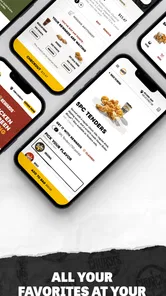
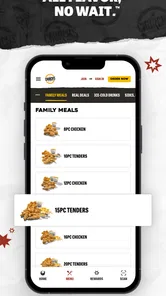
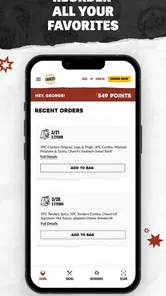
First things first, the app is a breeze to navigate. As soon as you open it, you're greeted with a clean and straightforward interface that's as welcoming as a warm biscuit. The menu is intuitively organized, letting you easily browse through all your favorites, from classic fried chicken to delicious sides and desserts. Need to customize your order? No problem! The app allows you to tweak your meal with just a few taps.
Order ahead, but choose the right moment
One of the standout features of this app is the ability to order ahead. You can say goodbye to long lines and hello to more time enjoying your meal. Just select your preferred location, choose your meal, and pick it up piping hot at your convenience. It’s the perfect solution for those busy days when you crave comfort food but don't have time to wait.
A realistic use is placing an order before leaving work, then picking it up on the way home. I’d still check that I selected the intended restaurant before submitting: choosing the wrong location can turn a time-saving plan into an unnecessary detour. If your route or timing is uncertain, waiting until your plans are clearer may be wiser than ordering too early.
Compared with calling a restaurant, ordering in an app can make it easier to review your selections before sending them. Compared with a general food-delivery service, the Church’s app is the more natural fit when you want to order directly from the brand and collect the food yourself. Delivery is part of its stated ordering purpose too, but I’d choose a delivery marketplace instead when I specifically want to compare several restaurants in one place.
More From Our News Desk

Weather by Xiaomi Review: Clear at a Glance, Less Clear Up Close

X Under Pressure: Can It Recover When Posting Goes Wrong?

Clash of Clans Is Won Between the Battles

Android Auto Makes the Case for Quieter Car Software

MobiOffice: Transforming Mobile Productivity with Seamless Integration

EA SPORTS FC™ Mobile Soccer: Redefining Mobile Sports Gaming
Making group orders less hectic
For a family meal or a small office lunch, I find the app most useful when one person gathers everyone’s choices before starting. Ask about the main order, sides, and any changes first, then enter the selections in one sitting. That cuts down on the back-and-forth of passing a phone around and reduces the chance of submitting before someone remembers an addition. It also gives the person placing the order a moment to review the basket calmly.
There is a trade-off: one person becomes responsible for checking the whole order, and a group’s preferences can change while the menu is open. I’d read the completed selection aloud or show it to the group before sending it. This isn’t a special app feature; it’s simply a useful way to avoid relying on memory when several people are choosing different items.
Rewards and offers are most useful to regulars
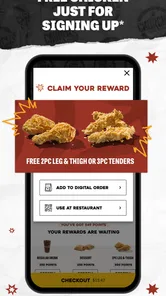
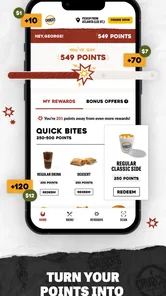
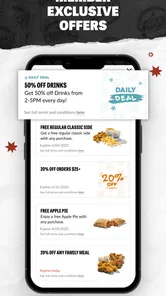
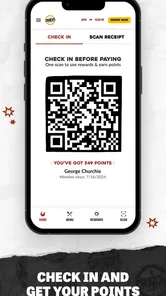
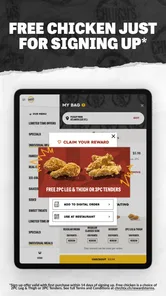
Who doesn't love a good deal? The app offers exclusive promotions and discounts that you won't find anywhere else. Plus, with the rewards program, every purchase brings you one step closer to earning free food. It's like having a little bonus every time you satisfy your fried chicken cravings.
The rewards angle makes the most sense if Church’s is already in your routine; occasional visitors may find less reason to check the app before every meal. I’d look through the offer details before building an order around a discount, rather than assuming a deal suits every combination. That quick check helps avoid changing a meal you actually want just to chase a promotion.
A practical habit is to check the rewards and any visible offer before deciding what to order, not after you have settled on a meal. That lets you compare the deal with your actual appetite rather than adding food merely because a promotion caught your eye. If the offer changes what you planned to buy, I’d pause and ask whether the revised order is still worth it. A discount is useful only when it fits the meal and the visit.
Notifications and phone-in-hand situations
Stay in the loop with customizable notifications that alert you about new deals, promotions, and menu updates. Whether it's a special holiday promotion or a new item launch, you'll be the first to know. This feature ensures you never miss out on any crispy, juicy goodness.
Notifications are handy if you like hearing about offers, but they can become noise if you only open the app when you already know what you want. I’d keep alerts focused on information I’m likely to use and turn off the rest through the phone’s notification controls if they interrupt the day. When ordering on the move, pull over or finish the order before driving; choosing food and checking a pickup location both deserve attention.
In a busy day, a phone can be useful for planning but awkward at the moment you need to act. I’d browse and decide while seated or waiting somewhere safe, then leave the phone alone once driving. If you’re walking between errands, it may be easier to complete the selection before reaching the restaurant rather than juggle the screen at the counter. This is especially worthwhile when choosing for other people, since group decisions take longer than a familiar solo order.
When the connection falters
If a menu screen stalls or the order flow stops responding, I wouldn’t immediately tap the final order button repeatedly. First check whether the phone has a working connection, then reopen the app and review the cart before trying again. This is a practical precaution: it reduces the chance of accidentally sending the same request twice and helps you confirm what, if anything, went through.
For a low-signal area, I’d wait until the connection improves or contact the restaurant directly if the meal is time-sensitive. The app is convenient, but it shouldn’t be the only plan when you need certainty and the network is unreliable. Keeping the restaurant’s location in mind before setting out is useful too, especially if you’re coordinating a pickup around a tight schedule.
Recovery matters most when the order is nearly complete. If the screen becomes unresponsive after you submit, I’d avoid assuming either that the order failed or that it succeeded. Check the app for a clear confirmation before trying again; if the status remains unclear and timing matters, contacting the chosen restaurant is the safer next step. That takes a little more effort than simply repeating the action, but it helps prevent duplicate requests and an avoidable wait.
For a routine meal with flexible timing, a brief pause and another attempt after the connection improves may be reasonable. For a pickup tied to a short break or a family on the way home, I’d use a more cautious approach and confirm the situation before making a second order. The app works best as a convenience, not as a guarantee that every step will be instant when mobile service is weak.
Using it without wasting mobile data
If I’m trying to keep mobile data use down, I’d do the browsing and decision-making while connected to a reliable network, then place the order when I’m ready. That keeps the phone work purposeful instead of repeatedly opening screens while traveling. I wouldn’t rely on a half-finished cart as a substitute for a confirmed order, though: the important point is to check the final details and submit only when the connection is steady.
This approach is also helpful for battery and attention, even if data is not a concern. Decide what you need, select the location, review the basket once, and finish. Repeatedly reopening the app to reconsider sides or compare the same choices adds friction without improving the order. If you’re away from a dependable connection, waiting until you have one is more sensible than trying to force the process from a weak-signal spot.
Who will get the most from it?
This free Food & Drink app is aimed at people who already enjoy Church’s chicken and want to arrange pickup or delivery without making a phone call. Cajun Operating Company is the developer, and the app is rated for Everyone. Its average rating is 4.8 from around 23,000 ratings, with more than 1 million installs; that suggests plenty of interest, though the right fit still depends on whether a nearby Church’s location serves your needs.
It has been available since September 27, 2013, and version 8.1.1 is the current release. The minimum operating-system requirement is version 7.0, so it may suit older compatible devices as well as newer ones. I’d skip it if you rarely eat at Church’s, prefer comparing menus across brands, or don’t want an order to depend on an internet connection. In those cases, a broader restaurant app or ordering directly in person may be a better match.
For a regular customer, the strongest case is straightforward: this is a brand-specific way to arrange a Church’s meal, rather than a general-purpose directory for deciding where to eat. If you already know you want fried chicken from this restaurant, going directly to its app can keep the choice focused. If you’re undecided, comparing restaurants, prices, and cuisines is usually easier in a broader service, where you can weigh alternatives before committing.
The app is also a less natural fit for someone who prefers to make every decision face-to-face or whose plans change constantly. Ordering ahead asks you to settle on a location and a meal before the handoff; that structure is helpful when the plan is firm, but inconvenient if the group is still debating or the route may change. In those cases, waiting to order or speaking with the restaurant directly can be the more reliable choice.
Before placing an order, the practical questions are simple: can the app serve the location you want, is pickup or delivery the better fit for your plans, and does an available offer apply to the meal you intend to buy? Checking those points early gives you a clearer idea of whether the app saves time on this particular trip rather than treating it as an automatic shortcut.
A better fit for planned meals than spontaneous browsing
I’d think of this as a tool for completing a decision, not discovering every possible dinner option. Its value is clearest when the craving is already for Church’s, the location is convenient, and you have enough time to check the order before sending it. That makes it useful for a planned stop after work, a quick pickup on an errand route, or a familiar meal someone at home has requested.
By contrast, if you want to see what several nearby restaurants offer, compare cuisines, or change plans based on delivery availability, a cross-restaurant service is likely to be more helpful. If you are already beside the counter and your order is simple, ordering in person may be just as easy. The app earns its place when advance selection and a direct brand order solve a real problem, rather than merely adding another step to a meal you could arrange more simply.
For a first visit, I would keep the first order uncomplicated: choose the location, browse the menu at a comfortable pace, and check the basket before submitting. Familiar customers can move faster, but a newcomer benefits from not treating the app as a shortcut through decisions they have not made yet. The extra moment spent reviewing the order is worthwhile when it helps ensure the meal reflects what you actually wanted.
In conclusion, the Church's Texas Chicken® app is a game-changer for anyone who loves their fried chicken with a side of convenience. Its user-friendly design, coupled with time-saving features like order-ahead and exclusive deals, makes it a useful option for regular customers who have a reliable connection and know what they want. If your plans are uncertain or you’d rather choose among many restaurants, another way to order may suit you better. For a planned Church’s meal, though, letting your fingers do the ordering can make pickup feel more straightforward. Happy eating!
Church's Texas Chicken® Frequently Asked Questions
Can I browse the Church's Texas Chicken® menu before placing an order?
Yes. The app is designed to give customers access to the Church's Chicken menu, so you can look through the available food options before deciding what to order. Browsing first can make it easier to plan a pickup or delivery order from your phone. The app is focused on the restaurant, rather than offering general meal-planning or grocery-shopping tools.
Is the Church's Texas Chicken® app free to download?
Yes, the Church's Texas Chicken® app is free to download, so you can try its ordering and rewards features without paying for the app itself. Food purchases are separate, and the app is intended for customers who want to browse the menu and order from Church's Chicken. Its content rating is Everyone, making it suitable for a broad audience.
What is Church's Texas Chicken® app used for?
The Church's Texas Chicken® app is designed to enhance your experience with the popular fast-food chain. It offers easy access to the menu, allows you to place orders for pickup or delivery, find nearby locations, and stay updated with the latest promotions and special offers. It's a convenient tool for fans of Church's Chicken who want to enjoy their favorite meals with minimal hassle.
Can I use the Church's Texas Chicken® app to order food for delivery?
Yes, the Church's Texas Chicken® app allows users to place orders for both pickup and delivery. You can browse the menu, customize your order, and choose your preferred delivery method. The app aims to provide a seamless ordering experience, ensuring your favorite meals are delivered right to your doorstep or ready for pickup at your convenience.
Does the Church's Texas Chicken® app offer any exclusive discounts or promotions?
Absolutely! The Church's Texas Chicken® app often features exclusive discounts and promotions that are not available elsewhere. By using the app, you can access special deals and limited-time offers, helping you save money on your favorite meals. It's a great way to enjoy Church's Chicken at a more affordable price while staying informed about the latest offers.
Pros
- User-friendly interface design.
- Fast and responsive app performance.
- Easy-to-navigate menu options.
- Provides exclusive app-only deals.
- Efficient order tracking system.
Cons
- Limited payment options.
- Occasional app crashes reported.
- Needs internet for full functionality.
- Some users report slow loading times.
- Limited customization in order options.











