Chuck E. Cheese Fun Pass
- 3.48K
- 4.6
- Installs
- 1.00M
- Price
- Free

Screenshots
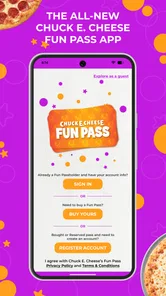

Analysis by Reviewed
I think of the Chuck E. Cheese app as a practical starting point when a family outing or a meal is already on the calendar. It is a free Food & Drink app from Chuck E. Cheese, rather than a general restaurant guide or a standalone arcade game. That distinction matters: it is most useful when you expect to order from or visit a Chuck E. Cheese location, and much less useful if you are simply looking for a broad menu of nearby dining options.
Choose the right moment to open it
I would treat this as a planning tool for a specific outing, not an app that needs daily attention. It makes the most sense when the family has already picked Chuck E. Cheese and someone needs to sort out the food side of the plan. If the destination is still undecided, a map or restaurant-discovery app is a better first stop; this one is useful once the choice is made.
That distinction also helps set expectations for parents. The app is not a general guide to family activities, and having it on a phone does not answer every practical question about a visit. I would use it to handle its ordering and offer-related role, then make any other arrangements through the appropriate channel. Keeping those jobs separate prevents a convenient app from becoming the assumed source for details it is not meant to provide.
From planning a visit to placing an order
I find it easiest to judge this app by starting with a real plan: a meal or family outing that already points toward Chuck E. Cheese. That keeps the order and any available perk in perspective, rather than letting the app dictate the evening. Next, I’ll look at how to move from that initial decision to a clear order and a smooth handoff to whoever is coordinating the visit.
Start with the occasion, not the app
My most useful way to approach it is to decide what I need first: food for home, a meal around a visit, or a reason to check on an offer. The app’s stated focus is online ordering and free perks, so I would open it when one of those tasks is real rather than browse it just to pass time. That keeps the experience purposeful and makes it easier to judge whether the convenience is worth using.
For example, imagine planning a family evening after a busy day. I would check the app before leaving, work out whether ordering ahead fits the plan, and then keep the visit itself separate from the phone. That small bit of preparation can make the app feel like a useful helper instead of another screen competing for attention during family time.
Make the ordering step work for you
Online ordering is the clearest reason to keep the app around. Compared with calling a restaurant, ordering through an app can be easier when I want to look over choices at my own pace and make a decision without holding up a conversation. Compared with a general delivery service, a brand-specific app is more directly tied to Chuck E. Cheese, which is convenient when that is already the place I have chosen. The trade-off is just as clear: it is not a good substitute for a service that compares many restaurants or helps me choose among different cuisines.
More From Our News Desk

Weather by Xiaomi Review: Clear at a Glance, Less Clear Up Close

X Under Pressure: Can It Recover When Posting Goes Wrong?

Clash of Clans Is Won Between the Battles

Android Auto Makes the Case for Quieter Car Software

MobiOffice: Transforming Mobile Productivity with Seamless Integration

EA SPORTS FC™ Mobile Soccer: Redefining Mobile Sports Gaming
My practical tip is to settle the basics before starting an order: who is eating, what the timing looks like, and whether the plan depends on pickup or another available option. That reduces last-minute changes and helps avoid treating an order screen as a guarantee that every family member’s preferences will be covered. For a gathering, it is also worth agreeing on choices first; passing one phone around while everyone decides can turn a quick task into a slower one.
Make group decisions before the handoff
A family order often involves more than the person holding the phone. One person may be choosing the food, another may be coordinating the outing, and children may have strong opinions once they see the choices. I find it helpful to collect those preferences before opening the ordering flow, then have one adult enter the agreed plan. That keeps the phone from becoming a debate table and makes it easier to review the order calmly before placing it.
For a birthday or a larger family get-together, I would also decide who is responsible for the final check. A second person can confirm the intended items and timing without needing to take over the whole order. This is a small workflow improvement, but it reduces the familiar problem of discovering after submission that everyone thought someone else had handled a detail.
Perks are useful when they fit a routine
The app’s free-perks angle is most appealing to people who already expect to visit or order now and then. I would check for an offer before committing to a purchase, rather than assume that a perk will automatically make an outing cheaper. A promotion only helps if it suits the meal or visit I was planning anyway. This is a small but important distinction: it is better to use an offer as a bonus than to let it create an unnecessary trip.
Parents who organize repeat family outings may find it worthwhile to keep the app installed and make checking it part of their planning routine. Someone who visits rarely may be better served by checking only when a specific occasion comes up. That approach avoids keeping another app in regular use without a clear payoff.
Keep the offer check separate from the meal decision
One useful habit is to decide what the family wants before looking at perks, then see whether an offer naturally fits. Starting with a promotion can pull attention away from the actual needs of the meal and make a deal seem more valuable than it is. I would compare the offer with the plan already in mind, not reshape the whole evening around it.
This also answers a common practical question: should someone install the app just to get a perk? I would do that only when a visit or order is already likely. For an occasional customer, opening it around the time of a planned outing is a more sensible test than maintaining it for a hypothetical future discount.
Where it fits among food apps
For a Chuck E. Cheese meal, this is a more direct route than searching a general restaurant app and then switching to another place’s ordering process. But if I am comparing local restaurants, looking for a particular dietary option across several businesses, or arranging a meal from a different chain, a broader food app is the better tool. The choice depends on the task: this app is focused, not an all-purpose dining planner.
It is also worth separating digital convenience from the outing itself. The app may help with the food side of a plan, but I would not treat it as a replacement for checking the details that matter to my family before heading out. If the main reason for downloading is entertainment on a phone, rather than ordering or perks, I would keep expectations modest and choose an app built specifically around games instead.
Who benefits most—and who can skip it
I would recommend it most readily to a parent or caregiver who already plans Chuck E. Cheese visits and wants a dedicated place to handle an order or look for a perk. It can also be handy for the person organizing a family gathering, because a single ordering path is easier to manage than coordinating a phone call while everyone is busy. The benefit is practical rather than essential: it can streamline a plan, but it does not make the outing itself necessary or automatically simpler.
If you rarely eat at the chain, prefer to decide where to dine only after comparing nearby choices, or do not want another brand-specific app on your phone, you can skip it until a real occasion comes up. A general food app will serve better when flexibility matters more than a direct connection to one restaurant. Likewise, anyone expecting a full arcade game experience should look elsewhere; the app’s main appeal is its food-and-perks role.
What the ratings suggest—and what they cannot decide
The app has a 4.6 average from around 14,000 ratings, with roughly 3,400 written reviews, and it has over a million installs. Those figures suggest that many people have tried it, but they do not tell me whether it suits my particular routine. Its Everyone age rating makes it broadly appropriate to consider for family use, while the actual value still depends on whether I order or visit often enough to benefit.
It was released on May 7, 2021, and its current version is 2.4, with Android 9 as the minimum operating system. I would check my device’s compatibility before planning around the app, especially if I use an older phone. The key question is not whether a high rating makes it a must-have; it is whether the ordering and perks fit an outing I would already make.
Getting Started with the App
First things first, downloading the app was a breeze. Available on both Android and iOS platforms, it took just a minute to install. Once opened, the app greets you with a colorful and friendly interface that instantly brings back all those nostalgic vibes. The design is pretty intuitive, which is great because I didn’t have to fumble around trying to figure out where everything was.
Features that Stand Out
One of the coolest features of the app is the rewards system. Every time you visit a Chuck E. Cheese location, you can earn points just by checking in. Collect enough points, and you’ll unlock some sweet deals, like free pizza or game tokens. It’s a great incentive to keep coming back for more fun!
The app also offers a game section—perfect for those moments when you're craving a bit of arcade action but can't make it to a physical location. The games are simple yet entertaining, making them ideal for kids or even adults looking for a quick distraction. Plus, it’s a neat way for the kids to feel like they’re still part of the Chuck E. Cheese experience.
Pizza Ordering Made Easy
And of course, what would a Chuck E. Cheese app be without the ability to order pizza? The app makes it super easy to customize and place your order. You can choose from a wide array of toppings and even schedule your order for pickup or delivery. It’s perfect for planning a family night in or a party at the arcade. The app sends you notifications about your order status, so you’re always in the loop.
Even when ordering is straightforward, I would treat the final review as its own step rather than tapping through quickly. For a family meal, check the choices and timing against the plan before submitting, then let the person coordinating the outing know what was placed. That handoff matters when one adult is ordering from home and another is taking the children to the venue. It keeps the food plan from becoming an assumption passed between people.
Keeping Up with Events and Offers
Another handy feature is the calendar. The app keeps you updated on upcoming events at your local Chuck E. Cheese branch, so you'll never miss out on any fun. It also notifies you of special offers, making sure you get the best deals available. I found this particularly useful for planning visits and ensuring I get the most bang for my buck.
When the smooth plan meets real life
The main friction is that the app can only help with the part of the outing it handles. A family still has to coordinate preferences, timing, and who is responsible for the order. If the plan changes after placing it, or if the chosen arrangement no longer suits the group, the convenience of ordering ahead may not remove the need to sort things out directly. I would avoid making a tight schedule depend on assumptions; leave enough flexibility for the people involved to confirm the plan.
It is also not the best tool when the group has not settled on Chuck E. Cheese. A general restaurant app is more useful for comparing alternatives, while a direct call or in-person conversation may suit someone who needs to discuss a complicated request. The app is strongest when the decision is simple and the brand is already chosen, not when the meal itself is still up for debate.
A sensible place in the family routine
Overall, the Chuck E. Cheese app packs a lot of fun and utility into one digital package. Whether you're a parent looking to keep track of rewards, a pizza lover wanting an easy way to order, or a gamer seeking a bit of nostalgic fun, this app has something for everyone. It’s a delightful extension of the physical locations that many of us grew up loving, now conveniently accessible anytime and anywhere.
So, if you haven’t already, give the Chuck E. Cheese app a try. It might just become your new favorite way to enjoy a slice of childhood magic!
Chuck E. Cheese Fun Pass Frequently Asked Questions
Do I need to create an account to use the Chuck E. Cheese app?
An account may be useful for features such as keeping track of play points, accessing perks, or managing an order. If you plan to use the app regularly, setting one up can make those activities easier to organize. For a quick visit, you can also explore the app’s general information and decide which features are relevant to you before placing an order or booking.
What devices and operating systems support the Chuck E. Cheese app?
The Chuck E. Cheese app is available for Android and iOS devices. On Android, it requires version 9 or later, so it is worth checking your device’s operating system before downloading. The app is free, and its food-and-drink focus makes it a practical option for customers who want to explore ordering and other visit-related features on a phone.
Can I use the Chuck E. Cheese app to check deals before visiting?
Yes, the app is described as offering exclusive deals and promotions, along with free perks. Checking it before a visit can help you see what offers may be available and plan how to use them. Promotions can change, so it is sensible to review the current options in the app rather than assume a particular deal will always be there.
What does the Chuck E. Cheese app let me do?
The Chuck E. Cheese app is designed to enhance your experience at Chuck E. Cheese locations. It provides information about nearby locations, enables you to book birthday parties, track your play points, and access exclusive deals and promotions. It is also described as a way to order online easily and get exclusive free perks, making it a handy companion for planning a visit and keeping up with offers.
Can I order food through the Chuck E. Cheese app?
Yes, online ordering is one of the app’s main conveniences. It is intended to make it easier to place an order and access exclusive free perks, so it can be useful when you would rather arrange food before visiting or pick up details on your phone. The app is free to download, though any food or services you choose to purchase are separate from the app itself.
Pros
- Family-friendly environment with fun games.
- Offers a variety of kid-friendly meals.
- Interactive and engaging for children.
- Safe and secure play areas.
- Affordable birthday party packages.
Cons
- Limited entertainment options for adults.
- Can get crowded on weekends.
- Food quality is average.
- Games can be expensive to play.
- Loud and noisy atmosphere.











