

Christmas Icon Pack
- 6.00
- 4.3
- Installs
- 500.00
- Price
- $0.99

Screenshots
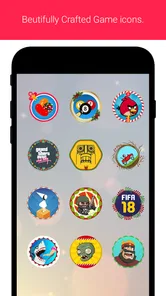
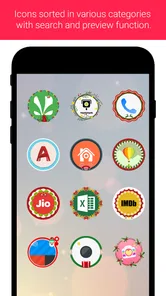
Analysis by Reviewed
I treat a seasonal icon pack as a small, reversible way to change the mood of a phone, rather than a major customization project. Christmas Icon Pack is built around that simple idea: familiar app symbols get a festive look, so the change shows up in the places I tap every day. It is an entertainment app from Marcos Soft, and its appeal is clearest if you want a Christmas touch on your home screen without changing how you use your phone.
A seasonal look, not a new way to use your phone
The main draw is the visual makeover. Instead of replacing apps or adding new functions, an icon pack changes how supported shortcuts appear. That distinction matters: the practical benefit is atmosphere, not productivity. I would choose it when I want my phone to feel seasonal at a glance, while keeping the same apps and familiar layout.
That also makes this a temporary kind of customization. You can use the festive look during the holidays and return to your usual icons when it no longer suits you. If you prefer one polished appearance all year, or want a full wallpaper-and-widget theme, a broader customization option may be a better fit.
Getting into the Festive Spirit
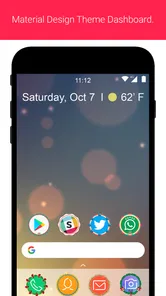
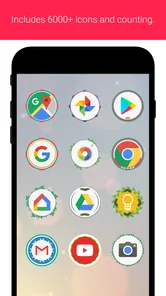
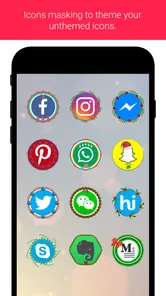
When I first installed the Christmas Icon Pack, I was instantly greeted by a sleigh-load of beautifully designed icons. These icons are not just your run-of-the-mill designs; they are intricately detailed and capture the essence of Christmas perfectly. From Santa hats on mail icons to snowflakes adorning the weather app, every icon is a tiny work of art. The app is super easy to use too. Just a few taps, and your home screen is transformed into a winter wonderland. It’s like having a Christmas decorator in your pocket!
Customization Galore
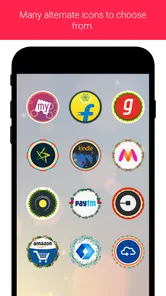
One of the things I absolutely loved about this app is the level of customization it offers. You’re not just stuck with a one-size-fits-all approach. The app provides a plethora of options, allowing you to mix and match icons to suit your style. Whether you prefer a more traditional green and red theme or something a bit more chic like gold and silver, there’s something for everyone. Plus, the app is regularly updated, so there’s always something new to explore. It’s like opening a new present every time you check for updates!
Making the icons work with your routine
In everyday use, I would start by changing the shortcuts I see most often rather than trying to theme every app at once. Updating the home-screen row I tap throughout the day makes the seasonal change noticeable while preserving the layout I already know. It is also a useful way to judge whether the style suits you before spending time customizing more of the screen.
If an icon does not match a particular app, I would leave that shortcut in its original form rather than force a mismatched substitute. Mixed icons can look less uniform, but a clear, familiar shortcut is more useful than a perfectly themed screen that makes you pause to identify what you are opening. This small trade-off is especially relevant if you rely on muscle memory.
More From Our News Desk

 Gmail
Gmail in a Busy Inbox: Who Benefits Most?
From first account to crowded workday, Gmail earns its place through dependable search and flexible sorting—but its best fit depends on how much inbox maintenance you can tolerate.

 Prime Video
Switching to Prime Video: What Changes in Your Viewing Routine
Prime Video can make a compelling second home for streaming, but switching means learning a different catalog, rental layer, and route from browsing to playback.

 Universal TV Remote Control
 Works Best as a Reliable Backup
A phone remote earns its place through quick setup and reliable habits. Here is how to get more from Universal TV Remote Control—and where its limits show.

 Weather - By Xiaomi
Weather by Xiaomi Review: Clear at a Glance, Less Clear Up Close
Xiaomi’s weather app makes everyday forecasts quick to scan, but its calm surface can leave useful details and recovery paths harder to find than they should be.

 X
X Under Pressure: Can It Recover When Posting Goes Wrong?
A resilience-focused review of X, examining setup, mistaken posts, interruptions, weak connections, and the gaps that matter when recovery needs to be dependable.

 Clash of Clans
 Is Won Between the Battles
Its raids are quick; its community is a long-term project of coordination, teaching, rivalry, and shared responsibility—with all the friction that entails.
Latest News



The pack is most appealing to someone who enjoys seasonal details and already likes adjusting their Android home screen. It is less suited to someone who expects a wallpaper, widgets, or a complete interface redesign from an icon-focused app. Before buying, I would also check that your preferred launcher supports icon packs; launcher compatibility is what determines whether this kind of customization fits your setup.
Seamless Integration
Another standout feature is how seamlessly the Christmas Icon Pack integrates with various launchers. I tried it with a couple of different ones, and it worked like a charm each time. No glitches, no lagging, just smooth sailing all the way. It’s compatible with most Android devices, making it accessible for almost anyone looking to spruce up their device for the holidays.
Compared with changing icons one by one through a launcher’s manual tools, a pack offers a more consistent starting point and saves the effort of sourcing individual images. The opposite is true if you want precise control over every shortcut: manual customization or a general-purpose icon collection may give you more freedom than a Christmas-specific design. The sensible choice depends on whether you value a coordinated seasonal appearance or long-term flexibility.
The app is listed for $0.99, so I would treat it as a modest paid customization rather than assume it is free to try. Its Everyone age rating makes it suitable for a broad audience, and the 4.0.3 minimum Android requirement gives older compatible devices a chance to use it. It has a 4.3 average from 17 ratings, though that is a small pool of opinions; I would weigh whether the seasonal style and launcher fit matter more than the score.
And let’s not forget about the app size. It's lightweight, so you don’t have to worry about it hogging your device’s memory. It’s a small price to pay for such a big burst of holiday cheer!
Choosing a launcher and checking the fit
Before paying, I would check two practical things on my own phone: whether the launcher I use accepts icon packs, and whether I am comfortable applying a seasonal design through that launcher’s controls. The pack is not a replacement for the launcher itself. If your home screen is managed by a setup that does not support icon packs, the central benefit may not be available in the way you expect. This is the most important compatibility question because it affects the whole experience, not just a minor detail.
I would also think about how many shortcuts I actually want to change. A small, curated set can be enough: the apps on the first screen that I recognize instantly and open often. That approach makes the result feel intentional, and it keeps any unmatched shortcuts from becoming a distraction. If your goal is to make every page look uniform, first consider whether you enjoy spending time matching icons manually when the pack does not cover a shortcut you use.
There is a useful distinction between a pack that changes an icon and a theme that changes the entire interface. This one is best approached as a home-screen accent. Your apps keep their usual functions and content; the festive element is visual. I would choose it for a seasonal refresh, not if I wanted coordinated menus, system colors, widgets, and wallpaper all at once.
Final Thoughts
In a nutshell, if you’re looking to add a touch of Christmas magic to your phone, the Christmas Icon Pack is a must-have. It’s user-friendly, highly customizable, and just plain fun. Plus, it’s a great conversation starter! I’ve had so many friends ask me where I got my festive icons from, and I’m always happy to spread the holiday joy.
So, whether you’re a Christmas fanatic or just someone who enjoys a bit of seasonal flair, this app is sure to bring a smile to your face every time you unlock your phone. Give it a go, and let the holiday spirit sprinkle a little magic onto your mobile experience!
For me, the strongest reason to try it is that it focuses on one clear job. I do not need to reorganize my apps or change my habits to enjoy the visual difference; I can keep the same home-screen arrangement and see the seasonal treatment where I already look. That makes it a low-effort option for someone who likes holiday touches but does not want to spend an evening rebuilding a phone setup.
A quick seasonal setup that stays practical
A realistic routine would be to apply the pack shortly before a holiday visit, then check the first screen in ordinary lighting and at a glance. I would make sure the icons I use to contact family, check the forecast, and open photos remain easy to distinguish. If the festive artwork makes one shortcut less recognizable, I would leave that icon alone or move it out of the main row rather than sacrifice clarity for a perfectly matched grid.
That selective approach is also useful if someone else occasionally uses your phone. A familiar layout still does most of the navigation work, so the seasonal refresh need not make basic tasks confusing. I would avoid changing several screens at once; make a small adjustment, use the phone normally for a while, and then decide whether the look deserves to spread to less-used shortcuts.
One point worth keeping in mind is that an icon pack is a visual layer, not a promise that every app on a phone will receive a matching design. App collections vary, and a launcher’s support and controls shape how the pack can be applied. When an app remains in its regular style, a deliberate mix can look better than using a vaguely similar festive symbol that could lead to the wrong app opening.
How it compares with other ways to decorate
Compared with a wallpaper-only change, themed icons have a more practical presence: they appear on the shortcuts you tap, rather than simply setting the backdrop. A wallpaper is the easier choice if you want a quick festive image and do not care about matching app symbols. If you want the home screen itself to feel coordinated, the icon pack offers a more direct route, provided your launcher supports it.
Compared with a broad icon collection, a Christmas-focused pack has a narrower purpose. That focus is an advantage when you want a distinctly seasonal look without browsing lots of unrelated styles, but it is less useful if you want one purchase to cover different moods throughout the year. Likewise, manual icon changes may be better for someone who wants to control every shortcut individually, while a focused pack makes more sense for someone who values a coherent starting point and a quick setup.
I would not buy it expecting new tools, changes inside apps, or a permanent redesign of Android. Its value depends on whether the visual treatment makes you enjoy looking at your home screen more. If you barely notice app icons, prefer a plain interface, or do not want to pay for a seasonal decoration, skipping it is a sensible choice rather than a missed essential.
What the price and age rating mean for a buyer
At $0.99, this is a small paid purchase, but I would still make the launcher check first rather than assume the price alone makes it a no-risk experiment. The Everyone rating means its intended audience is broad; the reason to choose or avoid it is personal taste and device setup, not a specialized use case. Its entertainment category also fits the experience: the point is enjoyment and a festive visual change, not a tool for managing tasks.
The app has a 4.3 average across 17 ratings and more than 500 installs. I see those figures as modest context, not a substitute for checking whether the look suits me. A small group of ratings cannot tell me how the pack will fit my particular launcher or which icons I rely on most. I would put more weight on those practical details than on trying to infer universal quality from a score.
It was released on November 26, 2017, and its current version is 2.0. It supports Android 4.0.3 and later, which gives some older devices a compatible starting point. I would still check my launcher’s icon-pack handling before buying, because meeting the Android requirement does not by itself guarantee that every home-screen setup will apply the artwork in the same way.
Who gets the most from it?
I would recommend it to someone who enjoys Christmas, likes a little phone customization, and is happy with an icon-level change rather than a full theme. It also suits people who want to keep their familiar layout while making a few frequently used shortcuts feel more festive. If you enjoy changing your phone for the season and can confirm launcher support, the focused design is the point, not a limitation.
I would steer someone toward a wallpaper, a general icon pack, or their launcher’s manual options if they want a different balance: wallpaper for the simplest change, a general collection for year-round variety, or manual editing for precise control. And if you rely on strict visual consistency or do not want to spend any time checking compatibility, this niche seasonal purchase may not be worth the friction.
Marcos Soft released it on November 26, 2017, and the current version is 2.0. The release date and version offer useful context for anyone who prefers actively maintained customization apps: I would check that the version is compatible with my launcher and Android setup before purchase, then keep expectations centered on the icon styling rather than newer system-wide features.
Who will enjoy this small seasonal change?
For a realistic use case, imagine setting up your phone before a family gathering: you can give the shortcuts you use to message relatives, check the weather, or open photos a festive appearance, while leaving less-used apps alone. That keeps the change visible without turning the home screen into a project. The pack also makes sense on a device shared around the holidays, where a visual refresh can be fun without changing anyone’s saved content or normal apps.
It has over 500 installs, so it is a niche option rather than a widely adopted default. I would see that as a reason to decide based on the look you want and your launcher, not as proof that it will or will not suit you. If Christmas-themed icons are exactly the small touch you are after, the focused approach is its strength; if you want a broad catalog of styles for every season, a general icon pack is the more practical purchase.
Christmas Icon Pack Frequently Asked Questions
Does the Christmas Icon Pack work on iOS?
The Christmas Icon Pack is designed for Android, where compatible launchers can apply custom icons to the home screen. It is not intended as an iOS icon pack, so iPhone users should not expect to install and use it in the same way. If you use Android, check that your device and launcher support icon packs before downloading.
Is the Christmas Icon Pack free to download?
The Christmas Icon Pack costs $0.99. It is a small purchase for anyone looking to give their Android home screen a seasonal look, but remember that you will also need a compatible launcher to apply the icons. Check the app’s price in the store before completing your purchase, as that is where you can confirm the amount shown for your account.
What is the Christmas Icon Pack?
The Christmas Icon Pack is a festive collection of icons designed to bring holiday cheer to your Android device. It includes a variety of Christmas-themed icons that replace the standard app icons on your home screen, allowing you to immerse yourself in the holiday spirit every time you use your phone. It is an Entertainment app from Marcos Soft, with the short description “Christmas Icon” and the summary “Best of icon for christmas.”
How do I install the Christmas Icon Pack on my device?
To install the Christmas Icon Pack, you first need to download a compatible launcher from the Google Play Store, such as Nova Launcher or Apex Launcher. Once installed, you can apply the icon pack through the launcher's settings. This process will replace your current icons with the festive ones included in the pack. You can also look for the icon pack option in your launcher’s appearance or theme settings.
Is the Christmas Icon Pack compatible with all devices?
The Christmas Icon Pack is primarily designed for Android devices and may not be compatible with iOS. Additionally, it requires a third-party launcher to function properly. Ensure your device supports custom launchers and check the pack's compatibility details on the Google Play Store before downloading. The app requires Android 4.0.3 or later, so older Android versions may not be suitable.
Pros
- Festive and vibrant icon designs
- Easy installation and setup
- Compatible with most launchers
- Regular updates for new icons
- High-resolution icons for clarity
Cons
- Limited free icons available
- May not fit non-festive themes
- Ads in free version
- Not all icons are customizable
- Requires launcher to apply











