CarLink: MirrorLink & Car Play
- 173.00
- 4.1
- Installs
- 1.00M
- Price
- Free
Screenshots
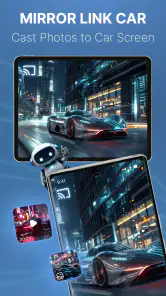
Analysis by Reviewed
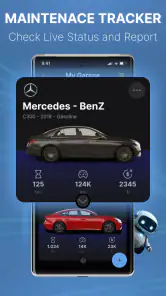
If you’ve ever wished for a smoother, more integrated way to connect your smartphone to your car’s infotainment system, then buckle up because CarLink: MirrorLink & Car Play might just be the app you’ve been looking for. As someone who spends a hefty amount of time in the car, having a reliable system that marries my phone with my car is a game-changer. Let’s dive into what CarLink: MirrorLink & Car Play offers and see if it’s the co-pilot you need on your drives.
Seamless Smartphone Integration
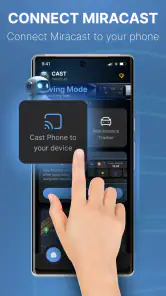
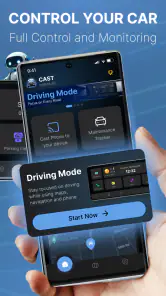
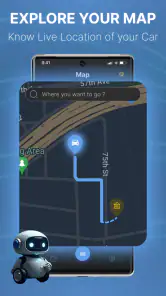
One of the standout features of this app is its ability to seamlessly integrate your smartphone’s interface with your car’s display. This means you can access your favorite apps, music, and navigation tools without constantly fumbling around with your phone. Imagine driving and having your Google Maps pop up on your car’s display – pretty neat, right? It’s like having a personal assistant right in your dashboard.
User-Friendly Interface
Now, what good is a feature-packed app if it’s a headache to use? Luckily, CarLink excels in user-friendliness. The setup process is straightforward, even for those of us who aren’t exactly tech-savvy. Once you’ve downloaded the app, it guides you through a simple installation process. Plus, the interface is intuitive, with big, bold icons that are easy to navigate while on the road.
Enhanced Driving Experience
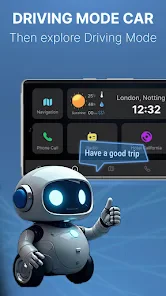
Let’s talk about the driving experience. This app enhances your driving by allowing you to keep your eyes on the road and hands on the wheel. The ability to use voice commands means you can play your favorite playlist or make a call without having to glance at your phone. Safety first, folks! This app promotes a safer driving environment, which is a big win in my book.
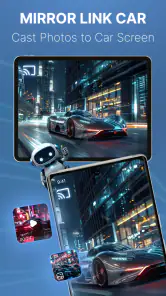
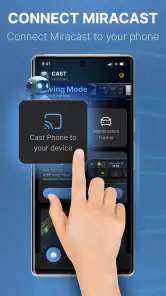
Furthermore, the MirrorLink feature is particularly impressive. It truly mirrors your phone’s screen onto your car’s display, providing a larger, easier-to-read screen for apps like Spotify or Waze. No more squinting at your phone’s small screen while trying to change the song or see the next turn on your route.
Compatibility and Performance
Compatibility is often a concern with car integration apps, but CarLink supports a wide range of devices and car models. Whether you’re team Android or die-hard iOS, this app has got you covered. Performance-wise, it’s pretty smooth sailing. I didn’t encounter any lag or glitches during my time using it, which is a huge relief when you’re relying on it for navigation and entertainment during long drives.
In conclusion, if you’re looking to make your driving experience more enjoyable and less distracted, CarLink: MirrorLink & Car Play is worth considering. Its ease of use, coupled with its robust functionality, makes it a must-have for any commuter or road trip enthusiast. So why not give it a spin and see how it transforms your time on the road?
Pros
- Seamless phone-to-car connection
- Supports both Android and iOS devices
- User-friendly interface
- Enhances driving safety
- Wide range of compatible apps
Cons
- May drain phone battery quickly
- Requires strong internet connection
- Limited free features
- Compatibility varies by car model
- Can be distracting if misused
- Category
- Auto & Vehicles
- Version
- 1.2.2











