

BritBox: Home of British TV
- 2.41K
- 3.6
- Installs
- 1.00M
- Price
- Free

Screenshots

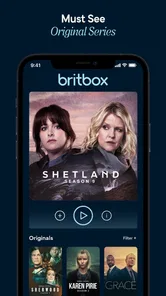


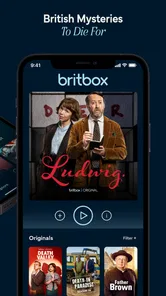

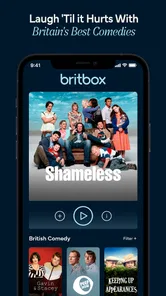
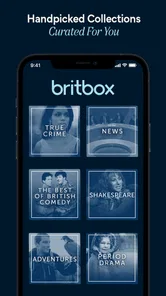
Analysis by Reviewed
I approached BritBox: Home of British TV as a viewer looking for a focused alternative to broad entertainment services, not as someone expecting every show in one place. BritBox is an entertainment app from BritBox LLC built around British dramas, mysteries, comedies, and related television programming. That focus is its main appeal: instead of making me search through a huge mixed catalog, it points me toward a particular television tradition and audience.
My overall impression is positive but specific. This is most useful when I already know I want British television and would rather browse a dedicated service than keep checking larger platforms for occasional additions. It is less convincing for somebody who wants one subscription to cover every popular film, international series, live channel, and family viewing need. The app is free to install, while access to its streaming offering involves in-app purchases ranging from $10.99 to $149.99 per item, so the decision is really about whether the catalog justifies paying for a specialized destination.
What using BritBox feels like in everyday viewing
The first thing I notice about a focused service is whether it reduces the effort between opening the app and choosing something. BritBox has a clear identity, and that helps. If I am in the mood for a British mystery or a dry comedy, the service makes more sense than a general-purpose app filled with unrelated recommendations. Its store summary describes the central idea accurately, but the practical benefit is the narrower browsing experience: I can start with a mood and a style rather than sift through a giant wall of content.
A realistic use case would be a quiet evening after work. I might want a measured detective story rather than an action-heavy blockbuster, or a comedy with a different rhythm from the usual American sitcom format. In that situation, BritBox gives me a better starting point than a general entertainment app. I would open it with a fairly clear expectation, browse by the kind of British program I want, and decide whether I am ready to commit time to a series or simply watch something lighter.
That focus also creates a trade-off. A specialist library can feel more coherent, but it may feel limited when my mood changes. If I move from a British period drama to a recent film, children’s programming, or a broad selection of international releases, I may need another service. I would not treat BritBox as a complete replacement for every streaming app I use. I see it more as the service I choose when British television is the reason I am opening the screen in the first place.
A useful fit for genre-led viewers
The strongest audience is someone who enjoys television built around character, dialogue, investigation, social observation, and distinctly British humor. Viewers who like mysteries may appreciate having that interest represented prominently rather than buried among unrelated genres. The same applies to people who follow British drama or comedy and want a service whose identity is not diluted by a much wider catalog.
I would also recommend considering it for shared households with one clearly defined viewer. If one person regularly asks for British programs, a dedicated app can make that preference easier to serve than relying on whichever general platform happens to carry a particular title. On the other hand, a household that mainly wants blockbuster films, live sports, animation, or constantly changing international hits should probably compare alternatives first. The narrower purpose is a strength only when it matches the household’s actual habits.
More From Our News Desk

 Gmail
Gmail in a Busy Inbox: Who Benefits Most?
From first account to crowded workday, Gmail earns its place through dependable search and flexible sorting—but its best fit depends on how much inbox maintenance you can tolerate.

 Prime Video
Switching to Prime Video: What Changes in Your Viewing Routine
Prime Video can make a compelling second home for streaming, but switching means learning a different catalog, rental layer, and route from browsing to playback.

 Universal TV Remote Control
 Works Best as a Reliable Backup
A phone remote earns its place through quick setup and reliable habits. Here is how to get more from Universal TV Remote Control—and where its limits show.

 Weather - By Xiaomi
Weather by Xiaomi Review: Clear at a Glance, Less Clear Up Close
Xiaomi’s weather app makes everyday forecasts quick to scan, but its calm surface can leave useful details and recovery paths harder to find than they should be.

 X
X Under Pressure: Can It Recover When Posting Goes Wrong?
A resilience-focused review of X, examining setup, mistaken posts, interruptions, weak connections, and the gaps that matter when recovery needs to be dependable.

 Clash of Clans
 Is Won Between the Battles
Its raids are quick; its community is a long-term project of coordination, teaching, rivalry, and shared responsibility—with all the friction that entails.
Latest News



BritBox LLC has kept the product recognizable as a British television service, and that matters for trust as well as discovery. I know what kind of viewing experience I am choosing before I spend time exploring it. The app has been available since March 7, 2017, and its current version is 2.7.4. Those details do not guarantee a perfect experience, but they place the app in the category of an established service rather than a brand-new experiment.
How it compares with broader streaming alternatives
Compared with a general streaming platform, BritBox wins on editorial focus. A broad service may offer more variety in total, but that variety can make a particular British title or genre harder to find. BritBox’s advantage is not that it should replace every competitor; it is that it gives British television its own destination and makes the choice feel intentional.
Compared with buying individual programs, a dedicated streaming service can be more convenient for someone who watches across several British genres. The trade-off is commitment. Buying one favorite season may cost less in the short term if I only plan to watch a single program, while a subscription-style service becomes more sensible when I expect to return regularly. Because the in-app purchase range extends from $10.99 to $149.99 per item, I would inspect the payment screen carefully and make sure I understand what each option provides before confirming anything.
That is one of my practical recommendations: do not decide from the app’s name alone. First, think about how often you will watch British content, whether your favorite programs are available in the service’s current catalog, and whether you want a specialist library or a broad bundle. BritBox is easier to justify when it fills a clear gap in your viewing routine. It is harder to justify as an impulse download made without a particular interest in British television.
Trust begins with visible choices
When I review a streaming app, I pay attention not only to what it offers but also to the moments where it asks me to make decisions. The most important ones are account creation, payment, and any prompts connected with personalization or communication. I prefer services that make those choices understandable instead of rushing me through them. With BritBox, I would read each screen before accepting, especially when moving from the free installation to a paid option.
The app is rated for Teen audiences, which gives a useful general indication that it is not positioned as a children-only service. Parents should still make their own judgment about individual programs, because a Teen classification for the app does not turn every title into a universal family choice. I would use the content description and the household’s own rules when deciding what younger viewers should watch.
Visible control matters more to me than a polished sign-up flow. I want to know which choice creates an account, which choice starts a purchase, and which choice relates to optional communication. If a prompt is not relevant to my use, I take the slower route and review it rather than accepting automatically. That habit is useful with any streaming app, but it matters especially when a free download leads into paid viewing.
Handling payment and account decisions carefully
The free price shown for the app refers to installation, not unlimited viewing without conditions. I would keep that distinction in mind from the start. A sensible workflow is to install the app, inspect the available viewing options, identify the content I actually want, and only then consider a purchase. This avoids paying first and discovering later that the service does not match my viewing habits.
I also recommend checking the payment confirmation language closely. A purchase screen should be treated as a commitment, not as another browse page. If I were setting up BritBox for a family member, I would explain the difference between opening the app and approving a paid item. That small conversation can prevent accidental purchases and makes the person using the service more confident about what they are doing.
Account control is another reason not to rush. I would use a password that is not reused elsewhere, review the account details I enter, and keep track of which household member manages payment. Those are ordinary precautions, but they are particularly practical when a streaming account is shared. The goal is not to make the app feel difficult; it is to keep the person who pays and the person who watches clear about their respective choices.
Data-sensitive moments deserve attention
Streaming apps naturally involve personal account activity because the service needs to connect a viewer with content and purchases. I do not treat that as a reason to avoid BritBox, but I do treat it as a reason to pay attention during setup and use. I would look at the app’s privacy and account screens directly, read any explanations presented there, and avoid assuming that a convenient default is automatically the setting I want.
My most data-sensitive moments would be creating an account, entering payment information, signing in on a shared device, and deciding whether to allow optional communications. I would also remember to sign out of a television or tablet that other people can access. This is less about the brand and more about good control over a personal entertainment account: the person using a device should not automatically gain access to the person’s payment route or account settings.
I would not make broad claims about data handling based on the app’s entertainment category alone. Instead, I would use the controls and explanations visible at the time of installation and account management. That is the fairest way to evaluate trust. If I have a question about a setting, I would pause and inspect the relevant account or privacy information rather than guessing what the app does behind the scenes.
There is also a practical privacy issue in recommendations. A specialist service becomes more useful when it understands what I like, but that convenience may make my viewing history more revealing than I expect. I would consider whether a shared household account accurately represents one person’s tastes or mixes several people together. If recommendations become confusing, the problem may not be the catalog; it may be that one account is being used for different viewers with different interests.
Small habits that improve the experience
My first tip is to use BritBox with a viewing plan rather than opening it only when bored. Because its identity is focused, I get more value when I arrive knowing whether I want a mystery, drama, or comedy. I would keep a short personal list of programs I am genuinely interested in and use that list to decide whether continued access is worthwhile. This is more reliable than judging the service after one random selection.
My second tip is to separate catalog discovery from purchase approval. I would browse while relaxed, note what appeals to me, and review the available paid option later. That two-step approach reduces impulse decisions and makes it easier to compare BritBox with the services I already pay for. It also helps answer the question many viewers have after installing: “Will I use this more than once?” If the answer is no, a specialist subscription may not be the right choice.
My third tip concerns shared devices. I would check which account is active before starting a session, particularly if the device is used by several people. I would also avoid leaving payment or account screens open. This is a simple workflow, but it gives the household more control and prevents a casual viewer from making a decision intended for the account holder.
A fourth useful approach is to judge the app by repeat visits, not by the first browse. The real test is whether I can return after the initial curiosity and still find something that fits my interests. BritBox’s value depends on regular engagement with British television. If I only want one specific program, I should compare the cost and convenience of accessing that program elsewhere before committing to a broader service.
Performance expectations and everyday friction
The app supports Android devices running version 7.0 or later, which makes it accessible to people using older compatible hardware. Still, compatibility is not the same as a guarantee of a perfect experience on every phone or tablet. I would keep the app updated when possible, use a stable connection for streaming, and avoid judging the catalog solely from a device that is struggling with general performance.
Streaming quality is also affected by the viewing environment. A phone on a busy mobile connection is a different test from a television on a reliable home network. If playback feels inconvenient, I would first check the device, connection, and account context before deciding that the service itself is unsuitable. At the same time, I would not excuse repeated friction indefinitely. A streaming app has to fit naturally into the way I watch, not turn every evening into troubleshooting.
The public response is mixed rather than universally enthusiastic: BritBox holds an average rating of 3.6 from around 9,400 ratings, with roughly 2,400 written reviews. I read that as a reason to keep expectations measured. There is clearly a substantial audience—the app has more than a million installs—but popularity does not remove the need to test whether the experience works for my particular device, household, and viewing habits.
Who should choose it, and who should skip it
I would choose BritBox if British dramas, mysteries, and comedies are a recurring part of my entertainment routine. It is also a good candidate if I find broad streaming catalogs tiring and want a service with a clear cultural and genre identity. Viewers who enjoy returning to a particular style of television may appreciate that concentration more than another general platform’s larger but less focused selection.
I would skip it if I am mainly looking for the widest possible range of films, live events, children’s content, or unrelated international programming. I would also hesitate if I only have time for occasional viewing and cannot name several kinds of British programs I want to watch. In that case, a broader service I already use—or a one-off purchase of a specific title—may offer better value.
For families, I would make the decision jointly. The Teen content rating means I would not hand the app to a child without checking individual programs and setting household expectations. For a single adult viewer with a strong interest in British television, the focused catalog may feel much more natural. The same app can therefore be a smart specialist choice for one household and unnecessary duplication for another.
My cautious verdict after weighing the trade-offs
BritBox is a convincing specialist entertainment app when its subject is exactly what I want to watch. I like the clarity of choosing a service centered on British television instead of pretending that every streaming need can be solved by one enormous catalog. Its dramas, mysteries, and comedies give it a distinct reason to exist, and the focused identity makes browsing more purposeful for the right viewer.
My caution is mainly about commitment and control. The app is free to install, but paid access means I should inspect the available options and payment language before confirming anything. I would also review account, privacy, and communication choices during setup, use a secure account, and sign out of shared devices when appropriate. Those steps do not make the service less convenient; they make the viewing relationship clearer and safer to manage.
In the end, I would recommend BritBox to a friend who specifically misses British television and wants a dedicated place to explore it. I would not recommend it as an automatic replacement for a broad streaming bundle, nor would I suggest paying before checking whether the catalog fits a real viewing plan. The best reason to install BritBox is a genuine appetite for British shows, not the hope that any streaming app will contain everything.
With that expectation, BritBox LLC’s app feels focused, understandable, and worth considering. Without it, the narrower catalog and paid commitment may become more noticeable than the service’s strengths. My final advice is simple: install it, examine the choices carefully, identify the programs you would realistically watch, and decide from that evidence rather than from the promise of a familiar brand.
BritBox: Home of British TV Frequently Asked Questions
Is BritBox suitable for viewers who mainly want British television?
BritBox is aimed at people looking for television from the United Kingdom, with a mix of dramas, mysteries, comedies, and other programming. Its focus makes it a more specialized entertainment choice than a service built around shows from many countries. If British TV is what you most enjoy, the app’s central theme may appeal to you; the selection of individual titles can vary by region.
What is BritBox: Home of British TV?
BritBox is a streaming service focused on television from the United Kingdom. Its catalog typically includes British dramas, comedies, mysteries, classic series, documentaries, and selected films. The app is designed for viewers who enjoy UK programming in one place, although the exact selection can vary depending on your country, licensing agreements, and the current availability of individual titles.
Does BritBox require a subscription, and is there a free trial?
BritBox generally requires a paid subscription to watch its full library. Depending on your location and the offer available when you sign up, you may be presented with a free trial or promotional period, but this is not guaranteed for every user. Before confirming payment, check the trial length, renewal price, billing frequency, and cancellation terms shown in the app store or on the BritBox website. The app is free to download, but access to its full catalog is associated with in-app purchases.
Can I watch BritBox offline on an Android or iPhone?
Offline viewing may be available for selected programs on compatible mobile devices, allowing you to download episodes before traveling or using a connection with limited data. Not every title is necessarily downloadable, and downloaded content can have expiration or account restrictions. It is best to open a program’s details page and look for the download option before assuming an entire series can be watched offline.
Is BritBox available in every country, and does the content differ by region?
BritBox availability depends on your country, because the service operates under regional licensing agreements. The app may be downloadable in one market but unavailable in another, and the catalog can differ significantly between regions. Even when a show is associated with BritBox, it may not appear in your local library. Check the official store listing and catalog information for your location before subscribing.
Pros
- Excellent selection of British dramas
- comedies
- and classic TV shows.
- Includes many exclusive BritBox originals and premieres.
- Simple interface makes browsing by genre or series easy.
- Supports multiple profiles for personalized recommendations.
- Offline downloads let you watch selected content without internet access.
Cons
- Availability of shows and features varies significantly by country.
- Some titles may disappear when streaming rights expire.
- The catalog is less appealing if you prefer non-British content.
- Newer episodes may arrive later than on their original UK channels.
- Requires a paid subscription after the trial period ends.











