Toddler Games: Kids Learning
- 46.00
- 4.3
- Installs
- 5.00M
- Price
- Free

Screenshots
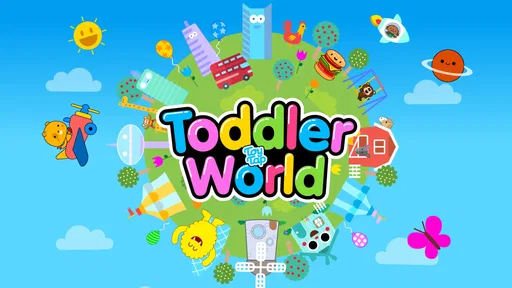
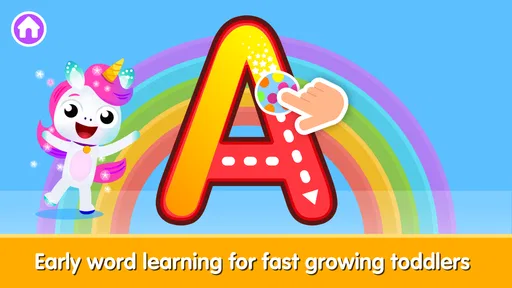
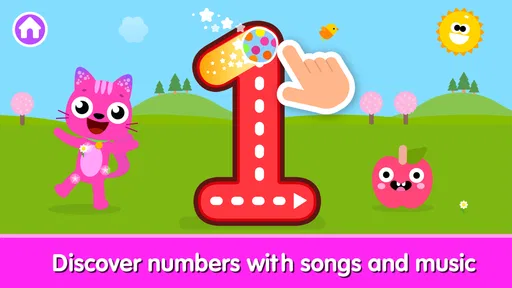
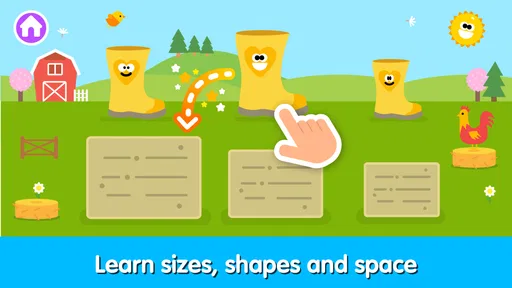
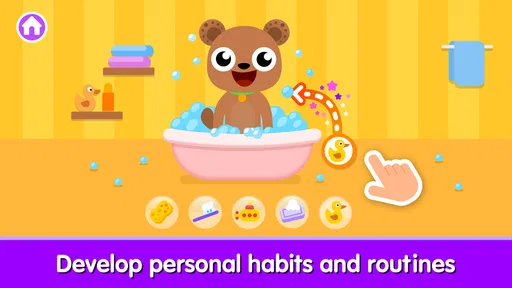

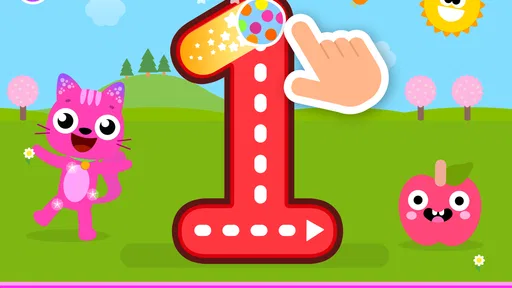
Analysis by Reviewed
My first impression of Toddler Games: Kids Learning was that it understands the short attention span of a young child. It is a free educational game from Toy Tap LLP, aimed at toddlers and preschool-age children who want quick, simple activities rather than a long lesson. I found it easiest to use in small bursts: a few minutes while waiting for an appointment, during a quiet moment at home, or when a child needs a gentle change of activity.
The game sits in a crowded category, but its appeal is straightforward. It gathers playful learning activities in one child-friendly package instead of asking parents to search for separate apps for every basic skill. The store describes it as suitable for everyone, and that matches the general tone: this is designed to be approachable, visually inviting, and easy for a child to explore with limited help.
That simplicity is both its strongest quality and its biggest question mark. A toddler can usually understand the basic idea quickly, but parents will naturally wonder whether the app remains useful after the first wave of curiosity disappears. After spending time with it, I would describe it as a handy rotation game rather than a complete early-learning program. Its real value comes from how thoughtfully you use short sessions, not from leaving it open as an all-day activity.
What the first week feels like
During the first few sessions, the main advantage is low friction. A child does not need to understand complicated menus, create a detailed profile, or learn a demanding control scheme before getting started. That matters with toddlers, because even a small delay can turn an educational activity into frustration. The short description, “Toddler Games,” is plain, but it accurately sets expectations: this is a collection of accessible activities, not a deep adventure game or a structured school curriculum.
I would introduce it when the child is rested and curious, rather than using it as a last resort during a difficult moment. In my experience, children engage more willingly when an adult sits nearby for the first few minutes and talks about what is happening on screen. Asking a child to name an object, repeat a sound, or explain a choice turns passive tapping into a small conversation. The app can provide the prompt, but the adult supplies much of the learning value.
The first-week appeal also comes from variety. Young children often enjoy repeating a familiar task, but they can lose interest when every session feels identical. Moving between activities can make the app feel fresher and lets parents match the moment to the child’s mood. If a child is energetic, a quick interactive task may work better; if the child is tired, a calmer activity may be easier to finish without arguments.
One useful habit is to avoid presenting every activity at once. I found that choosing one or two options before handing over the device makes the session feel more purposeful. It also helps a parent notice which kinds of tasks hold attention and which ones lead to random tapping. This is a small change, but it prevents the common mistake of treating a learning app as an electronic toy box with no direction.
More From Our News Desk

Weather by Xiaomi Review: Clear at a Glance, Less Clear Up Close

X Under Pressure: Can It Recover When Posting Goes Wrong?

Clash of Clans Is Won Between the Battles

Android Auto Makes the Case for Quieter Car Software

MobiOffice: Transforming Mobile Productivity with Seamless Integration

EA SPORTS FC™ Mobile Soccer: Redefining Mobile Sports Gaming
Where it fits into an ordinary day
A realistic use case is a short waiting period before dinner. A parent can offer one activity while preparing food, then return to ask the child what they practiced. Another good moment is a quiet transition after outdoor play, when the child needs to settle but is not ready for a book or nap. I would not use it as a substitute for conversation, drawing, blocks, or physical play. It works best as one controlled part of a wider routine.
For travel, the appeal is obvious: a familiar activity can be easier to manage than introducing a new toy in a crowded place. Still, I would test it at home first. A child who dislikes a particular task may become more upset in a car or waiting room, where there are fewer alternatives. Parents should also decide in advance how long the session will last, because ending screen time is often harder than starting it.
The game is especially suitable for families looking for a gentle first step into educational apps. It does not demand that a child already recognize letters, numbers, or complex instructions. That makes it less intimidating than some school-focused alternatives. On the other hand, children who already need advanced reading, mathematics, or language practice will probably outgrow its level and benefit more from a dedicated learning app with clearer progression.
What parents should watch during play
I would pay attention to whether the child is making choices deliberately or simply touching the screen repeatedly. Both behaviors can look like engagement, but they are not the same. If the child can explain a choice, repeat a concept away from the device, or recognize a familiar task later, the session is doing more than occupying time.
This is also where adult guidance matters. A toddler may rush through an activity because the visual response is entertaining, without understanding the underlying idea. Pausing to name colors, objects, shapes, or actions can turn a few taps into useful practice. I would keep the conversation light and avoid turning every round into a test. The goal is to connect play with learning, not to create pressure.
Because the game is rated for everyone, it is positioned as broadly accessible for young users. Even so, an age label cannot replace supervision. Parents still need to judge whether the instructions, pace, and visual style suit their particular child. One toddler may enjoy independent exploration, while another may need an adult to model every step before the activity becomes enjoyable.
Does it keep earning attention after the novelty fades?
I judge whether a toddler game keeps its place in the routine by watching for a change in how the child approaches it: does a familiar activity invite a little more thought, or has it become automatic tapping? I’d use that distinction to decide when to revisit it and when to switch to an offline activity. That leads to the more practical question of how to keep sessions purposeful without turning play into a test.
Month-to-month usefulness
The harder test begins after the first week. New colors, sounds, and interactions can attract attention initially, but lasting value depends on whether the game supports a repeatable routine. I think it can remain useful when parents treat it as a small practice tool rather than expecting it to teach everything. A child might return to it for recognition, matching, vocabulary reinforcement, or simple problem-solving, while more advanced learning happens elsewhere.
My preferred approach would be to use it several times across a week, with each session serving a clear purpose. One day could focus on identifying familiar items, another could be used for sorting or matching, and another could simply offer a relaxed review. The exact schedule should follow the child’s interest. Repeating the same activity is not automatically bad for toddlers; repetition is often how they gain confidence. The problem is repetition without attention, where the app becomes background noise.
A useful monthly check is to ask whether the child is transferring anything beyond the screen. Can they point out a similar color in the kitchen? Do they use a new word during play? Do they recognize a pattern in a puzzle or book? If the answer is yes, the app is supporting a broader learning routine. If the child only wants to rush through familiar taps, it may be time to reduce frequency or switch to another type of activity.
This is where Toddler Games compares favorably with completely passive video alternatives. An interactive task can invite a response, while a video generally asks the child only to watch. However, it does not replace hands-on materials. Blocks, picture books, puzzles, and pretend play offer physical feedback and social interaction that a touchscreen cannot provide. I would choose this game over a random video when I want a child to participate, but I would choose an offline activity when the goal is creativity, movement, or shared conversation.
Progress without a formal course
Parents looking for a clearly staged curriculum should be realistic. The game is better understood as flexible practice than as a complete course with a teacher-like path. That flexibility is convenient for mixed ages or uneven development, because a child can spend more time on comfortable tasks and revisit them without feeling tested. The trade-off is that adults may need to create the structure themselves.
For a younger toddler, I would keep expectations focused on recognition, listening, and simple interaction. For an older preschooler, I would use the activities as warm-ups before more demanding work, such as tracing, counting objects in the room, or reading a short story together. This makes the app more durable because its role changes as the child develops, even if the individual activities eventually become familiar.
The game has also reached a substantial audience, with more than five million installs and an average rating of 4.3 from around three thousand ratings. Those figures suggest that many families find the basic concept useful, but they do not tell me whether it will suit every child or remain engaging for every household. I would treat its popularity as a reason to try it, not as proof that it should become a permanent part of your routine.
The maintenance burden for parents
The biggest maintenance task is not technical; it is deciding when and why the child should use the app. If a parent hands over the device whenever the child is bored, the learning purpose can quickly blur. I recommend setting a simple rule, such as using it after a short shared activity or choosing one session before moving to a non-screen option. Consistency matters more than a complicated timetable.
Parents should also stay alert to the stopping point. Toddlers can become absorbed in repetition, and an abrupt shutdown may produce resistance even when the session was short. Giving a warning, finishing a natural round, and naming the next activity can make the transition easier. This is not unique to this game, but the quick-play format makes it especially tempting to say, “just one more,” repeatedly.
Another practical issue is supervision around purchases. The game is free to download, but it includes in-app purchases ranging from $4.99 to $84.99 per item. That is a meaningful consideration for a child-focused app. I would review purchase controls before giving a child unsupervised access and keep the device’s approval settings active. The free entry point is helpful, but families should not assume that every part of the experience carries no cost.
The current version is 7.0, and the minimum operating system is Android 7.0. For families using an older device, checking compatibility before planning a trip or classroom activity is sensible. I also like to test any child’s app before relying on it in a public setting, because a parent needs to know how easily the child can move around and how comfortable the controls feel on that particular screen.
What causes fatigue over time
The first source of fatigue is repetition without a new goal. A child may enjoy the same response many times, but parents can start to feel that the session is no longer adding anything. The solution is not necessarily to delete the game immediately. Try changing the adult prompt: ask the child to find the same concept in the room, draw it afterward, or explain the answer. If the activity still produces only automatic tapping, take a break.
The second source is screen-time negotiation. Even a well-designed learning game can become associated with “more time” rather than with learning. I would avoid using it as a reward for every small task, because that can make the screen more desirable than the activity it is meant to support. A predictable place in the day usually works better than constant bargaining.
The third is developmental mismatch. A child may be too young to understand the instructions or too advanced to find them meaningful. In the first case, an adult can simplify the interaction and demonstrate it. In the second, the best choice may be a different app that teaches a specific skill at a higher level. Keeping the game installed out of habit is not the same as keeping it useful.
There is also a fatigue risk for parents who expect the app to provide independent learning every time. Some children may explore comfortably alone, but others need encouragement, explanation, or help recovering from a wrong answer. If you need a completely hands-off activity, this may not meet that expectation. Its strongest results come from brief, occasional involvement by an adult.
Who should choose it, and who should skip it?
I would recommend it to parents who want a free starting point for toddler-friendly educational play, especially if they prefer short activities over long lessons. It is a reasonable option for families building a small rotation of screen activities and for caregivers who are willing to sit nearby, ask questions, and connect the digital task to real-world play.
I would be more cautious if your main goal is formal preparation for school, detailed progress tracking, or a subject-specific program. In those situations, a focused literacy, numeracy, language, or creativity app may be a better investment of time. I would also skip it for a child who consistently prefers physical activities or becomes upset when a touchscreen session ends. No educational label makes an app suitable for every temperament.
Compared with a single-purpose learning game, this one is more convenient because it can offer different kinds of practice in one place. Compared with open-ended creative apps, it is likely to feel more guided and less expressive. Compared with videos, it asks for more interaction but still needs an adult to make the learning meaningful. Those trade-offs explain its best position: a supporting tool between passive entertainment and structured teaching.
My long-term verdict
After the novelty fades, I would keep Toddler Games installed if I had a toddler who enjoyed its activities and if I could give it a defined place in the week. I would not make it the center of the child’s learning routine. Its lasting value is in quick practice, easy transitions, and the chance to turn a few minutes of screen time into a shared conversation.
The developer, Toy Tap LLP, has made a game that is approachable enough for early users and broad enough to fit different family routines. It is free, available for a wide audience, and has attracted over five million installs, which makes it an easy candidate to test. The in-app purchase range means I would handle access carefully, especially on a device used by a child.
My final recommendation is to try it with a clear plan: preview it yourself, choose short sessions, stay close at the beginning, and regularly check whether the child is carrying the ideas into offline play. If it becomes a dependable prompt for naming, matching, recognizing, and talking, it earns a place in the rotation. If it turns into repetitive tapping or daily screen-time arguments, remove the pressure and choose a book, puzzle, or more specialized app instead.
In short, this is not a replacement for a parent, a teacher, or hands-on play. It is a modest but useful companion for early learning when used intentionally. I would recommend it as a rotating activity, not as a permanent babysitter. That distinction is what determines whether it still feels worthwhile a month later.
Toddler Games: Kids Learning Frequently Asked Questions
Is Toddler Games: Kids Learning available for my device?
Toddler Games: Kids Learning is available for Android devices running version 7.0 or later. Before downloading, check your device’s operating system version and make sure there is enough space for the game. It is an educational game from Toy Tap LLP, designed around simple activities for young children, so a compatible phone or tablet can give them an easy way to explore its learning games.
What is Toddler Games: Kids Learning?
Toddler Games: Kids Learning is an educational app designed for young children who are beginning to explore colors, shapes, numbers, letters, animals, and simple problem-solving activities. Its games are generally short and easy to understand, making them suitable for toddlers who may have limited attention spans. The app combines basic learning exercises with playful visuals and interactive tasks to encourage independent exploration.
What age group is Toddler Games: Kids Learning suitable for?
The app is mainly intended for toddlers and preschool-aged children, although the ideal age may vary depending on the child’s development and familiarity with mobile devices. Younger children may need help understanding the controls at first, while older preschoolers can often complete the simpler activities independently. Parents should review the available games and choose tasks that match their child’s abilities. Its Everyone age rating makes it broadly suitable for family use, with adult guidance helping tailor play to each child.
Does Toddler Games: Kids Learning require an internet connection?
Some features may work without an internet connection after the app has been installed, which is convenient for travel or situations where Wi-Fi is unavailable. However, internet access may still be needed for downloading the app, receiving updates, restoring purchases, or displaying certain advertisements. Before giving the device to a child, parents should test the app offline and check whether all desired activities remain accessible.
Is Toddler Games: Kids Learning safe for children?
The app is created for young users, but parents should still supervise their children, especially during the first sessions. Check the app’s permissions, advertising settings, privacy information, and any links that could lead outside the game. It is also wise to enable parental controls, disable unwanted purchases, and use a child-friendly device profile when available. Adult guidance can make the experience safer and more productive.
Pros
- Simple controls are easy for toddlers to understand without help.
- Colorful visuals and cheerful sounds keep short play sessions engaging.
- Educational activities support early recognition
- matching
- and basic problem-solving.
- Progressive challenges can help children build confidence at their own pace.
- Offline access makes it convenient for travel or areas with limited internet.
Cons
- Some activities may become repetitive after extended play.
- Certain features or content may require in-app purchases.
- Bright animations and sounds could be overstimulating for some children.
- Limited customization may not suit every child’s learning preferences.
- Parents should supervise playtime and review privacy settings before use.













