100+ Offline Games No WiFi Fun
- 2.02K
- 4.5
- Installs
- 100.00M
- Price
- Free

Screenshots

Analysis by Reviewed
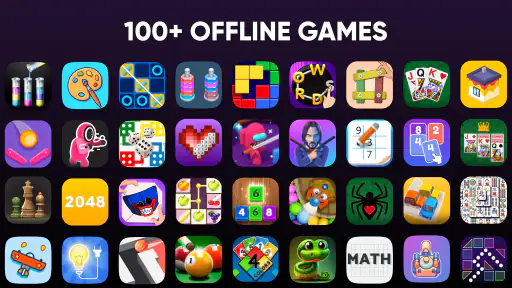
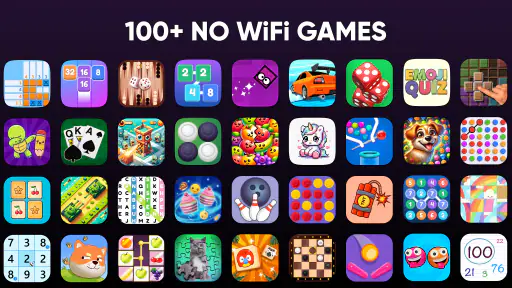
When I want something to play without planning around a signal, I look for a game that lets me dip in, make a little progress, and put my phone away again. 100+ Offline Games No WiFi Fun is built for that sort of casual session: it brings a collection of small games together rather than asking me to commit to one long adventure. That makes it handy for a commute, a wait in a queue, or a quiet stretch at home when I would rather not use mobile data.
How the collection works for everyday play
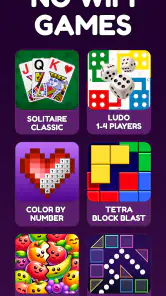
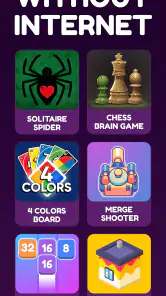
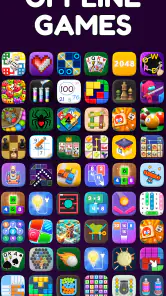
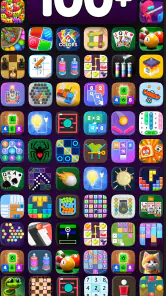
The key appeal is the mix. The game is presented as a casual collection, and its developer, Fun Offline Games, puts puzzles alongside color blocks, cards, and options for two players. That breadth is useful when my mood changes: I can switch from a solo brain teaser to something more relaxed without downloading several separate apps. It is free to install, rated for Everyone, and has optional in-app purchases priced from $0.99 to $5.49 per item.
Best for short sessions, not one deep campaign
I see this as a pocket variety pack, not a replacement for a dedicated Sudoku, card, or strategy game. A specialist app is usually the better choice if you want one ruleset, carefully tuned difficulty, or a long-term challenge to master. Here, the advantage is convenience: when one kind of puzzle stops holding my attention, another style may suit the moment. The trade-off is that a broad collection may feel less focused than a game designed around a single activity.
A practical way to use it is to pick a game before a trip, then keep a second option in mind for when the first starts to feel repetitive. On a bus ride, for example, I might choose a quick puzzle while seated and switch to a simpler color-block activity if I need to keep glancing up for my stop. The two-player option can also make the collection more appealing when someone nearby wants to join, though it is best treated as a casual shared pastime rather than a substitute for a dedicated multiplayer game.
What the offline promise changes
Offline play is most valuable when connectivity is inconvenient, not just when it is unavailable. I would open the game before leaving home and make sure the activities I plan to use are ready, especially before a flight or a long trip through areas with patchy reception. That small habit avoids discovering at the wrong moment that I have not reached the game I wanted. It also makes the app a practical backup for travel, although I would not rely on it as my only entertainment for a long journey if I need a very specific kind of game.
For a parent looking for a simple option to hand to a child, the Everyone age rating is reassuring as a starting point, but I would still check the screen and any purchase prompts together. Free to install does not mean every optional item is free, so a quick look at the device’s purchase controls is sensible. This is a useful distinction for families: the collection can be an easy casual distraction, while spending choices should remain deliberate.
Current version and what it means for returning players
The game’s current version is 3.40, and it first appeared on August 1, 2020. Its established presence is reflected in an average rating of 4.5 from around 361,000 ratings, with roughly 2,000 written reviews and more than 100 million installs. Those figures suggest that many players have found a reason to keep it around, but they do not tell me which activities each person prefers or whether every game will suit my taste. The version number is a concrete point of reference for someone returning after a break; I would judge any change by how the games I actually use feel, rather than assuming that a newer version necessarily transformed the whole collection.
More From Our News Desk

Weather by Xiaomi Review: Clear at a Glance, Less Clear Up Close

X Under Pressure: Can It Recover When Posting Goes Wrong?

Clash of Clans Is Won Between the Battles

Android Auto Makes the Case for Quieter Car Software

MobiOffice: Transforming Mobile Productivity with Seamless Integration

EA SPORTS FC™ Mobile Soccer: Redefining Mobile Sports Gaming
On Android, it requires version 7.0 or later. That makes it worth checking compatibility before setting it aside for an older phone or tablet, particularly if you plan to use it as a travel backup. The game’s pitch is strongest when you want several light activities in one place; if you mainly want a demanding puzzle with detailed progression, a dedicated title will likely serve you better.
A few practical trade-offs before you settle in
Collections like this ask you to choose among activities instead of building a routine around a single one. I find that useful when I have only a few spare minutes, but it can also create a small decision point: opening the app is not the same as immediately knowing which game I want. Choosing a favorite or two for different situations—one for a short wait, another for a longer break—helps reduce that friction. It is also a better way to tell whether the variety is genuinely useful to you or simply makes the app feel busy.
If you are comparing it with separate offline games, think about the trade between breadth and depth. One collection is convenient and takes less effort to browse across different kinds of play; individual games may offer a more consistent interface and a stronger sense of progression. I would choose this one for variety and spontaneous sessions, and choose a specialist app when I already know exactly what I want to play.
There is no need to treat every round as a challenge to finish. A quick card game or a short puzzle can be enough to fill a gap without turning a break into another task. That is where the casual format works best for me: I can stop when my train arrives or when a conversation resumes. If you prefer games that save a long story, track a detailed campaign, or reward extended play in one mode, this collection is probably not the right fit.
How I would fit it into a real day
Imagine I have a short lunch break, then a longer wait for an appointment later. I would use the first few minutes to try one activity rather than browse the whole collection, because browsing can eat up the little time I have. For the longer wait, I would switch to a different style if the first game starts to feel stale. This makes the variety useful as a way to match play to the length and attention available, not just as a large menu of choices.
That approach also helps answer a practical question: is it suitable for children or for sharing a phone? The Everyone rating makes it an approachable option, and the two-player element offers a reason to pass the device around. I would still preview the available activities with a child and handle purchase settings beforehand. For adults sharing a screen, it works best when both people are happy with informal turns; anyone expecting a connected match or a structured competitive mode should look elsewhere.
What the version history can and cannot tell me
The release date and current version give returning players useful landmarks, but a version number alone does not explain how a particular game has changed. I would not reinstall expecting a specific new puzzle or a major redesign based only on that number. Instead, I would revisit the modes I remember using, check whether they still suit my taste, and then explore the other categories if I want a change. That is a more reliable way to judge the collection’s evolution from a player’s point of view.
For someone deciding whether to keep it installed, the clearest test is whether having several offline choices saves effort in the moments when you actually reach for your phone. If you routinely switch between puzzles, cards, and color blocks, one collection can be more convenient than maintaining separate apps. If you open it only for one specific game, a focused alternative may be easier to navigate and better suited to building skill in that activity.
My take after weighing the fit
Overall, 100+ Offline Games No WiFi Fun makes sense for someone who values accessible variety more than depth in one specific genre. It is free to try, works without an internet connection, and combines solo choices with a two-player option. I would keep it for travel, short breaks, and moments when I want a low-commitment game, while keeping a dedicated puzzle app around if I wanted a more focused challenge.
Hey there, fellow mobile gamers! Today, I’m diving into the captivating world of Offline Games No WiFi Puzzles. Yep, you heard it right! This game is all about keeping you entertained without the need for an internet connection. Perfect for those long commutes, flights, or when you’re just trying to save some data. Let’s jump right in and explore why this app deserves a spot on your device.
Get Your Brain Gears Turning
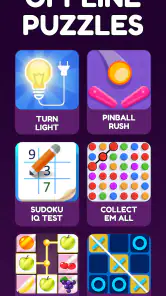
Once you fire up Offline Games No WiFi Puzzles, you’re greeted with a plethora of puzzle games that are sure to get your cognitive juices flowing. From classic crossword puzzles to intricate Sudoku challenges, there’s something for every puzzle enthusiast. The interface is pretty intuitive, so you won’t find yourself lost in a maze of menus. Instead, you’ll be solving puzzles in no time!
Variety is the Spice of (Puzzle) Life
One of the things I absolutely love about this app is the variety it offers. We're talking about different genres of puzzles all under one roof. Whether you’re into word games, number puzzles, or even logic-based challenges, this app has got you covered. It’s almost like having a mini puzzle convention in your pocket! Plus, the developers keep things fresh with regular updates, so you’ll always have something new to tackle.
And let’s not forget the offline feature. Gone are the days of needing a stable internet connection to enjoy quality games. Now, you can take your puzzle-solving adventures anywhere, whether you’re in airplane mode or chilling in a remote cabin. It’s freedom at its finest!
Designed with You in Mind
The developers clearly put a lot of thought into the design of this app. It’s user-friendly, visually appealing, and doesn’t bombard you with ads every five seconds. Offline Games No WiFi Puzzles strikes a nice balance between providing challenging content and ensuring a smooth user experience. Plus, the hints option is a lifesaver when you’re stuck on a particularly tricky puzzle.
Now, I know what you might be thinking: “Doesn’t it get boring after a while?” Honestly, I’ve found that the sheer variety and progressively challenging levels keep things interesting. Each time you think you’ve mastered a puzzle type, there’s a new twist introduced to keep you on your toes.
Final Thoughts
All in all, Offline Games No WiFi Puzzles is a must-download for anyone who loves a good brain teaser. It’s convenient, fun, and perfect for those moments when you need to unplug from the world. Whether you’re a casual gamer or a hardcore puzzle solver, I guarantee you’ll find something to enjoy in this app.
So, what are you waiting for? Give your brain the workout it deserves and dive into the world of offline puzzles. Trust me, once you start, it’s hard to stop!
100+ Offline Games No WiFi Fun Frequently Asked Questions
Can I play with someone else, or is 100+ Offline Games No WiFi Fun only for solo play?
It includes two-player options, so there is a way to enjoy some of its casual activities with another person rather than playing alone. The collection also includes puzzles, color blocks, and cards, giving you different styles of play to choose from. If you want a simple game to share during downtime, the two-player element may be a useful part of the package.
Will 100+ Offline Games No WiFi Fun work on my Android device?
The game requires Android 7.0 or later. Before downloading, check which Android version your device is running so you can judge whether it meets that requirement. It is a casual game centered on offline puzzles and other mini-games, making it a straightforward option for compatible devices when you want activities that do not depend on an internet connection.
Is 100+ Offline Games No WiFi Fun free to download?
Yes. 100+ Offline Games No WiFi Fun is free to download, with optional in-app purchases priced from $0.99 to $5.49 per item. The game is aimed at casual play and brings together offline puzzles and other mini-games, so you can try its core experience without paying upfront. Check the purchase options before confirming any transaction, especially if children may use the device.
What devices and age groups is 100+ Offline Games No WiFi Fun suitable for?
The game is rated Everyone and is suitable for a broad audience, including children and adults looking for casual entertainment. It requires Android 7.0 or later, so it is worth checking your device’s operating system before downloading. Its mix of mini-games is presented for boys and girls, making it a flexible option for individual play or sharing a device with family.
What types of puzzles are available in Offline Games No WiFi Puzzles?
Offline Games No WiFi Puzzles offers a variety of puzzle types to keep users entertained for hours. These include classic jigsaw puzzles, brain teasers, logic puzzles, and word searches. Each category is designed to challenge different aspects of your cognitive skills, providing a comprehensive and enjoyable puzzle-solving experience without the need for an internet connection.
Pros
- No internet required to play
- Variety of puzzle games
- User-friendly interface
- Regular updates with new levels
- Suitable for all ages
Cons
- Ads can be intrusive
- Limited free levels
- In-app purchases required for full content
- Occasional performance lag
- No multiplayer mode
- Category
- Casual
- Version
- 3.40