LEGO® DUPLO® World
- 469.00
- 4.2
- Installs
- 10.00M
- Price
- Free
Screenshots

Analysis by Reviewed
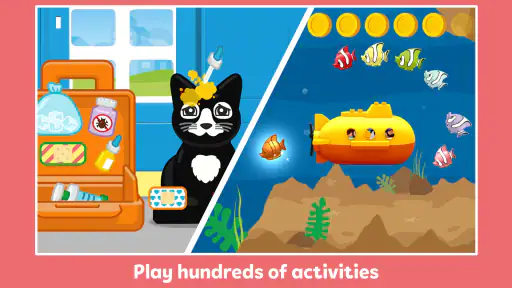
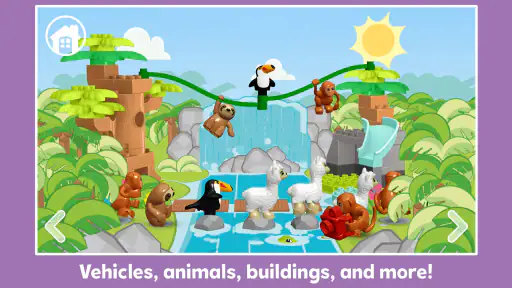
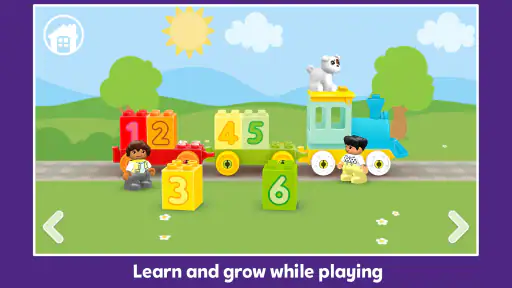
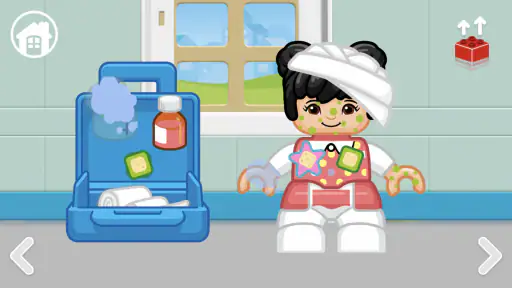
When I hand a young child a new game, I want the first few minutes to feel inviting rather than like a test. LEGO® DUPLO® World gets going through familiar play: children explore themed scenes, tap objects, and take simple actions such as feeding animals or putting together a train. That makes it easier for a toddler or preschooler to begin without needing to read instructions or understand a complicated menu.
Who gets the most from the first few minutes
I’d start by sitting with a child and letting them choose what to investigate, instead of steering every tap. That small choice is part of the appeal: the game gives young players room to try things, while its gentle guidance can help when they are unsure what to do next. It suits short, supervised play sessions especially well, including a quiet stretch before dinner or a brief wait while an adult handles a nearby task.
As an educational game from StoryToys, it brings together imaginative play and early ideas such as colors, numbers, and basic logic. Its broad audience is reflected in an Everyone age rating, but that does not mean every child will use it independently; younger players may still need help choosing activities or understanding what an action does. I’d treat it as something to explore together, not as a substitute for hands-on play or adult attention.
A useful first-session routine
One thing I would do differently from simply handing over the device is make the first session a small shared activity. I’d let the child pick a scene, ask what they notice, and wait before suggesting a tap. That pause matters: it gives them room to form an idea and makes the result feel like their discovery rather than an instruction to follow.
This approach works especially well when a child is still learning how touchscreens respond. If they tap several objects quickly, I’d slow the pace by asking them to choose one thing to try and then watch what changes. It is a low-pressure way to keep the game playful while helping a young player connect an action with its result.
Building Blocks of Fun
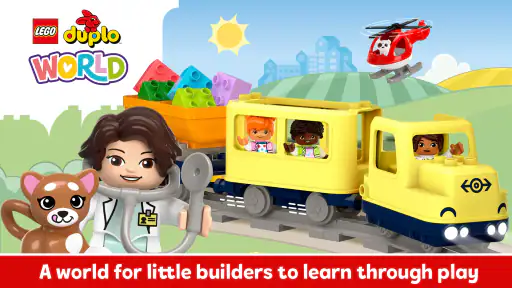
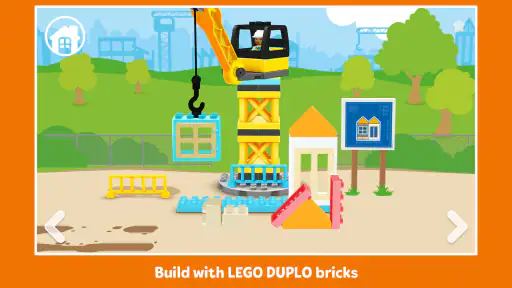
Alright, let’s kick things off with what makes this app stand out. LEGO® DUPLO® World is designed specifically for toddlers and preschoolers, and it’s all about creating and exploring. From whimsical trains to bustling farms, the game captures the essence of the beloved DUPLO sets. Imagine the excitement of building with those chunky, colorful bricks but in a digital format!
The interface is super intuitive, which is a must when you’re dealing with the tiny tech-savvy fingers of kids. Navigation is straightforward, letting kids dive right into the action without any fuss. The app is divided into different themed areas, each offering unique activities and challenges. Whether it’s feeding animals or assembling a train, every task is designed to spark creativity and problem-solving skills.
More From Our News Desk

Weather by Xiaomi Review: Clear at a Glance, Less Clear Up Close

X Under Pressure: Can It Recover When Posting Goes Wrong?

Clash of Clans Is Won Between the Battles

Android Auto Makes the Case for Quieter Car Software

MobiOffice: Transforming Mobile Productivity with Seamless Integration

EA SPORTS FC™ Mobile Soccer: Redefining Mobile Sports Gaming
Learning Through Play
One thing that really caught my attention is how the app seamlessly integrates educational elements. Kids aren’t just clicking away; they’re learning numbers, colors, and even some basic logic. It’s like sneaking veggies into a meal – they enjoy the game and absorb knowledge without even realizing it!
The game encourages open-ended play, allowing kids to explore at their own pace. This is crucial as it fosters independence and decision-making. Plus, the gentle prompts and guidance ensure they don’t get stuck, which is a relief for parents who might be busy with their own tasks.
Following the play loop
What makes a repeat visit plausible is the simple rhythm: a child tries an action, sees what happens in the scene, and gets a small sense of completion before moving on or starting another activity. That immediate feedback is easier for a young player to understand than a long chain of objectives. I find this a better fit for a child who likes to experiment than for one who wants a clearly defined level to beat.
A practical way to use that rhythm is to ask a child to describe what they are trying before they tap, then talk about what changed afterward. It turns a quick interaction into a chance to practice naming colors, objects, or a simple sequence. The trade-off is that an adult may need to supply some of the conversation: the game can prompt exploration, but shared attention is what makes the play especially useful.
Keeping the feedback easy to follow
For a young child, the important part is not just that something happens after a tap; it is whether the result is clear enough to encourage another attempt. I’d give the child a moment to look at the scene before moving on. If they seem unsure, a simple question such as “What changed?” can make the feedback more meaningful without turning play into a quiz.
This also gives a parent a useful way to spot whether the child is enjoying the activity or merely tapping at random. If the child starts predicting what an action might do, that is a good cue to let them take the lead. If they are repeatedly looking to an adult for direction, I’d offer one gentle prompt and then consider switching activities rather than insisting they continue.
Why Parents Will Love It Too
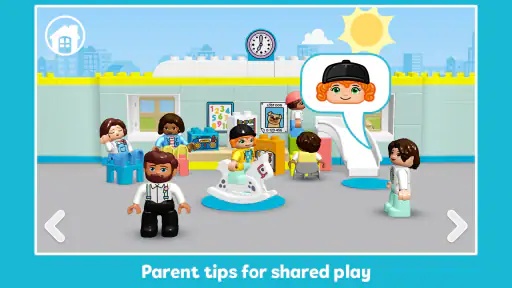
Now, I know what you’re thinking: is this just another game that’ll have the kids glued to the screen? Here’s where LEGO DUPLO World shines. It’s designed to be a shared experience. Parents can join in, helping to build and explore, making it a fantastic bonding opportunity. Trust me, there’s nothing like seeing your kid’s face light up as they complete a task or discover something new.
Moreover, the app is ad-free, which is a massive plus. You don’t have to worry about unexpected pop-ups or sneaky in-app purchases. The peace of mind this offers is invaluable, especially when you’re dealing with kids who might not understand the concept of buying things online just yet.
When a different kind of play works better
For families deciding between this and a physical DUPLO set, I see them as serving different purposes rather than competing directly. The digital scenes are convenient when toys are packed away or there is little room to spread out bricks. Real blocks are better when a child wants to build freely with their hands, make a creation that stays put, or take a break from a screen.
Compared with a conventional preschool learning app built around tracing letters, counting drills, or repeated right-and-wrong answers, this game places more weight on exploration. That can make it easier to engage a child who resists worksheets or formal practice. On the other hand, a parent looking for a clearly sequenced lesson or focused practice in one skill may find a structured learning app more suitable.
Where it fits among children’s games
Compared with a basic counting or alphabet game, this one leans more on pretend play and interacting with scenes than on repeated drills. That is a strength when a child is more willing to learn while exploring than while answering prompts. A physical DUPLO set is still the better choice when the goal is building with real pieces, developing hands-on coordination, or taking a screen break; this app is most useful as a different kind of play, not a replacement for the toy box.
It may also be a poor match for children who quickly lose interest without a competitive goal, a clear score, or a strong sense of progression. I would choose a more structured learning game if the main aim were focused practice on one skill. Here, the attraction is the mix of small discoveries, simple tasks, and freedom to wander through a playful setting.
A Few More Bricks to Consider
To keep things fresh, the developers frequently update the app with new content. This means more themes, activities, and hours of fun. However, to access all the features, there are some paid expansions. While the base game offers plenty to keep kids entertained, these expansions can enrich the experience further.
It’s free to start, while optional in-app purchases range from $0.99 to $39.99 per item. I’d let a child explore the available play first, then decide as an adult whether an expansion suits your family’s interests and budget. That is a useful boundary to set before handing over a device: young children may enjoy tapping through a scene without understanding that some content costs extra.
But hey, if you’re like me and appreciate getting the most out of an app, these add-ons are worth considering. They bring new adventures and learning opportunities, ensuring the app grows along with your child.
Making purchase decisions calmly
I would handle paid content before the child starts playing, not in the middle of an exciting moment. A child who has just enjoyed an activity may naturally want more, but that is not the best time for an adult to work out whether an optional purchase fits the family’s budget. Exploring the free experience first makes it easier to judge whether the style of play is a good match.
There is also a practical distinction between a game that a child enjoys once and one they return to willingly. I’d wait for a few ordinary play sessions before deciding whether extra content would add enough value. If the child already moves happily between the activities available to them, there may be no reason to buy anything; if their interest consistently centers on a particular kind of play, an adult can consider that choice separately.
Compatibility and an everyday routine
The game is free, has an average rating of 4.2 from around 25,000 ratings, and has been installed over 10 million times. It was released on October 10, 2019, and its current version is 33.1.1, with Android 6.0 as the minimum operating system. Those details make it easier to check whether an older Android device is suitable before setting aside time for a child to play.
For example, I can picture using it during a rainy afternoon when a child has already spent time with physical blocks and wants a change of pace. I’d offer a short turn, join for the first activity, and then let the child choose whether to explore another scene or stop. That approach keeps the game as one option in the day rather than turning it into the default way to fill every quiet moment.
One other practical point is that the game’s appeal depends on the child enjoying exploratory tapping and pretend scenarios. If a child gets frustrated when an activity does not behave like a familiar physical toy, I’d stay nearby and help connect the action to its result. If that still does not click, setting it aside is reasonable; an app can be well suited to preschool play without being right for every preschooler.
Choosing the right moment to start
A realistic use for me would be a short wait at home while dinner is nearly ready: I’d sit nearby, let the child choose an activity, and agree that we will stop when the meal is ready. The same routine can work during a rainy afternoon, but I would not rely on the game to occupy a child who needs active movement or a change of environment. It is most helpful as one calm option among other ways to play.
Parents may also wonder whether the game is suitable for a child who cannot read yet. The simple touch-based interactions make it approachable for early players, but I would still expect some children to need help understanding where to go or what to try. If a child is already comfortable exploring touchscreen games, they may need less guidance; if not, a first session together is a better starting point than assuming they will manage alone.
Another useful question is how long a session should last. I would follow the child’s attention rather than trying to complete a particular amount of content. When the child begins to repeat taps without interest or turns away, that is a natural point to stop. The game’s small activity rhythm suits brief visits, so there is no need to stretch a session simply because the device is available.
Wrapping It Up
In a nutshell, LEGO DUPLO World is a delightful mix of fun and education. It’s perfect for keeping young minds engaged while promoting creativity and learning. Whether it’s a rainy day or you’re just looking for something to keep the kids busy, this app is a fantastic choice.
So, if you’re ready to embark on a digital building adventure with your kiddos, give it a go. It’s available for download on both Android and iOS, and trust me, it’s a game-changer in the world of educational apps. Happy building!
My take on the repeat-play loop
The reason I can see a child returning is not a complicated reward system; it is the straightforward pleasure of trying something, seeing the scene respond, and deciding what to explore next. That loop is easy to enter and easy to leave, which is a strength for preschool play. It does not need to be the center of a child’s routine to be worthwhile.
I’d recommend it most to families who want a gentle, imaginative digital activity they can share with a toddler or preschooler, especially when a child enjoys animals, trains, and exploring what happens after a tap. I’d skip it for a child who wants competitive challenges or for an adult seeking a focused teaching tool with a clear lesson sequence. For the right child, the appeal is in small discoveries; when those discoveries stop being fun, putting the device away is part of the loop too.
LEGO® DUPLO® World Frequently Asked Questions
Does LEGO® DUPLO® World have a clear way for young children to start playing?
LEGO® DUPLO® World is built around hands-on play, with colorful scenes and activities for little builders to explore. Its focus is creating, imagining, and learning through play, rather than following a traditional lesson or competing against other players. A parent can help a child choose an activity at first, then let them explore at their own pace.
How much storage space should I have before downloading LEGO® DUPLO® World?
It is sensible to check your device’s available storage before installing LEGO® DUPLO® World, especially if you plan to add content or updates later. The game is available for Android and iOS devices, and its Android version requires Android 6.0 or later. Keeping some free space available can also help avoid interruptions during installation and use.
Can LEGO® DUPLO® World be used by more than one child?
LEGO® DUPLO® World is designed for young children to explore creative and educational activities, so it can be a shared play option for siblings or family members. Children can take turns interacting with the scenes and building ideas through play. Since each child may use the device differently, an adult can help manage turns and guide them to activities that suit their interests.
Is LEGO® DUPLO® World a good choice for families looking for an educational game?
LEGO® DUPLO® World is an educational game developed by StoryToys. It is designed around creative, imaginative play, with activities that let young children explore and learn in a colorful world. If you are choosing an app for a child, its educational focus and hands-on style are central to what it offers, rather than a traditional lesson or a competitive game experience.
What devices and operating systems can run LEGO® DUPLO® World?
LEGO® DUPLO® World is available for Android and iOS devices, and the Android version requires Android 6.0 or later. Before downloading, check that your device meets the operating-system requirement and has enough available storage. The game is made for little builders, so a touchscreen device is the natural way to explore its activities and interact with the play-based scenes.
Pros
- Engaging educational content for young children.
- Colorful
- intuitive design with easy navigation.
- Safe environment with no third-party ads.
- Encourages creativity and problem-solving skills.
- Includes a variety of interactive mini-games.
Cons
- Requires in-app purchases for full content.
- Limited free content available initially.
- May require parental guidance for younger kids.
- Occasional loading delays between activities.
- No offline mode; requires internet connection.
- Category
- Educational
- Version
- 33.1.1













