Kids Numbers and Math
- 114.00
- 4.1
- Installs
- 100.00K
- Price
- $2.99
Screenshots
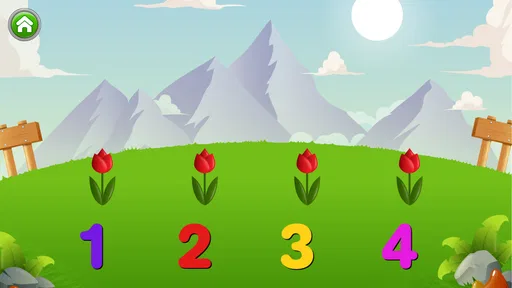
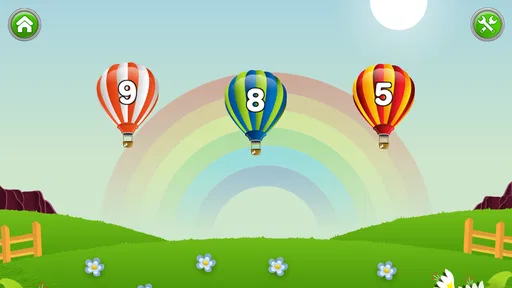
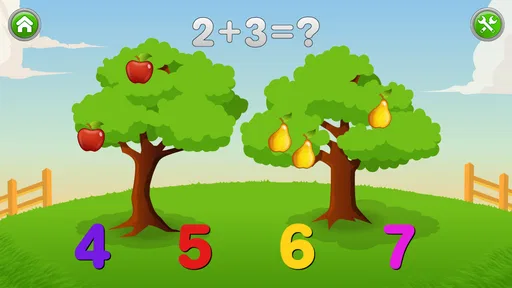
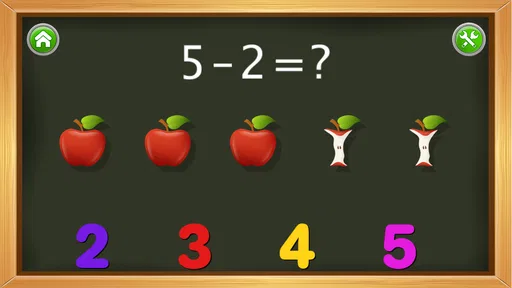
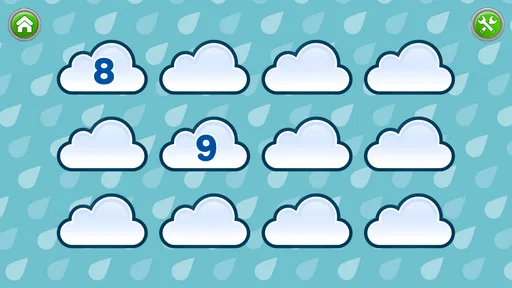
Analysis by Reviewed
When I first opened Kids Numbers and Math, I understood its appeal almost immediately: it turns early number practice into something a child can touch, try, and repeat instead of treating math as a worksheet. Developed by Intellijoy Educational Games for Kids, this educational game is aimed at young learners who are beginning to recognize numbers and build simple arithmetic confidence. My first impression was positive because the activities feel approachable rather than intimidating, which matters when a child is still deciding whether math is enjoyable.
The important question, though, is not whether a child can have fun with it during the first few sessions. Many children’s learning games manage that. The more useful question is whether it earns a regular place on a family device after the novelty fades. In my experience, this game has genuine value as a short, focused practice tool, but it works best when an adult gives it a clear role rather than expecting it to become a complete math curriculum.
What the first week feels like
During the first week, the strongest feature is the low barrier to entry. A child does not need a long explanation before beginning. The number-focused presentation makes the purpose clear, and the basic tasks are suitable for children who are still developing familiarity with counting, number recognition, and simple calculations. That directness is useful for parents too: I can hand it over for a brief practice session without preparing materials or translating complicated instructions.
I would introduce it in short sessions rather than leaving it open-ended. Ten minutes after breakfast, while waiting for an appointment, or during a quiet afternoon is enough to see whether the child responds well. The goal is not to exhaust every activity in one sitting. Early learners benefit more from returning to a manageable challenge than from racing through everything available.
The game is listed for Everyone, which fits its broad child-friendly positioning. Still, an age label cannot tell me whether every child will find the same tasks appropriate. A preschooler who is just learning to count may need an adult nearby, while a child already comfortable with basic sums may move through the introductory material quickly. I would treat the age rating as a safety classification, not as a guarantee of a perfect learning level.
One practical strength is that it can support a transition between physical and digital learning. I would not use the screen as the only teaching method. Instead, I might play a round with a child and then ask them to count spoons at the table, group toy cars, or add two small piles of blocks. That simple follow-up helps connect the abstract symbols on the screen with quantities in the real world. Without that bridge, a child may become good at tapping answers without fully understanding what the numbers represent.
Parents should also watch how the child responds to mistakes. Some children enjoy trying again, while others become discouraged if they feel they are being tested. I found that encouragement works better than correcting every answer immediately. Asking, “Can we count that together?” keeps the activity collaborative and gives the child a way to recover without turning a short game into a lesson under pressure.
More From Our News Desk

Weather by Xiaomi Review: Clear at a Glance, Less Clear Up Close

X Under Pressure: Can It Recover When Posting Goes Wrong?

Clash of Clans Is Won Between the Battles

Android Auto Makes the Case for Quieter Car Software

MobiOffice: Transforming Mobile Productivity with Seamless Integration

EA SPORTS FC™ Mobile Soccer: Redefining Mobile Sports Gaming
Why the early appeal works
The first-week appeal comes from the combination of simplicity and repetition. A young child can focus on one idea at a time instead of navigating a large educational platform filled with unrelated subjects. That narrow focus makes it easier to recognize progress: the child begins by identifying quantities or symbols, then gradually becomes more willing to attempt a calculation.
Another useful detail is the possibility of making the game part of a routine rather than a reward that must always be earned. If it is used only when a child has finished chores, it may become associated with entertainment rather than learning. I prefer presenting it as one option in a small activity rotation: a few minutes of the game, followed by drawing numbers, counting objects, or reading a picture book. That approach reduces pressure and gives the digital practice a clear purpose.
The purchase price is $2.99, so the decision is relatively straightforward for families already looking for a focused numbers game. Even so, I would not buy it simply because it is inexpensive. The better reason is that the child needs repeated practice with early math ideas and responds well to interactive exercises. A low cost does not make an unsuitable learning level useful.
Value after the novelty wears off
After the first month, the game’s value depends heavily on repetition with variation. A child may enjoy the familiar format at first, but constant unsupervised use can make any narrowly focused learning title feel predictable. I would keep it available for targeted practice instead of making it the default screen activity every day.
Its lasting role is strongest when a child has a specific need. For example, a learner who recognizes written numbers but hesitates when combining small quantities may benefit from returning to the game several times a week. A child who is already comfortable with early arithmetic may find less reason to continue unless the activities remain challenging enough. This is where parents need to observe performance rather than rely on the child’s enthusiasm alone.
A useful monthly routine is to revisit the game after a few days away and notice what remains easy, what causes hesitation, and whether the child explains an answer or simply taps quickly. I would record those observations informally in my head or on paper, then adjust the surrounding activities. If counting is solid but number writing is weak, I would add pencil-and-paper practice. If the child can answer on screen but struggles with real objects, I would spend more time counting toys or snacks.
This is one of the less obvious trade-offs: a game can reveal a child’s comfort with a task without fully proving understanding. Fast responses may show recognition, memory, or familiarity with the activity format. They do not automatically show that the child can apply the same idea away from the device. I see the game as a useful checkpoint, not a final assessment.
The developer’s focus on educational games for kids gives the title a clear identity. It is not trying to be a general entertainment game with a few numbers added. That focus is helpful for families who want a dedicated early-math tool, but it also means the experience may feel limited to children who want stories, open-ended play, or a wider range of subjects. Compared with a broad learning subscription, this is more concentrated and easier to understand, but it is less likely to cover reading, science, creativity, and math in one place.
How I would use it month to month
I would use it in three different ways. First, I would offer it as a short warm-up before a hands-on activity. A few number exercises can prepare a child to count objects or compare groups. Second, I would use it as a gentle review after a break from school or structured learning. Third, I would return to it when a child needs confidence with a basic idea but is not ready for a formal worksheet.
That workflow prevents the game from carrying more responsibility than it can reasonably handle. It also makes progress easier to notice. If the child begins explaining why an answer is correct, grouping objects independently, or correcting a mistake without becoming upset, the screen activity is supporting broader learning. If the child only asks to replay the easiest parts, I would shorten sessions and introduce a physical challenge alongside them.
Families with more than one child should be careful about assuming that one shared routine will suit everyone. A younger learner may need the adult to count aloud, while an older sibling may need more demanding material than this game provides. Taking turns can work, but I would avoid comparing scores or speed. Early math confidence is easily damaged when practice becomes a competition inside the family.
The game has been available since March 2, 2010, and its current version is 2.6.1. I mention that because it places the experience in a different context from newer children’s apps designed around constant novelty. Its appeal is not necessarily a stream of fresh content; it is the possibility of using a familiar tool repeatedly for a foundational purpose. Families who expect frequent visual changes or a modern, expansive learning world may find it less engaging over time.
What maintenance really requires
The maintenance burden is fairly light in one sense: the game is focused, so parents do not need to organize a large library of lessons before each use. The harder part is maintaining the right rhythm. If the child plays only once every few weeks, the activity may feel disconnected from current learning. If the child plays for long stretches every day, fatigue can arrive before meaningful practice has taken place.
I would set a simple boundary before handing over the device. Decide the approximate session length, explain what happens afterward, and stay close enough to notice frustration. This is especially important for children who are still learning to use a touchscreen accurately. A wrong tap may reflect motor control rather than mathematical confusion, and an adult can help separate those two problems.
Another maintenance task is keeping the game from replacing conversation. After a session, I would ask the child to show one idea using objects nearby. “Can you make a group of five blocks?” is more useful than asking only whether the game was fun. That small conversation turns passive repetition into a chance to check understanding and keeps the activity connected to daily life.
There is also a device-management issue that parents should consider: a child may want to continue because the activity feels rewarding even after attention has dropped. I would watch for random tapping, rushing, or asking for help with tasks the child previously handled. Those are signs to stop, not reasons to increase the session. A short, successful practice is more valuable than a long session that ends in irritation.
For travel, waiting rooms, or quiet time at home, the game is convenient because its purpose is clear. I would still avoid presenting it as the automatic solution to boredom. Bringing a few counting objects, asking number questions during a walk, or sorting groceries can reinforce the same skills without a screen. The best maintenance plan alternates digital and physical practice so the child does not learn to associate mathematics only with tapping.
Where fatigue can appear
The main source of fatigue is narrowness. A focused numbers game can be exactly what a beginner needs, but the same focus may feel repetitive once the child has mastered the central ideas. This is not a flaw for its intended use; it is a reason to recognize when the child has outgrown the level. Continuing solely because the app is installed can turn practice into a chore.
Another possible frustration is a mismatch between the child’s mathematical ability and their reading or motor skills. A child may understand the answer but struggle with instructions, touch accuracy, or the pace of interaction. When that happens, I would sit with the child and observe before deciding that the math is too difficult. Sometimes the solution is simply to read aloud, slow down, or let the child point while the adult handles the device.
Children who need stories, characters, or imaginative goals may also lose interest. Compared with a narrative learning game, this title is more direct and less likely to provide a continuing adventure. Compared with a worksheet, it is more interactive and less formal, but it may not give parents the same sense of what was completed on a particular day. Compared with a full curriculum app, it is easier to use but much less comprehensive.
I would also skip it as a primary choice for a child who is already working on advanced arithmetic, multi-step reasoning, or formal problem solving. The game’s purpose is early numbers and basic math skills, so it should not be expected to grow indefinitely with an experienced learner. A more advanced app, teacher-created material, or hands-on problem-solving activity would be a better investment in that situation.
Its average rating is 4.1 from around 1.1 thousand ratings, with 114 written reviews, and it has passed 100 thousand installs. Those figures suggest that many families have found it useful enough to try, but they do not settle the question for an individual child. A child’s current level, temperament, and tolerance for repetition matter more than popularity. I would use the public response as a reason to investigate, not as a substitute for observing the learner.
My long-term verdict
After looking beyond the first burst of interest, I see Kids Numbers and Math as a practical supporting tool rather than a complete solution for early mathematics. It earns lasting space when a child needs frequent, low-pressure practice with numbers and benefits from seeing the same kind of task more than once. It is especially suitable for parents who want something more interactive than worksheets but more focused than a large, distracting learning platform.
I would recommend it to a family with a young learner who enjoys short digital activities, needs confidence with foundational math, and has an adult willing to connect screen practice with real objects and conversation. The best results are likely to come from a modest routine: brief sessions, occasional breaks, and a quick hands-on follow-up. That approach preserves the game’s usefulness after the novelty has gone.
I would not recommend relying on it alone, using it as a babysitter for long periods, or expecting it to serve an older child who needs deeper challenges. Its limitations become clear when the learner wants variety, storytelling, broader subjects, or a detailed progression through mathematics. In those cases, a wider educational platform or a human-guided activity will be the better choice.
For me, the deciding factor is maintenance. The game does not need to dominate a child’s routine to be worthwhile. Used carefully, it can fill a small but valuable role: a friendly way to revisit numbers, notice where confidence is growing, and create a starting point for real-world math. At $2.99, that focused role makes sense for the right learner, provided parents treat it as one part of learning rather than the whole plan.
Kids Numbers and Math Frequently Asked Questions
How much does Kids Numbers and Math cost, and what should parents know before downloading?
Kids Numbers and Math costs $2.99. It is an educational game from Intellijoy Educational Games for Kids, designed around a simple goal: helping children learn numbers and build basic math skills. Before downloading, parents may want to consider whether its beginner-focused activities suit their child’s current learning needs and whether the device meets the app’s minimum operating-system requirement.
What age group can use Kids Numbers and Math, and what devices does it support?
The game has an Everyone content rating and is aimed at children who are learning early number and math concepts. Its minimum operating-system requirement is 7.1, so it is worth checking the device’s software compatibility before installing. Parents can help younger children get started and decide whether the activities match their age and current ability.
What is Kids Numbers and Math, and who is it designed for?
Kids Numbers and Math is an educational app created to help young children practice basic numeracy skills through interactive exercises and simple activities. It is generally aimed at preschool and early elementary learners who are beginning to recognize numbers, count objects, and understand addition or subtraction. The interface is designed to be approachable for children, although parents should choose activities according to their child’s age and current ability.
What mathematical skills can children practice in the app?
The app typically focuses on foundational math concepts, including number recognition, counting, comparing quantities, addition, subtraction, and other beginner-level exercises. Activities are presented in a more playful format than a traditional worksheet, which can make repetition feel less demanding. It is best viewed as a supplementary learning tool rather than a complete mathematics curriculum, so children may still need guidance and practice away from the screen.
Is Kids Numbers and Math suitable for independent use by children?
Children can usually complete many of the activities without constant assistance because the controls and questions are designed to be straightforward. However, younger users may still need an adult to explain unfamiliar concepts, correct misunderstandings, or help them navigate the app. Parents should also supervise screen time and check whether the difficulty level is appropriate, since independent play does not replace active support during early learning.
Pros
- Covers counting
- addition
- subtraction
- and other early math skills.
- Simple controls make it easy for young children to use independently.
- Bright visuals and playful feedback help maintain attention during practice.
- Short activities suit quick learning sessions and preschool attention spans.
- Useful for reinforcing basic number recognition away from classroom work.
Cons
- Some activities may feel repetitive after extended use.
- Limited challenge for children who already have strong math skills.
- Younger users may still need adult guidance to choose suitable exercises.
- Progress tracking and customization options may be fairly basic.
- Audio and visual effects could become distracting during longer sessions.













