Kids Learn Shapes 2
- 5.00
- 4.3
- Installs
- 10.00K
- Price
- $1.99

Screenshots
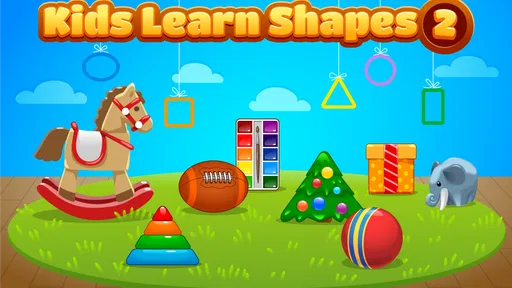
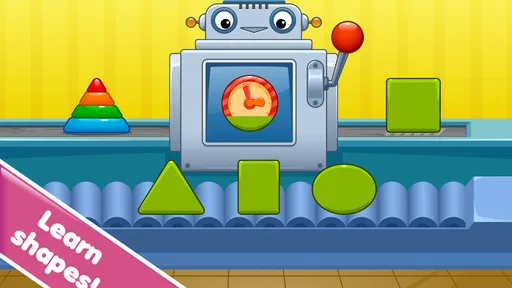
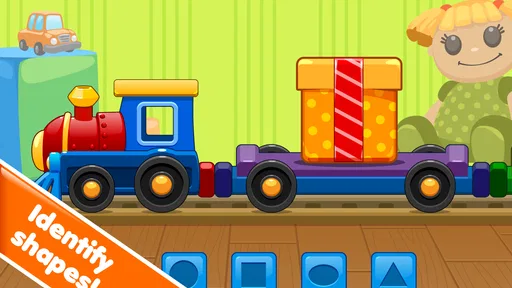
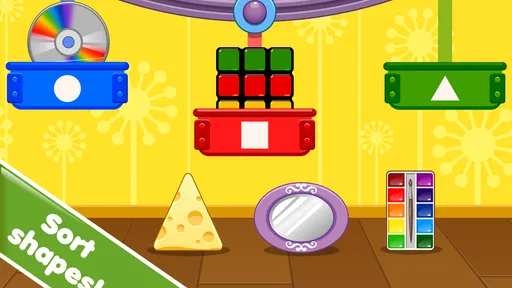
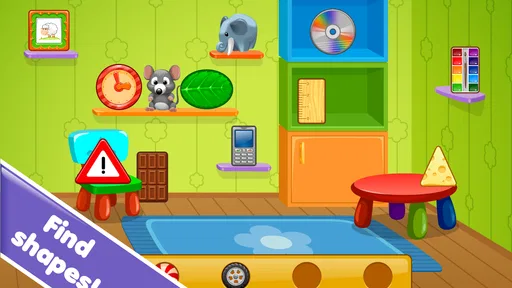
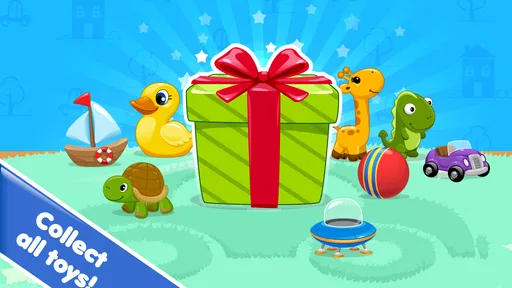
Analysis by Reviewed
Learning shapes sounds simple, but the way a child interacts with the activity matters just as much as the lesson itself. I spent time with Kids Learn Shapes 2 as an educational game from Intellijoy Educational Games for Kids, and I found a focused experience aimed at making shape recognition feel playful rather than like a worksheet. Its appeal is easy to understand: a child can practice a small, familiar idea without being surrounded by unrelated lessons, complicated menus, or advanced game mechanics.
The game has an average rating of 4.3 from around 35 ratings, with five written reviews, and it has passed 10K+ installs. Those figures suggest a modest but real audience rather than a huge mainstream hit. It costs $1.99, carries an Everyone age rating, and is intended for families looking for a straightforward early-learning activity. I would see it as a small, purposeful purchase for a young learner, not as a complete preschool curriculum.
How the learning experience feels in everyday use
The first thing I noticed is how narrow the focus is. That is both the main strength and the main limitation. Instead of asking a child to move between letters, numbers, colors, and puzzles, the game stays centered on shapes. For a child who is still confusing basic forms, that concentration can make practice less intimidating. The activity feels easier to repeat because the learning goal is clear from the beginning.
I would introduce it during a short quiet period rather than hand it over as a long-form entertainment game. For example, a parent could use it after breakfast while getting ready for the day, or during a brief wait before leaving the house. The child can work with the same concept repeatedly, then connect it to objects nearby: a plate may suggest a circle, a window may suggest a rectangle, and a toy block may offer another way to talk about form. The useful part is not only tapping through the activity; it is using the game as a prompt for conversation away from the screen.
That approach also helps avoid a common problem with early-learning apps: children may recognize an answer inside the game without understanding the idea in daily life. I recommend asking the child to find a matching shape in the room after playing. This turns a short digital session into a small observation exercise and gives parents a better sense of whether recognition is transferring beyond the screen.
Speed expectations for young players
For this kind of game, perceived speed is less about demanding graphics and more about whether a child understands what to do next. A young player should not need to wait through complicated transitions or learn a large control scheme before reaching the educational activity. The focused design works in its favor because there is less conceptual clutter than in broad children’s game collections.
I would still allow a moment for the child to look at each screen instead of rushing through every response. Fast tapping is not necessarily successful learning. If a child answers immediately, I would ask them to name the shape aloud or describe something with the same outline. That small pause makes the game more useful without requiring any extra equipment or preparation.
More From Our News Desk

Weather by Xiaomi Review: Clear at a Glance, Less Clear Up Close

X Under Pressure: Can It Recover When Posting Goes Wrong?

Clash of Clans Is Won Between the Battles

Android Auto Makes the Case for Quieter Car Software

MobiOffice: Transforming Mobile Productivity with Seamless Integration

EA SPORTS FC™ Mobile Soccer: Redefining Mobile Sports Gaming
The game is also better suited to short, repeated sessions than to a long uninterrupted play period. A child may begin enthusiastically and then lose attention once the activity becomes familiar. That does not mean the game has failed; it means the subject is naturally narrow. I would use it for a few minutes, stop before frustration appears, and return later. Repetition across separate moments is likely more valuable than trying to complete a lengthy session in one sitting.
One practical tip is to keep the device ready before inviting the child to play. Young children are not patient with adults searching through menus, adjusting the screen, or deciding what to do next. Opening the game first and placing the device where the child can hold it comfortably makes the experience feel faster, even when the actual activity has not changed. This is especially helpful during a short routine such as a car ride while parked, a waiting-room visit, or a transition between home activities.
What happens during heavier use
The most demanding moment is not likely to be technical in the usual adult sense. It is the point when a child repeats the same task many times, taps quickly, changes answers, or asks to start again. Repetition is normal in early learning, but it can expose whether the experience remains understandable under enthusiastic use. If the child becomes uncertain, I would step in with spoken guidance rather than simply correcting every answer.
A useful routine is to separate recognition from naming. First, let the child identify the matching form in the game. Then ask, “What is it called?” and finally ask where that shape might appear in real life. This three-step pattern makes the activity feel deeper without turning it into a test. It also reveals whether the child is relying on visual matching alone or beginning to build vocabulary.
Another good use case is working with two children who are at different stages. The older child can describe a shape while the younger child selects it. That turns the game into a shared activity, although I would not expect it to function like a multiplayer game. The value comes from conversation and turn-taking, not competition. If one child dominates the device, giving each child a separate turn is more productive than trying to make the app support a group lesson.
There is a trade-off here. A concentrated shape game can be calmer than a colorful collection filled with several subjects, but it may also feel repetitive to a child who already knows the basics. I would not choose it as the only educational app for a child who needs broader practice. It makes more sense as a focused tool within a larger routine that includes drawing, sorting household objects, building with blocks, and talking about size and position.
Stability and recovery in a family routine
Reliability matters more in a children’s app than many adults expect. A child who is ready to learn usually does not want to troubleshoot. The simpler the activity feels, the more important it is that an interruption does not become the entire experience. From my perspective, the best way to use this game is to treat it as a small activity that can be paused and resumed as part of normal family life, rather than as a session that requires a long setup.
If a child loses interest, I would not force a restart immediately. A better recovery method is to close the activity for a while, talk about shapes away from the screen, and return later with a specific goal. For example, ask the child to look for three round objects before opening the game again. This gives the next session a purpose and reduces the feeling of repeating taps without meaning.
Parents should also remain nearby during early sessions. This is not because the game needs to become a formal lesson, but because a child may interpret an unfamiliar prompt differently from an adult. A quick explanation can prevent a small misunderstanding from turning into frustration. Once the child knows the interaction pattern, supervision can become lighter, depending on age and confidence.
The game’s Everyone rating makes it appropriate for a broad family audience, but an age label does not tell me whether every child will enjoy the same level of repetition. A preschooler who likes matching activities may settle into it quickly, while another child may need more physical objects and movement. I would judge success by whether the child can talk about shapes afterward, not simply by how long they remain on the screen.
Device constraints and practical setup
The listed minimum operating-system requirement is 7.1, so families using an older compatible device should check that it meets this baseline before purchasing. That requirement is useful when choosing a hand-me-down phone or tablet for a child. I would also consider the physical condition of the device: a small screen, weak battery, or unreliable touch response can make a simple learning activity feel harder than it really is.
Screen size affects the experience in a practical way. A tablet is usually easier for a young child to hold with both hands and view at a comfortable distance, while a phone is more convenient for travel. The trade-off is portability versus ease of interaction. If the child is expected to tap carefully, I would favor the larger device available in the home rather than automatically choosing the most portable one.
Resource demand is another consideration, although this is not the type of game I would select for demanding visual performance. Its educational focus suggests a lighter role than a large action game, and the narrow subject matter should make it easier to fit into a child’s routine. Even so, I avoid launching any app while the device is already struggling with low storage, a nearly empty battery, or many open activities. A child does not understand those technical causes; they only experience a delay or interruption.
For travel, I would prepare the device before the child needs it. Charge it, set a comfortable brightness, and decide whether the session will be supervised. This is a small but important workflow improvement. The game can then serve as a calm backup activity rather than becoming a last-minute solution during a difficult moment. I would not rely on it as the sole way to occupy a child for a long journey, because its narrow educational purpose is better matched to brief practice.
Where it fits among other learning options
Compared with a broad preschool app, this game offers less variety but a clearer subject boundary. A large educational suite may be the better choice for a child who needs a mixture of early reading, counting, music, and problem-solving. The advantage of a broader alternative is range; the disadvantage is that a child can spend more time moving between activities than practicing one concept carefully.
Compared with printable worksheets, the game is more interactive and may be easier to introduce to a child who resists paper exercises. Worksheets, however, offer a valuable physical step: drawing, tracing, coloring, and cutting can strengthen the connection between seeing a shape and producing one. I would pair the game with paper or blocks rather than treating digital recognition as the entire lesson.
Compared with ordinary shape videos, the game should feel more participatory because the child is expected to respond rather than only watch. A video can be useful for vocabulary and demonstration, but it does not necessarily show whether the child can identify the form independently. The game is more useful when a parent follows up with questions and real-world examples.
Compared with free general-purpose puzzle games, the $1.99 purchase gives this app a more deliberate educational role. The price is low enough to consider for a focused need, but I would still ask whether the child actually needs shape practice before buying. If the child already names common forms confidently, a drawing app, construction toy, or broader learning program may offer better value.
Who will get the most from it
I think Kids Learn Shapes 2 is best for a young learner who benefits from repetition, visual matching, and a limited number of choices. It can suit a parent who wants a simple activity to support conversations about circles, squares, rectangles, and other familiar forms without introducing a crowded learning dashboard. It may also help a child who is beginning to use a touchscreen independently but still needs an uncomplicated educational goal.
Teachers and caregivers could use it as a short warm-up before a hands-on activity. After the digital session, place several safe household objects on a table and ask the child to sort them by shape. The important insight is that the app works best as the first step in a sequence: recognize on screen, say the word, find an example, and then create or draw it. That workflow gives the purchase more educational value than passive screen time.
I would skip it for an older child seeking open-ended challenges, a child who already has strong shape vocabulary, or a family wanting one app to cover every early-learning subject. I would also avoid presenting it as a replacement for adult interaction. The game can prompt practice, but a parent or caregiver is still better at noticing confusion, adjusting the language, and connecting the lesson to the child’s world.
Version, cost, and long-term value
The current version is 1.3.10, and the game was released on Apr 28, 2016. Those details matter mainly when setting expectations: this is an established, focused educational title rather than a new, constantly changing entertainment platform. I would approach it for the activity it provides today, not because I expect a large stream of new content or a rapidly expanding curriculum.
At $1.99, the decision comes down to fit rather than risk. If a child is actively learning basic shapes, a small paid app can be worthwhile when it is used repeatedly and connected to offline practice. If the child only tries it once, even a low price may not feel justified. Before buying, I would consider whether the child enjoys matching tasks and whether an adult can give the game a few minutes of attention during the first uses.
The install figure of 10K+ and its average rating of 4.3 from around 35 ratings give me a modest signal of interest, but not enough to treat it as universally suitable. I would read the rating as encouragement to consider it, not as proof that it will match every child’s learning style. The small scale of the audience also reinforces my view that this is a specialized choice for shape practice, not an essential download for every family.
My performance verdict
My overall impression is that the game’s performance value comes from focus. It does not need to compete with visually intense games because its job is to make one early-learning idea approachable. In a normal family routine, I would expect it to work best in short sessions on a compatible device that is prepared in advance. The lighter, more focused format is a benefit for children who become distracted by too many options.
The main friction is equally clear: shape practice can become repetitive, and the app cannot replace hands-on learning or a wider educational program. Parents should plan to extend each session with conversation and real objects. That extra step is not a weakness unique to this game; it is simply the difference between recognizing a picture and understanding a concept.
I would recommend it to a family looking for a compact, paid educational game with an Everyone rating and a single clear purpose. I would not recommend it as a complete learning solution or as a long-session entertainment title. Used thoughtfully, it can provide a calm starting point for learning shapes, especially when a caregiver turns each screen interaction into a chance to observe, name, compare, and create.
My final recommendation: buy it when your child is currently working on shape recognition and you want a simple digital companion to real-world practice. Skip it when you need broad subject coverage, advanced challenges, or a game designed to occupy a child for extended periods. Its best quality is not spectacle; it is the way a narrow goal can become manageable when the device, timing, and adult guidance are all chosen carefully.
Kids Learn Shapes 2 Frequently Asked Questions
What devices and operating systems can run Kids Learn Shapes 2?
Kids Learn Shapes 2 is available for Android and iOS, and its listed minimum operating system is 7.1. Before downloading, check that your device meets this requirement and has enough free storage for the game. Keeping the operating system up to date can also help with compatibility and performance. The game is a straightforward educational option for families looking for shape-focused play on a supported device.
How much does Kids Learn Shapes 2 cost, and is it a paid game?
Kids Learn Shapes 2 costs $1.99. This is a one-time listed price for the game, so it is worth checking the purchase screen in your app store before confirming, as store prices and availability can differ by platform or region. The game is categorized as educational and is intended to make shape learning fun through play, so parents can weigh the price against their child’s interest in this kind of activity.
What is Kids Learn Shapes 2 and who is it designed for?
Kids Learn Shapes 2 is an educational game created to help young children recognize, name, and understand different shapes through colorful visuals and simple interactive activities. It is mainly suitable for preschoolers and early learners, although the ideal age may vary depending on a child’s previous experience with educational apps. The game is designed for short, accessible play sessions and does not require advanced reading skills.
What can children learn while playing Kids Learn Shapes 2?
The app focuses primarily on shape recognition, matching, visual identification, and basic problem-solving. Children can practice distinguishing common geometric forms by comparing their outlines, colors, and positions on screen. Depending on the activity, the game may also support concentration, hand-eye coordination, memory, and following simple instructions. It works best as a supplement to learning at home or in preschool rather than as a complete educational program.
Is Kids Learn Shapes 2 easy for young children to use independently?
The game uses bright graphics, large touch targets, and straightforward activities intended to make navigation manageable for young players. Most interactions are based on tapping, selecting, or matching objects, so children do not need strong reading or typing abilities. However, younger children may still need an adult nearby at first to explain the goal of each activity, help with navigation, and encourage them when they make mistakes.
Pros
- Bright visuals and friendly animations keep young children engaged.
- Simple touch controls are suitable for preschool-age users.
- Activities help reinforce basic shape recognition and matching.
- Short lessons work well for quick practice sessions.
- Can support early learning at home or during travel.
Cons
- Some activities may become repetitive after extended play.
- Limited challenge for children who already know common shapes.
- Requires parental guidance to explain unfamiliar shapes.
- Ads or locked content may affect the free experience.
- Sound effects can be distracting in quiet environments.













