iDaft Jamming-Daft Punk Sounds
- 303.00
- 3.3
- Installs
- 1.00M
- Price
- Free
Screenshots

Analysis by Reviewed
What makes this game appealing is also its clear limit: it turns Daft Punk’s sound into a playful, hands-on diversion, rather than trying to be a full music studio. I enjoy it most when I treat it as a quick way to tap out familiar fragments and have fun with the group, not as a tool for producing a polished song. That distinction matters if you’re deciding whether a soundboard-style music game will hold your attention.
A small musical toy, not a production studio
In the music-game category, iDaft Jamming sits closer to an interactive soundboard than to a conventional rhythm game or a recording app. The pleasure comes from choosing sounds and playing with their timing; it doesn’t ask me to master a long campaign or learn a complicated music-production workflow. If you want to record, arrange, and refine original tracks, a dedicated music-making app is a better fit. Here, the appeal is immediacy and recognition.
That focus gives it a useful low-pressure role. I can open it for a short break, let someone else try a few taps, and put it away without needing to set up a project or remember where I left off. The trade-off is that people who want new musical material, deeper controls, or a structured challenge may find the central idea runs out of room sooner than a full-featured music app.
How to get more out of a quick session
A practical way to use a soundboard like this is to listen before tapping: pick out the parts you recognize, then try changing the order and timing rather than pressing everything at once. That makes the interaction feel more intentional and gives friends a simple way to take turns building on one another’s attempts. It is a small distinction, but it can make a casual session less like random button pressing.
For a realistic everyday use, imagine waiting with a friend before food arrives. Instead of passing around a complicated game with rules to explain, I would hand over the phone and let them explore the Daft Punk sounds for a minute. It works best as a shared joke or a brief music-themed distraction. In a noisy room, though, the musical detail may be harder to appreciate, so I’d save it for a quieter moment or use headphones if that suits the setting.
Who will enjoy it—and who may not
I’d recommend it first to Daft Punk fans who enjoy recognizing musical parts and experimenting casually, plus anyone who wants a light music game that friends can understand quickly. It can also be a pleasant first step for someone curious about arranging sounds without the pressure of learning an instrument. It is less convincing for players looking for levels, a demanding beat challenge, or a broad library of artists; a conventional rhythm game or a more general soundboard may better match those expectations.
Before installing, it’s worth knowing that the game is free, while optional in-app purchases range from $0.99 to $9.49 per item. It is rated for Everyone and requires Android 6.0 or later. Drohm’s music game has a 3.3 average from around 6,000 ratings, so I would approach it as a niche fan diversion rather than assume it will suit every music-game player. Its current version is 1.7.5, and it has passed one million installs.
More From Our News Desk

Weather by Xiaomi Review: Clear at a Glance, Less Clear Up Close

X Under Pressure: Can It Recover When Posting Goes Wrong?

Clash of Clans Is Won Between the Battles

Android Auto Makes the Case for Quieter Car Software

MobiOffice: Transforming Mobile Productivity with Seamless Integration

EA SPORTS FC™ Mobile Soccer: Redefining Mobile Sports Gaming
If you’re like me and have ever found yourself wishing you could jam along to some iconic Daft Punk tunes, then you’re in for a treat with iDaft Jamming. This app brings the infectious beats of Daft Punk right to your fingertips. I’ve been playing around with it for a while now, and let me tell you, it’s as fun as it sounds.
Discover Your Inner Daft Punk
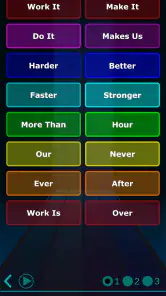
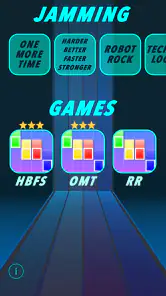
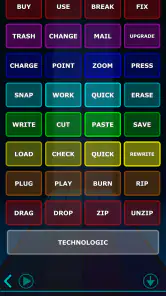
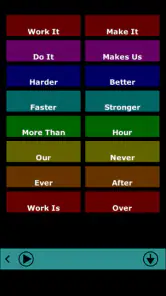
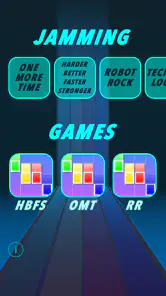
Let’s dive into the nitty-gritty of what makes iDaft Jamming such a fantastic app. At its core, this app is all about letting you channel your inner musician. It features a variety of soundboards that replicate some of Daft Punk’s greatest hits. You can choose from classics like "Harder, Better, Faster, Stronger" and "Technologic"—each soundboard giving you the chance to remix and jam along to these epic tracks.
Easy to Use and Highly Entertaining
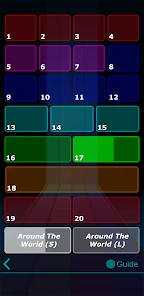
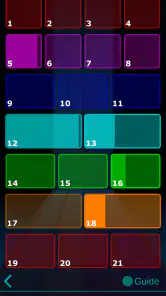
One of the first things I noticed about iDaft Jamming is how easy it is to use. You don’t need any musical background to get started. The interface is intuitive, with clearly labeled buttons for each sound segment. It’s all about tapping along to the beat, and before you know it, you’re creating your own Daft Punk-inspired masterpiece. It’s addictive, trust me.
That ease of entry is especially useful when the phone is being passed between people who have different levels of musical confidence. I would not ask a group to learn a pattern or wait through a tutorial; the point is that a person can try a sound, hear the result, and hand the phone on. For a quick turn-taking game, I’d suggest giving each person a simple goal—such as finding a phrase they recognize or making a short sequence—rather than treating the screen as a competition. That keeps the fun in the sounds themselves and avoids expecting a precise performance from a casual toy.
A Fun Way to Explore Creativity
Besides being a blast to play, iDaft Jamming is a fantastic way to explore your creativity. You can mix and match different beats, loops, and vocals to create something entirely new. Whether you’re just killing time or seriously diving into music creation, this app offers something for everyone.
I’d put a boundary around that creative promise: the satisfying part is experimenting with the available Daft Punk-inspired material, not composing an unrestricted original track. A useful way to approach it is to make a tiny “call and response” with a friend: one person taps a fragment, the next answers with another, and you see whether the sequence feels playful or coherent. It turns the app into a social prompt without pretending it replaces a sequencer, where you can build a track from a much wider range of sounds and control its arrangement more deeply.
That distinction also answers a practical question: is it suitable for a beginner who wants to learn music production? I’d say it can help someone notice how separate musical parts can be combined, but it is not the tool I’d choose for learning recording, editing, or song structure. If your goal is to make a finished piece you can save and refine, look for a dedicated music-making app. If your goal is simply to play with recognizable snippets and see what combinations amuse you, this is a much lighter place to start.
Great for Parties and Gatherings
I’ve found that iDaft Jamming is a hit at parties and gatherings. It’s the kind of app that invites everyone to join in on the fun. Hand it over to a friend, and you’ll see how quickly they get into the groove. It’s a perfect conversation starter and provides endless entertainment.
In practice, I’d use it as a short interlude, not the centerpiece of a gathering. A phone-sized soundboard works best when people can hear the output and take turns without a queue forming around it; if the room is loud or several conversations are competing, the musical details are easily lost. A quieter kitchen while friends are waiting, or a relaxed hangout where one person can pass the device around, is a better match. I’d also keep the volume considerate in shared spaces: the app’s appeal is the playful interaction, not making everyone nearby listen to repeated fragments.
What to expect before you install
The main question I’d ask before downloading is whether the Daft Punk connection is enough to carry a compact experience. The game is free to start, with optional purchases priced from $0.99 to $9.49 per item. I would try the free version first and only consider paying if I already enjoy the interaction and understand what an offered purchase adds. That avoids spending on the assumption that the game will become a full studio or a broad music library.
Drohm’s game is rated for Everyone and needs Android 6.0 or later. It has a 3.3 average from around 6,000 ratings, while its reach has grown beyond one million installs. Those figures make me think of it as a recognizable niche choice, not a guaranteed fit for every player. Its current version is 1.7.5. The combination of a modest average and a clearly specific premise is a reminder to judge it by its own small ambition: casual Daft Punk sound play, rather than a deep music game.
Another practical consideration is what you want to do after a session. If you mainly want an easy, repeatable bit of fan play, a short session can be enough; you do not need to treat every opening as a project. If you want progress that carries over into a more elaborate composition, or a steady stream of new challenges, this format may feel limited. I’d decide based on whether replaying familiar musical pieces sounds enjoyable in itself, because that is the core attraction rather than a stepping stone to a larger game.
Conclusion: A Must-Have for Daft Punk Fans
All in all, iDaft Jamming is a must-have app for any Daft Punk enthusiast or anyone who loves music. It’s not just an app; it’s an experience that brings the magic of Daft Punk’s music to life in an interactive way. So grab your phone, download the app, and get ready to jam. You won’t regret it!
My recommendation is more selective than “must-have”: I’d try it if Daft Punk’s sound is already part of your taste and you want a quick, tactile way to play with musical fragments. The game’s best quality is that it makes a familiar style inviting to poke at, even if you have no music background. Its weakness is the same narrowness that gives it character; there is little reason to expect the depth or variety of a rhythm title, a large soundboard collection, or a production app.
If you are choosing between this and a conventional rhythm game, ask whether you want to perform against a challenge or simply explore sounds at your own pace. If you want scoring, levels, and a clear sense of progression, I’d choose the rhythm game. If you want to build a song with original material and more control, I’d choose a music workstation. But when the plan is a brief, friendly Daft Punk-themed diversion, this has a clear place on my phone. I’d recommend it to fans with modest expectations, and I’d skip it if you need a deep system that keeps unfolding over long sessions.
iDaft Jamming-Daft Punk Sounds Frequently Asked Questions
Who developed iDaft Jamming-Daft Punk Sounds, and what kind of app is it?
iDaft Jamming-Daft Punk Sounds is a music game developed by Drohm. It is built around a tribute soundboard for some of Daft Punk’s iconic songs, giving fans a playful way to tap and combine sounds. Rather than presenting itself as a general music player, the app focuses on interacting with musical samples inspired by the group.
What kind of experience should I expect from iDaft Jamming-Daft Punk Sounds?
Expect a casual, hands-on music experience centered on tapping soundboard controls and experimenting with sounds inspired by Daft Punk. It is suited to short sessions of playful mixing rather than a traditional rhythm challenge or a full music-production studio. The appeal is the chance to have fun with recognizable electronic sounds, whether you are already a fan or simply curious about the concept.
What is iDaft Jamming-Daft Punk Sounds?
iDaft Jamming-Daft Punk Sounds is a fun and interactive app that allows users to play with soundboards inspired by the iconic tracks of Daft Punk. Users can mix and create their own versions of Daft Punk’s most famous songs using a variety of sound effects and samples from the band’s music.
Is iDaft Jamming-Daft Punk Sounds free to use?
Yes, iDaft Jamming-Daft Punk Sounds is free to download and use. However, the app may offer in-app purchases for additional features or sound packs, which can enhance the user experience by providing more sounds and customization options. Optional purchases range from $0.99 to $9.49 per item, so check the purchase details before buying anything.
What features does iDaft Jamming-Daft Punk Sounds offer?
The app offers a variety of features including multiple soundboards, each inspired by different Daft Punk songs. Users can play, remix, and jam along with the beats, as well as record their own mixes. It also includes options to share your creations on social platforms, enhancing the interactive experience.
Pros
- Authentic Daft Punk sound samples.
- Easy-to-use interface for all ages.
- Free to download and use.
- Provides hours of entertainment.
- No ads to interrupt your experience.
Cons
- Limited sound sample selection.
- No option to create custom sounds.
- Lacks updates and new features.
- Only for Daft Punk music fans.
- Can become repetitive over time.
- Category
- Music
- Version
- 1.7.5











